
Sieve
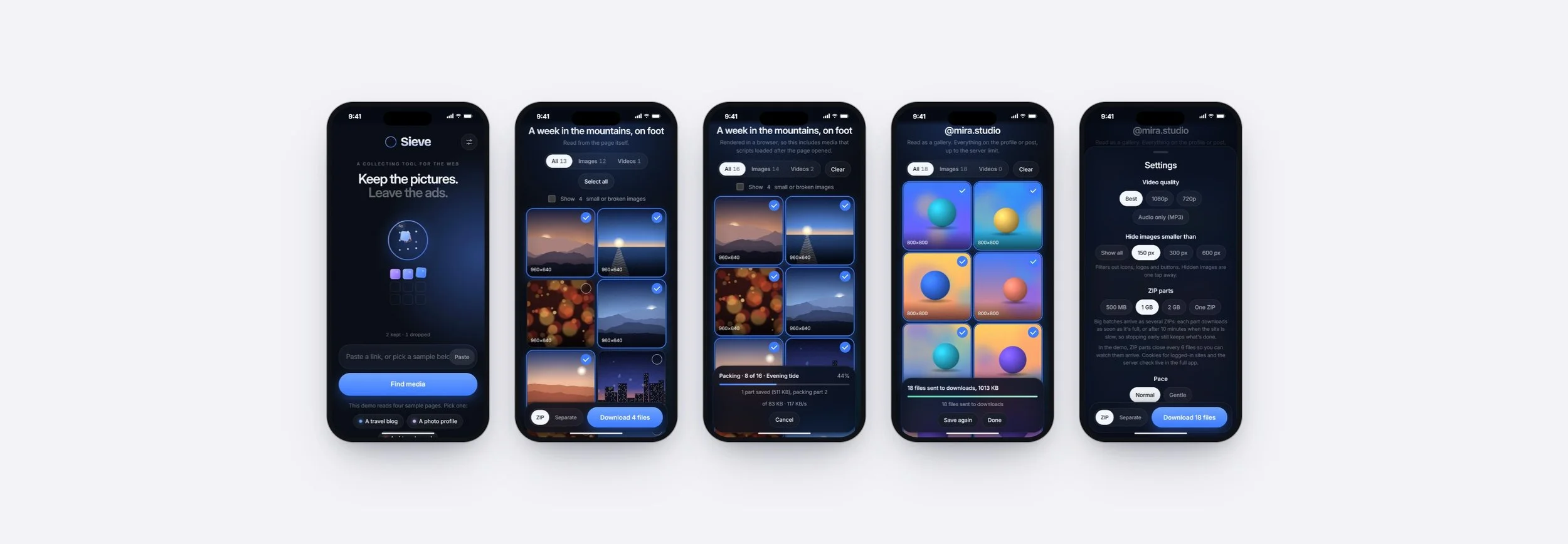
Sieve turns any link into the pictures and videos on it, minus the ads. Paste a page, a gallery, a profile or a video channel, pick what to keep, and it all arrives as tidy ZIP files or one file at a time. It lives in the phone's share sheet and runs on your own computer, and you can try the live demo on this page.
My Role
Product Designer
Project
Personal Project (2026)
Tools Used
Claude, Python, JavaScript
Timeline
October 2026
Overview
Inspiration and Motivation
Sieve started with a small, repeated chore. When I found a page or a profile full of images I wanted to keep, saving them meant long-pressing one picture at a time, skipping the ads and icons in between, and hoping nothing got missed. Videos needed a different app again.
I wanted one place to send a link and get everything worth keeping back, in order, without the clutter.
Background
I designed and built Sieve as a working app, not a prototype. It runs on my own computer, and my phone reaches it from anywhere, so a link shared from Instagram, YouTube or Chrome goes straight to Sieve. I use it daily on my Galaxy S24, and friends have used it too. For this portfolio, a demo version runs the same interface on sample pages at sieve.junh.kim.
Initial Thinking
Addressing Gaps in Existing Tools
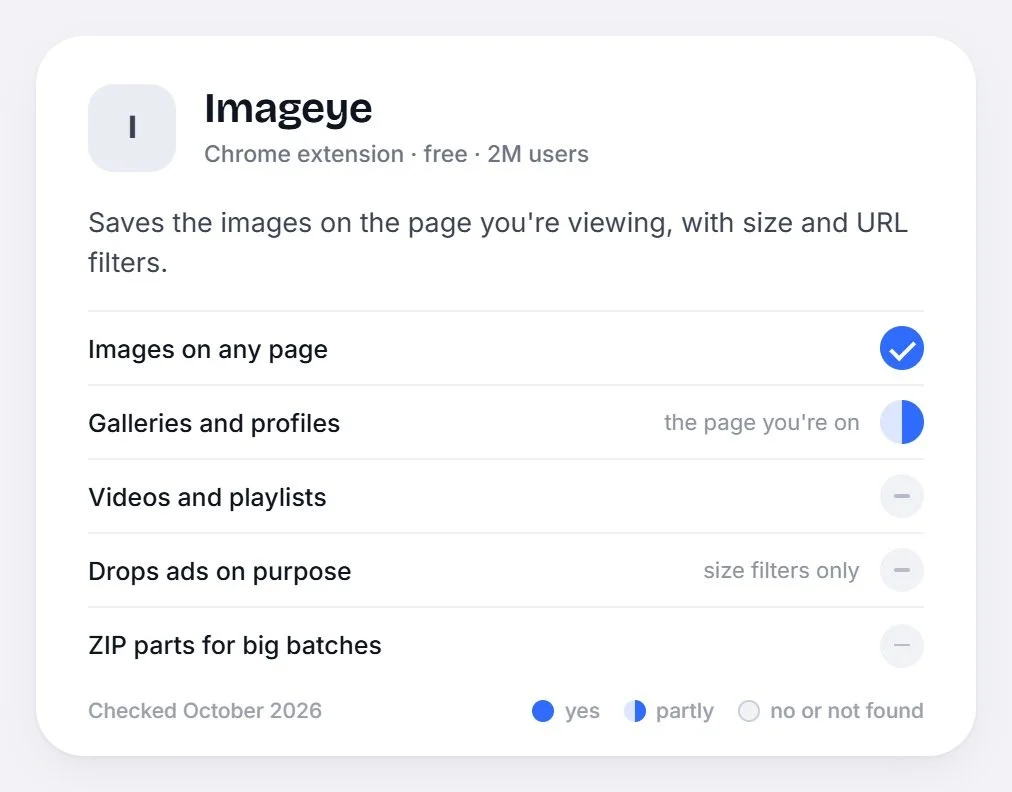
Good downloaders exist, but each covers one slice. Seal and 4K Video Downloader handle videos and playlists. Cobalt saves one public post or video per link. Imageye saves the images on the page you're viewing. None of them takes one link and returns the page's images, a gallery's posts and its videos together, and none of them treats ads as something to leave out.
Goals and Objectives
Sieve aims to make saving from the web feel like one step: send the link, keep what you want.
Key objectives include:
One Link, Any Source
Pages, galleries, profiles and video sites through the same field.
Only What You'd Keep
Ads, tracking pixels and tiny icons never reach your grid.
Big Batches Without the Wait
Files arrive in parts while the rest are still being fetched.
Patient With Slow Sites
When a site slows things down, Sieve waits and carries on instead of failing.
Right From the Phone
Sieve sits in the share sheet next to the apps you already use.
Working Within Each Site's Limits
Sites decide how much they'll hand over and how fast. Galleries, video sites and ordinary pages each need a different way in, some pages only build their images after they load, and logged-in content needs your own sign-in. Sieve doesn't try to get around any of that: it reads what a visitor can see, slows down when a site asks it to, and uses your login only when you add it.
User Experience Design
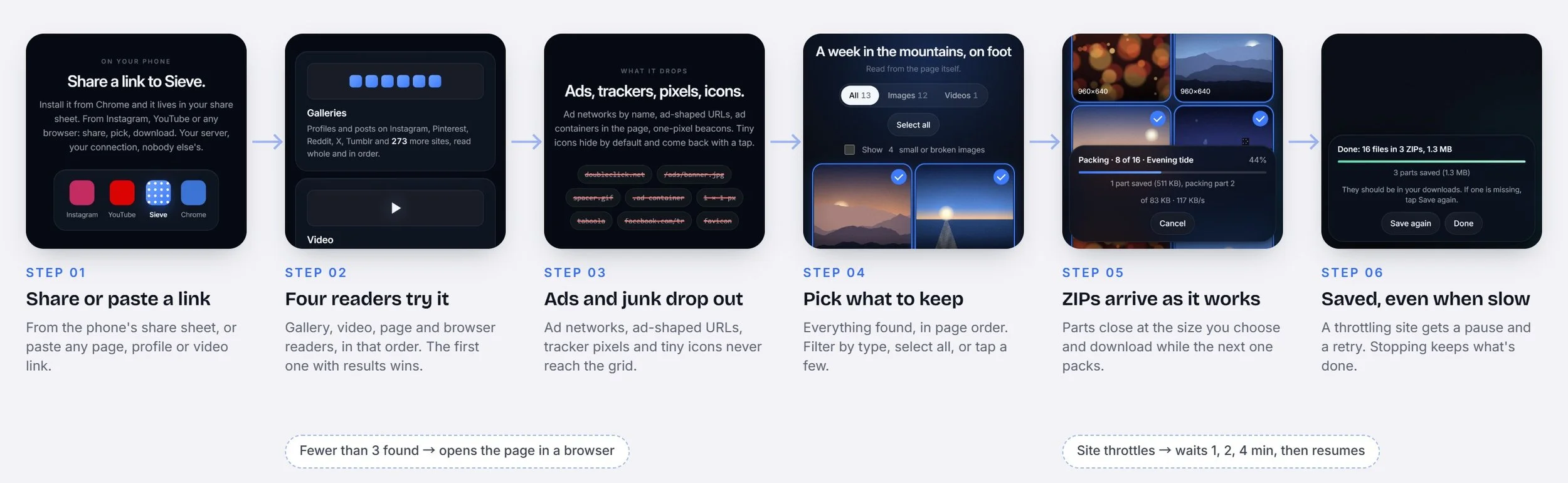
The experience is built around one promise: send a link, keep what you want. Every save follows the same steps: share or paste a link, see everything Sieve found, pick what to keep, and download. The visual language is a deep blue-black with one assertive blue for everything you act on. The only warm colour is the soft light that follows your finger.
Process
I. Start From a Real Batch
My own saves set the bar, up to one page with 478 files that all had to arrive.
II. Map the Sources
I listed how galleries, video sites and ordinary pages each give up their media before drawing screens. That map became four readers tried in order.
III. Define “Kept”
A picture or video someone would save on purpose. Ads, tracking pixels, spacers and icons don't count.
IV. Design for Slow
The 478-file batch slowed to a crawl halfway through, so progress, parts and pauses became part of the design, not an error state.
V. Bring It to the Phone
An installable web app that shows up in Android's share sheet, reaching my computer over a private connection.
VI. Make It Feel Like a Product
A front page that shows the idea in motion, spring animations, and a cursor and touch light that respond to you.
VII. Ship a Demo
A public version runs the full interface in the browser on four sample pages at sieve.junh.kim, and never contacts another site.
Research
Platform Research
Before designing screens, I mapped how each kind of site gives up its media and how it reacts to heavy use, since that decides what Sieve can do on its own and where it has to slow down.
Key Findings
-
Galleries and profiles are best read by gallery-dl, which knows 273 gallery sites. Video sites are best read by yt-dlp, which has 1,750 site readers. Everything else is an ordinary page.
Sieve tries them in that order and keeps the first reader that comes back with something.
-
Lazy loading and script-built galleries mean a plain read of the page can miss most of it. Opening the page in a real browser and scrolling to the bottom finds what loads later.
Sieve does this on its own when a page gives up fewer than three items, and on request with Scan deeper.
-
Limits aren't published. The signs are a "too many requests" answer, or every file suddenly crawling after a fast start. The limits follow your connection and lift after a quiet spell.
So Sieve watches speed as it goes: when it collapses, it pauses for a minute, then two, then four, and carries on.
-
Private profiles and some galleries only open with your cookies, and heavy downloading can get an account rate-limited, so a secondary account is safer.
Sieve takes a cookie export from your browser, keeps it on your own computer, and treats it like a password.
-
Video sites often block requests that come from data centres, and free hosting tiers sleep or run out of memory for a real browser.
So Sieve runs on your own computer, and your phone reaches it over a private connection. The public demo on this page runs entirely in the browser instead.
Competitor Analysis
Existing Tools
Sieve isn't the first downloader. Seal, Cobalt, 4K Video Downloader Plus and Imageye each save media well in their own lane, so I studied what they do well and where they stop. (Details as of October 2026.)
-
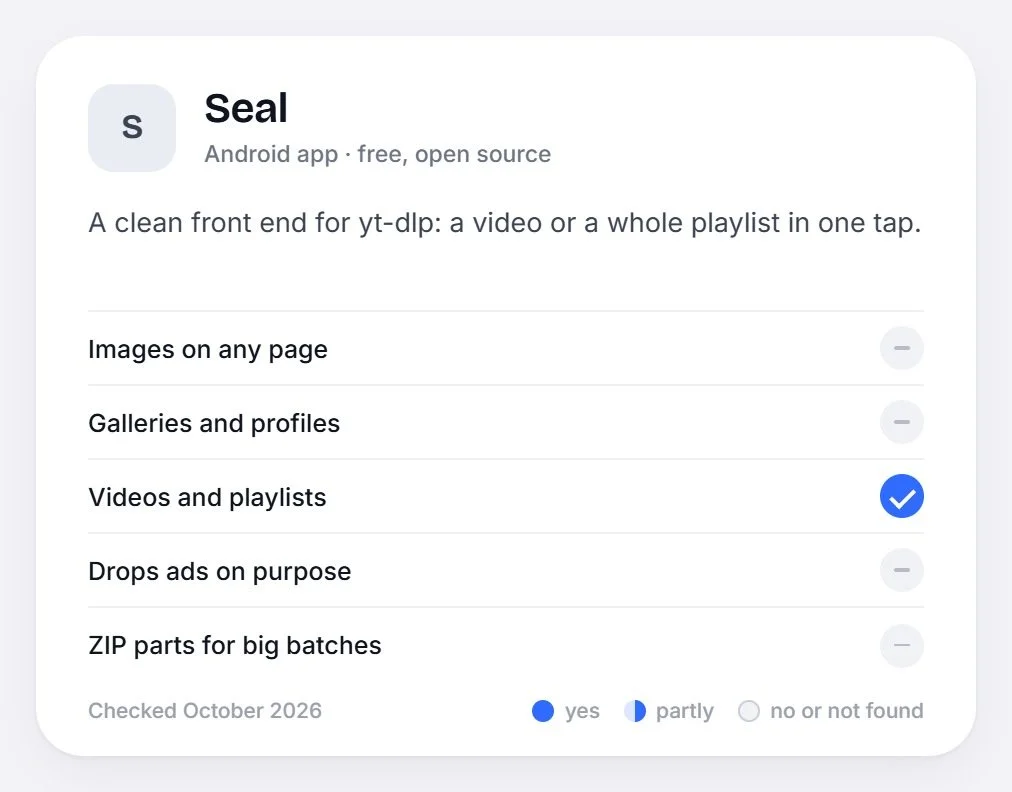
A free, open-source Android app built on yt-dlp. Paste a video or a whole playlist and it downloads in one tap, at the quality you pick.
It stops at video sites: no page images, no galleries, and nothing about ads.
-
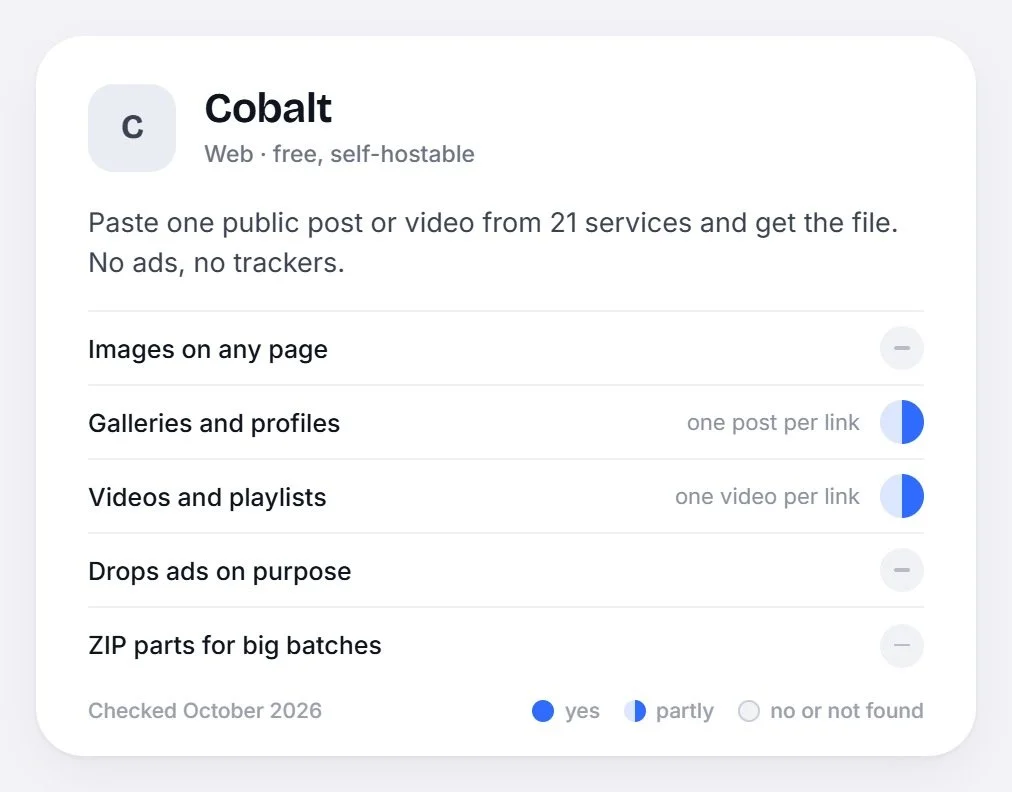
A free web tool you can also host yourself. Paste one public post or video from any of 21 services and get the file back, with no ads or trackers of its own.
One item per link: it doesn't read whole pages, galleries or playlists, and it only works on public content.
-
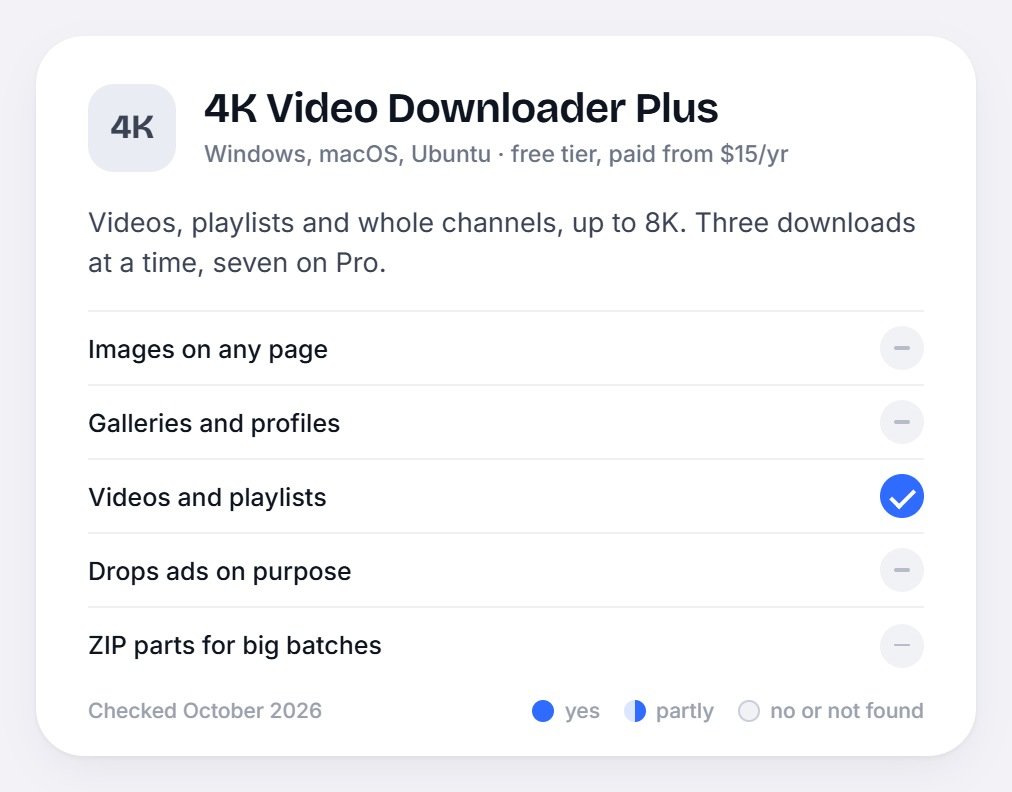
A desktop app for Windows, macOS and Ubuntu that saves videos, playlists and whole channels up to 8K, three at a time (seven on Pro). The free Starter tier has a daily cap; paid plans run from $15 a year.
Video only: it doesn't collect images from pages or galleries, and it has no view on ads.
-
A free Chrome extension with about two million users. It lists every image on the page you're viewing, with size and URL filters, and downloads them in bulk.
It only sees the page that's open in front of you, images only, and its filters are by size, not by whether something is an ad.
Adaptations
Quality you choose:
Like 4K Video Downloader and Seal, videos come at the best quality, 1080p, 720p or as audio only.
A clean stance on ads:
Cobalt has no ads or trackers of its own. Sieve goes a step further and removes them from what you save.
Hide the small stuff:
Like Imageye's size filter, images under a size you set are hidden, one tap away if you want them.
Unique Offerings
One link for everything:
Page images, gallery posts and videos from the same field.
Ads dropped on purpose:
By ad network, ad-shaped addresses, ad containers in the page and one-pixel trackers.
Big batches, delivered in parts:
ZIP parts arrive while the rest are still downloading, and a slow site gets a pause, not a failure.
Why Sieve Is Necessary
For people who save from the web often, today's tools split the job by media type and leave the clutter in. Sieve is built for that gap: one link in, everything worth keeping out, from the phone or the computer.
Research Conclusion
One link should work for any kind of source, so the reader has to be chosen for you.
What gets left out matters as much as what gets saved.
Slow sites are normal, so waiting well is part of the product.
The phone's share sheet is where saving starts.
Problem Statement
Saving pictures and videos from the web means a different tool for every kind of site, one tap per file, and ads and icons mixed in with what you wanted. Sieve takes any link, keeps only what's worth keeping, and delivers big batches in parts, even when a site slows down.
Design Concept
User Flow
Design Concept
Design System
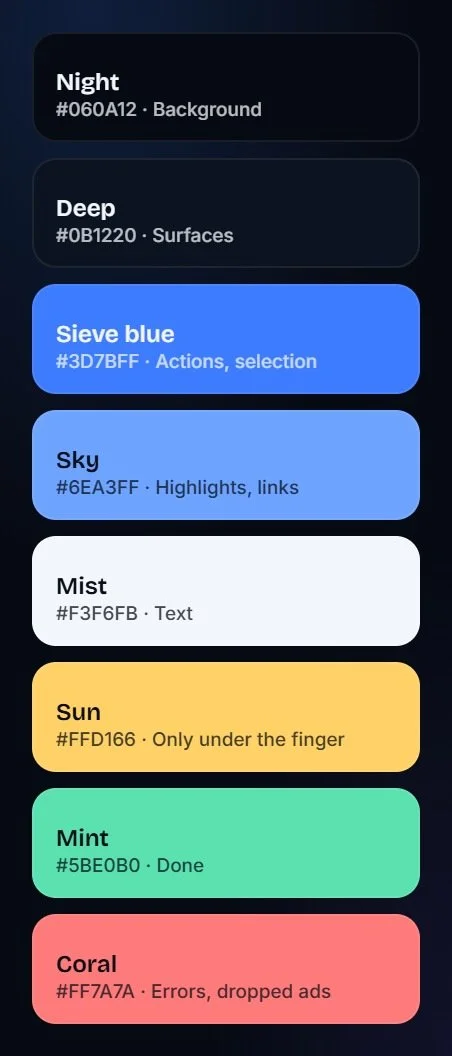
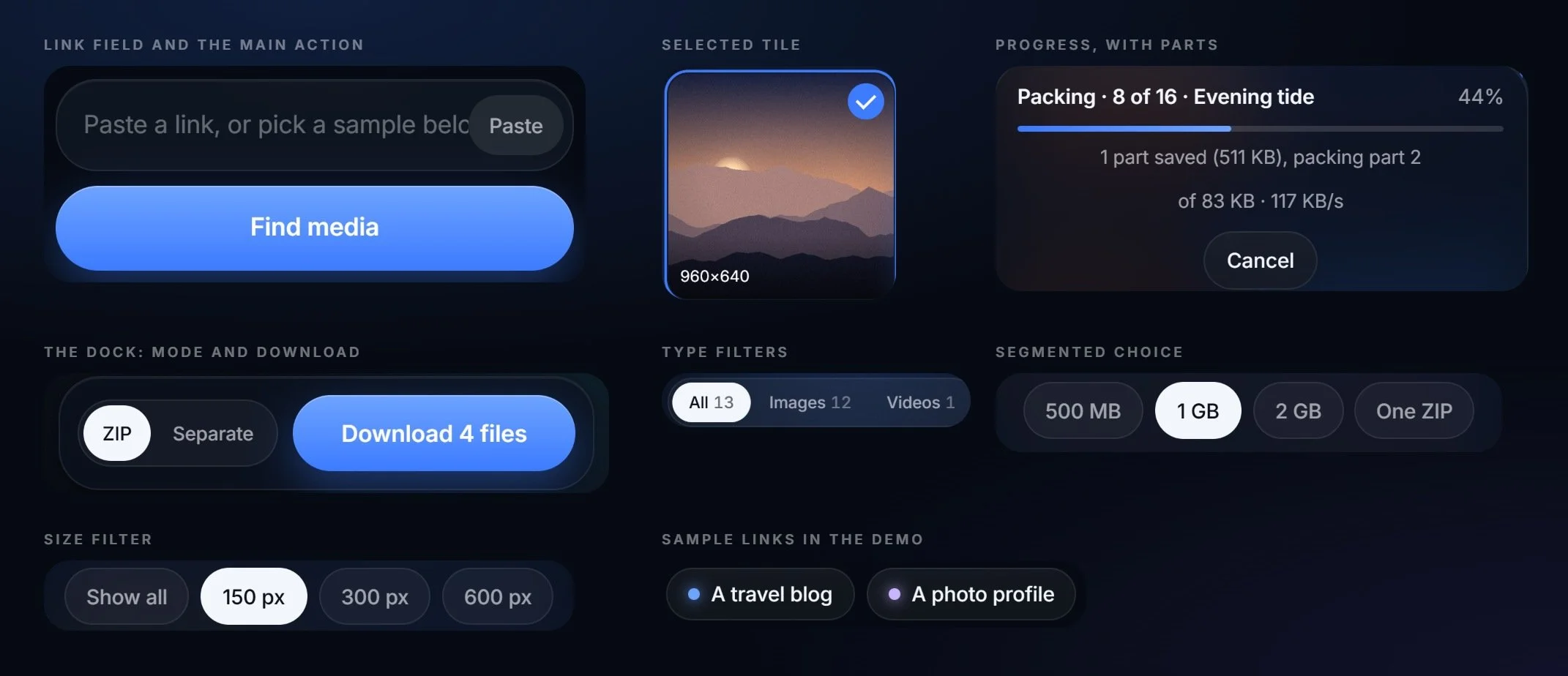
Components
Prototype
Home Page
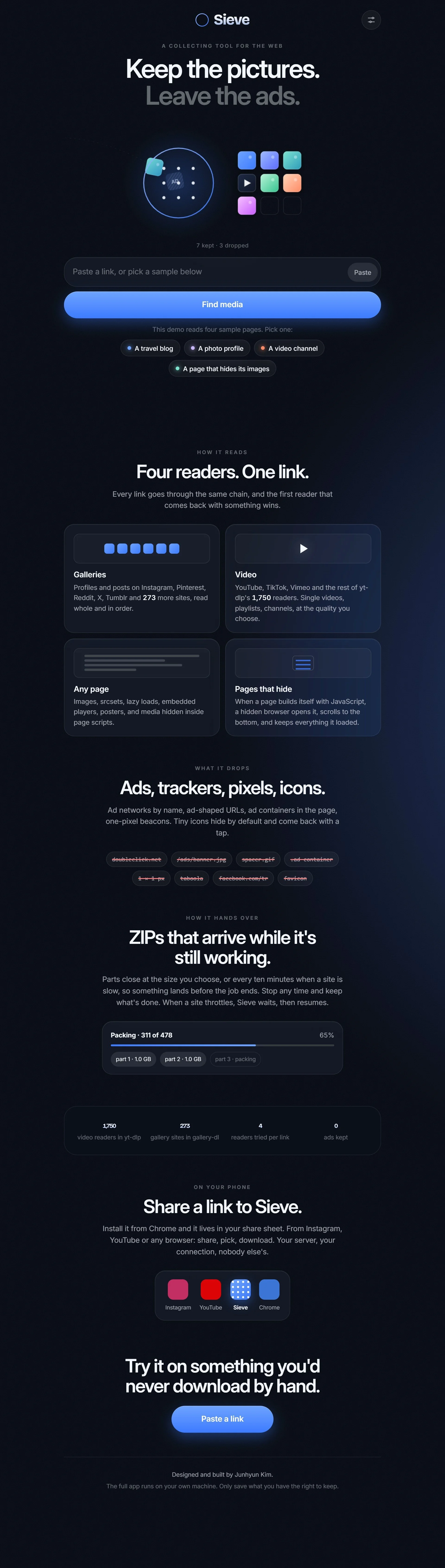
High Fidelity Design
Design Solution
01
One Link, Four Readers
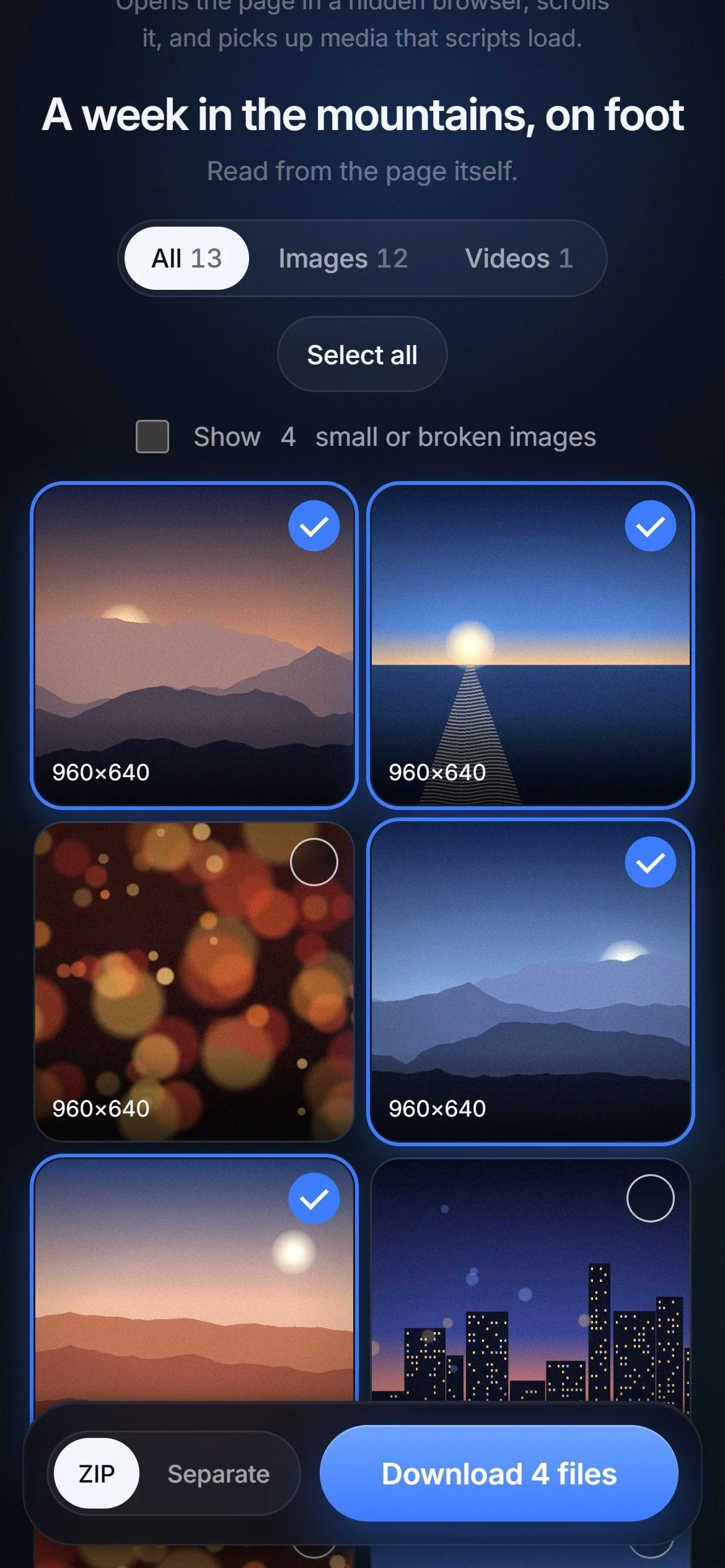
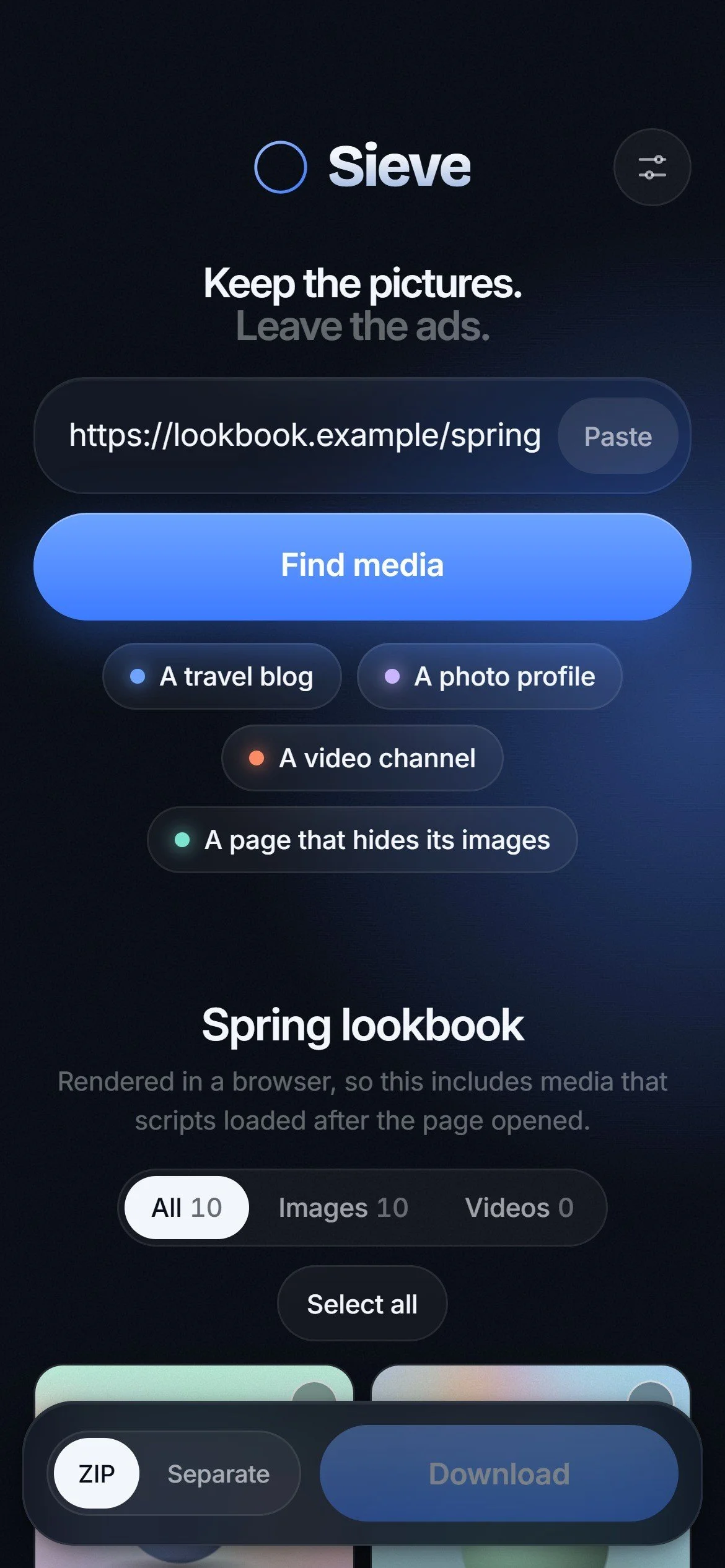
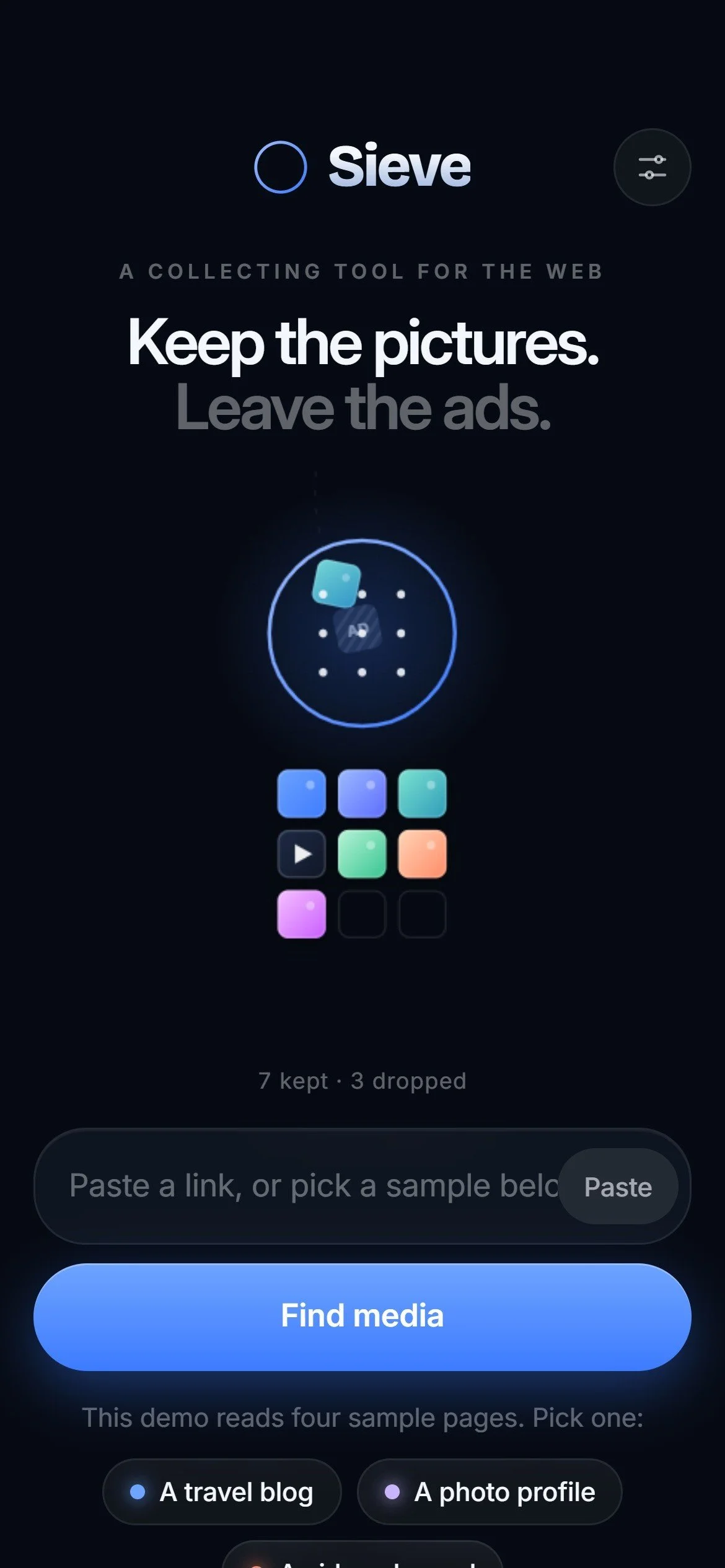
Paste any link, or share it from another app. Sieve tries a gallery reader, a video reader and a page reader in turn, and the first one that finds something wins.
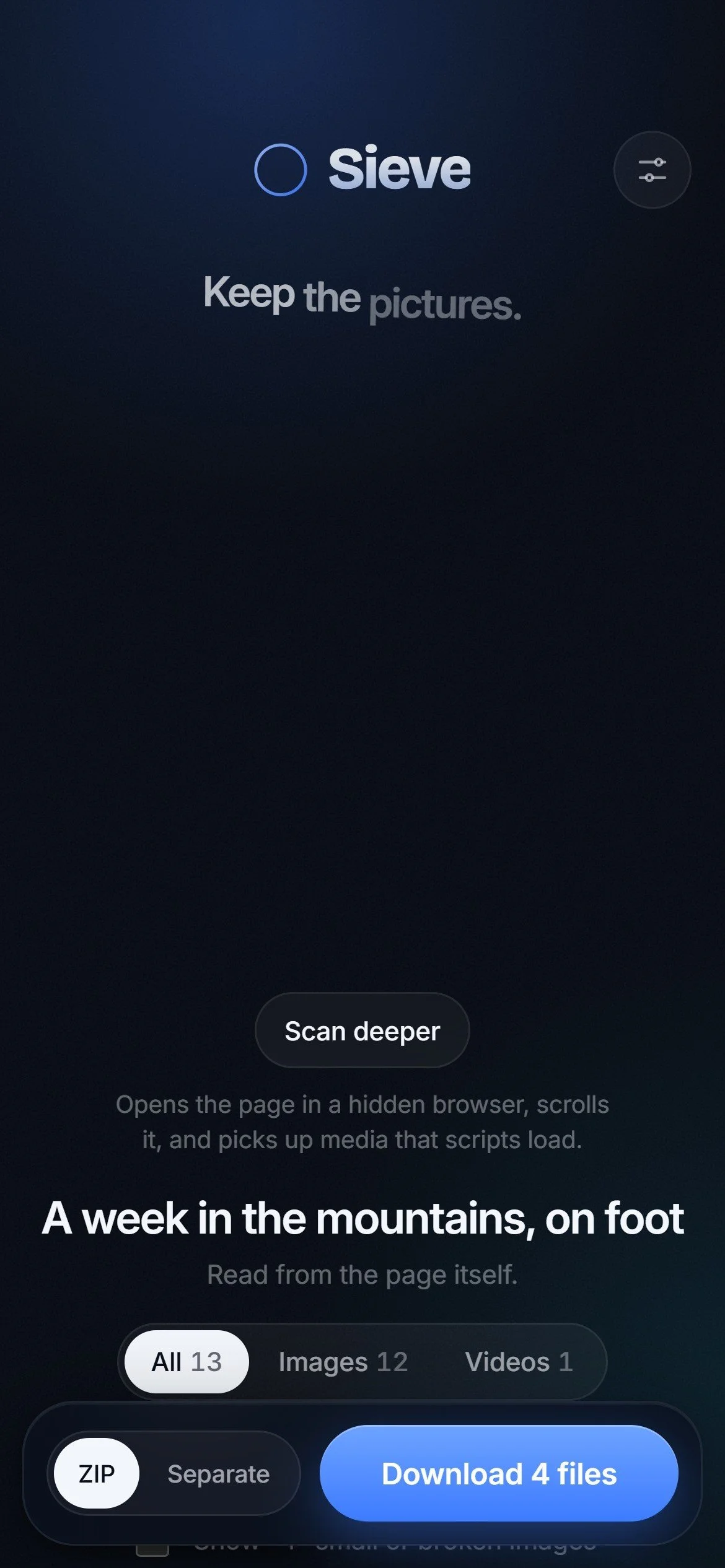
When a page builds its images with scripts, Sieve opens it in a hidden browser, scrolls to the bottom and keeps everything that loaded.
03
Scan Deeper
If a page seems to hold more than Sieve found, one tap opens it in a browser and reads it again. New finds join the grid, already in place.
Everything runs on your own computer. There's no Sieve account and no shared server, so your downloads and your logins never pass through anyone else.
04
ZIPs That Arrive While It Works
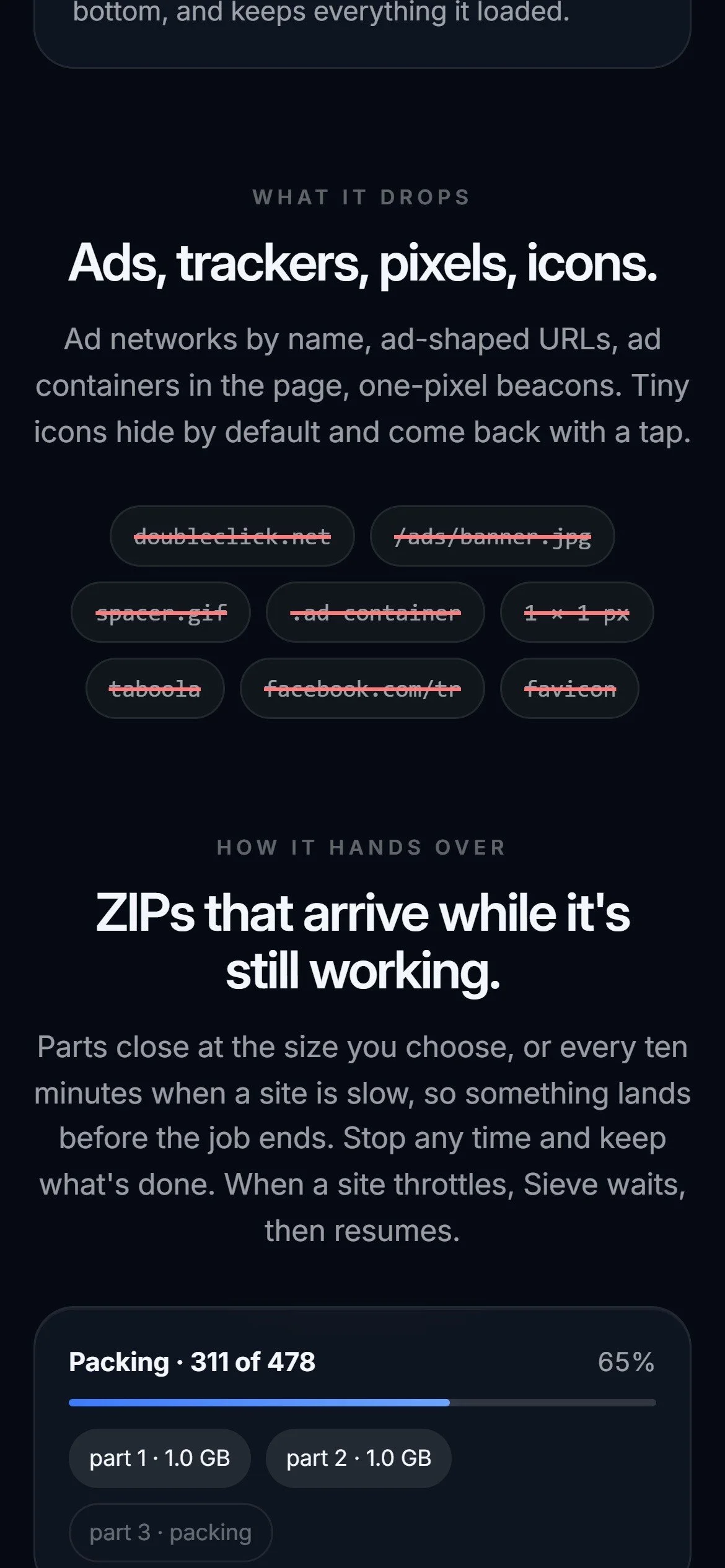
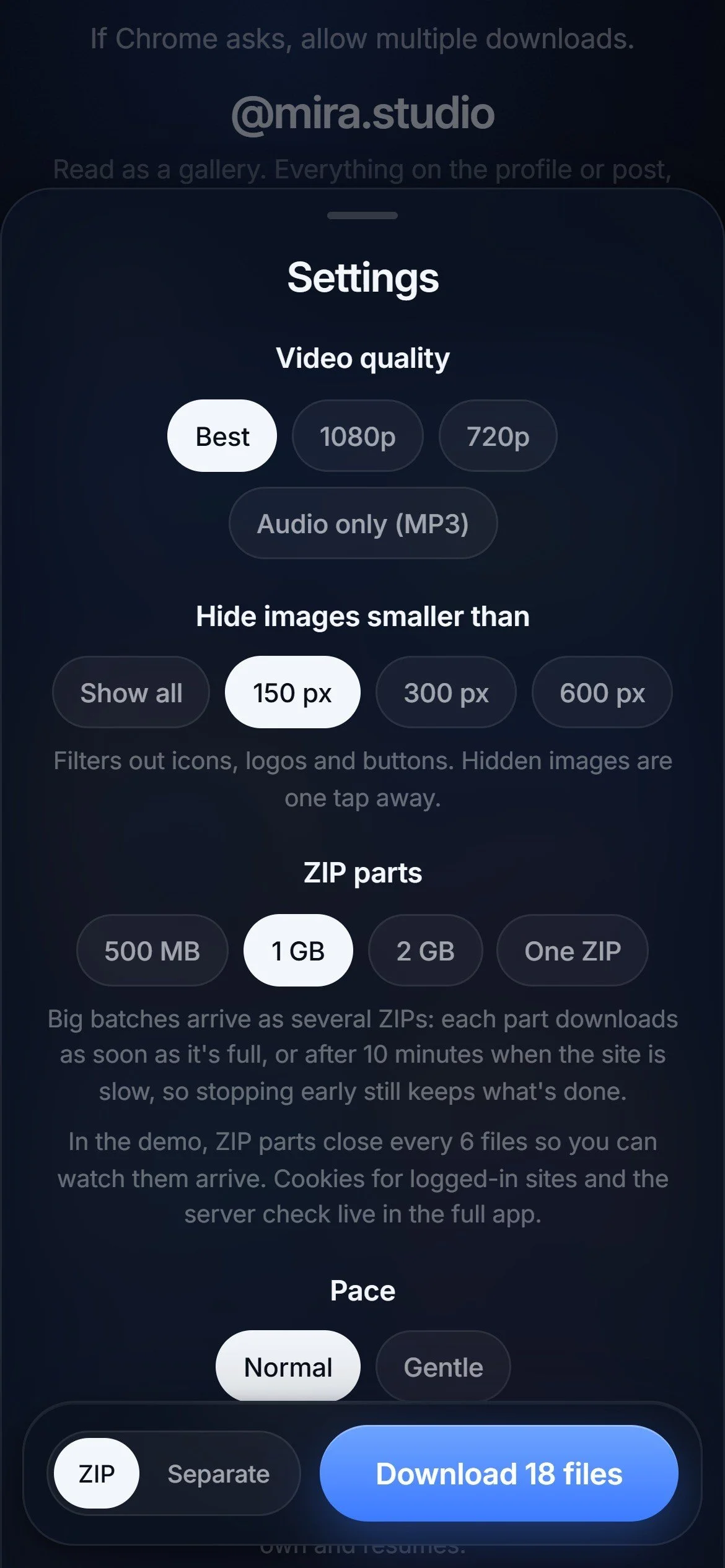
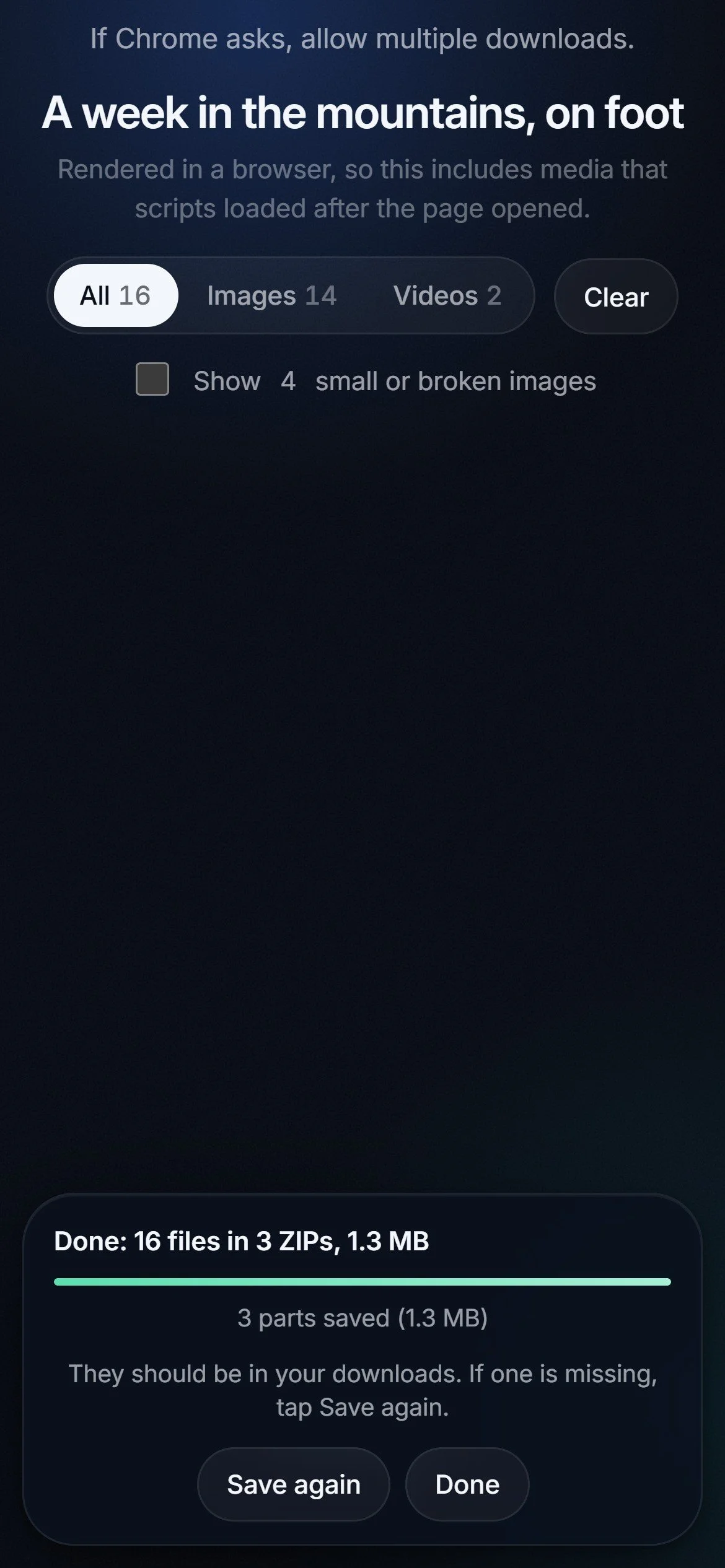
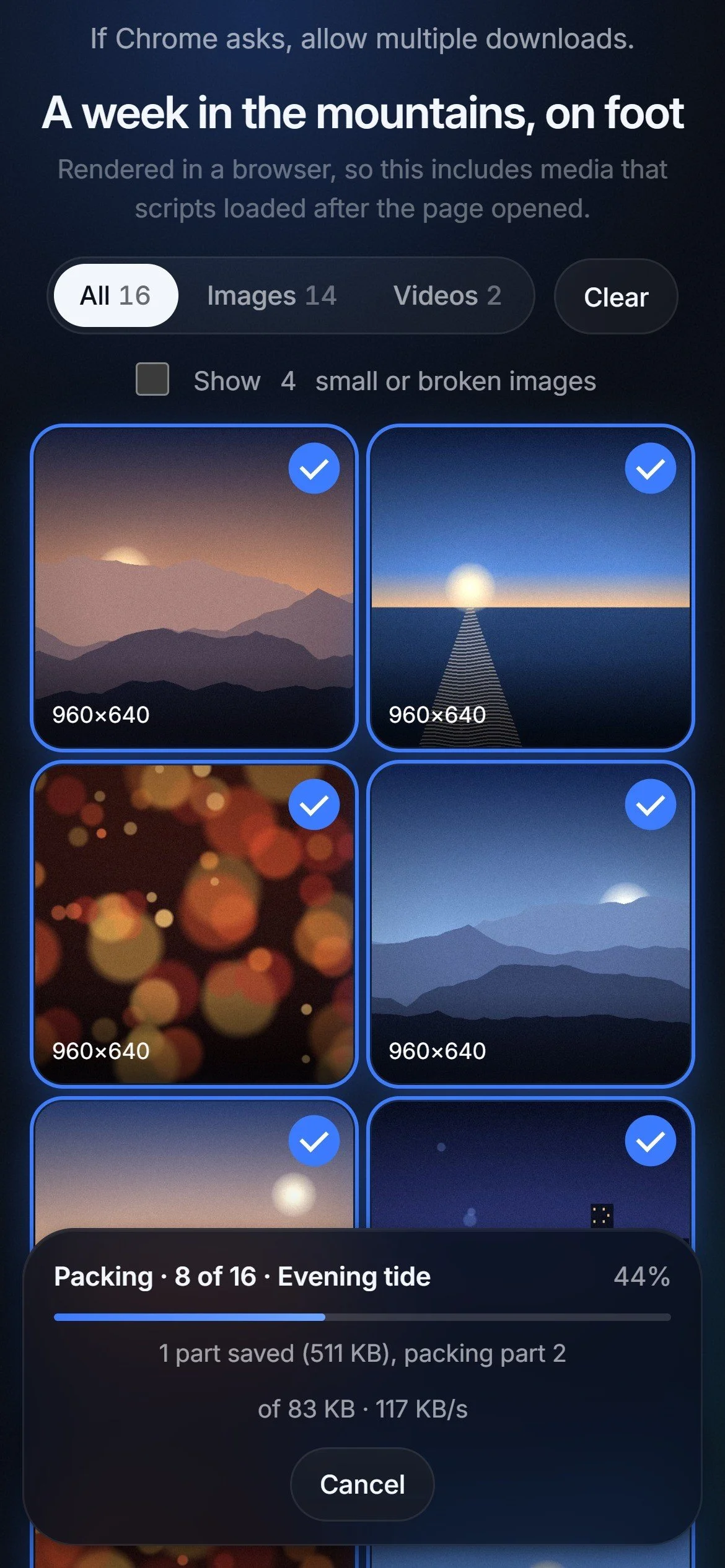
Big batches come as several ZIP files. Each part downloads as soon as it's full, or after ten minutes on a slow site, so something lands long before the job ends. You choose the part size: 500 MB, 1 GB, 2 GB or one ZIP. Phones handle a few 1 GB files better than one huge one.
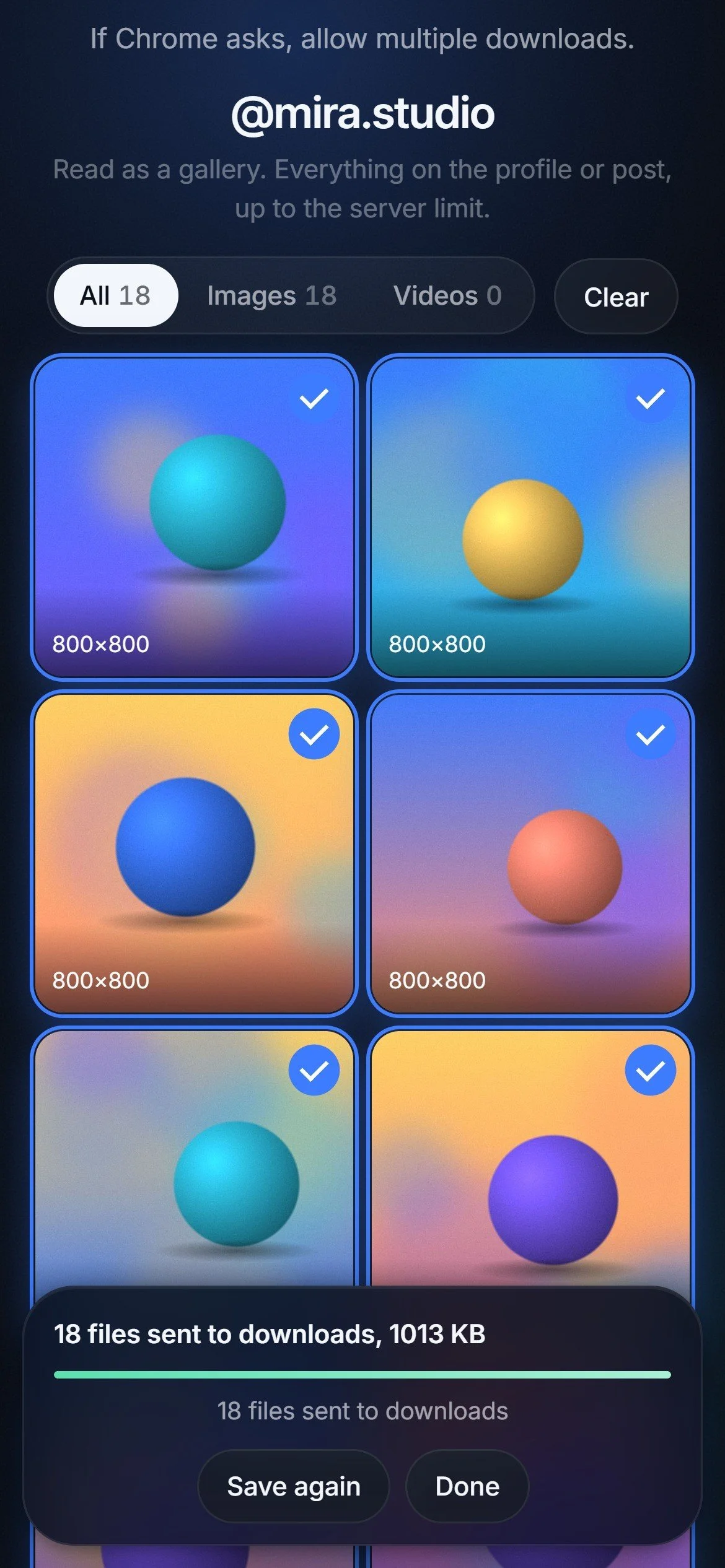
02
Only What You'd Keep
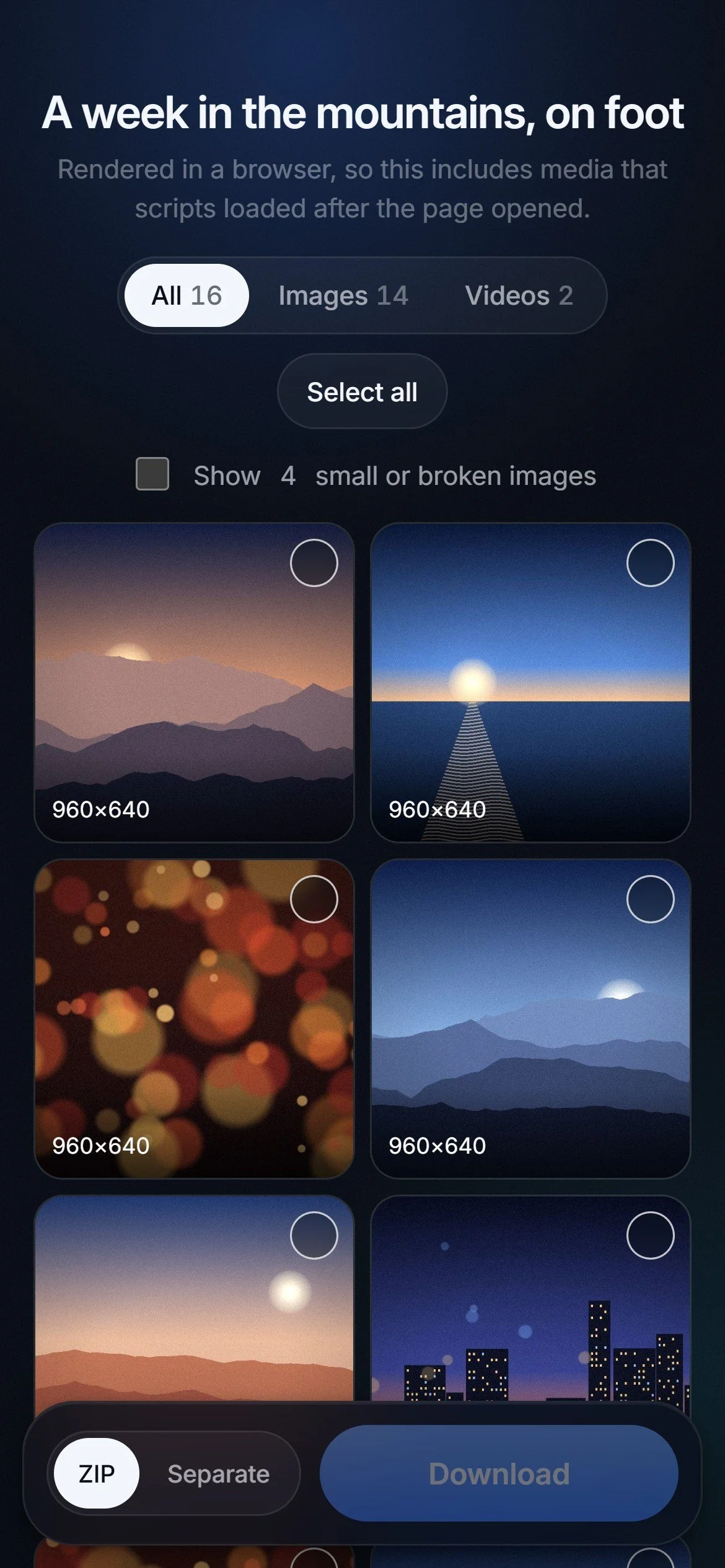
Ad networks, ad-shaped addresses, ad containers and one-pixel trackers are dropped before you see the results. Tiny icons are hidden too, one tap away if you want them. What's left shows in page order, with its size, ready to filter by images or videos.
05
Patient With Slow Sites
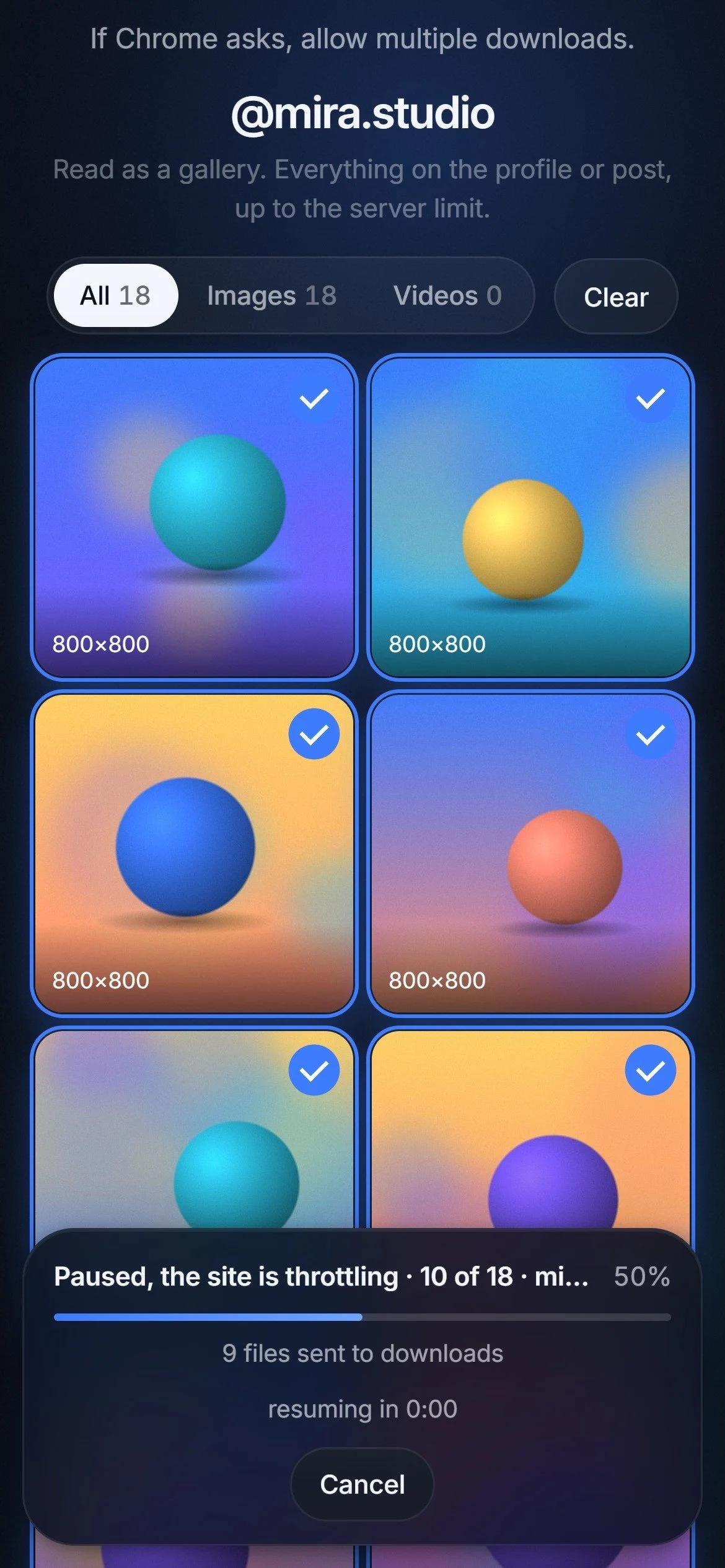
When a site starts throttling, Sieve pauses for a minute, then two, then four, and picks up where it left off. The progress panel says what's happening and when it will resume.
Stopping early keeps every part already saved. Nothing finished is thrown away.
06
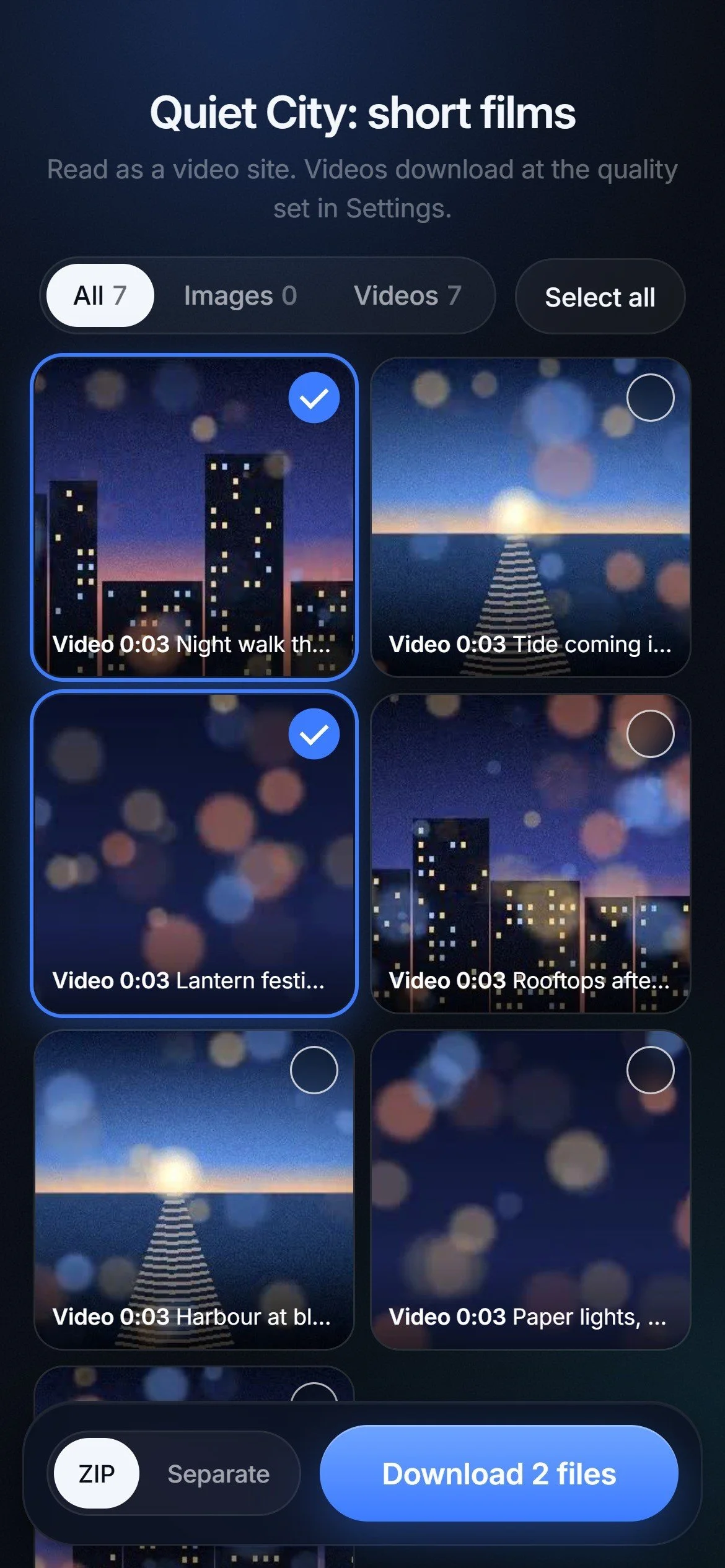
Videos at the Quality You Choose
Videos, playlists and whole channels come in at the best quality, 1080p, 720p or as MP3 audio. Settings is one short sheet: quality, the size filter, ZIP parts and pace.
Nothing else to learn.
Design Showcase
Try the Live Demo
This is the real Sieve interface, running in your browser on four sample pages: a travel blog, a photo profile, a video channel and a page that hides its images. Find, pick and download, and the files arrive as real ZIPs of sample images. Nothing here touches another site.
It works at phone size here. For the full view, open sieve.junh.kim on a computer.
What the Full App Adds
Any link: real pages, galleries, profiles and video sites, read by gallery-dl, yt-dlp, its own page reader and a headless browser.
Your phone's share sheet: installed from Chrome, Sieve appears next to the apps you share from.
Your sign-in, when you want it: cookies for logged-in sites, saved only on your computer.
Real batches: hundreds of files in ZIP parts, with pauses and retries when a site slows down.
Scoped for the public demo: the demo uses sample pages and generated sample media. The app itself stays private and runs on my own computer, so no one else's downloads pass through a shared server.
Impact
Sieve turns saving from the web into one step. One link brings back a page's pictures, a gallery's posts and a channel's videos together, the ads stay behind, and a batch of hundreds still arrives when a site slows down.
Testing
How It Was Checked
A real batch: a page with 478 files started fast, then slowed to about 15 KB/s and one file failed. That run is why files now arrive in parts, a slow site gets a pause and a retry, and stopping keeps what's done.
Daily use: I use Sieve on my Galaxy S24 from the share sheet, and friends have used it too.
Automated tests: 46 tests run against a built-in sample site, covering every reader, ad filtering, ZIP parts, pauses and cancelling, with no internet needed.
Scripted walkthroughs: every path in the demo runs end to end, with checks that every ZIP opens and that the page never contacts another site.
Next: a sign-in per person, so friends can use it without sharing a key.
Reflection
Takeaway
Building Sieve as a working product, rather than a prototype, changed what I paid attention to. A few lessons stood out:
Leaving things out is a feature: the ads, pixels and icons Sieve drops are what make the results feel clean.
Slow is a state, not an error: once the 478-file batch crawled, the design had to show waiting, not just success and failure.
Explain the idea in motion: the front page shows a page's contents passing through the Sieve ring, so the product makes sense before you read a word.
Meet people where they share: putting Sieve in the share sheet made it part of how I use my phone.
Write like it's shipped: copy about what you get, not how it works, made the product feel finished.
What I Built vs. What a Company Would Need
Sieve works well for me and my friends because it runs on my own computer, with my own connection and my own sign-ins.
Offering it to everyone would need servers that sites don't turn away, accounts and fair-use limits, and a clear policy on what people may save.
Sites change every few weeks, so a public service would also need someone on call to keep the readers working.
Next step: a sign-in per person, so friends can use it without sharing a key.
Final Thoughts
Sieve started as a fix for a small chore and became the way I save from the web. The next step is making it easy for friends to use on their own.