
Crossfade
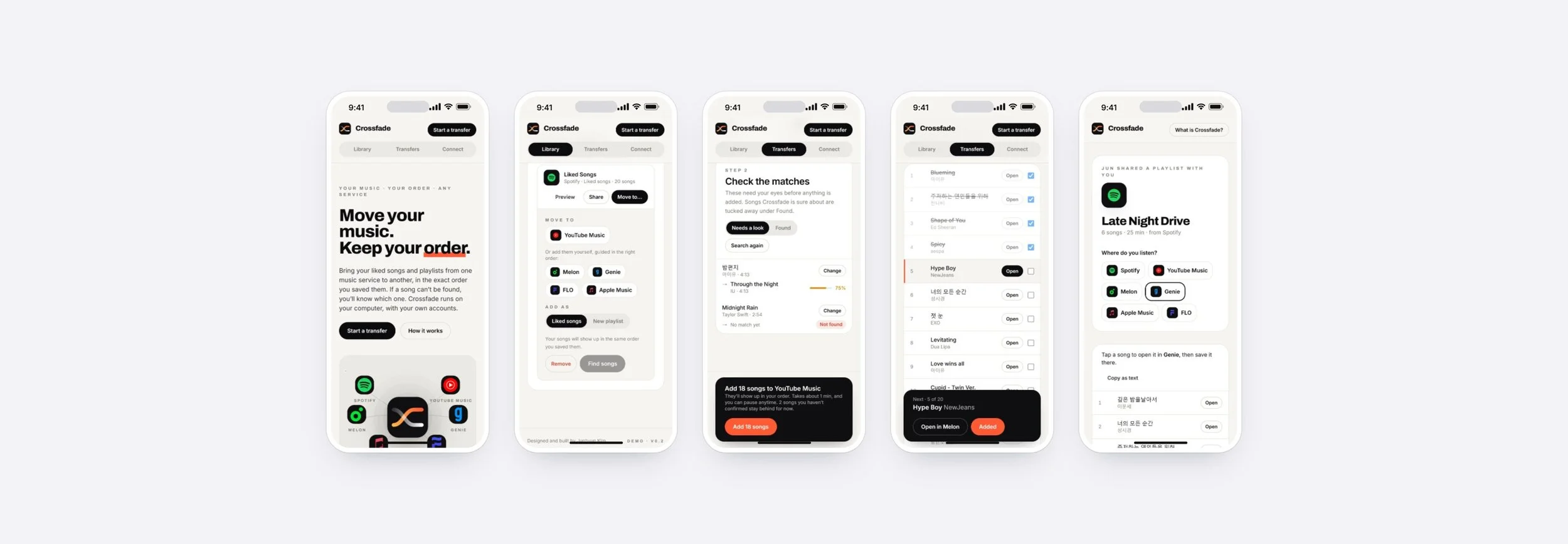
Crossfade moves your liked songs and playlists between music services in the exact order you saved them, with nothing silently dropped. It works across Spotify, YouTube Music, Apple Music and the Korean services Melon, Genie and FLO, and lets you share a playlist with a friend on any of them. It runs on your own computer, and you can try the live demo on this page.
My Role
Product Designer
Project
Personal Project (2026)
Tools Used
Claude, React, Python
Timeline
October 2026
Overview
Inspiration and Motivation
Crossfade started with my own library. I have over a thousand liked songs on Spotify, saved over years, and I wanted to move them to YouTube Music without losing the one thing that makes the list mine: the order I saved them in. I also wanted to see what would happen to every song before anything moved.
Around me, the same problem was bigger. My family and friends are Korean and live in America, and we listen on different services: Spotify, YouTube Music, and Korean apps like Melon and Genie. Sharing a playlist across those apps, or switching from one to another, meant rebuilding it by hand, song by song.
Background
I designed and built Crossfade as a working app, not a prototype. It runs on your own computer and signs in with your own accounts, so there is no Crossfade server, no sign-up, and nothing shared between users. For this portfolio, a demo version runs the same interface on a sample library at crossfade.junh.kim.
Initial Thinking
Addressing Gaps in Existing Transfer Tools
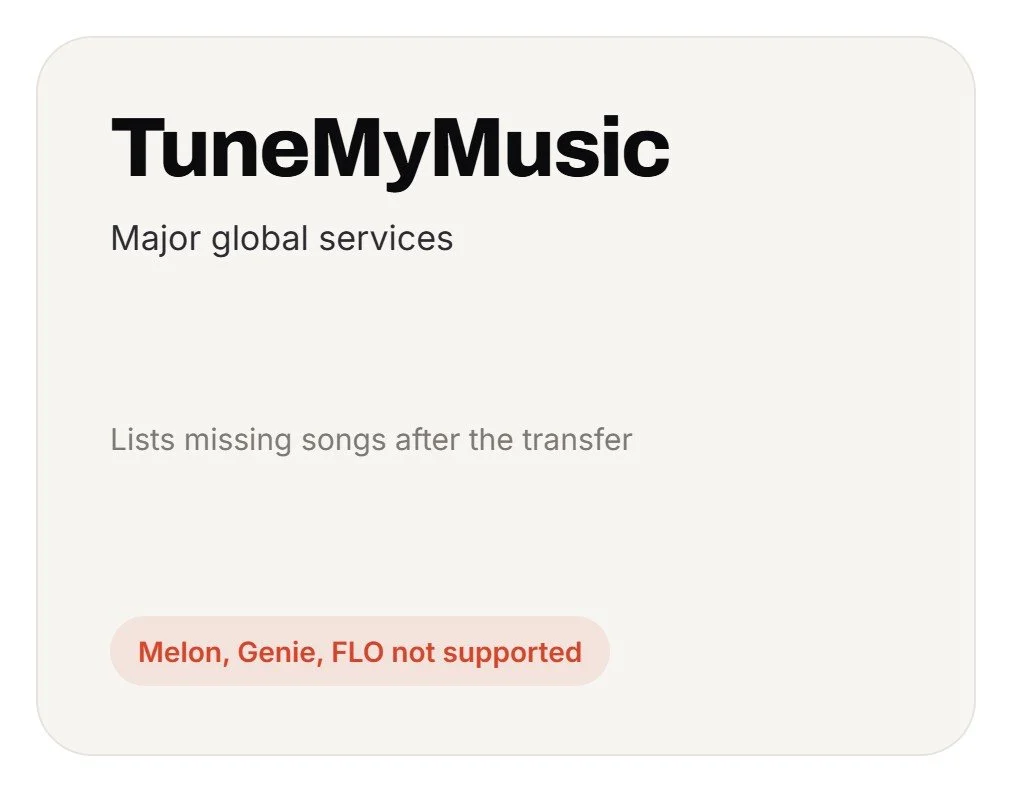
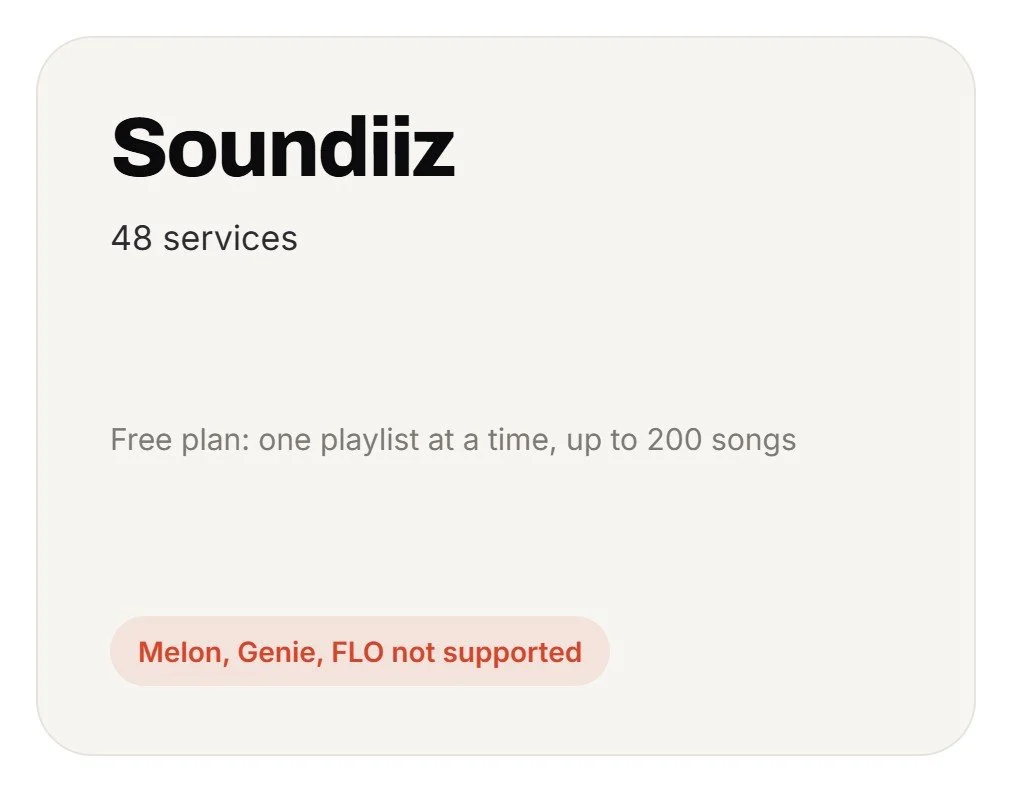
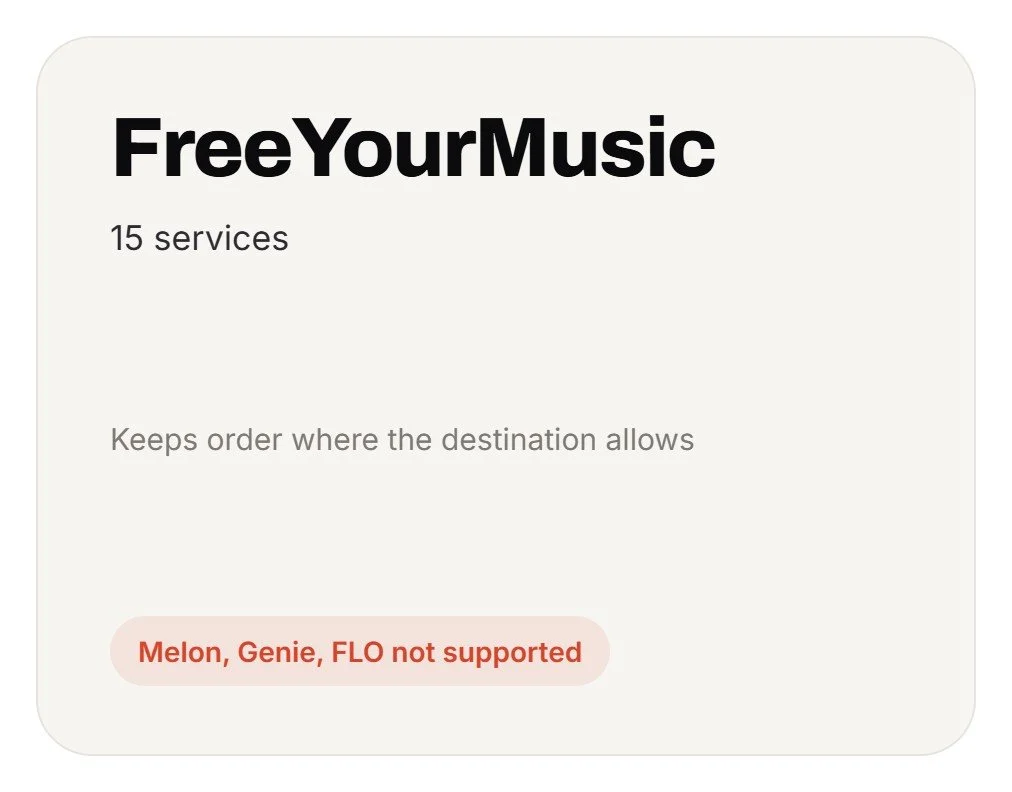
Transfer services like Soundiiz, TuneMyMusic and FreeYourMusic cover the big global platforms well, but none of them list Melon, Genie or FLO. They run through their own accounts and servers, and the review usually comes after the move: TuneMyMusic, for example, labels the songs it couldn’t find as “Missing” once the transfer is done. I wanted the opposite: see everything first, then move.
Goals and Objectives
Crossfade aims to make moving music feel safe. You see what will happen before it happens, and the result matches what you had.
Key objectives include:
Exact Order
Every song lands in the order you saved it, on any destination.
Private by Default
No Crossfade account and no server. Your logins stay with your music services.
Review First
Nothing is added until you’ve seen the matches.
Nothing Silently Dropped
Every song ends up added, skipped by choice, or listed as not found.
Korean and US Services
Melon, Genie and FLO work alongside Spotify, YouTube Music and Apple Music.
Working Within Each Service’s Rules
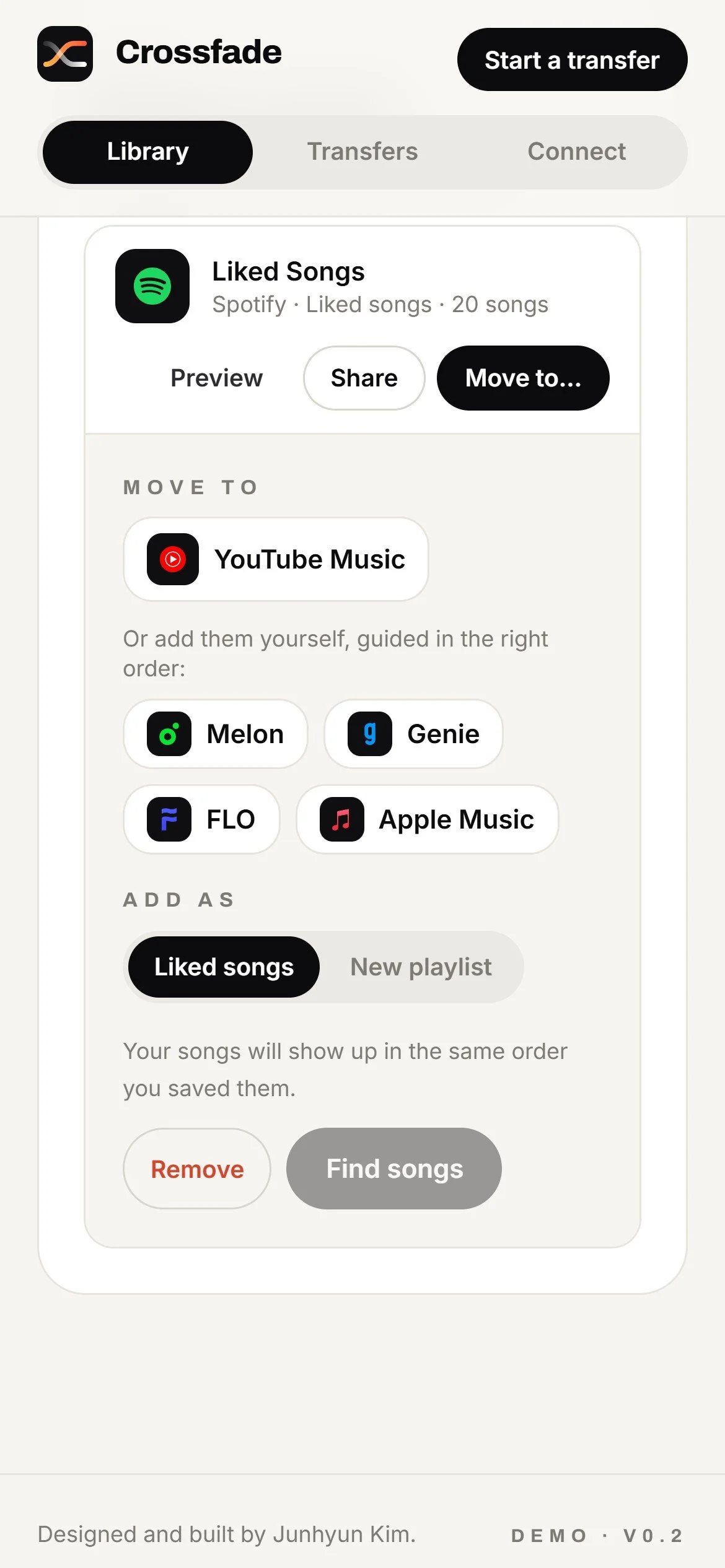
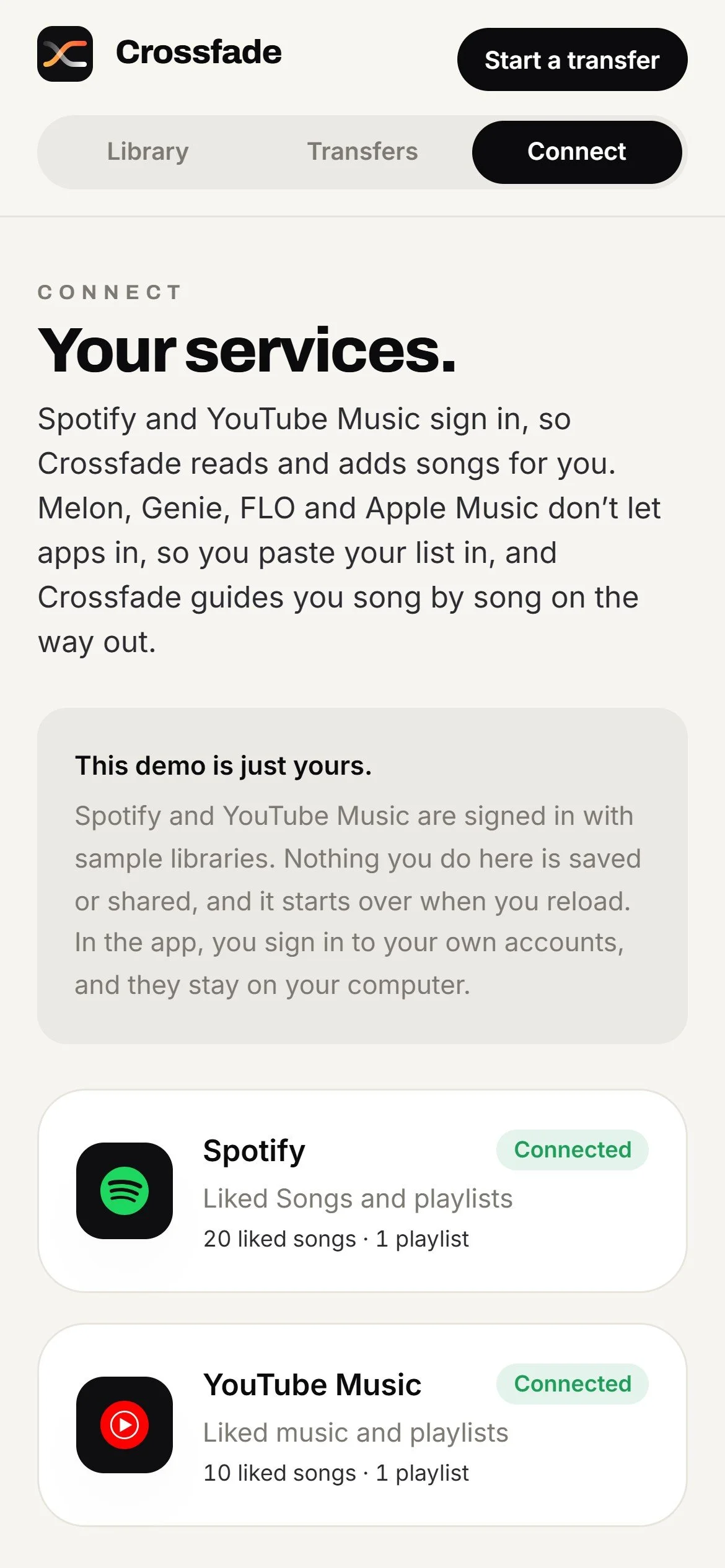
Each music service decides what other apps can do. Spotify and YouTube Music let Crossfade read your library and add songs once you sign in. Melon, Genie and FLO don’t offer that, and Apple Music requires a paid developer membership. Rather than leave them out, Crossfade reads their lists from a simple copy and paste, and adds songs to them through a guided checklist in the right order.
User Experience Design
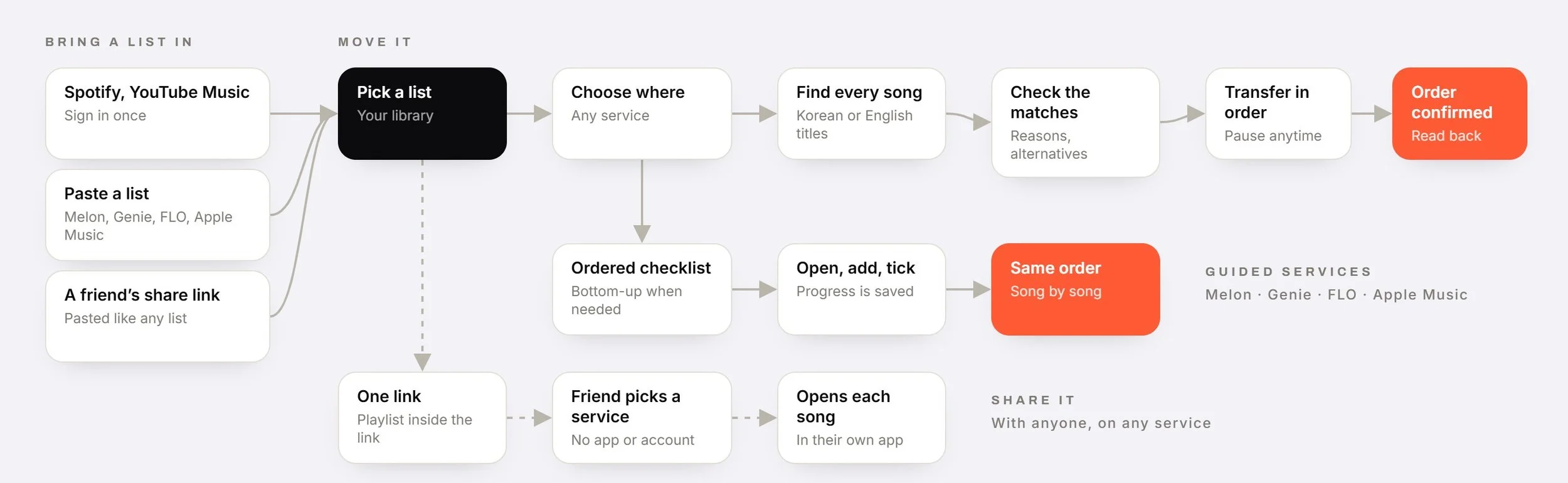
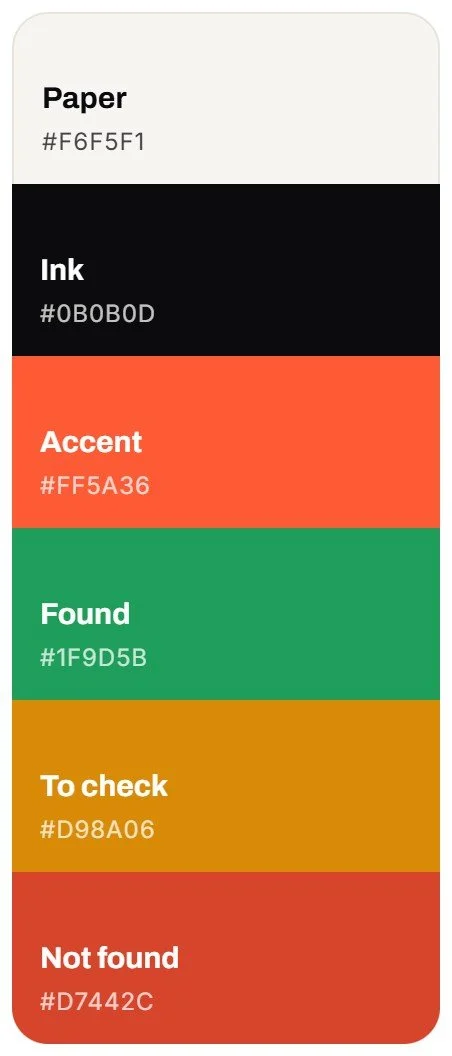
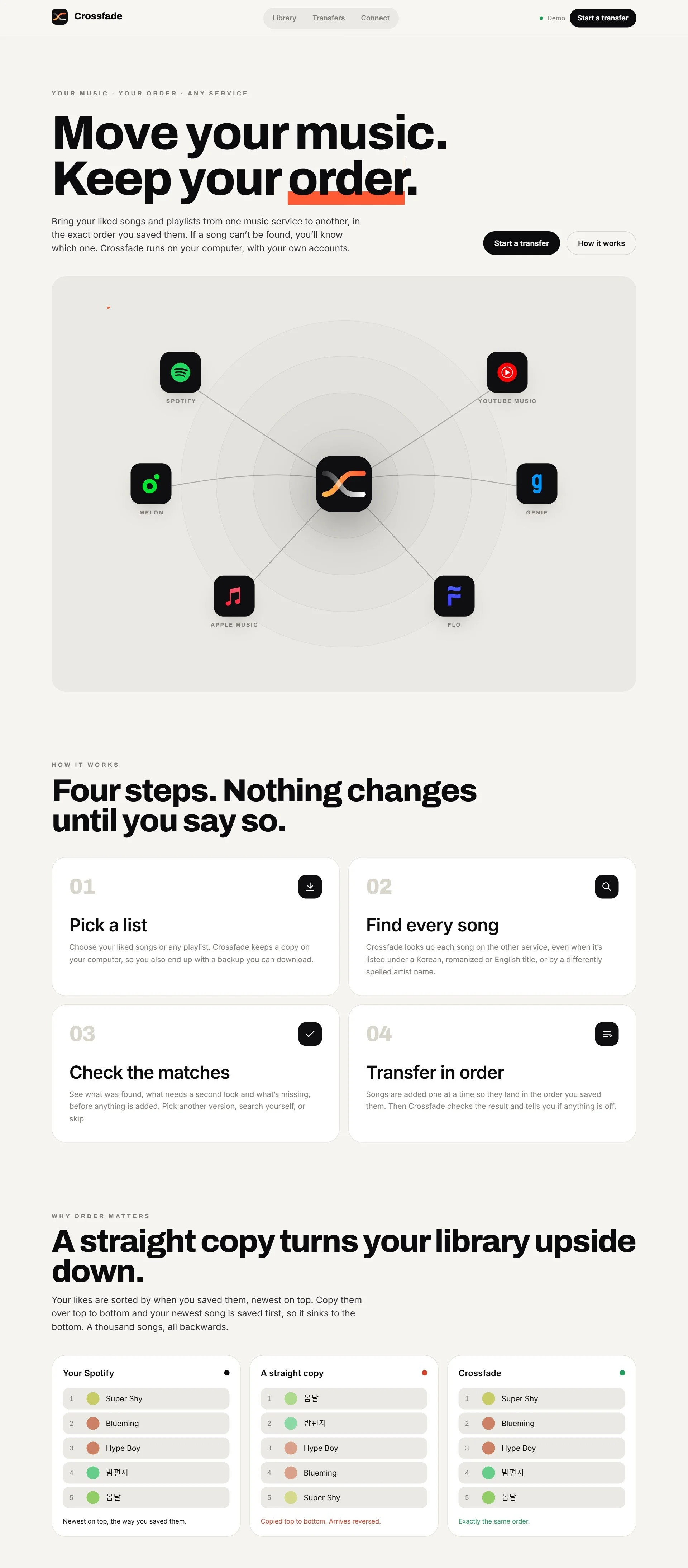
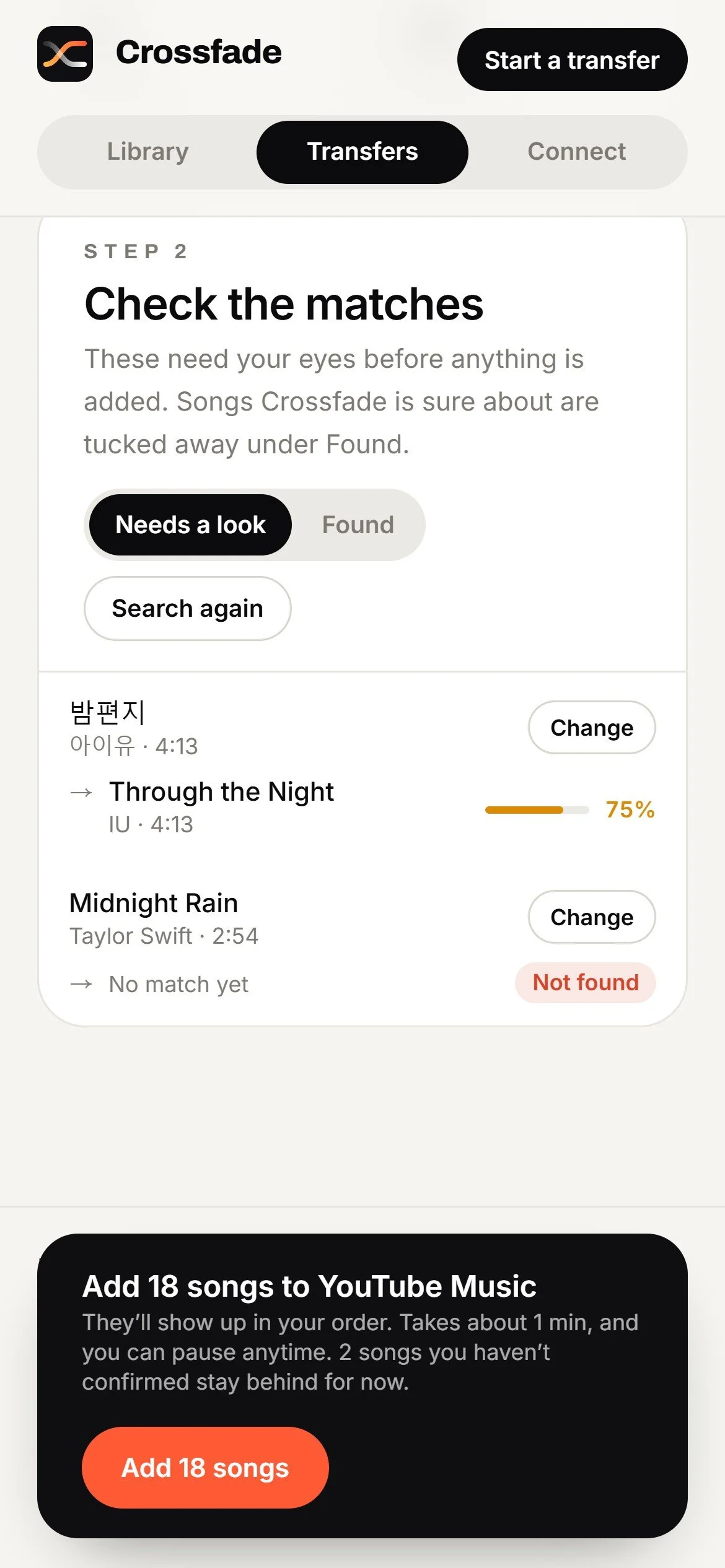
The experience is built around one promise: nothing changes until you say so. Every transfer follows four steps: pick a list, find every song, check the matches, and transfer in order. Songs Crossfade is sure about are tucked away, so only the ones that need a decision ask for attention, each with a plain-language reason and other versions to choose from. The visual language is calm paper and ink, with one warm orange accent saved for the moments that matter.
Process
I. Start From a Real Library
My own Spotify library set the bar: more than a thousand liked songs, in an order that had to survive the move exactly.
II. Map Each Service
I listed what each service lets other apps do, and how each one sorts a list, before drawing any screens. That map decided which services connect directly and which need a guided path.
III. Define “Done”
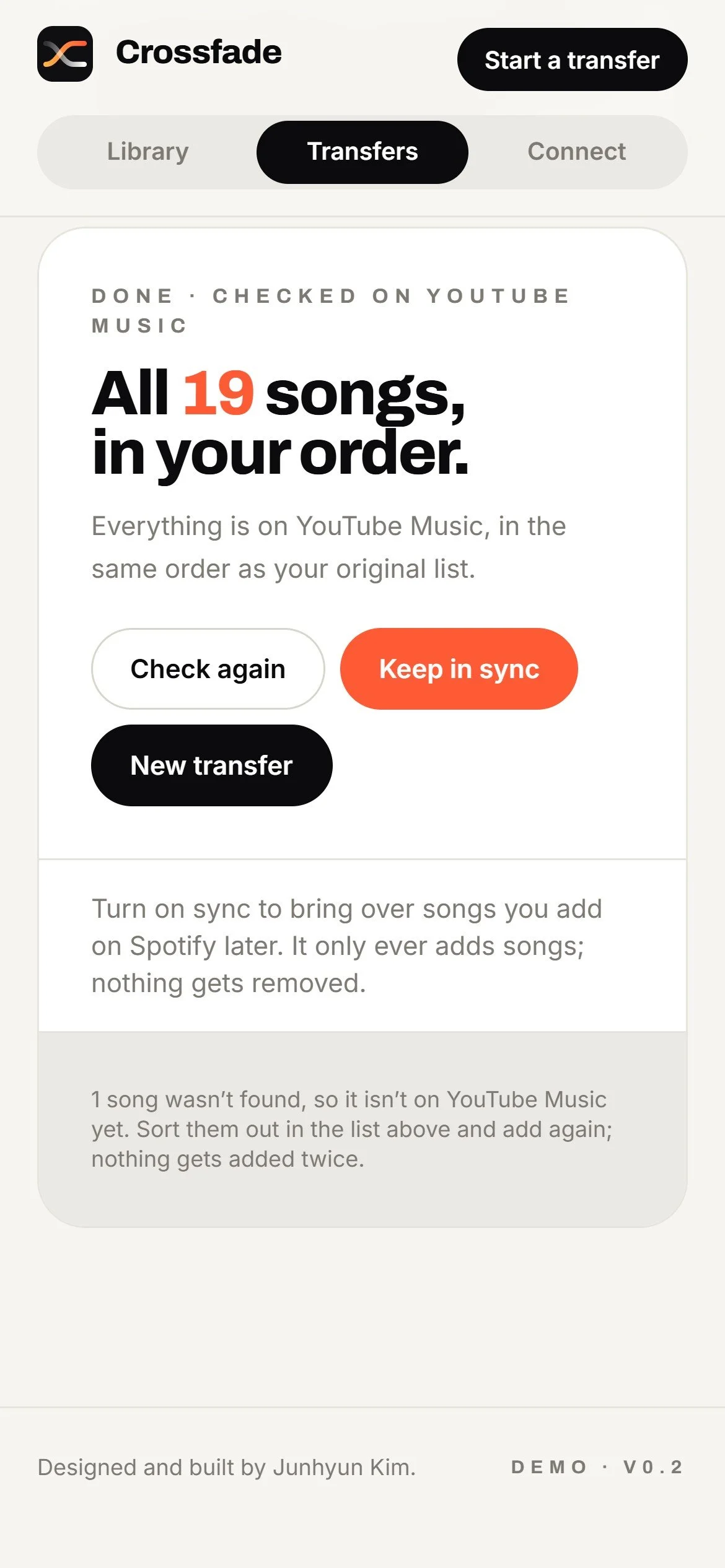
A transfer is finished only when every song is accounted for (added, skipped by choice, or listed as not found) and the destination has been read back to confirm the order.
IV. Design the Check Step
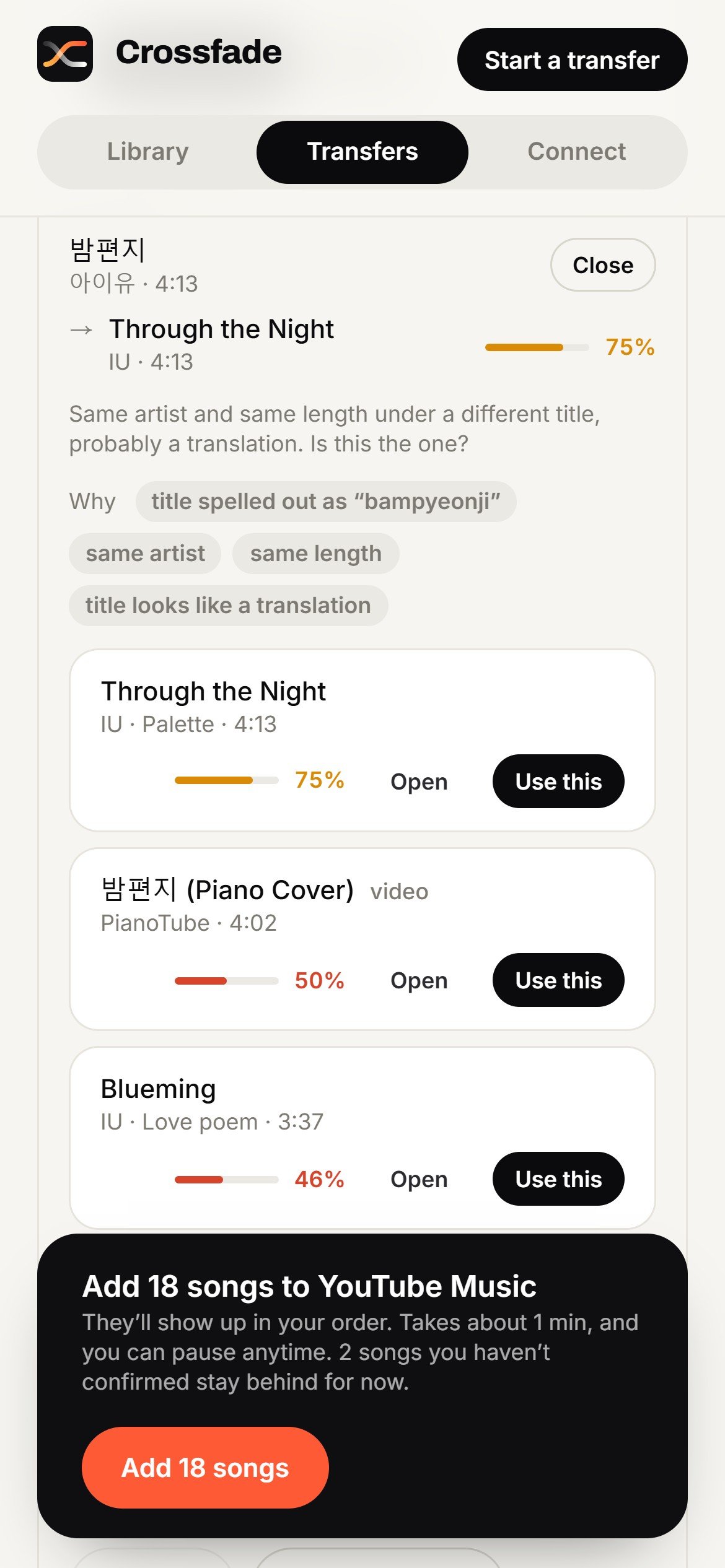
Matching across languages is messy. A Korean title can show up romanized or translated, so each match shows a confidence level, the reasons behind it, and alternatives.
V. Guide Where Apps Can’t Reach
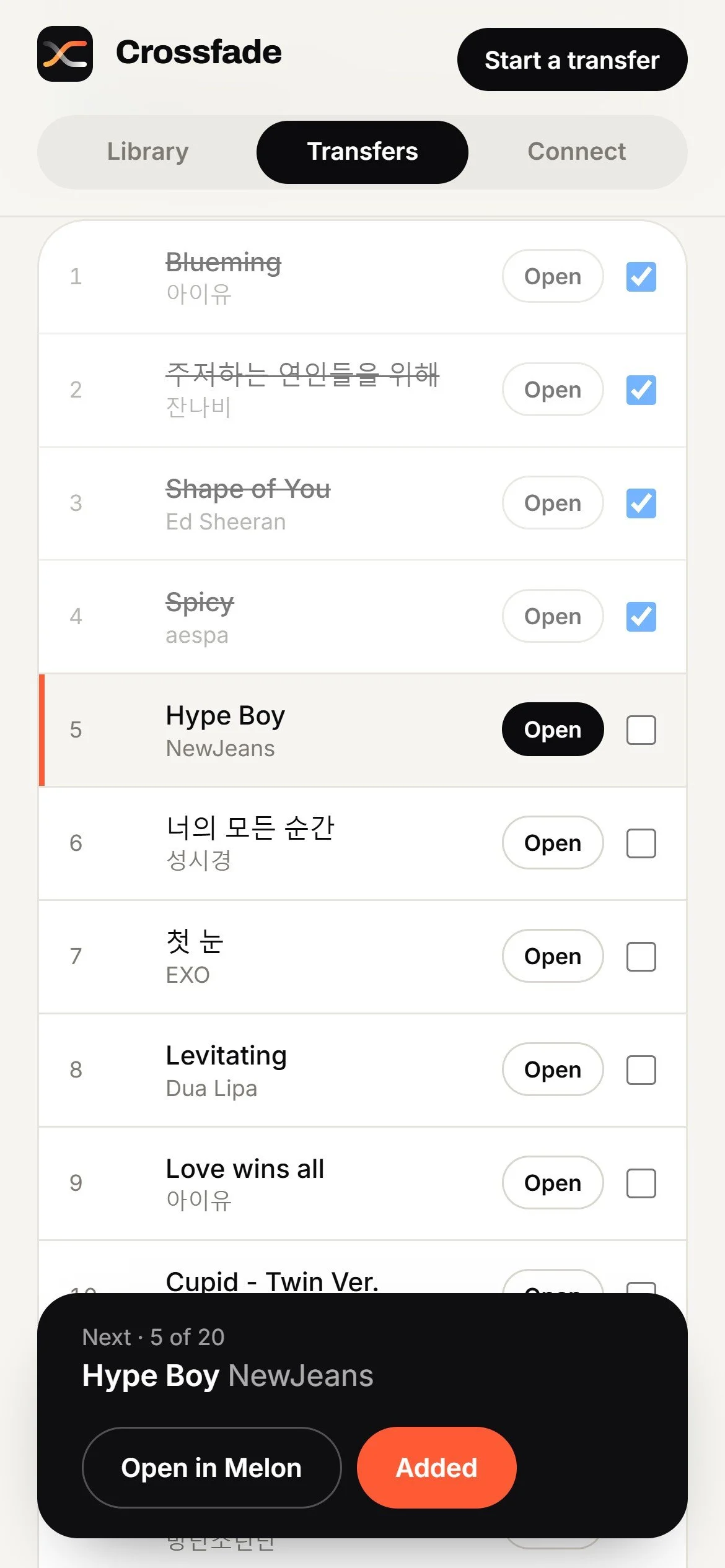
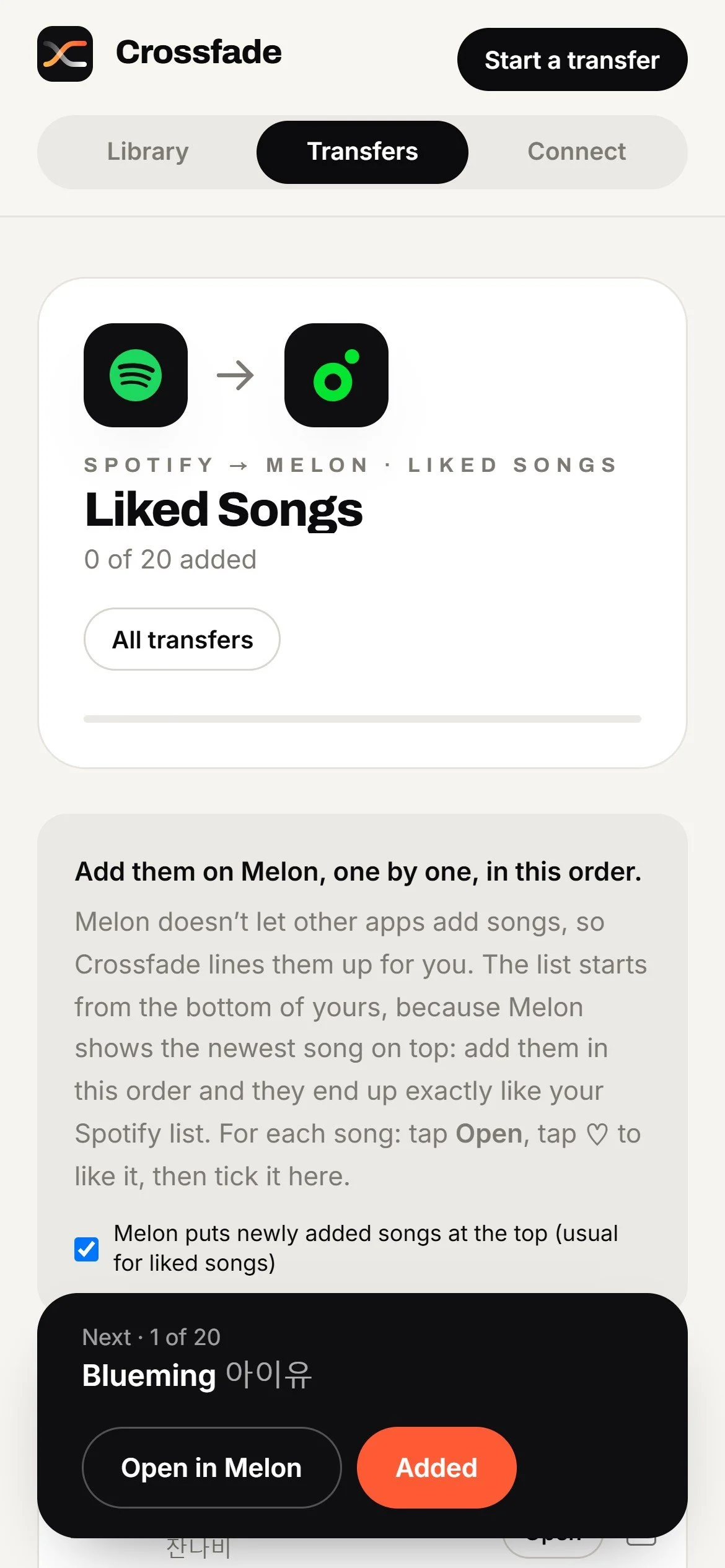
For Melon, Genie, FLO and Apple Music, songs come in by paste and go out through a checklist that opens each song and remembers progress.
VI. Add Sharing
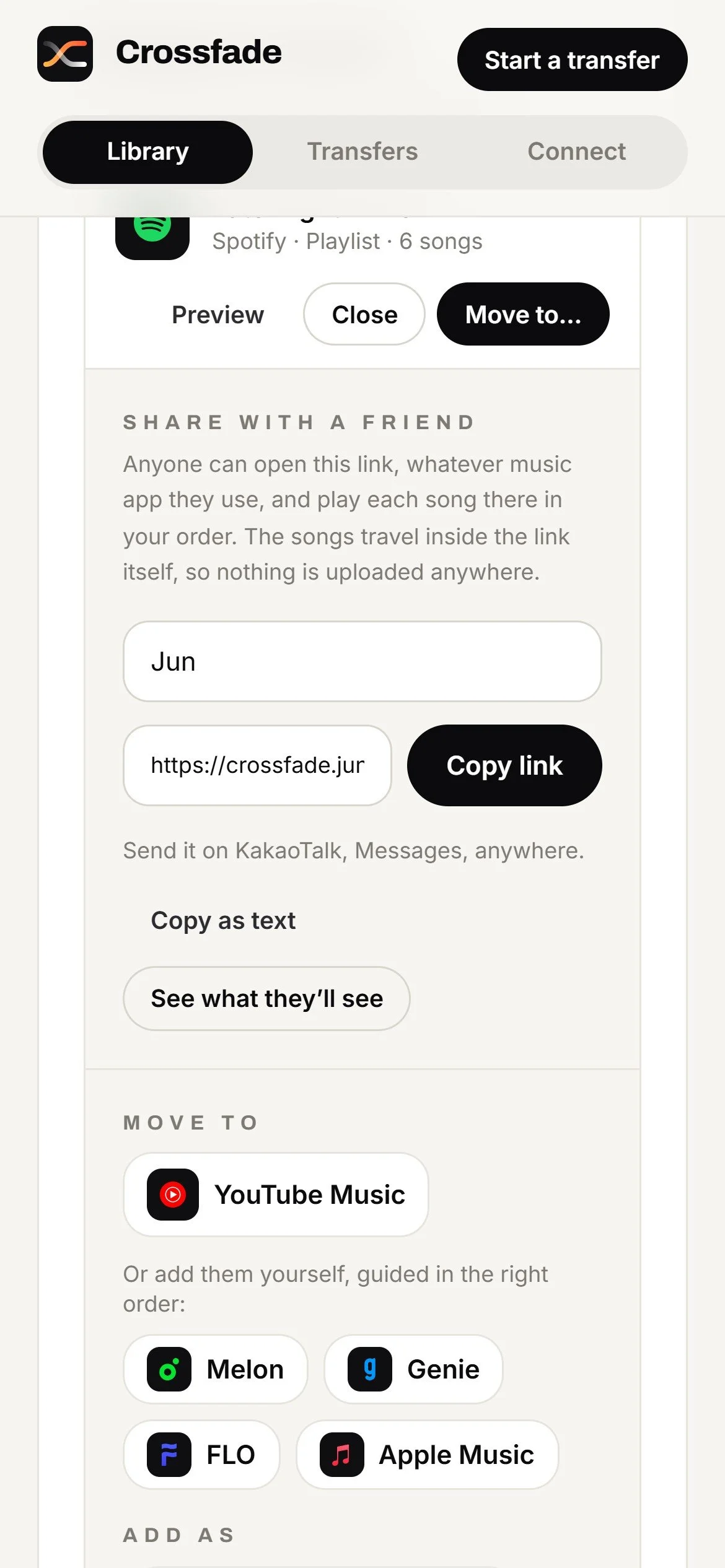
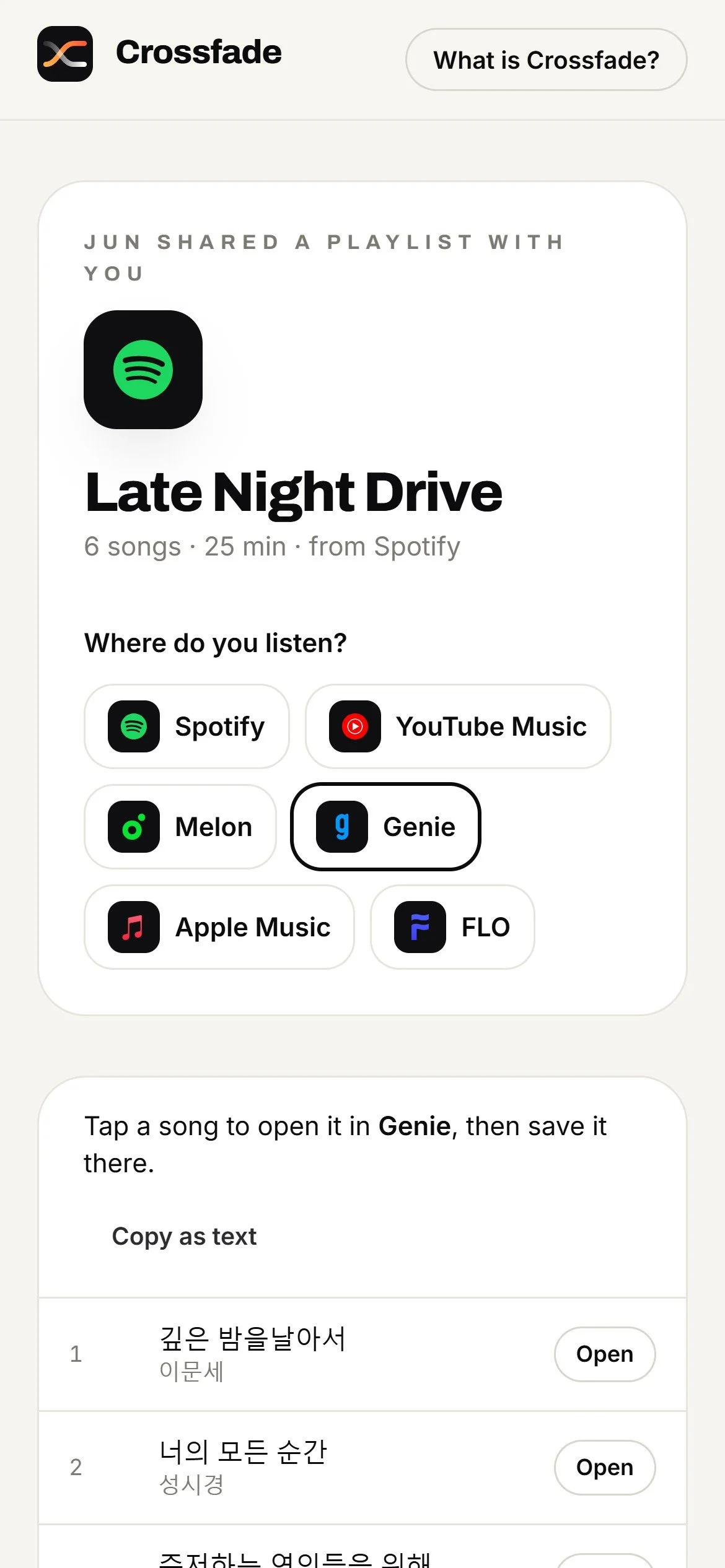
A playlist can be sent as a single link. A friend opens it, picks the service they use, and gets a button for every song, with no app or account needed.
VII. Ship a Demo
A public version runs the full interface in the browser on a sample library at crossfade.junh.kim, checked on screens from desktop down to small phones.
Research
Platform Research
Before designing screens, I mapped what each service allows and how it orders music, since that decides what Crossfade can do on its own and where it has to guide you.
Key Findings
-
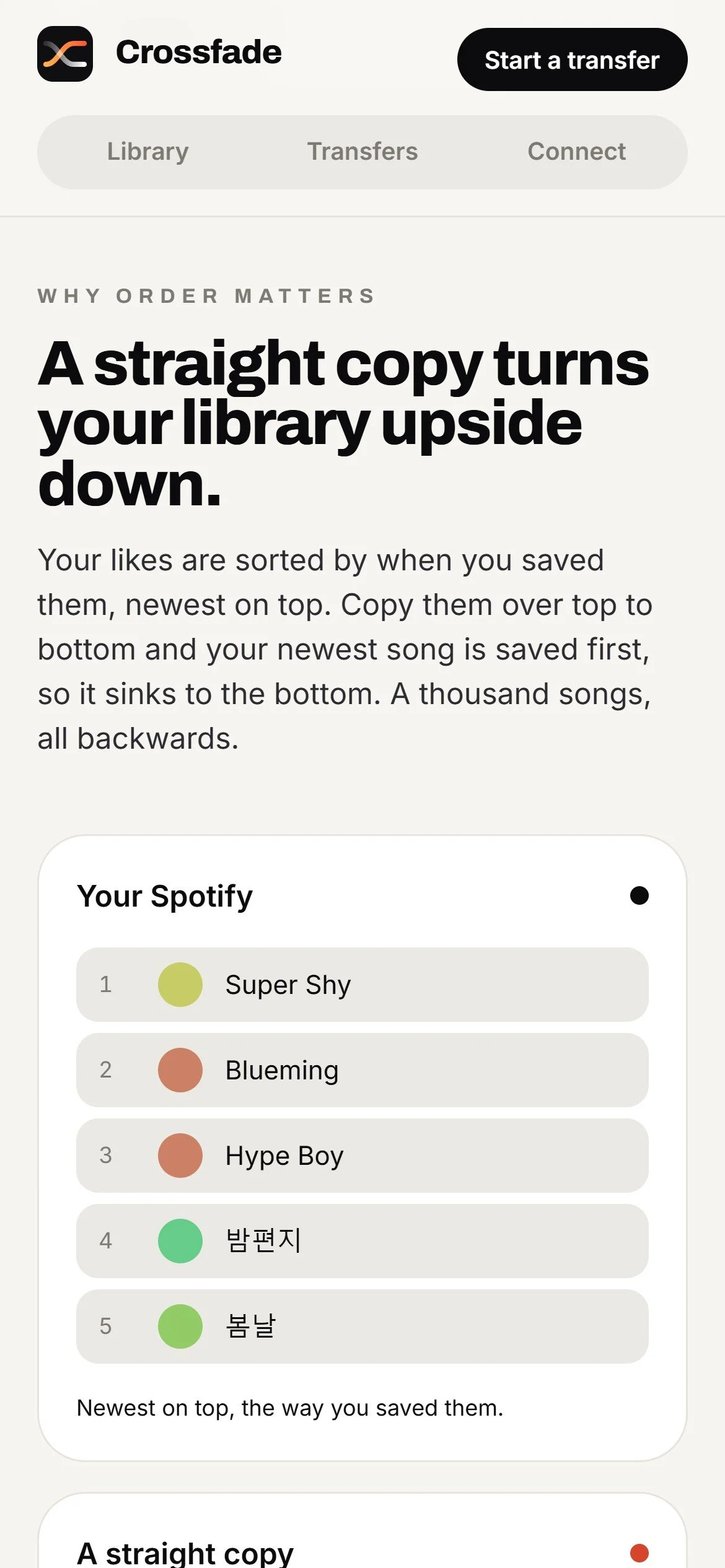
Liked songs are usually listed with the newest save on top. Copy that list top to bottom into another service and the newest song is added first, so it sinks to the bottom and the whole list arrives backwards.
Crossfade adds liked songs oldest first, so the destination lines up with what you had.
-
Since February 2026, apps can read the songs in playlists you own or collaborate on, but not in playlists made by other people.
Crossfade explains this when it happens and suggests saving your own copy of the playlist first.
-
Crossfade connects to YouTube Music through your own signed-in session on your computer, with no shared keys.
When that session expires, it asks you to reconnect instead of failing quietly.
-
Melon, Genie and FLO don’t offer a way for other apps to add songs to your library.
Lists come in by copy and paste, and go out through a guided checklist ordered so the result matches.
-
Direct access goes through Apple’s MusicKit, which requires an Apple Developer membership ($99 a year).
For now, Apple Music works the guided way, like the Korean services.
Competitor Analysis
Existing Tools
Crossfade isn’t the first transfer tool. Soundiiz, TuneMyMusic and FreeYourMusic each move music between many services, so I studied what they do well and where they stop. (Details as of October 2026.)
-
Moves playlists between 48 services, with batch transfers on paid plans. The free plan moves one playlist at a time, up to 200 songs each.
Melon, Genie and FLO aren’t on its list of services.
-
Moves playlists and favorite songs between the major global services, and labels the songs it couldn’t find as “Missing” after the transfer.
Melon, Genie and FLO aren’t supported.
-
Moves music between 15 services and keeps playlist order wherever the destination allows it, including liked songs.
Melon, Genie and FLO aren’t supported.
Adaptations
Order as a feature:
FreeYourMusic keeps playlist order wherever the destination allows it. Crossfade makes order the core promise and checks it after every transfer.
Missing songs, shown early:
TuneMyMusic reports the songs it couldn’t find after a transfer. Crossfade shows them before anything is added, with other versions to pick from.
Every direction:
As in Soundiiz, any supported service can be the source or the destination.
Unique Offerings
Korean services:
Melon, Genie and FLO, through paste-in and a guided checklist that keeps your order.
Review before writing:
Every uncertain match comes with a reason and alternatives, so you decide before anything changes.
Nothing in between:
No Crossfade account or server. A shared playlist travels inside the link itself.
Why Crossfade Is Necessary
For people who live between Korean and US music services, today’s transfer tools stop at the border. Crossfade is built for that gap: one place to move, check and share music across both, without handing your accounts to anyone.
Research Conclusion
Order has to be designed, because services sort the same list in opposite directions.
Some services don’t let other apps add songs, so a guided path is part of the product, not a fallback.
People need to see uncertain matches before songs are added, not after.
Korean services are the clearest gap in today’s transfer tools.
Problem Statement
Moving music between services loses what makes a library personal: the order it was saved in, the songs that don’t match cleanly, and the Korean services most tools leave out. Crossfade moves it in exact order, shows every uncertain match first, and guides you where apps can’t reach.
Design Concept
User Flow
Design Concept
Design System
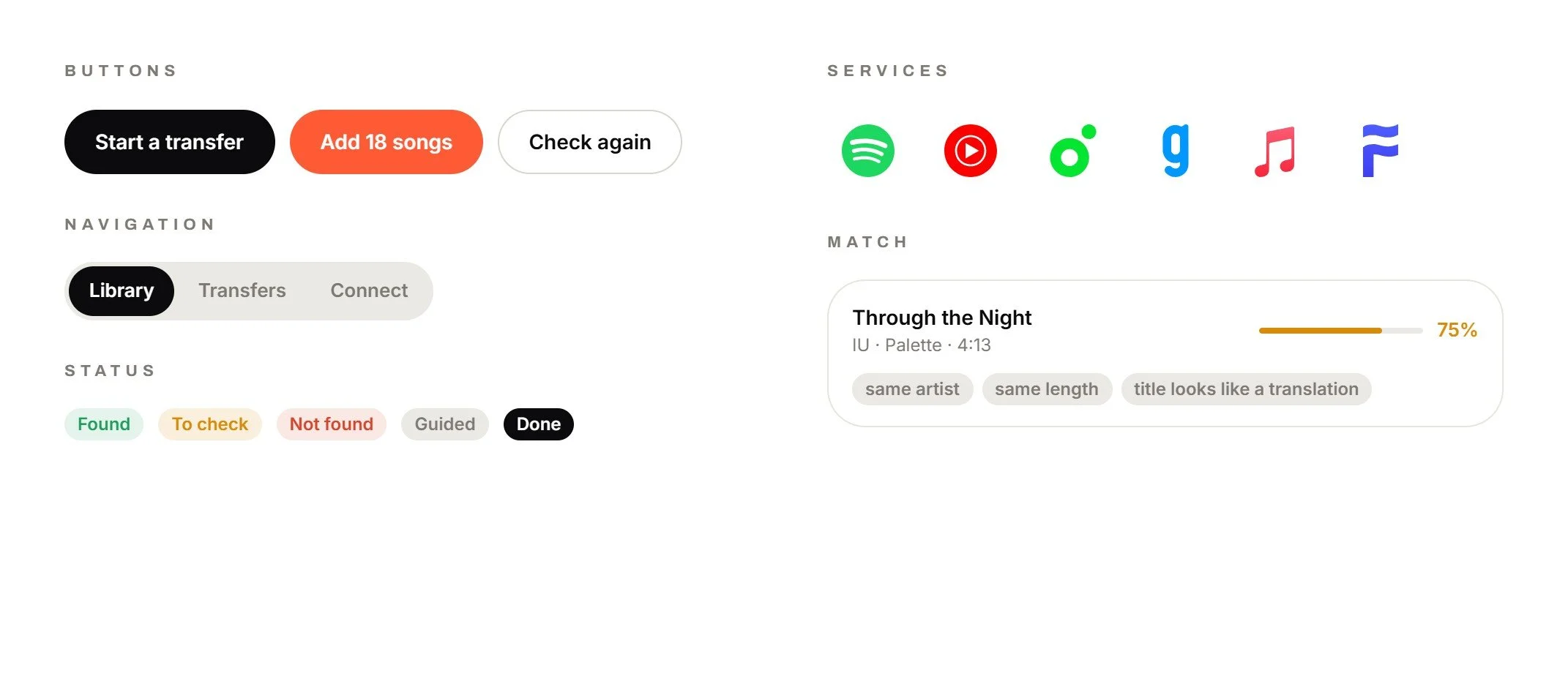
Components
Prototype
Home Page
High Fidelity Design
Design Solution
01
Your Order, Kept
Liked songs show your newest save on top, so a list copied top to bottom arrives backwards. Crossfade adds songs in the order that makes the destination match what you had, whichever way that service sorts.
When the transfer finishes, Crossfade reads the destination back and confirms every song is in place, or tells you exactly what’s off.
02
Check Before Anything Moves
Crossfade looks up every song on the other service, even when it’s listed under a Korean, romanized or English title. Matches it’s sure about are tucked away. The rest wait for you with a confidence level, plain reasons like “same artist” and “same length,” and other versions to choose from.
03
Six Services, Every Direction
Spotify and YouTube Music connect with your own sign-in. Melon, Genie, FLO and Apple Music work without one. Any of them can be where a list comes from or where it goes.
Everything runs on your computer. There’s no Crossfade account and no server, so your logins and your library never pass through anyone else.
04
Guided Where Apps Can’t Write
When a service doesn’t let other apps add songs, Crossfade lines them up for you instead. It orders the checklist so the result matches your list, opens each song in that app, and remembers what you’ve added, so you can stop and pick up later.
05
Bring In Any List
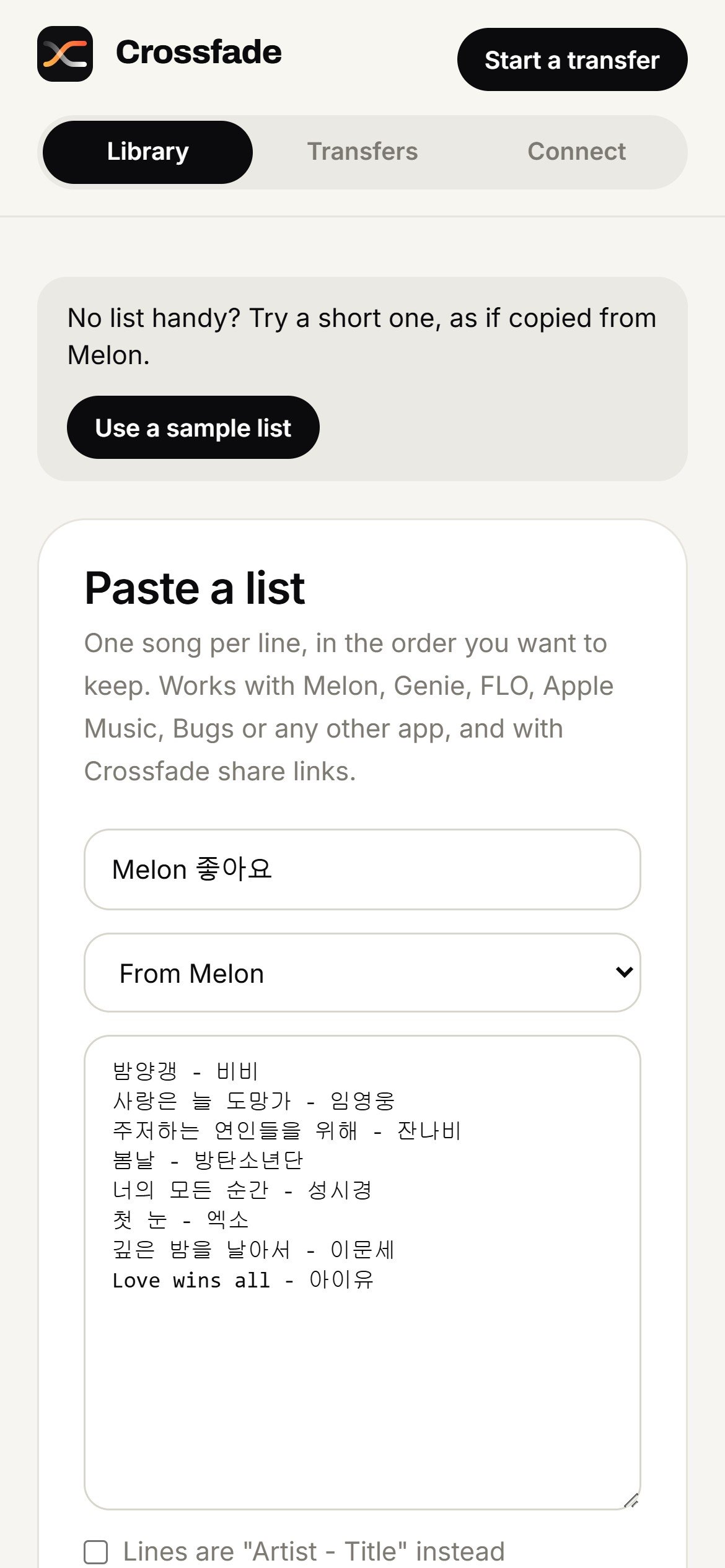
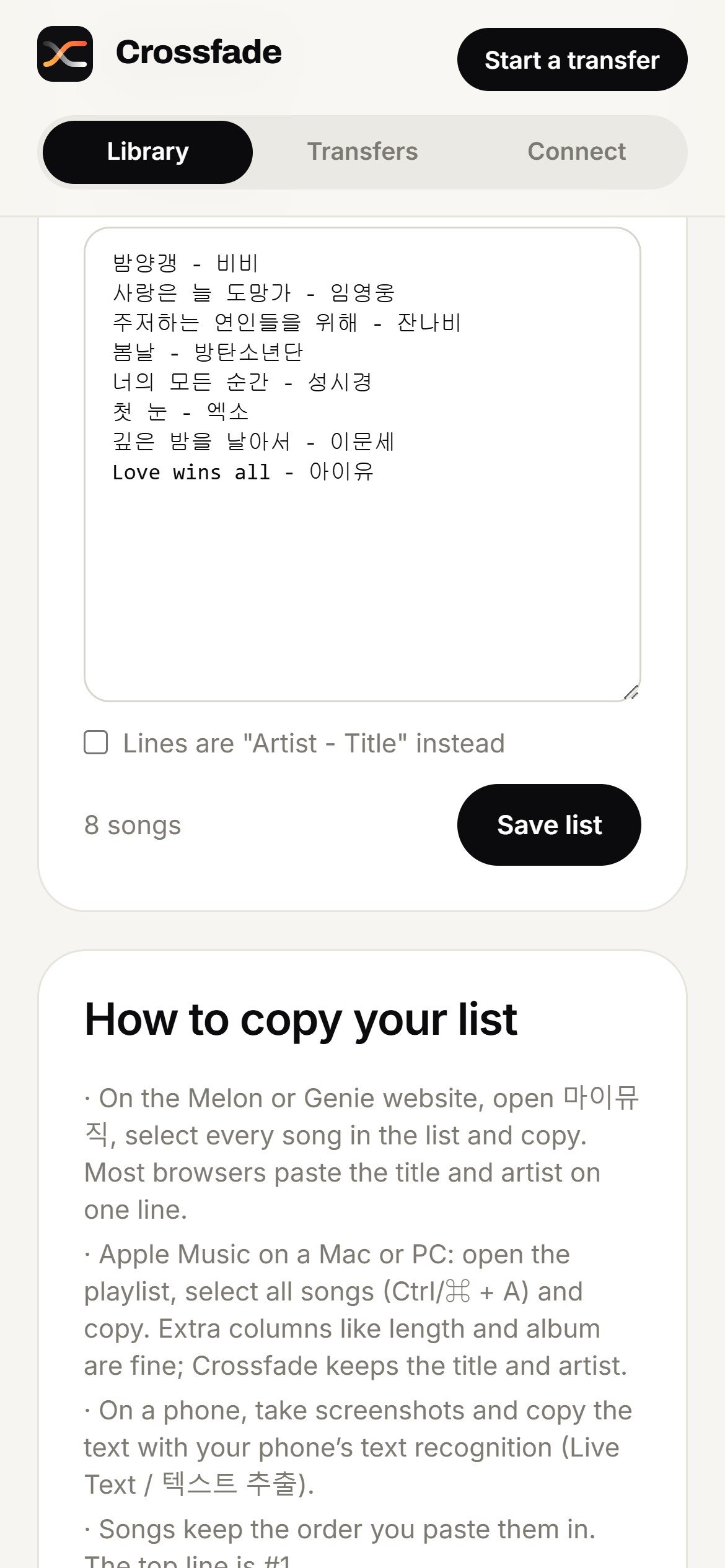
Lists from Melon, Genie and FLO come in by copy and paste. Crossfade reads a pasted song table or a plain list of titles and artists, and keeps a copy of every list on your computer.
A share link from a friend can be pasted the same way, and it arrives as a list to move.
06
Share With Anyone
Any list can go to a friend as one link. They open it, choose where they listen, and every song gets a button that opens it in their app, with no download or account.
The playlist travels inside the link itself, after the “#”, a part of a web address that never reaches a server, so nothing is stored anywhere.
Design Showcase
Try the Live Demo
This is the real Crossfade interface, running in your browser on a sample library. Pick a list, choose where it goes, check the matches and watch it move. Nothing you do here leaves the page, and it resets when you reload.
It works at phone size here. For the full view, open crossfade.junh.kim on a computer.
What the Full App Adds
Your real library: signs in to your own Spotify and YouTube Music and reads your actual liked songs and playlists.
Real transfers, verified: adds songs to your account in order, then reads the destination back to confirm it.
Keep in sync: songs you like later can follow along to the new service.
Your own copies: every list is saved on your computer and can be downloaded as a CSV file.
Scoped for the public demo: the demo uses a sample library with no sign-in. The app itself stays private and runs on each person’s own computer, so no one’s accounts pass through a shared server.
Impact
Crossfade treats the order you saved your music in as part of the music. It reaches the Korean services that transfer tools leave out, shows every uncertain match before anything changes, and lets a friend on any service play a shared playlist without signing up for anything.
Testing
How It Was Checked
My own accounts: running Crossfade on my real Spotify and YouTube Music surfaced two issues a demo would have hidden: Spotify’s February 2026 API change, which made my playlists appear empty, and an expired YouTube Music session that showed up as a confusing error. Both now work, with clear messages when something needs attention.
Automated tests: cover matching, ordering, sharing, the guided checklists and each service’s rules.
Scripted walkthroughs: every path in the demo runs end to end, from a full transfer to opening a shared link in a fresh browser.
Phone sizes: every screen checked from 320 to 430 pixels wide, with no sideways scrolling and navigation that stays put.
Next: testing with family and friends who move between Korean and US services.
Reflection
Takeaway
Building Crossfade as a working product, rather than a prototype, changed what I paid attention to. A few lessons stood out:
Order is a design problem: the same list reads newest first on one service and oldest first on another. Deciding what “the same order” means came before any code.
Trust comes from showing the work: plain reasons next to each uncertain match turn a guess into a quick decision.
Platform rules shape the product: when a service won’t let other apps add songs, a guided checklist still gets the same result.
Privacy can be a feature: with no account and no server, even sharing works by putting the playlist inside the link.
Write like it’s shipped: early copy read like notes between teammates. Rewriting it around what people get, not how it works, made the product feel finished.
Building the App
Real accounts reveal what a demo hides. Two of the most important fixes came from my own library, not from tests.
Phone layout is part of the product. Navigation that shifted between screens made the app feel unfinished until every screen was checked at phone size.
One interface, two builds. The same screens run as the private app and as the public demo, so the demo always shows the real thing.
Next step: usability testing with family and friends, and direct Apple Music support.
Final Thoughts
Crossfade started as a fix for my own library and grew into a way for people on different services to share music without losing anything in between. The next round of work is with the people who inspired it.