
Dimensional Fund Advisors Advisor platform, Dec 2024 to May 2025 Concept
ProblemAdvisors gather slides from many firms, then can’t find them again BuiltA library to find a slide, make it yours, and take it along
Financial advisors who work with Dimensional explain markets to their clients with slides: Dimensional’s own, and research other firms publish, such as J.P. Morgan’s. Apollo Lupescu, a VP at Dimensional, wanted a proof of concept for one place to find, reuse and personalise that material, to put in front of the company’s leadership. I was the first person on the project, so the research, the information architecture and two rounds of website and app designs were mine.
Why
The material existed. Finding it, and making it theirs, did not.
An advisor’s best slide is usually one they have already used, somewhere.
Advisors bring Dimensional’s files to client meetings, and the research other firms publish beside them. Every conversation is different: a first-time investor, someone nearing retirement, an institution. What they lacked was a way through it all: one place to search, to keep the slides they reuse, and to send a deck out with their own logo on it. Apollo’s brief was short. Very clean, a white page, no clutter. Search you can see. Easy to take in, for the advisor and for the client.
The brief, from my notes of the first calls
- 1A lot of text
- 2A lot of numbers
- 3Clutter on the page
- 4Content that is hard to find
- 5Designs that are hard to adjust
- 1A clean, white page
- 2Easy to take in
- 3Search, always visible
- 4Three buckets, well organised
- 5PowerPoint out, with the advisor’s logo
After the next call the ask narrowed further: not a final design and not a sample report, but a surface-level website and app with the idea visible, search that works, and a clean look. A baseline he could react to.
The vision, in one breath
Better conversations: not with more content, but with content that is easy to find, reuse and make their own.
Four promises, from the vision I wrote after the first calls. Efficiency in finding and reusing content, simplicity in customising slides and messages, and clarity in staying aligned with Dimensional’s philosophy.
- Find itOne search bar, centred and always visible, with filters. Then three doors, one per kind of content.
- Reuse itSlides saved to the advisor’s account, marked as favourites or recurring. A deck per client, like a playlist for presentations.
- Make it theirsClient, profile, tone and slides chosen per conversation; the firm’s colour, font and logo applied; out as PowerPoint.
- Take it alongA companion app that reads a report’s key points aloud on the way to work, like a podcast.
The structure
Three kinds of content, because advisors reach for them for different reasons.
The calls kept coming back to three archetypes. Every one had to be searchable, modular so a slide could be reused, and taggable and savable per advisor.
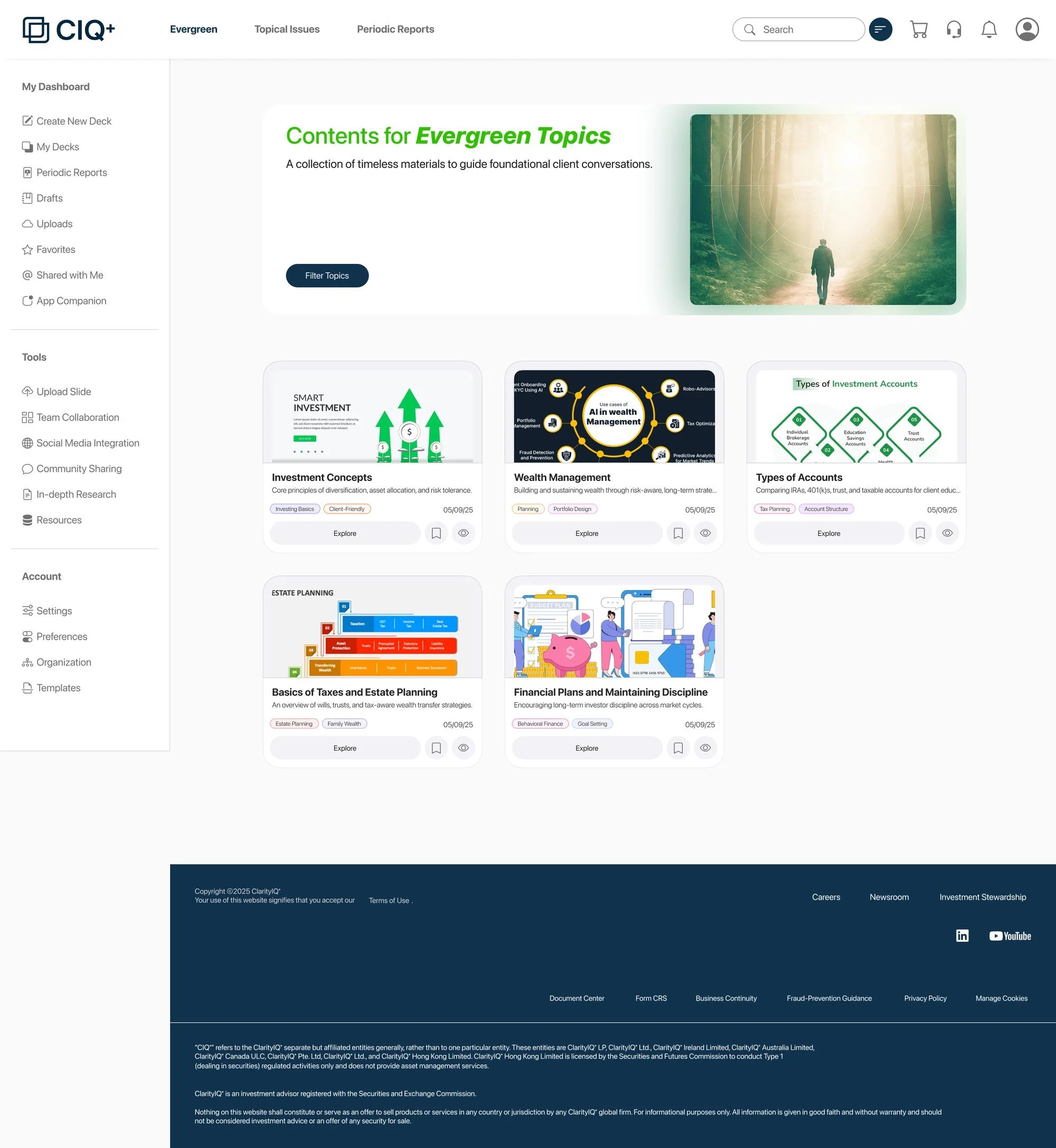
- Evergreen
- What
- Core education, timeless. Dimensional’s philosophy, the logic of asset allocation.
- Topics
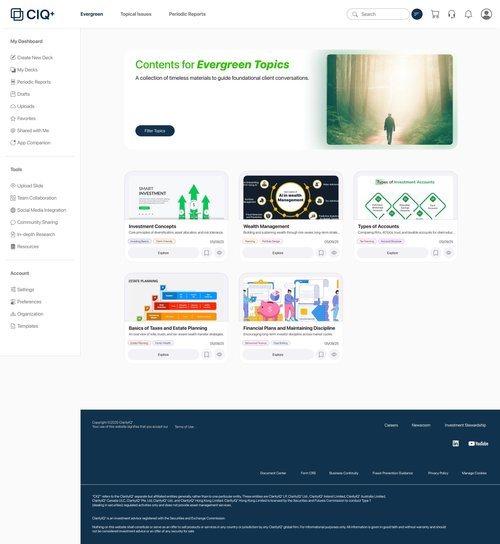
- Investment concepts, wealth management, types of accounts, taxes and estate planning, financial plans and discipline.
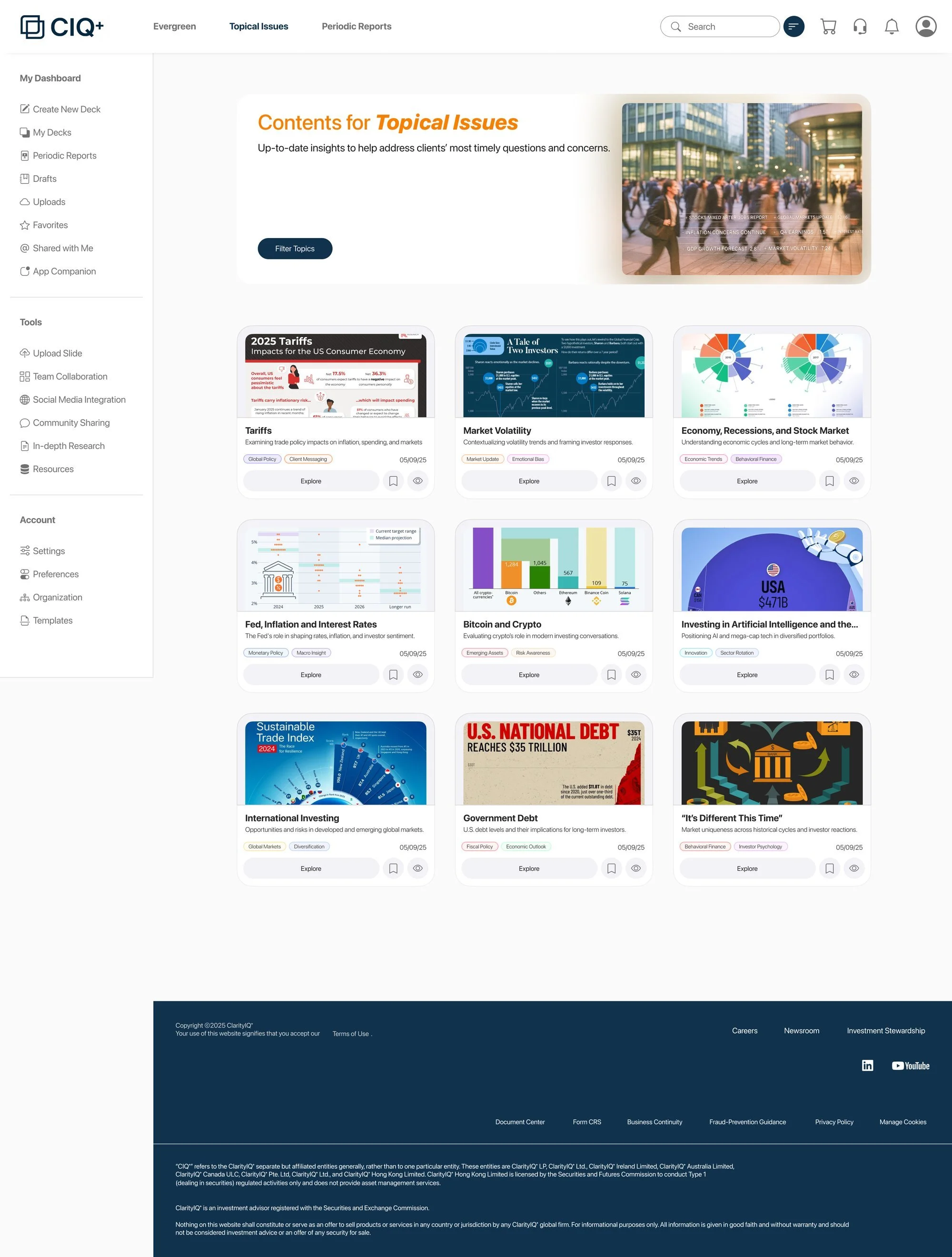
- Topical issues
- What
- Reactive to current events. A market dip, an election’s impact.
- Topics
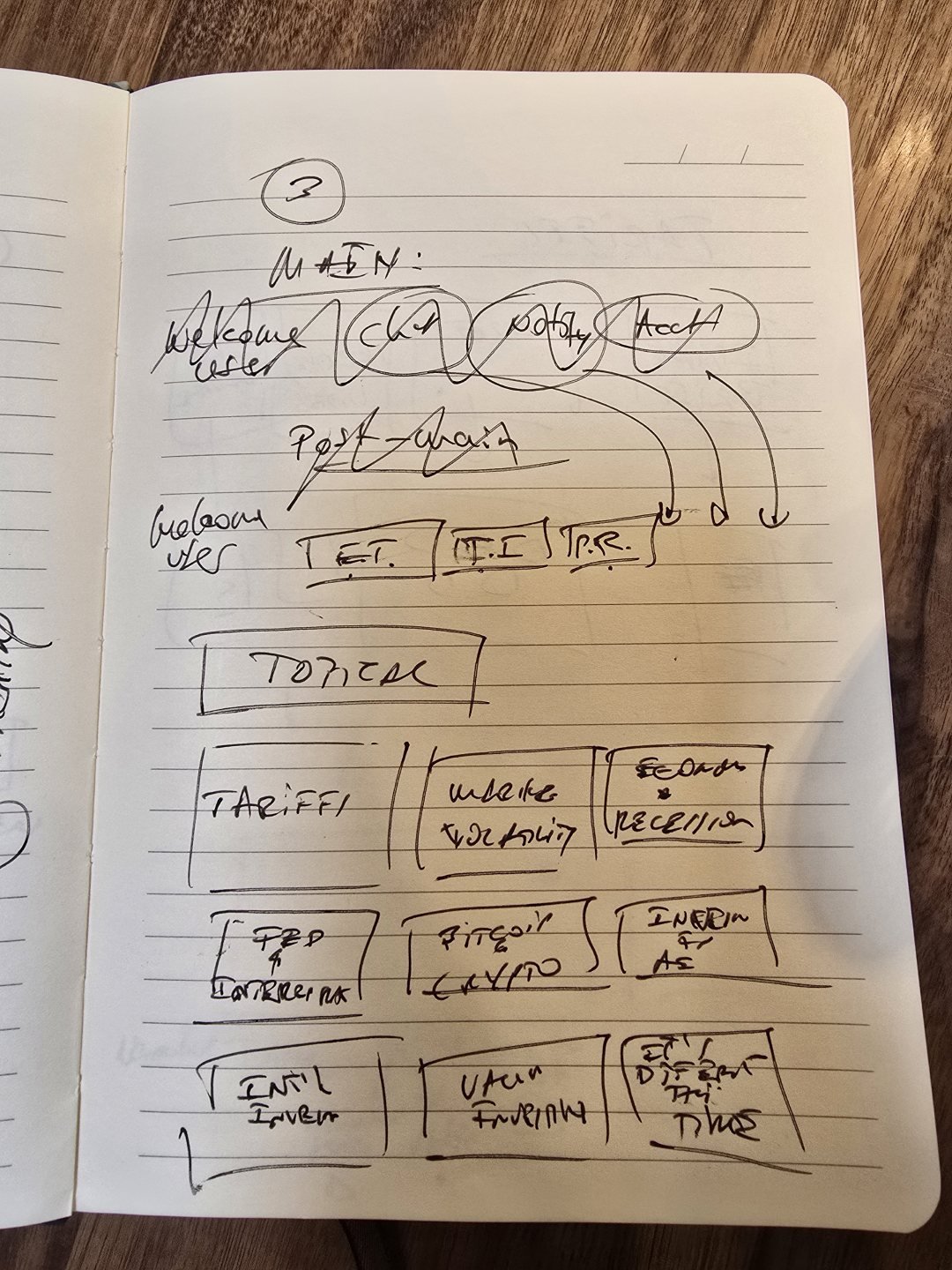
- Tariffs, market volatility, recessions, the Fed and inflation, Bitcoin, AI and the Magnificent 7, international investing, government debt, “it’s different this time”.
- Periodic reports
- What
- Regular updates advisors send out. Quarterly reviews, performance reports.
- Topics
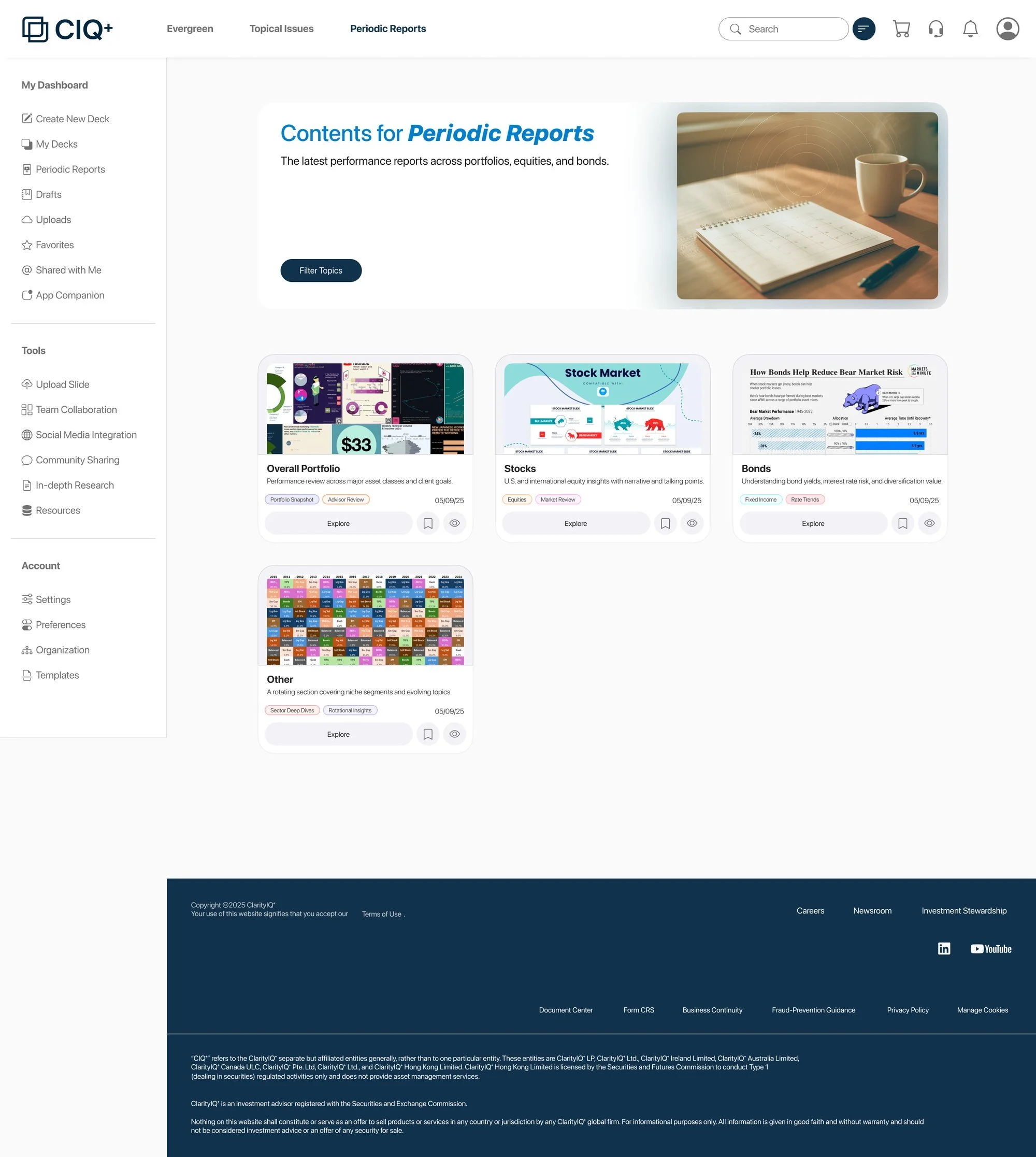
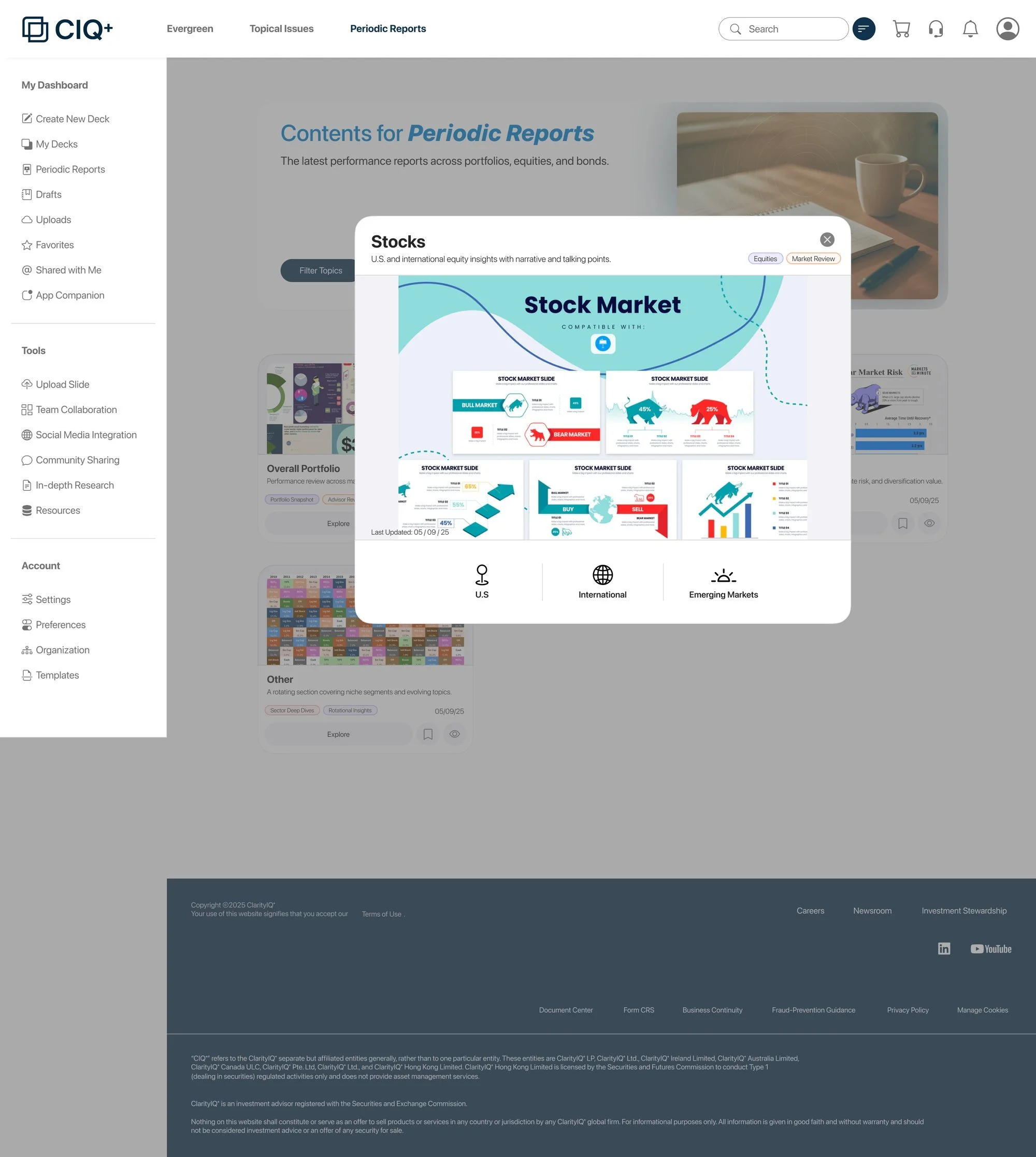
- The overall portfolio; stocks (U.S., international developed, emerging markets); bonds; other.



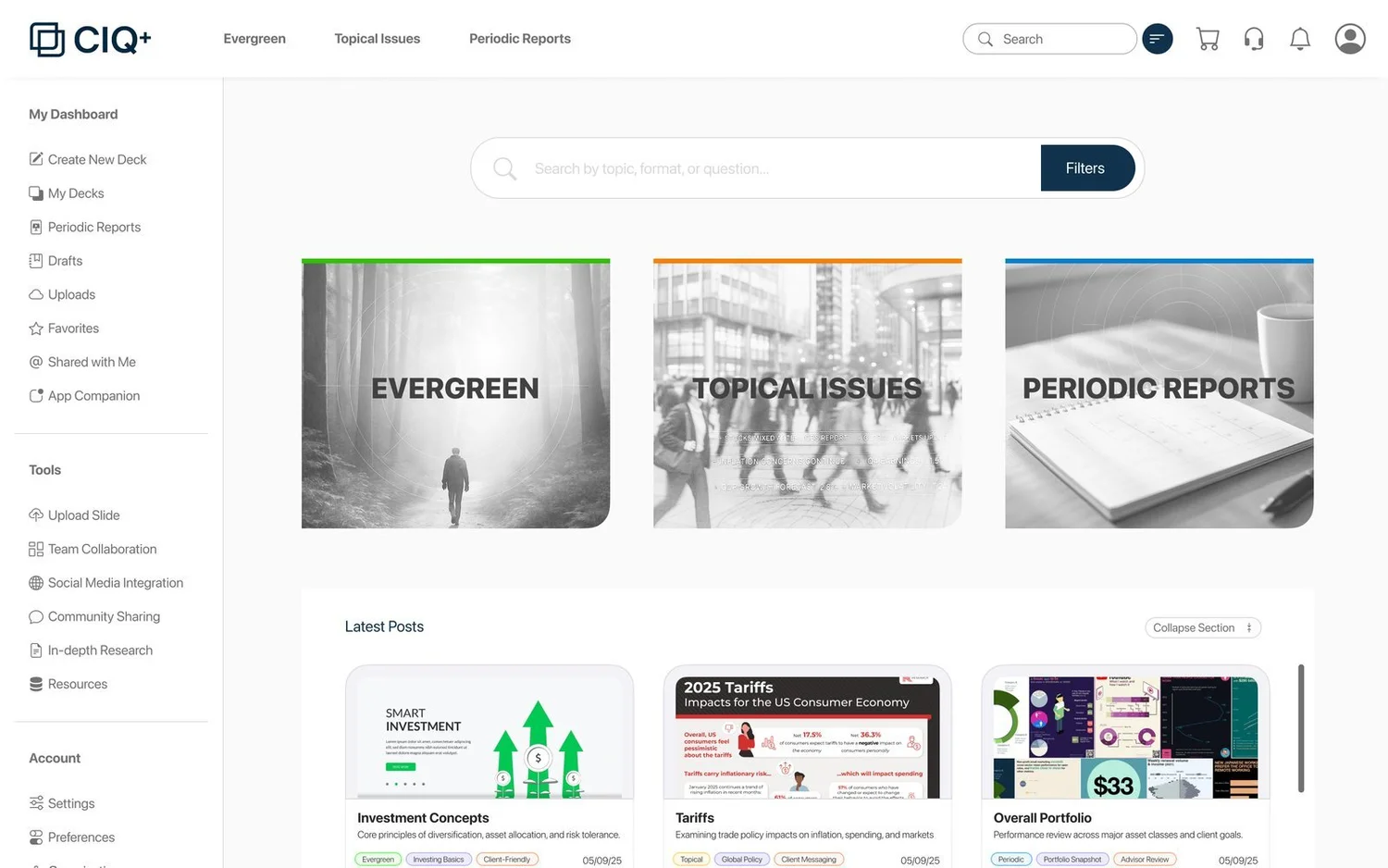
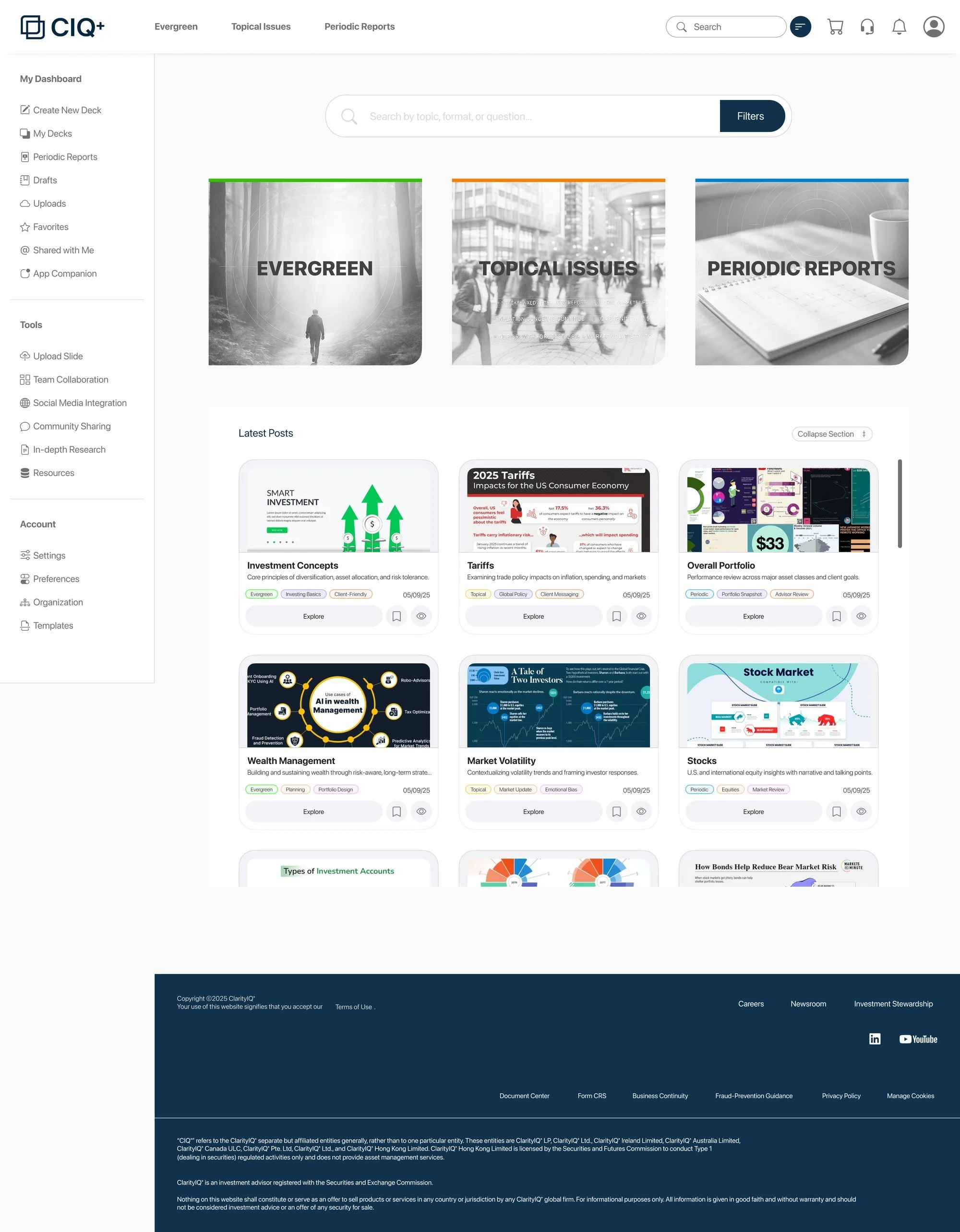
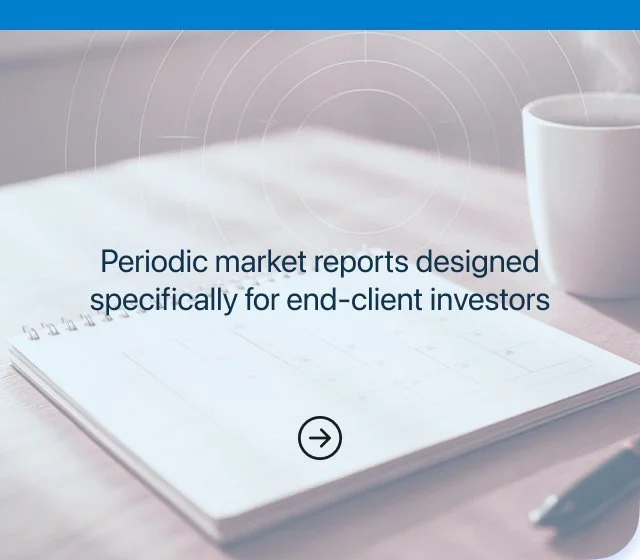
The three doors on the home page. On hover the category’s colour lights the bar and the picture gives way to the line from the brief that says what is inside; the system, further down, shows both states.
How it was made
From a first call to two rounds of screens.
- ICalls with ApolloThe ask: a proof of concept to show the company how it would look, how it would work, and why it is worth building.
- IIA roadmap firstBefore designing, a proposal: the steps, the design process, the expected outcome. Then the resources he sent, before-and-after reports among them.
- IIIThe visionAdvisor empowerment, the three archetypes, a slide library, and a workflow to simulate: find, save, reuse, send.
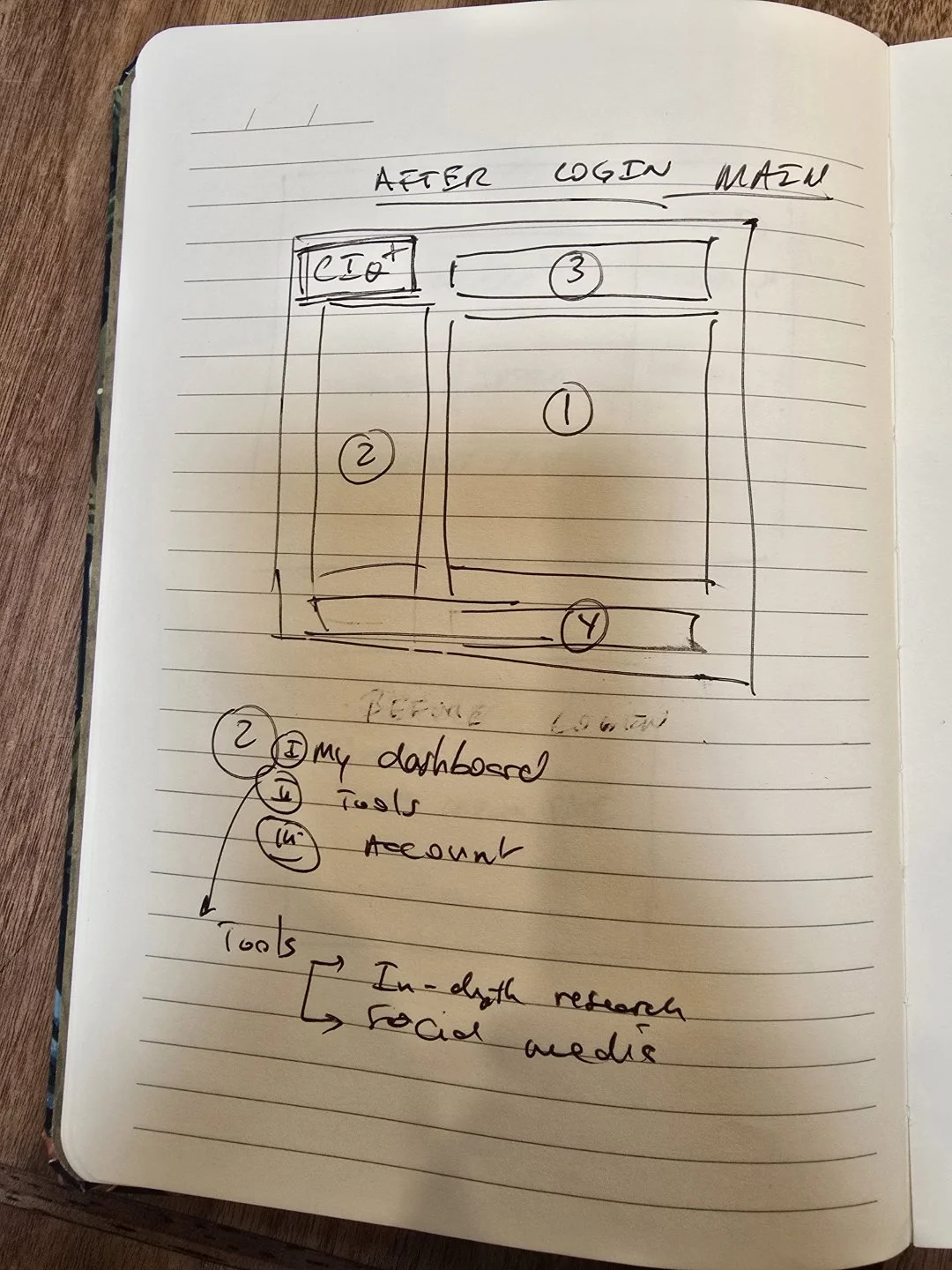
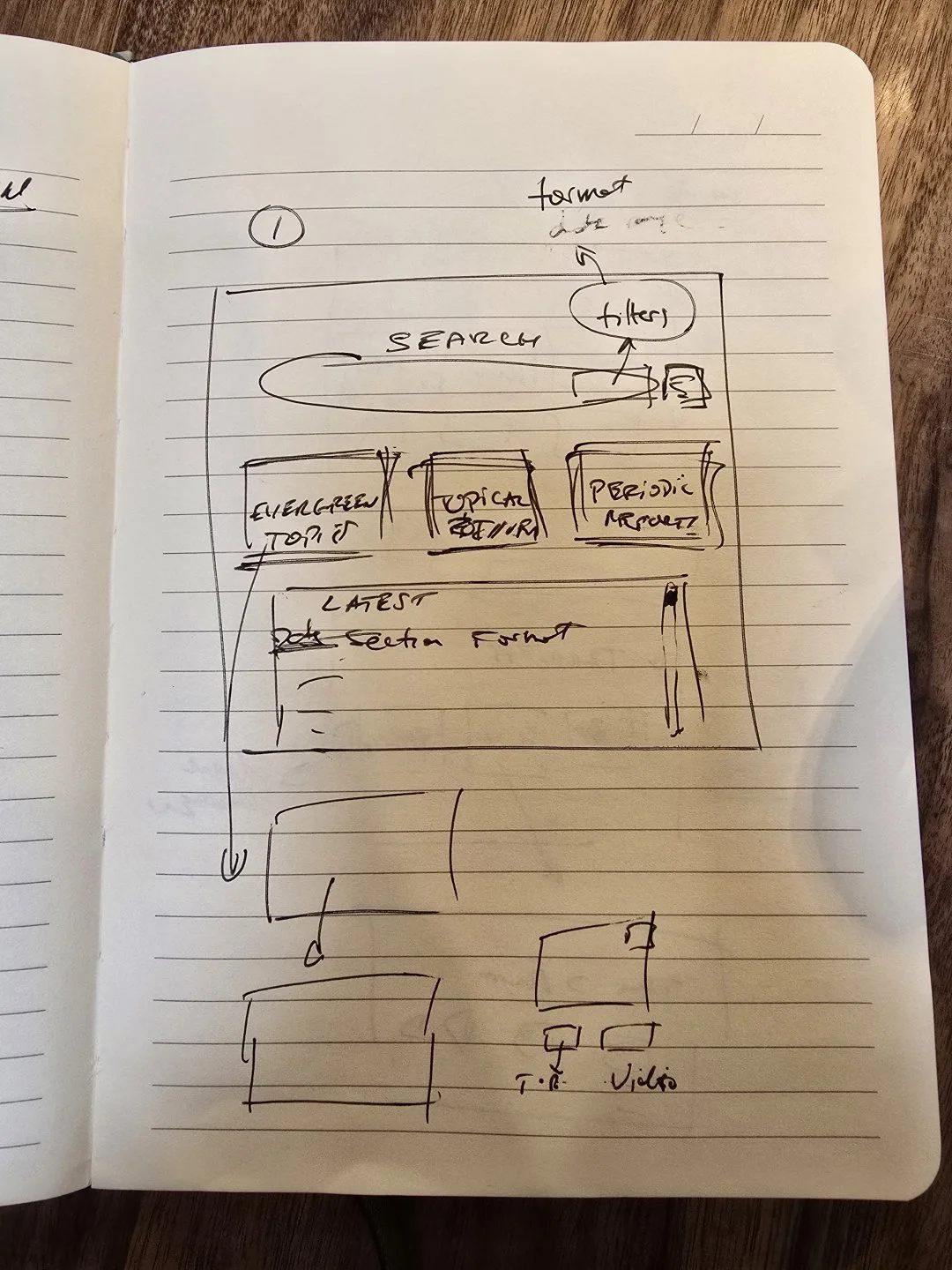
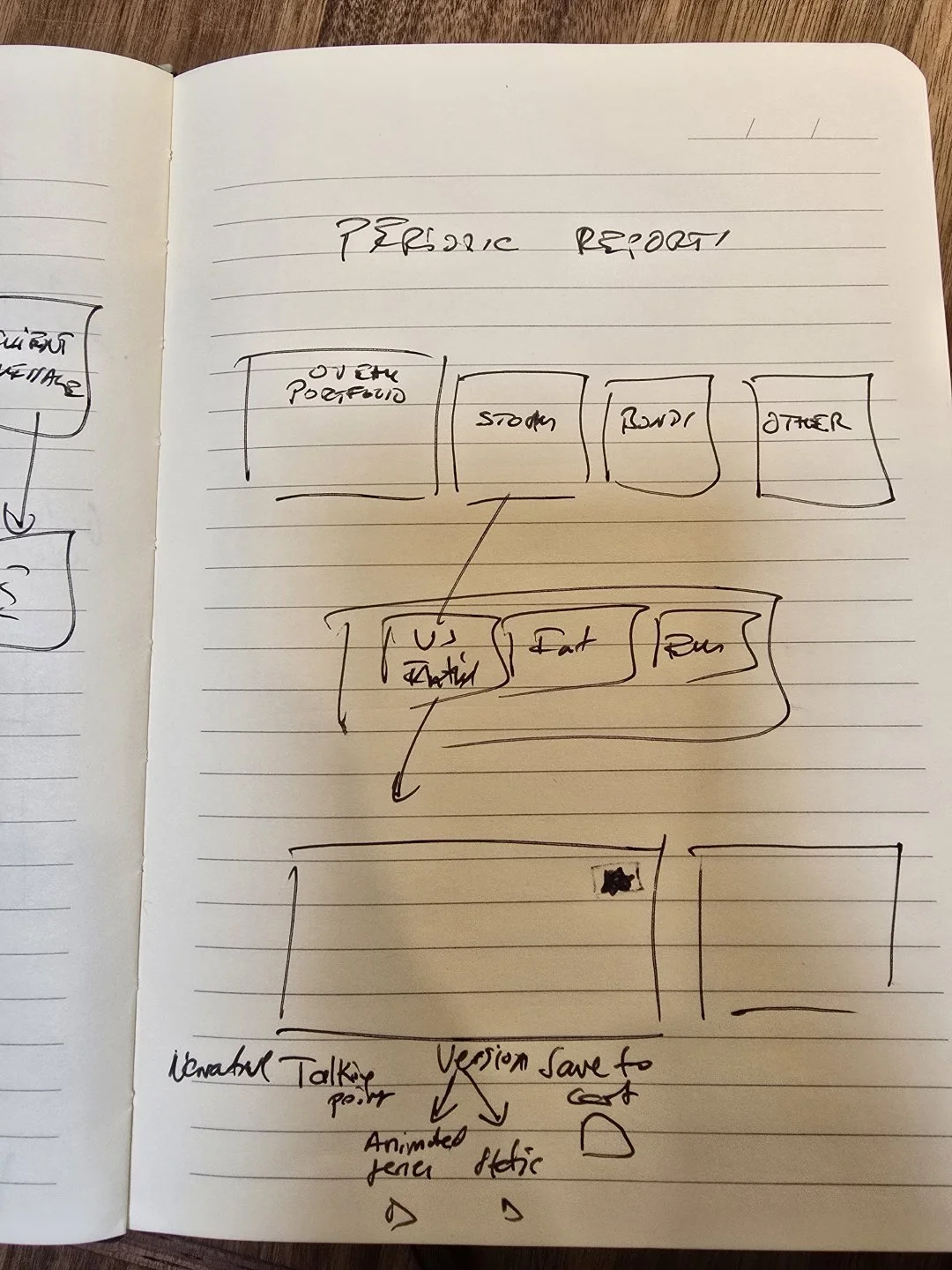
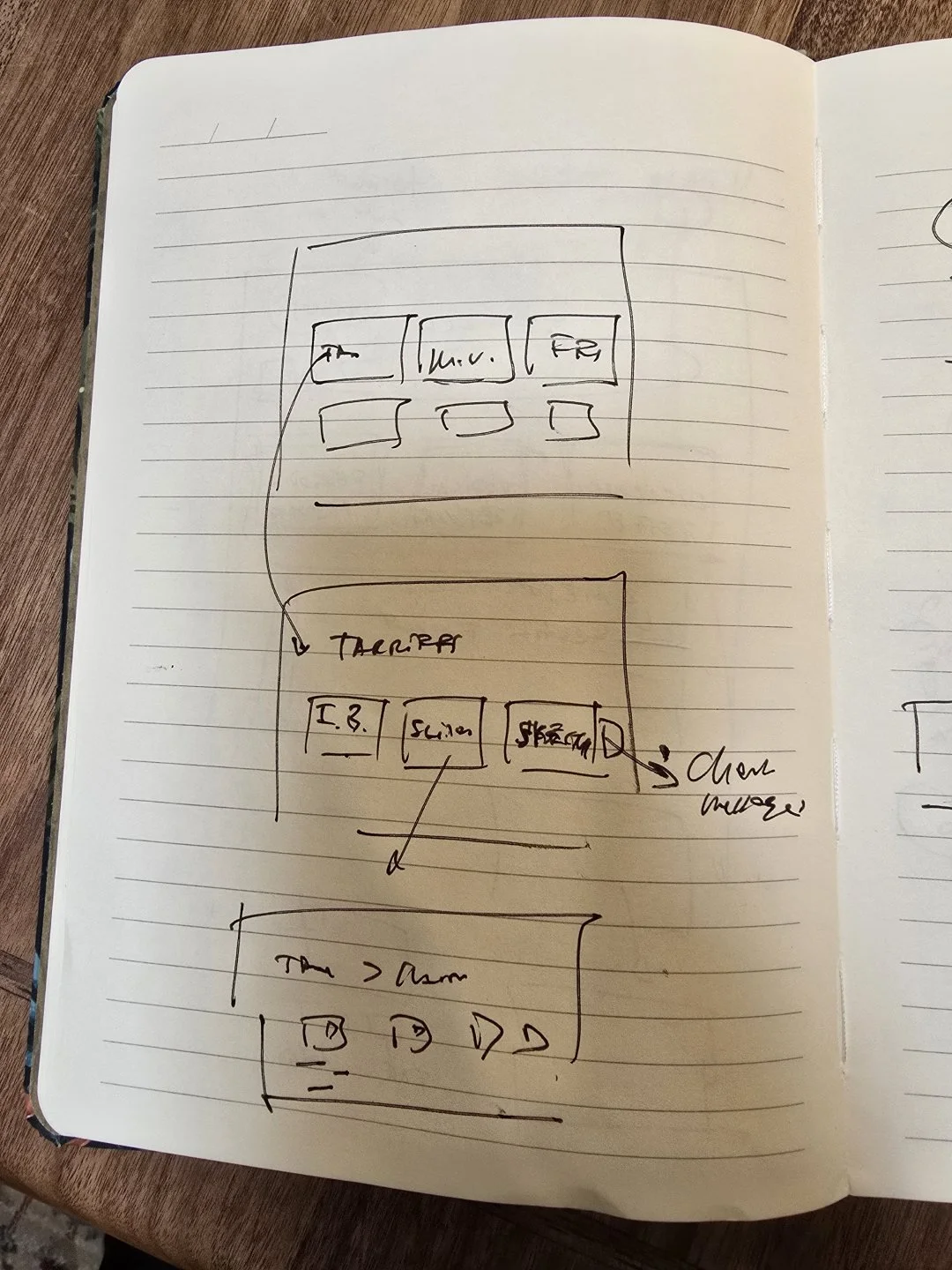
- IVPen firstThe layout after login, the dashboard’s three groups, and every drill-down, drawn in a notebook before Figma.
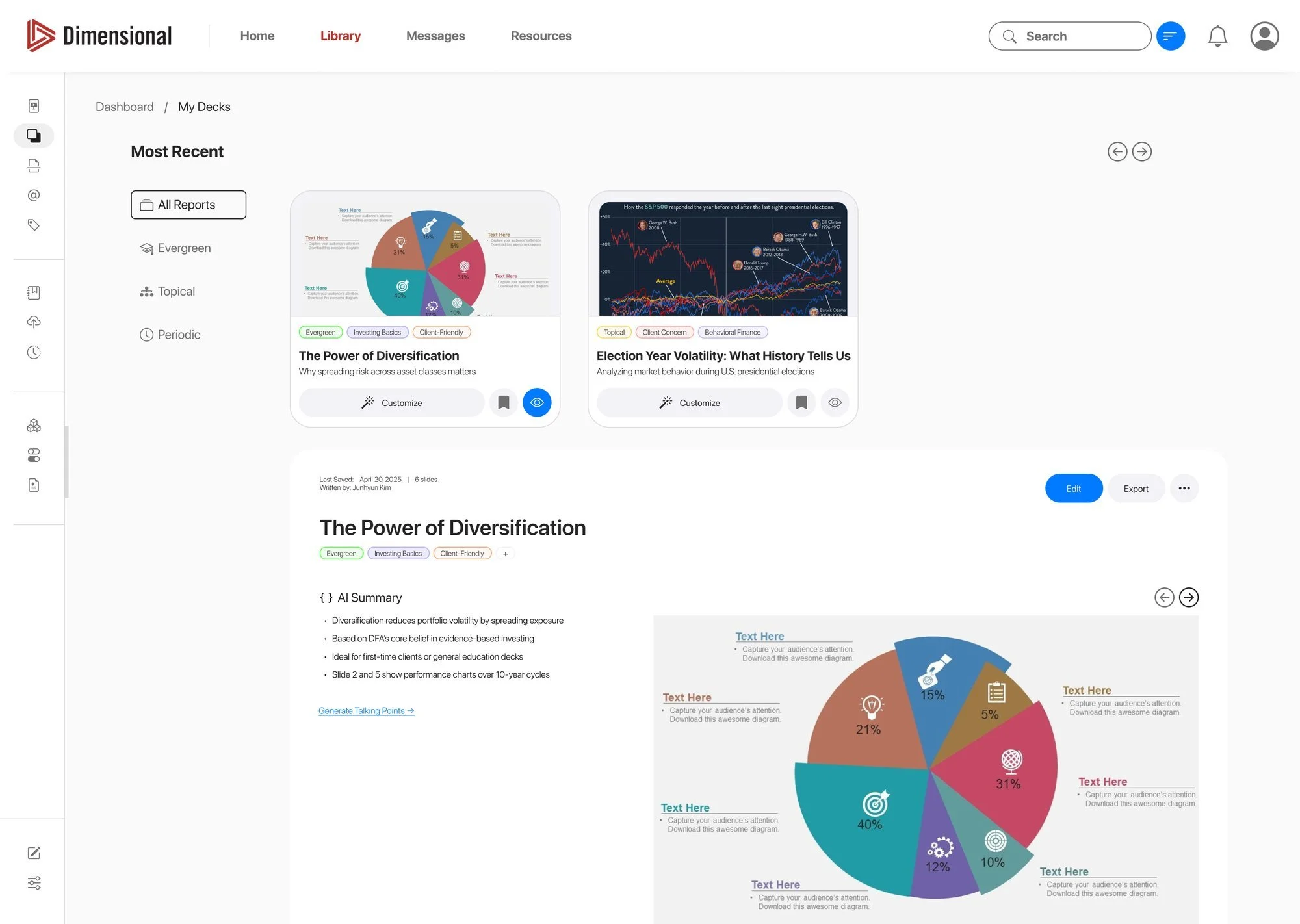
- VRound oneA Dimensional-branded website: home, My Decks, and the deck editor.
- VIRound two, and the appThe feedback applied, a neutral brand, the three category pages, the topic pop-ups, and four app screens.
Pen first
Every screen drawn before it was designed.
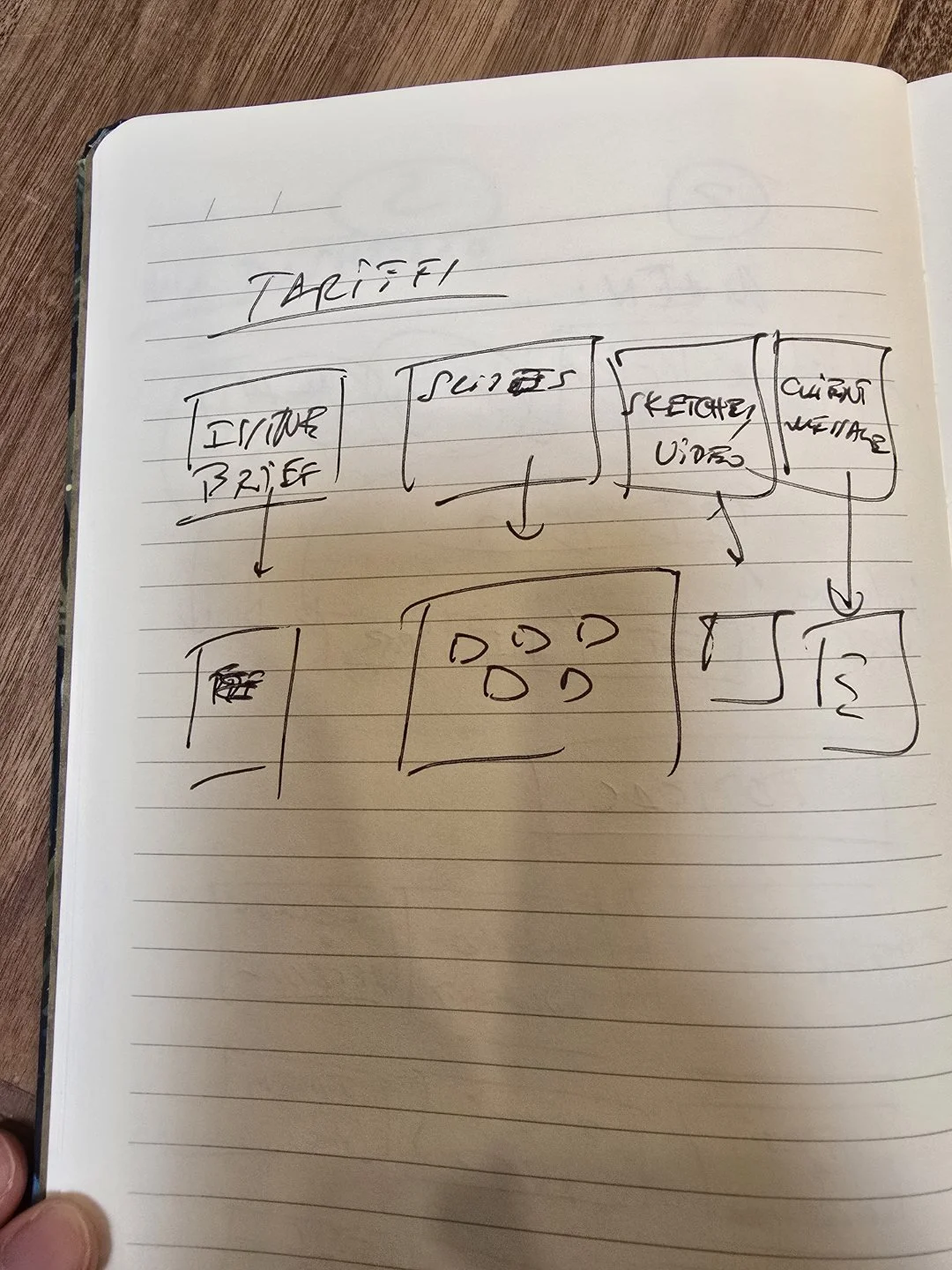
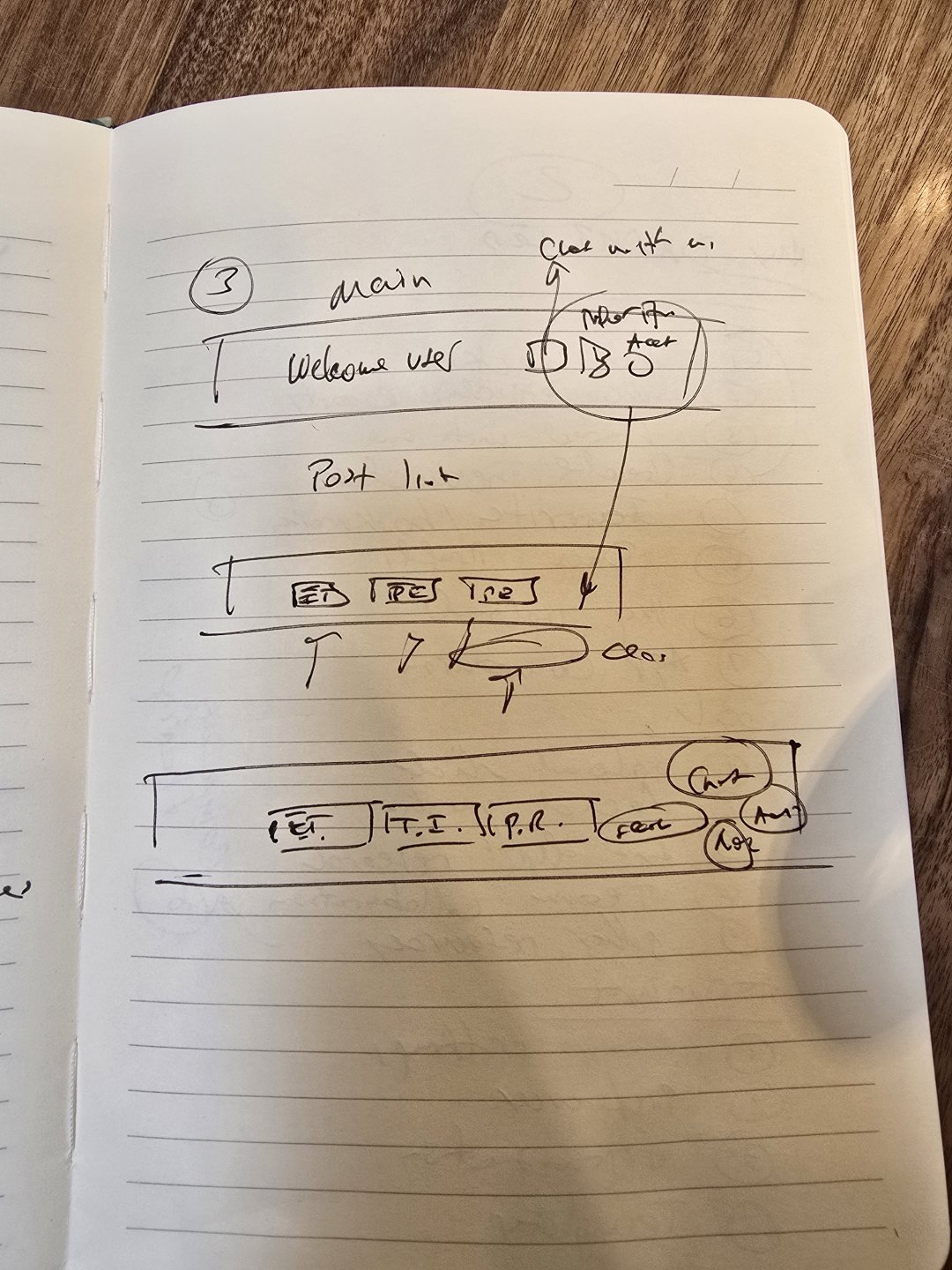
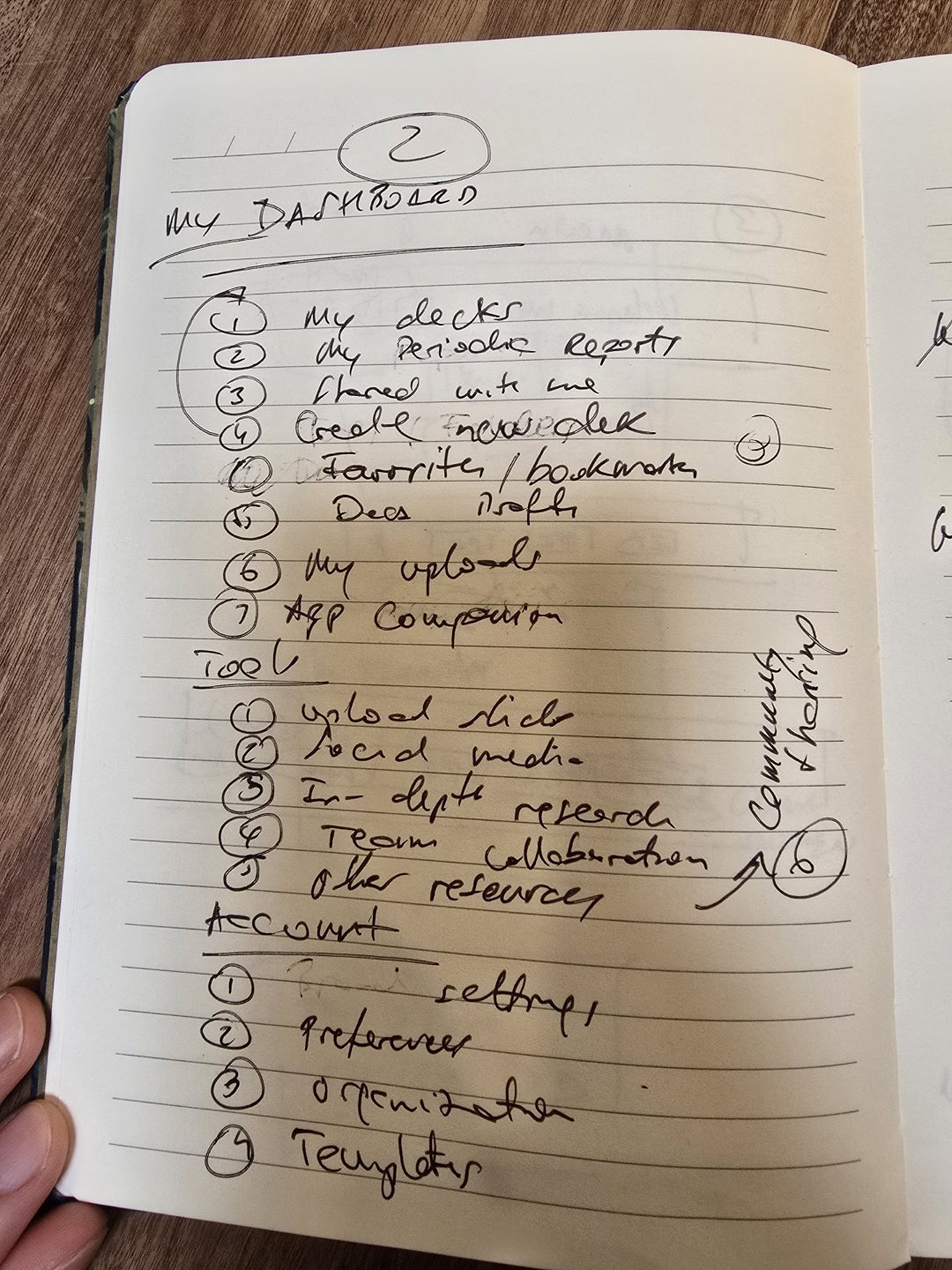
Four pages from my notebook, May 2025: the layout after login, the main page, a topic opened, and a report followed down to a single slide. Each opens at full size.
Round two
One list of notes, and a calmer second round.
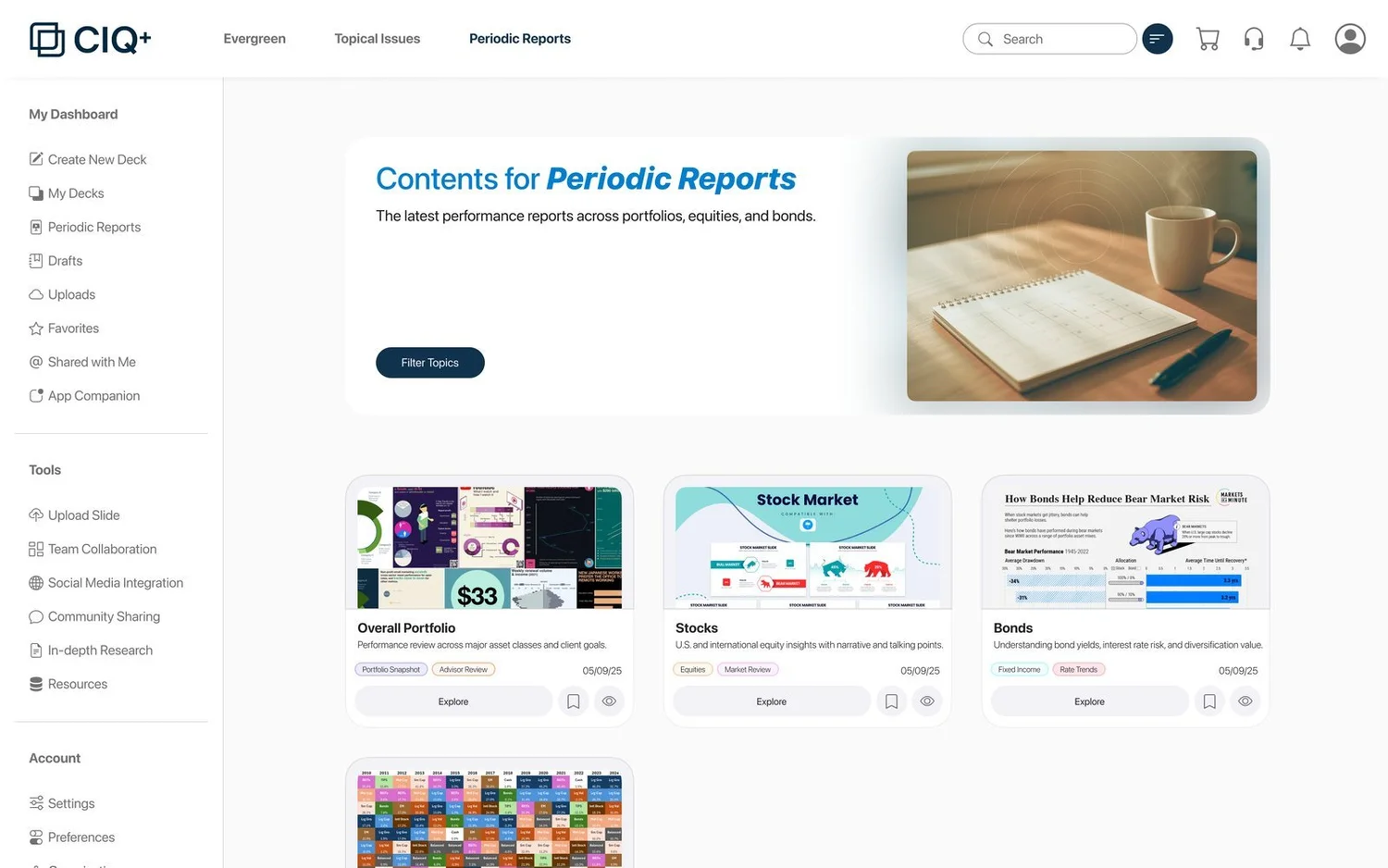
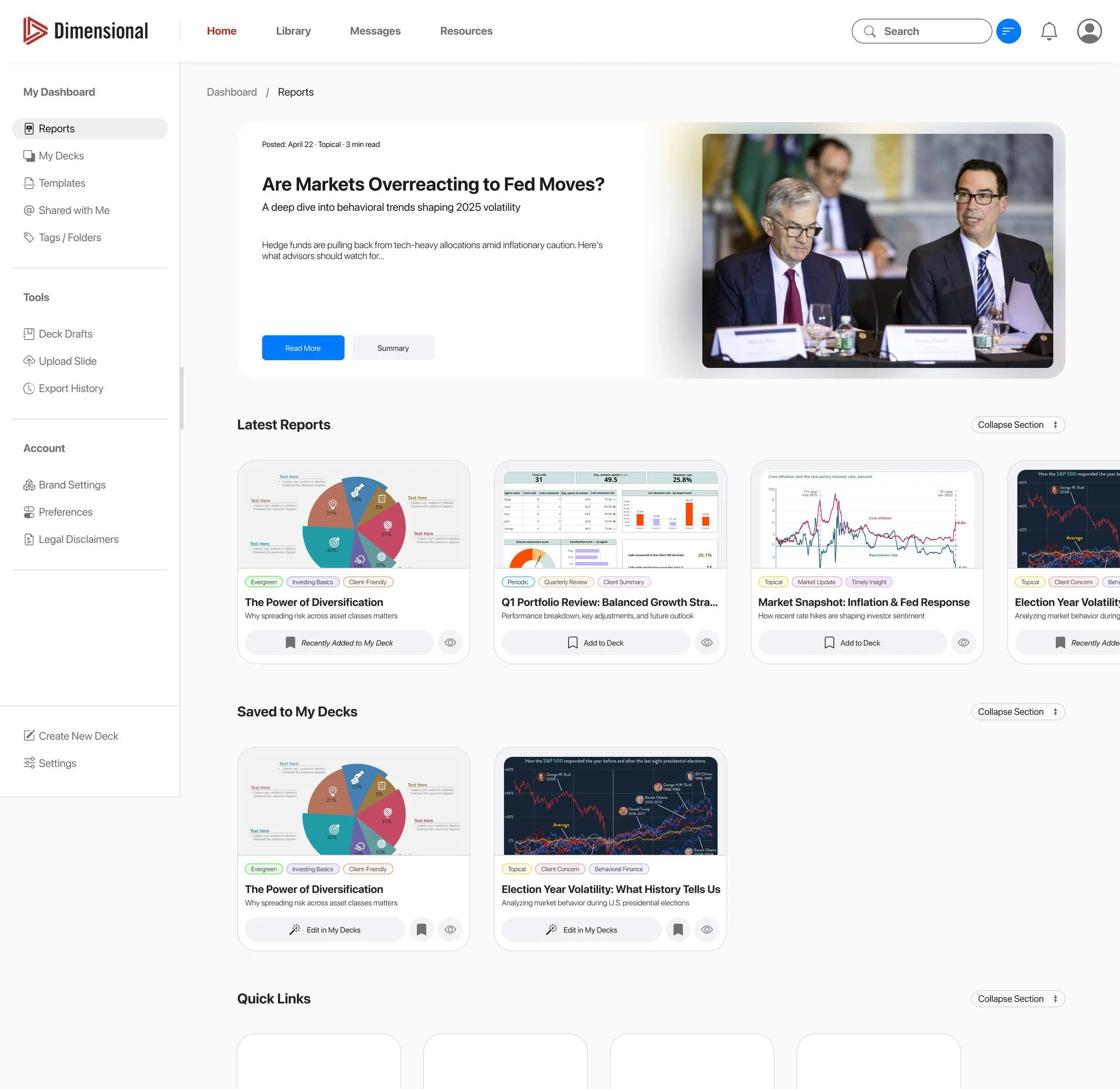
Round one carried Dimensional’s name and red. The notes that came back were specific, so the second round could be quiet: a neutral brand, bigger doors, and less on the page. Scroll inside each.
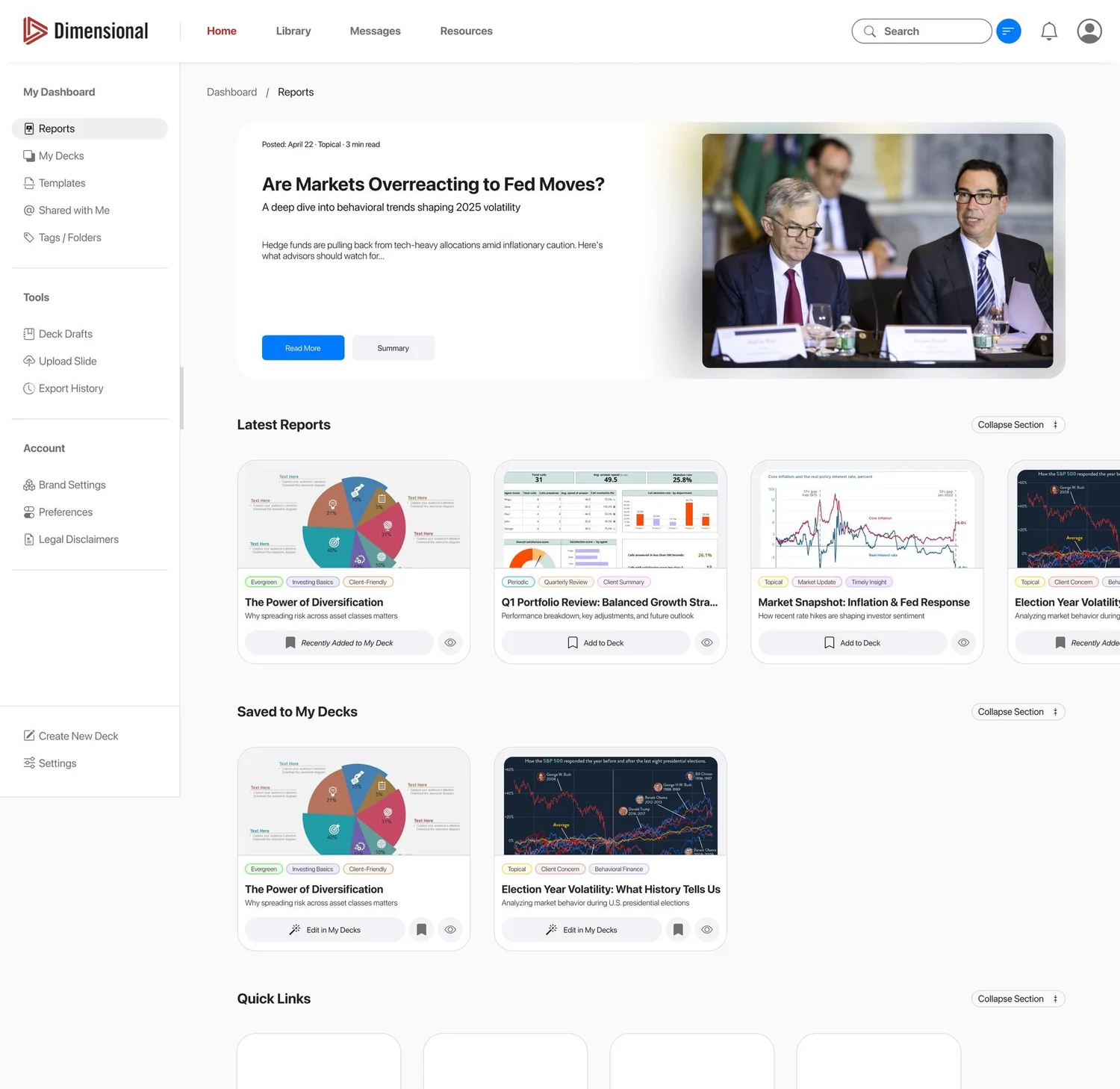
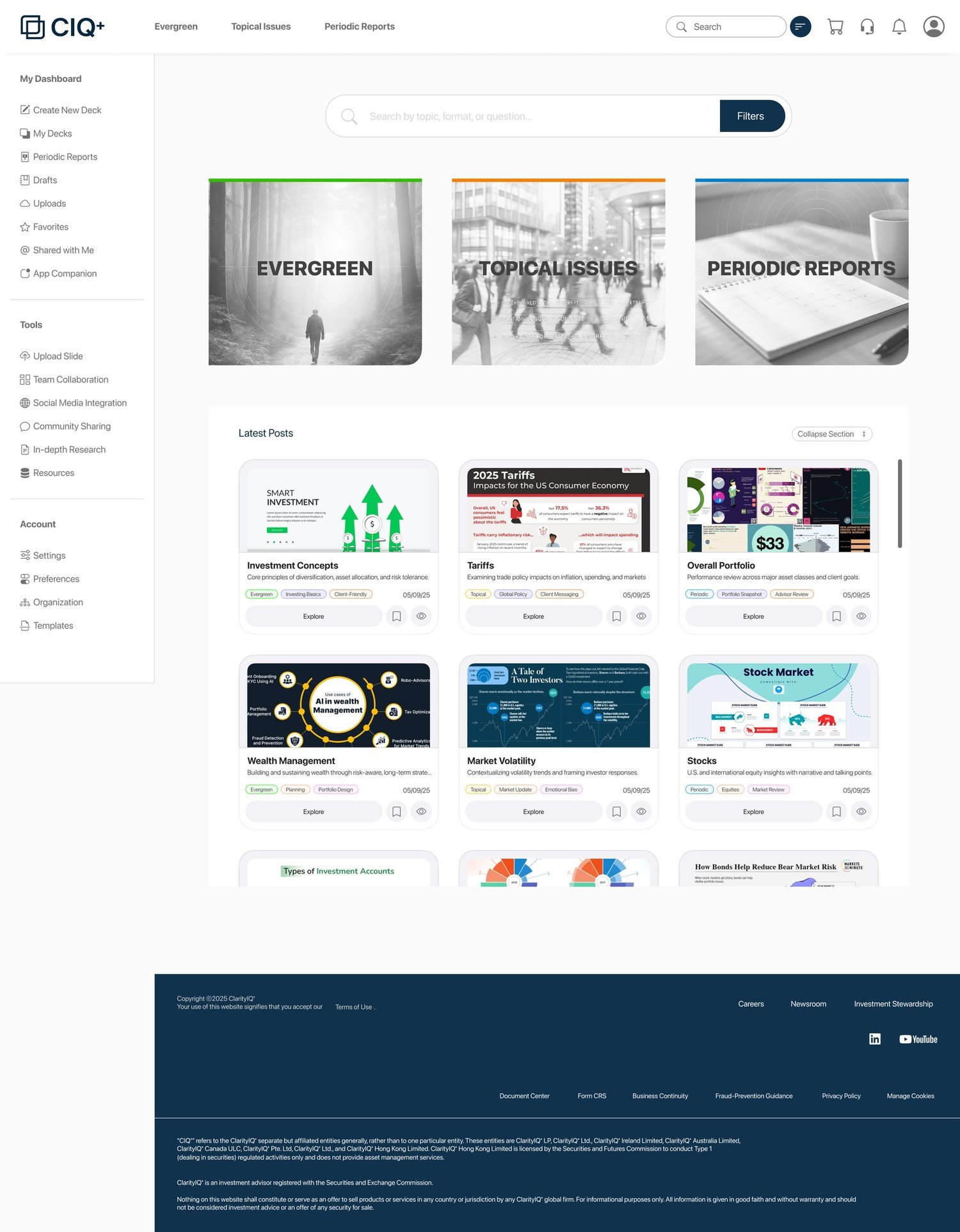
- 1Everything with DFA in it came off. The concept took a neutral name, CIQ+ (ClarityIQ+), and a navy of its own.
- 2The sidebar stays open at all times, so nothing piles up above the content.
- 3The three report types, as big as possible, each with a picture of its own, chosen for what the category feels like.
- 4Colour on hover. Each door lights in its own colour, and its shadow picks the colour up.
- 5Plainer words. Latest Reports became Latest Posts; Share with Client became Client Letters.
- 6The issue brief as a pop-up, with a smaller graphic, a summary of the report, and a layout that reads at a glance.
The design
Find it, open it, present it, take it along.
 1
2
3
4
5
1
2
3
4
5
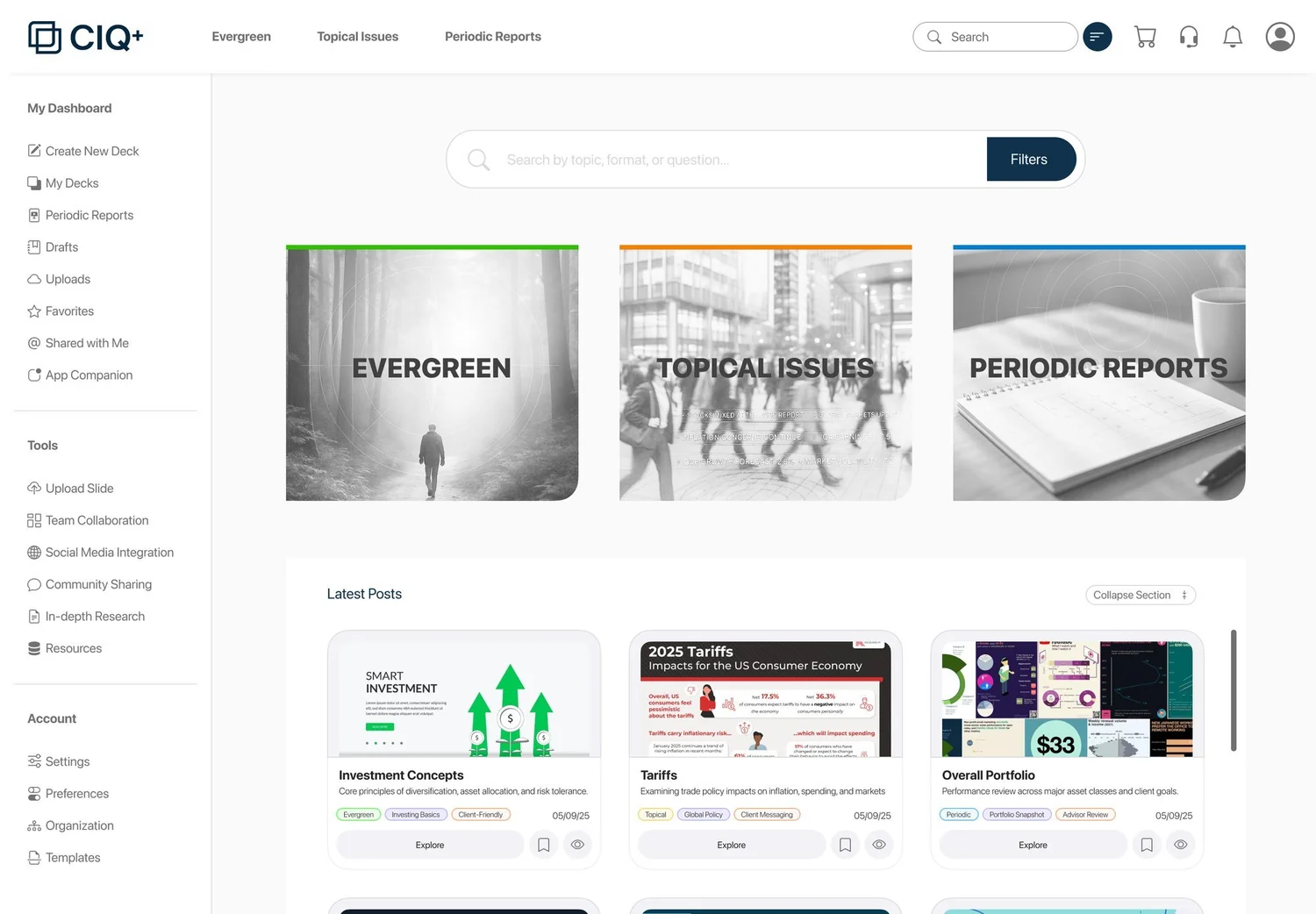
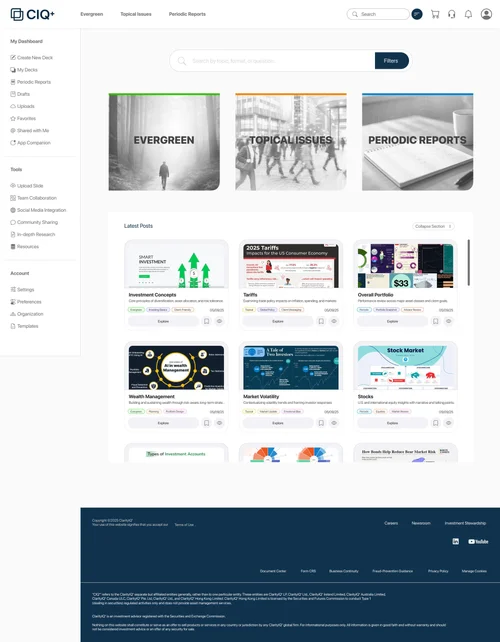
01Search first, then three doors.
- 1Search is the first thing on the page, centred and wide: by topic, format or question. The brief said finding content had to be easy, and this is where that starts.
- 2Filters sit inside the bar rather than in a separate panel, so narrowing a search is one step from typing it.
- 3Three doors, as big as the page allows: Evergreen, Topical Issues and Periodic Reports, each with its own colour and picture.
- 4Latest Posts in a scrolling box beneath, every card tagged and dated, with Explore, Save and Preview on the card itself.
- 5The sidebar never closes: My Dashboard (create a deck, my decks, periodic reports, drafts, uploads, favourites, shared with me, the app), then Tools and Account.
 1
2
3
4
1
2
3
4
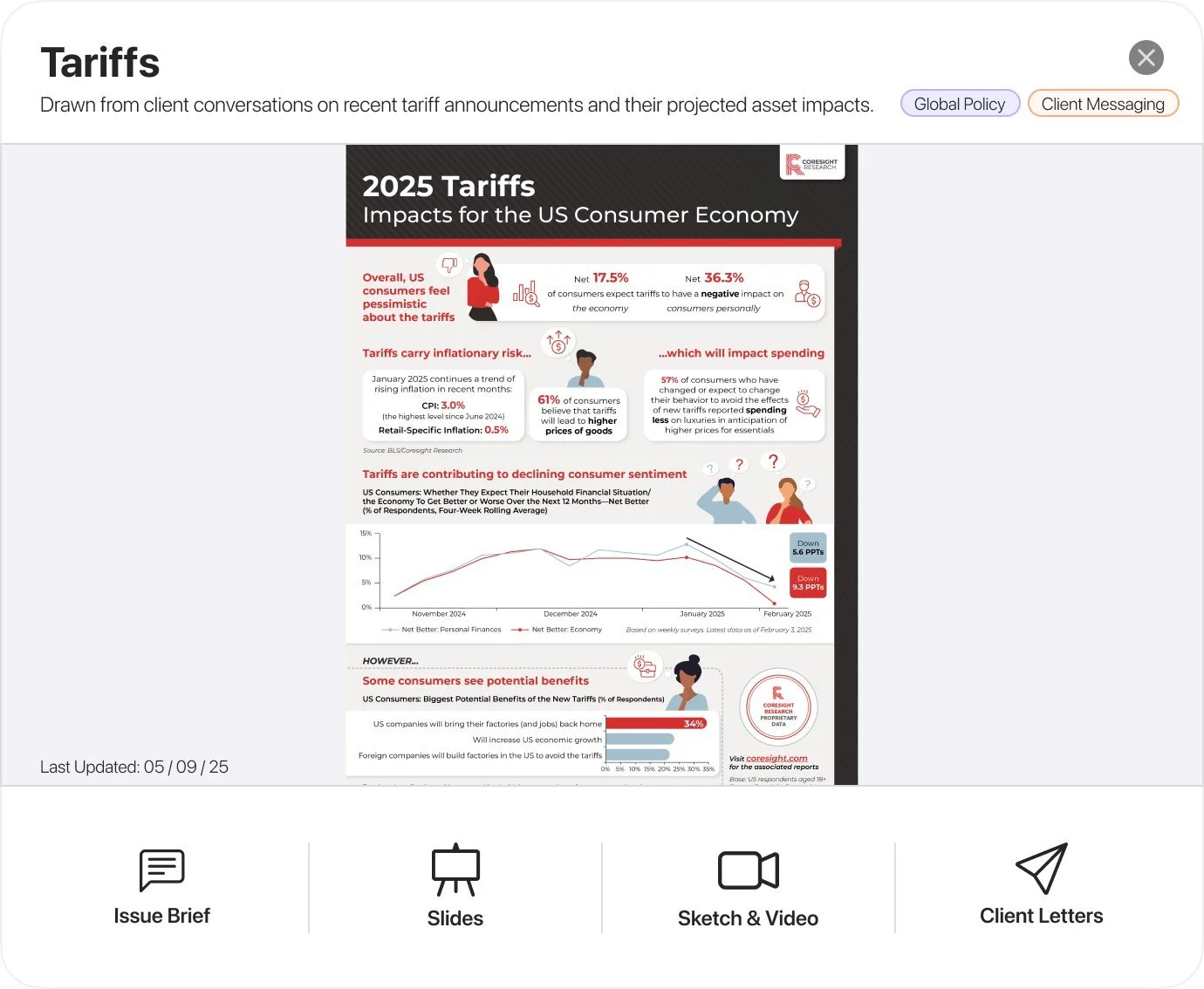
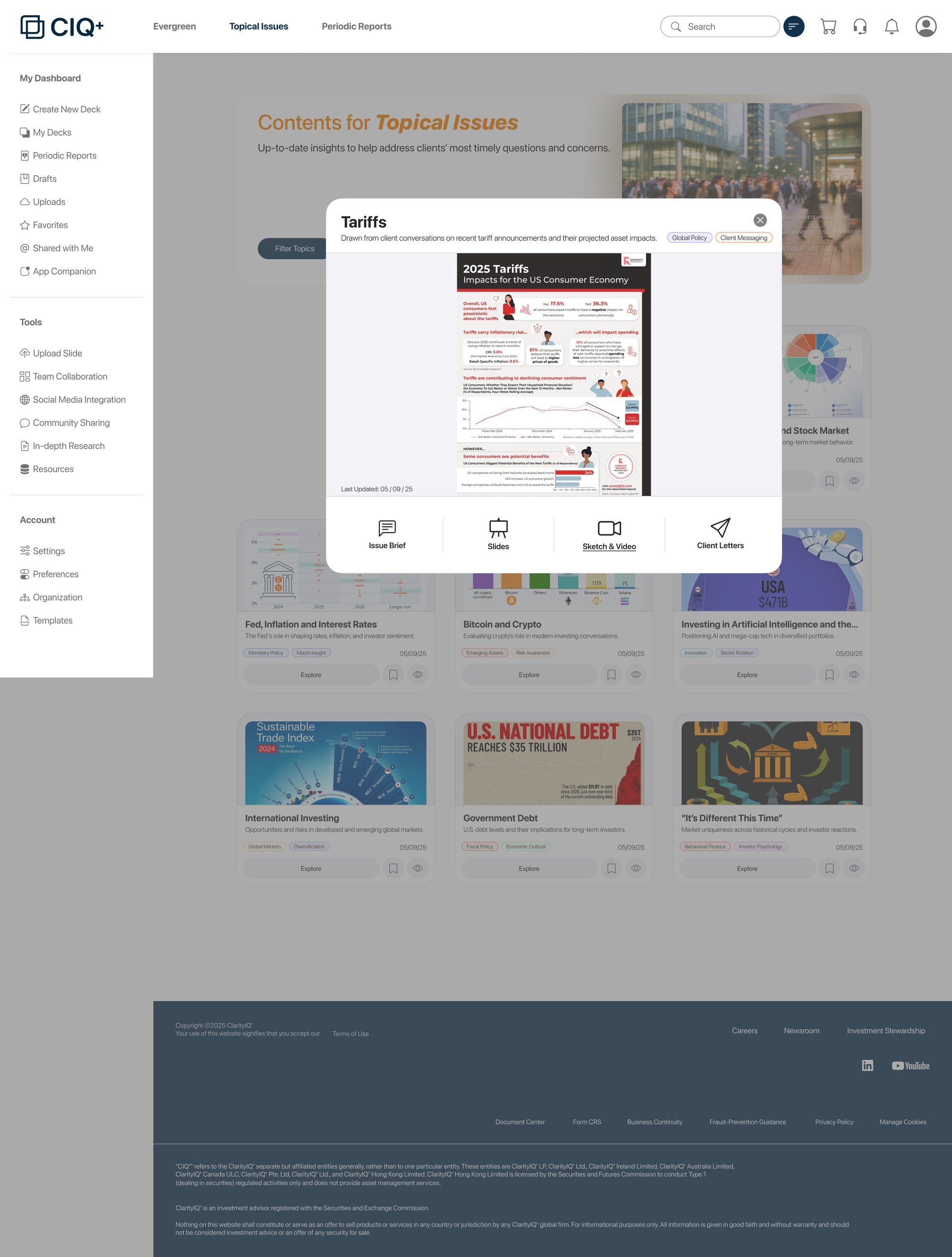
02One topic, four ways to use it.
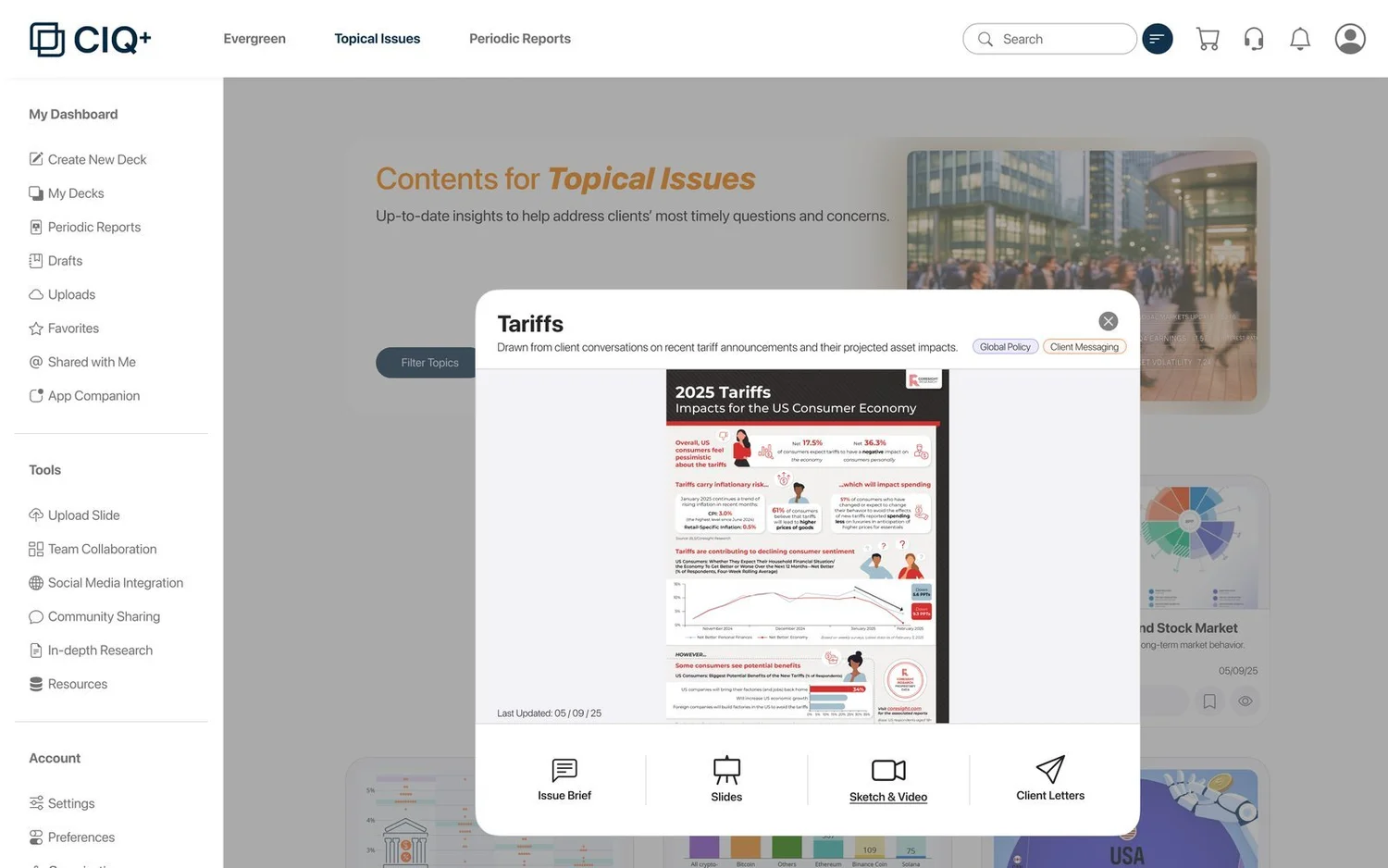
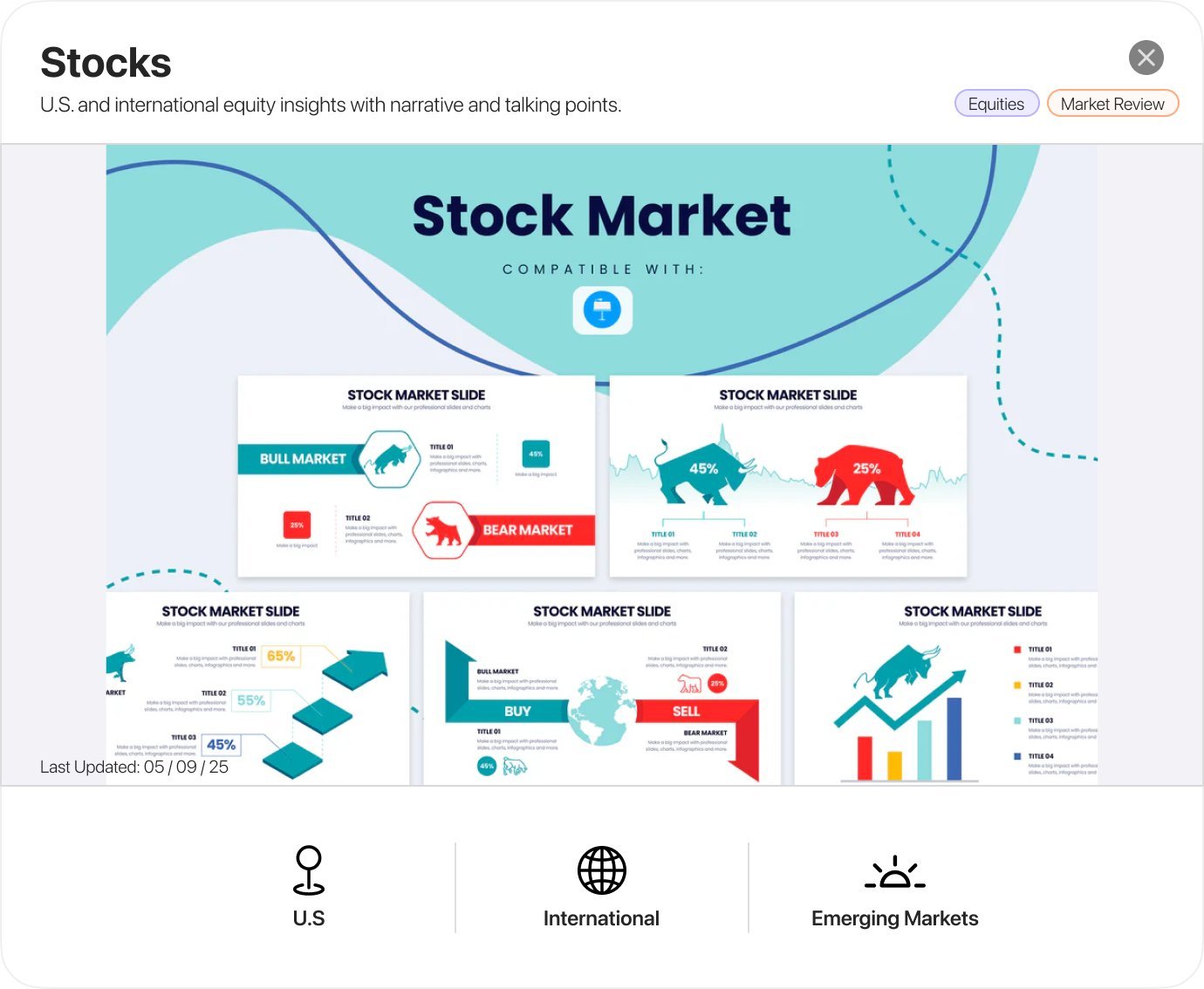
- 1A topic opens over the page instead of leaving it: a title, one line on what it covers, and its tags.
- 2The latest issue up front, with the date it was last updated, because for a topical issue the date is the point.
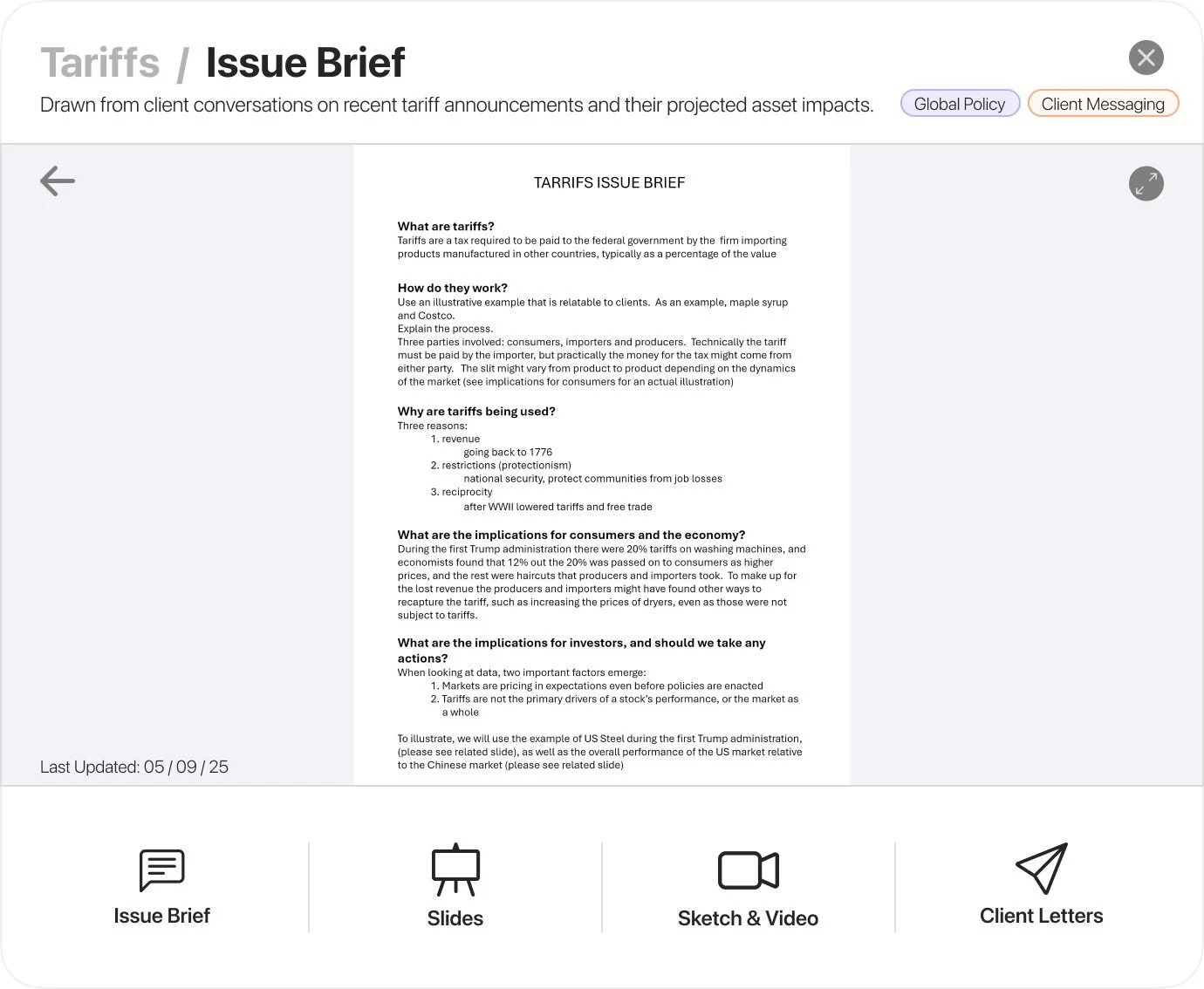
- 3The issue brief to read up, and the slides to present.
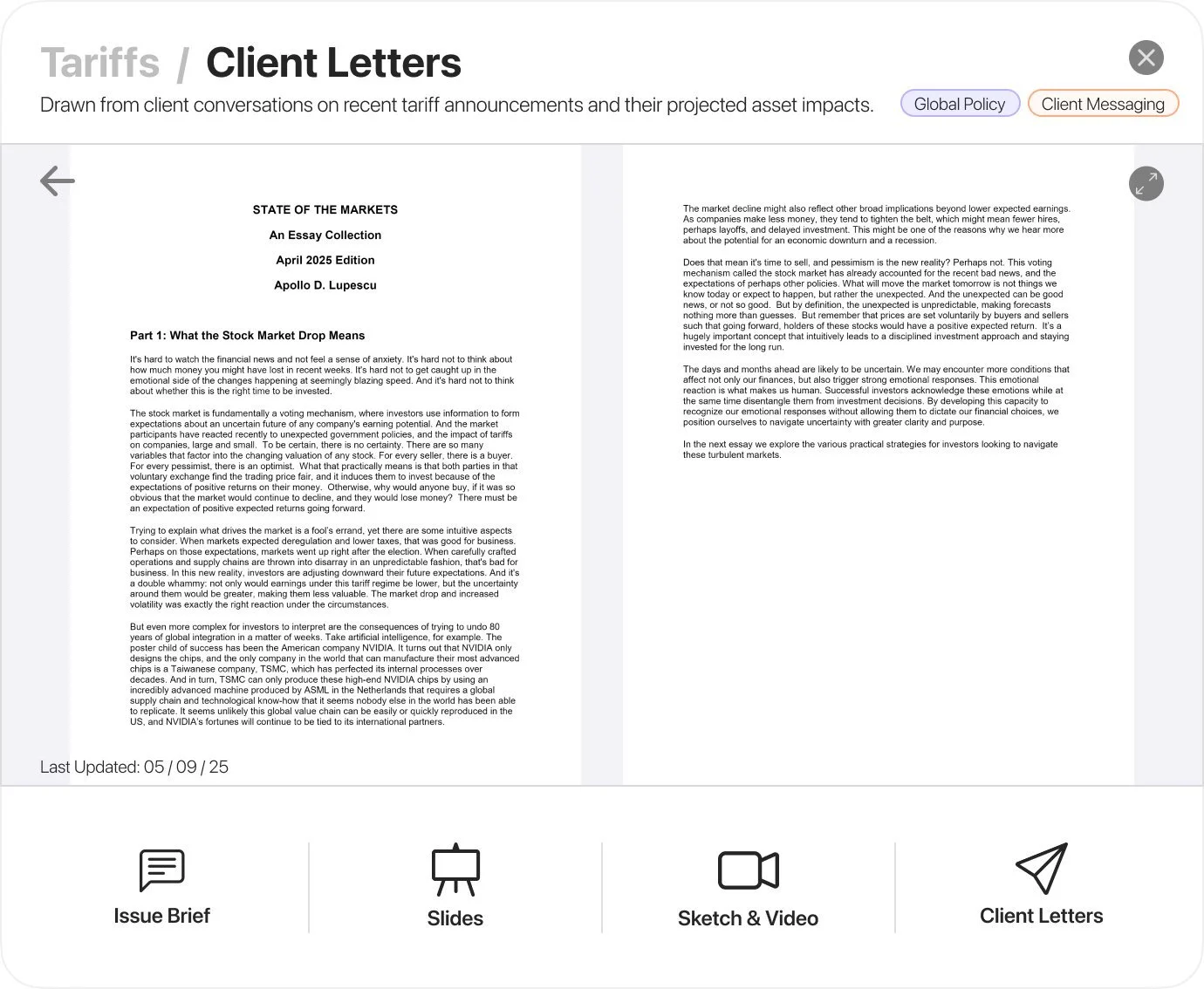
- 4A sketch or video to explain it, and client letters to follow up: four doors from the notes, so an advisor prepares, presents and writes from one place.
 1
2
3
4
5
1
2
3
4
5
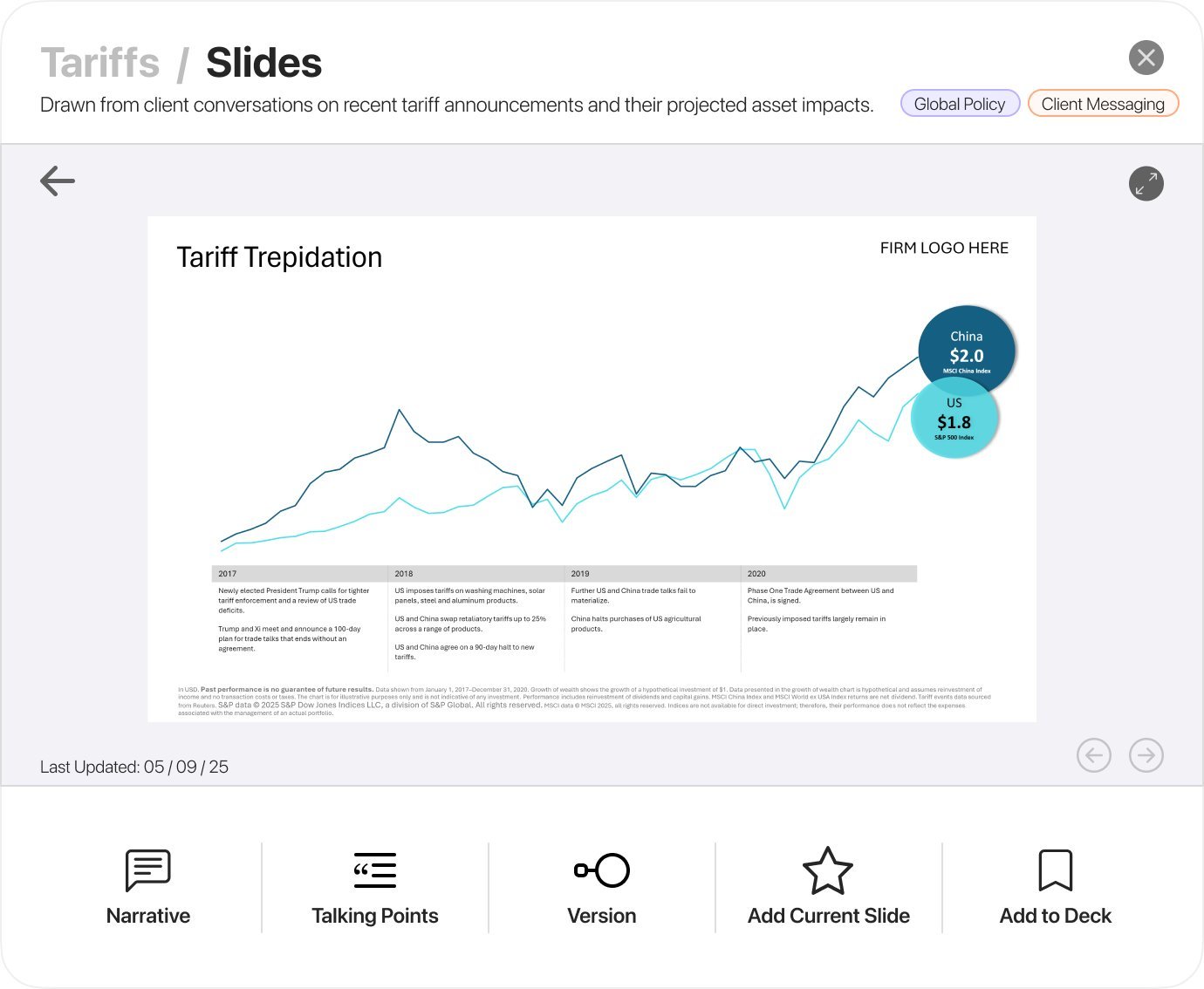
03Down to the slide, ready to present.
- 1Every slide keeps a space for the advisor’s own logo. The deliverable is a PowerPoint the firm can put its name on.
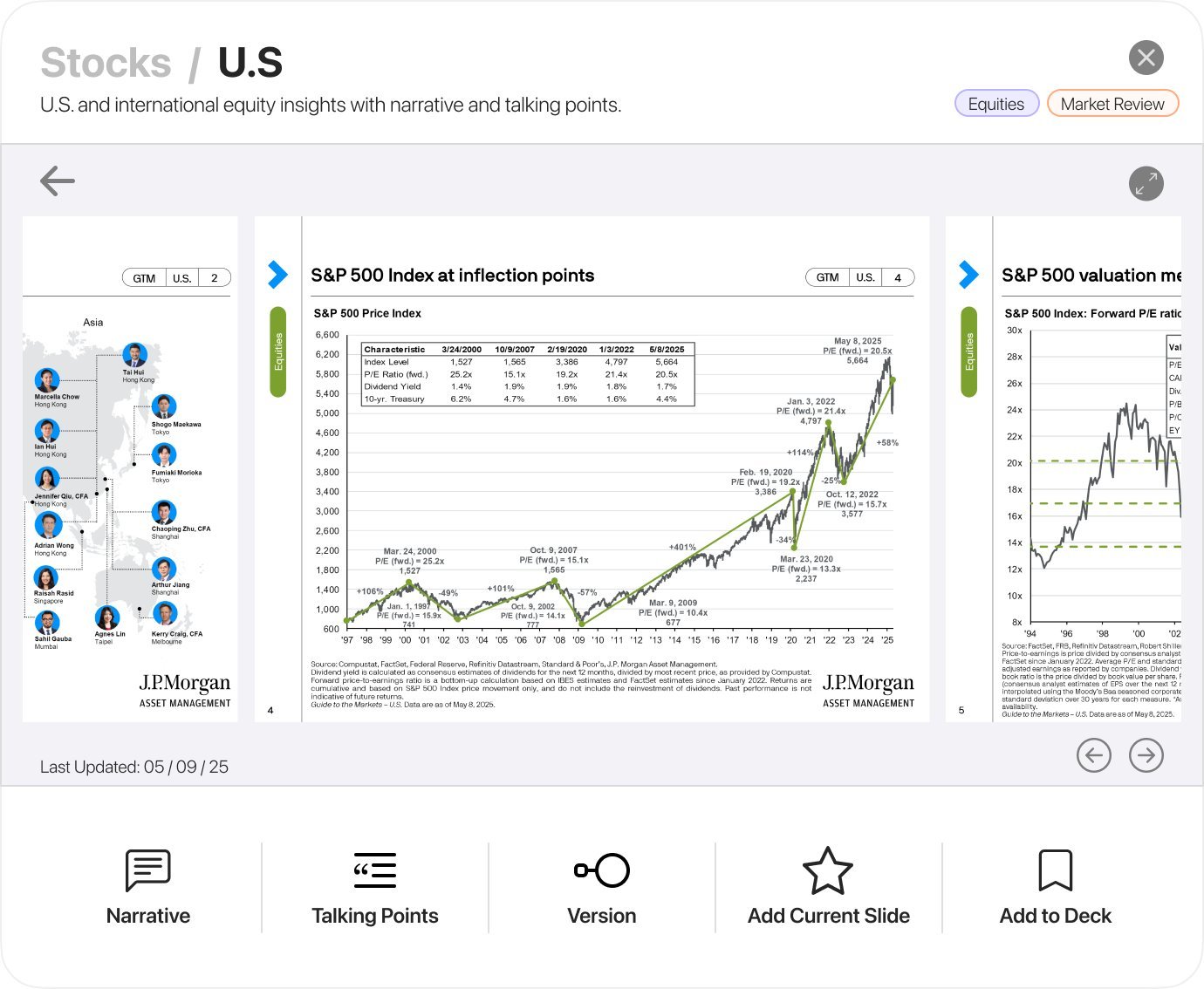
- 2The narrative under the slide: what the chart is saying, in sentences.
- 3Talking points, so the advisor knows what to say as well as what to show.
- 4A version switch, animated or static, for a screen or for print.
- 5Add the current slide, or the set, to a deck: the slide library the brief asked for, one step from the slide.
 1
2
3
4
5
1
2
3
4
5
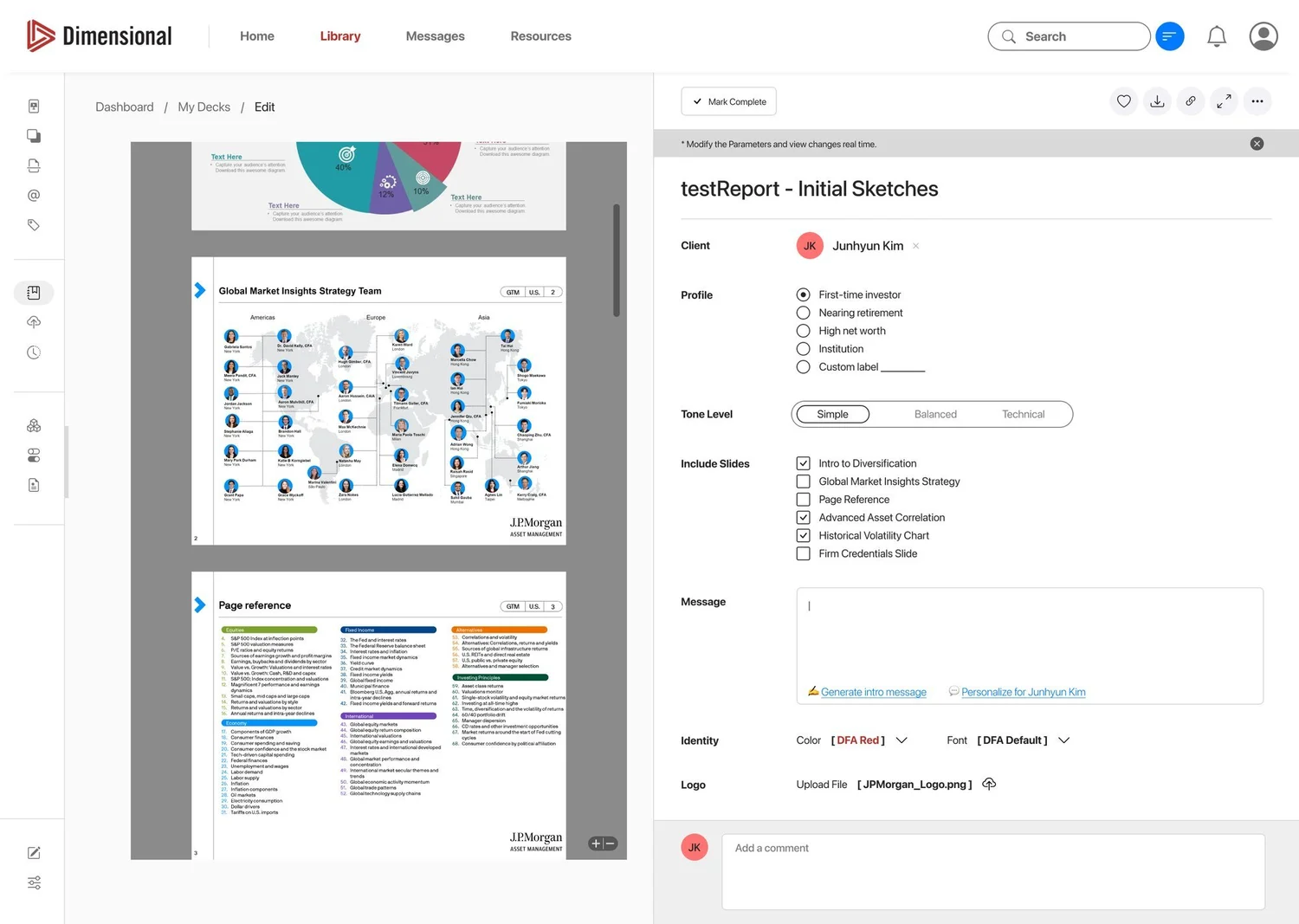
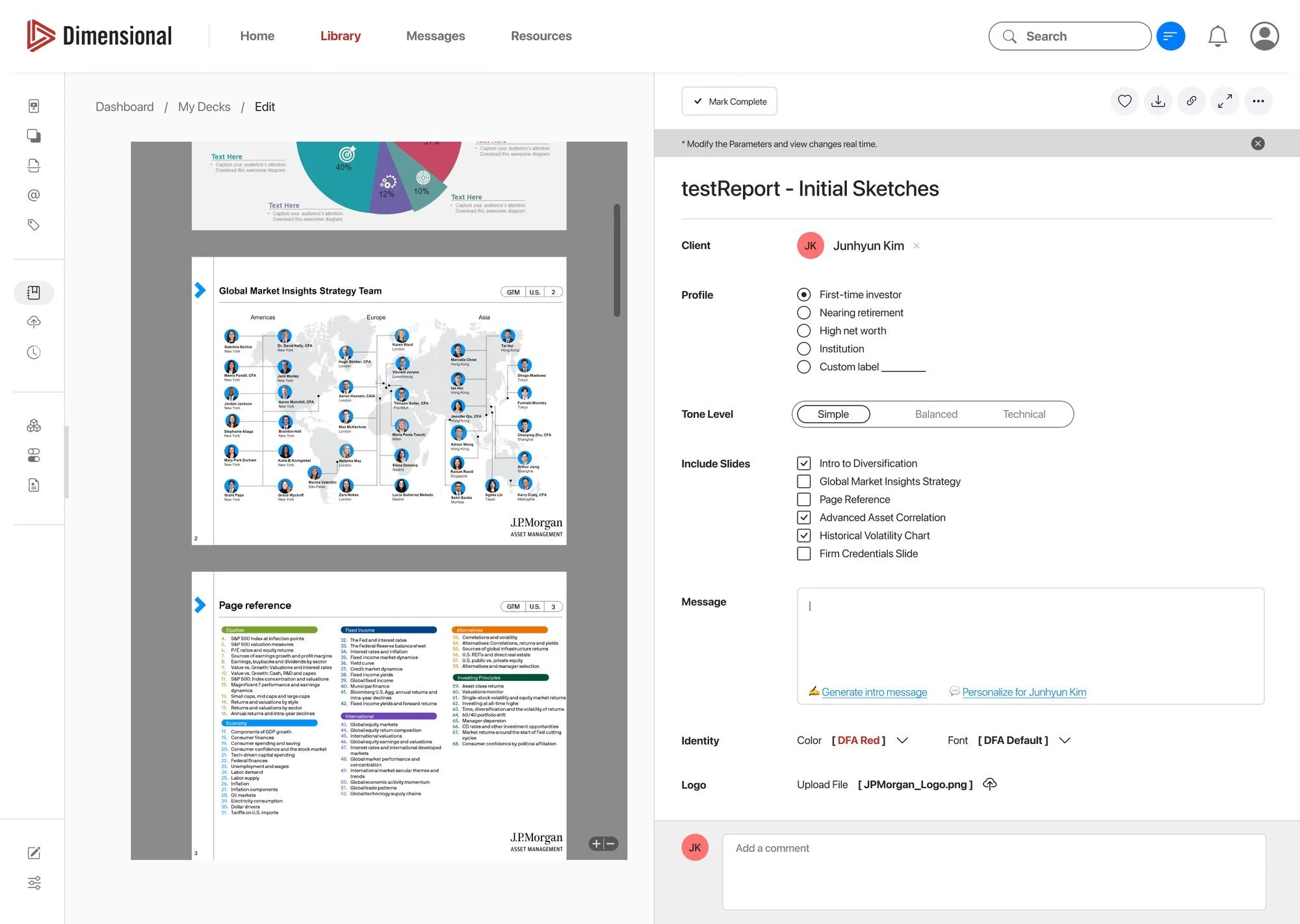
04Make the deck theirs.
- 1The deck on the left changes as the parameters on the right change: the advisor sees the result, not a form.
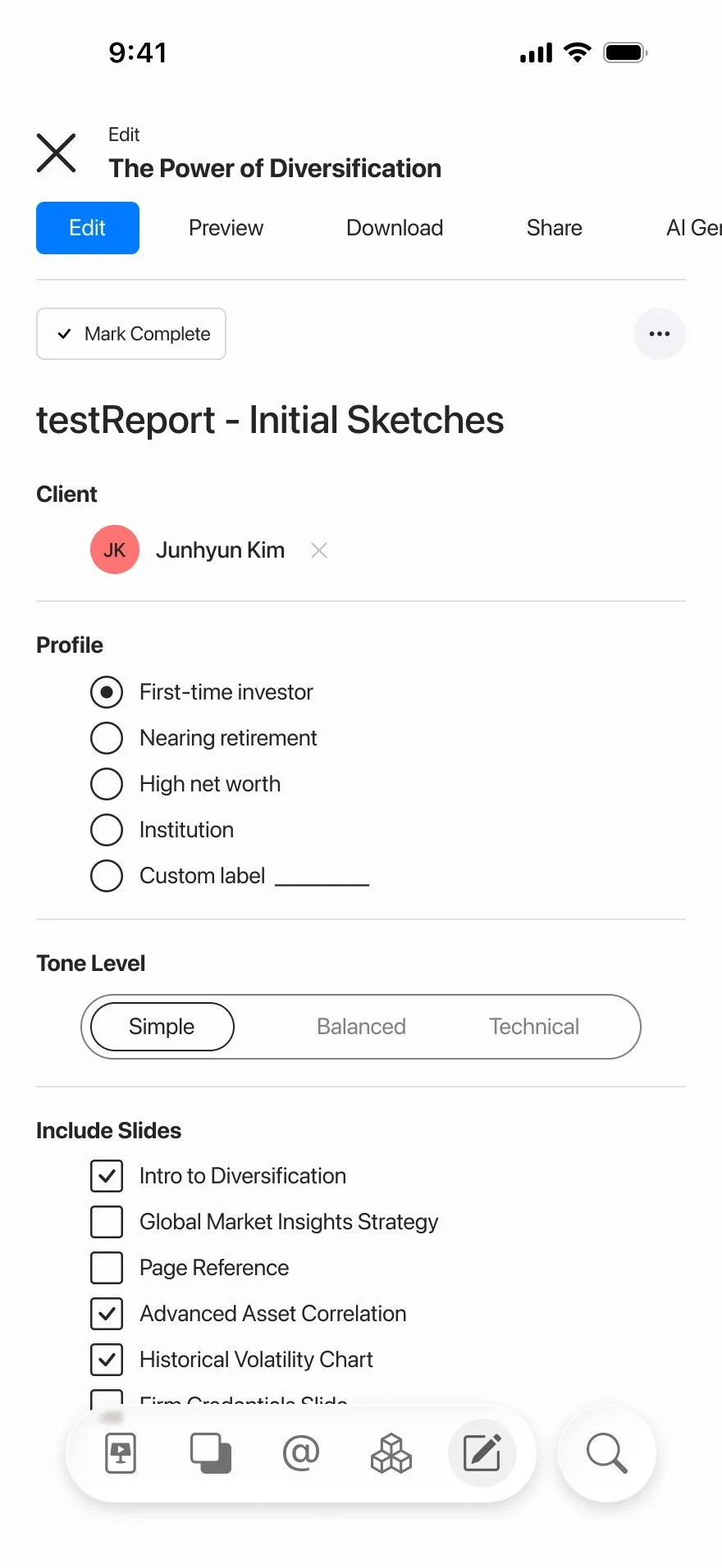
- 2Who it is for: the client by name, and a profile. First-time investor, nearing retirement, high net worth, institution, or a label of their own.
- 3How it should sound: Simple, Balanced or Technical. Then which slides to include.
- 4A message to go with it, written for the client: generate an intro, or personalise it for them.
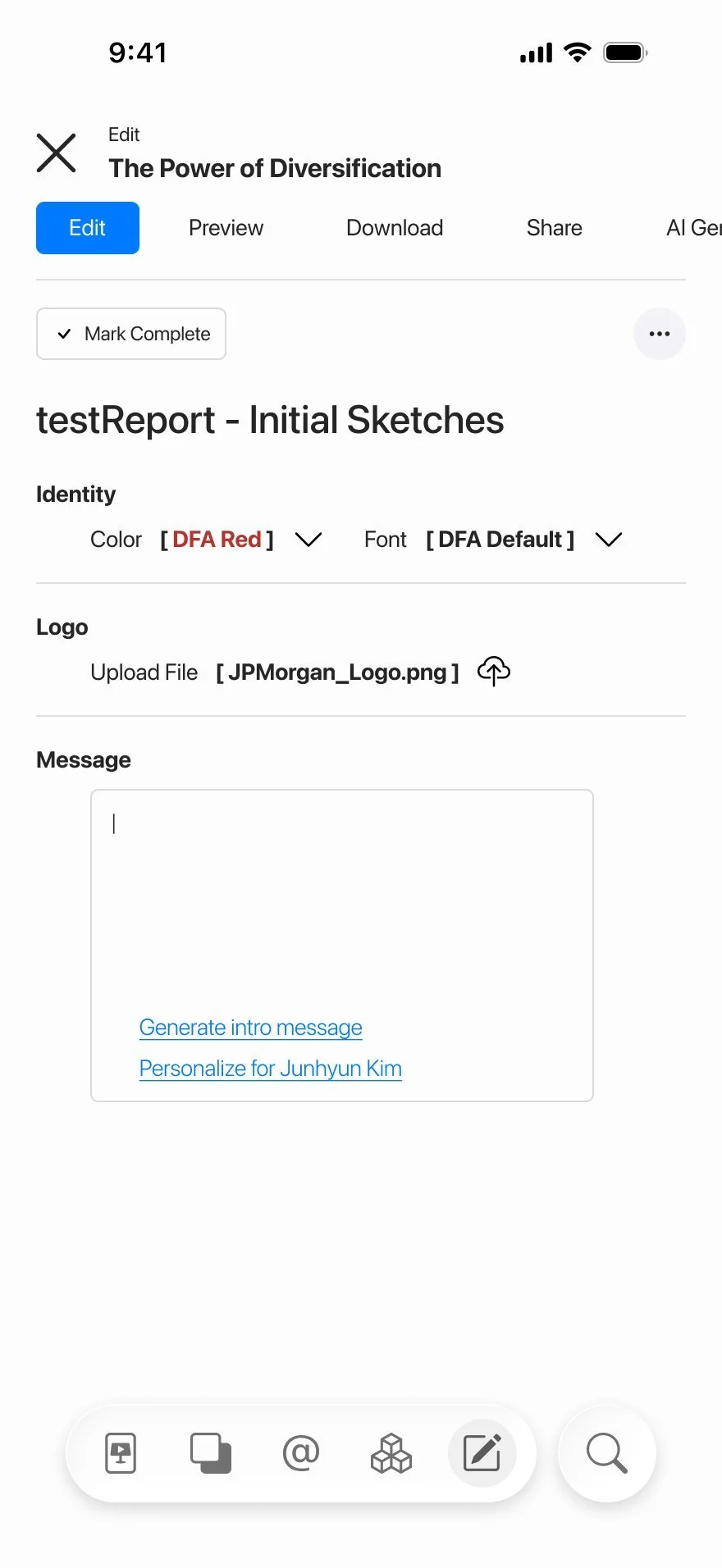
- 5The firm’s identity, colour, font and logo, applied to every slide. This is round one, before the Dimensional branding came off.
1
2
3
4
05The library in a pocket.
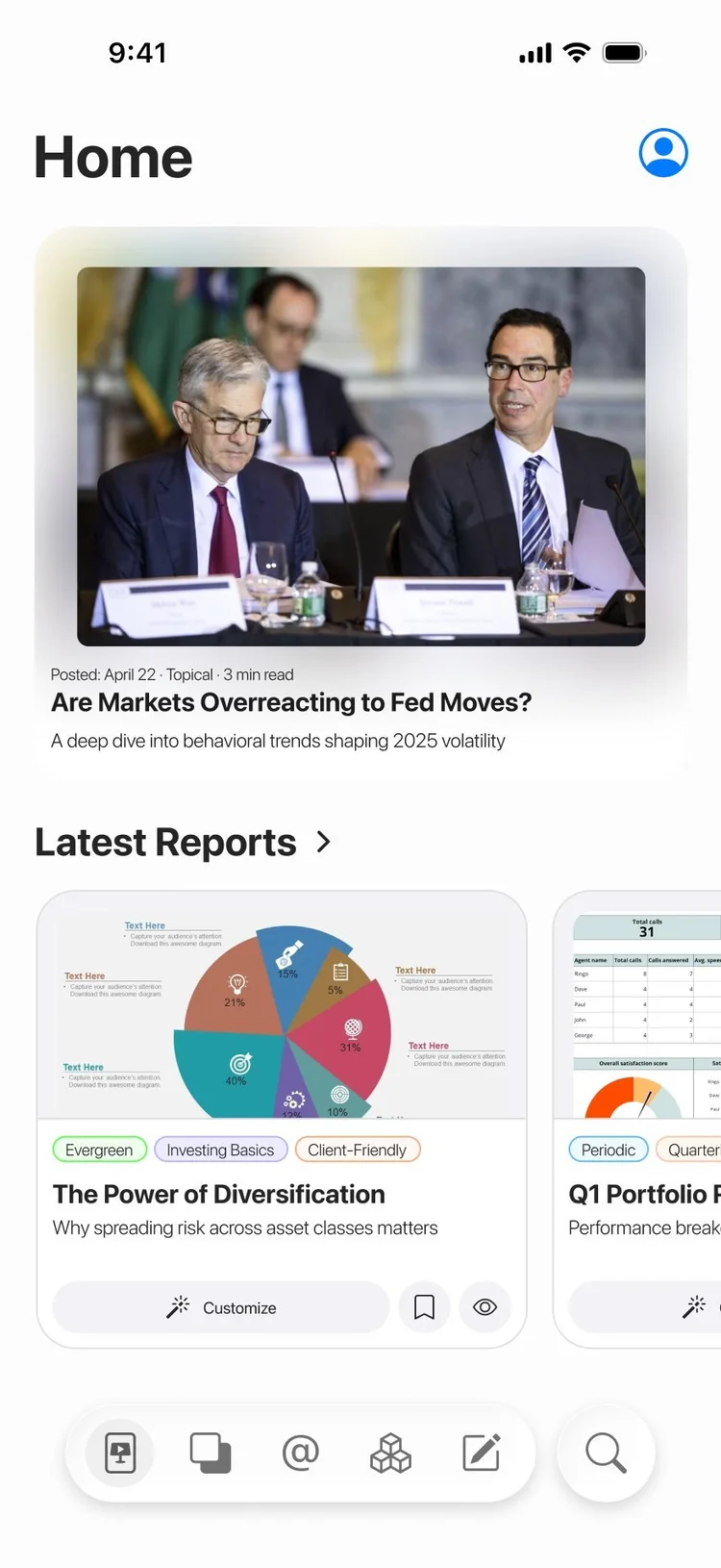
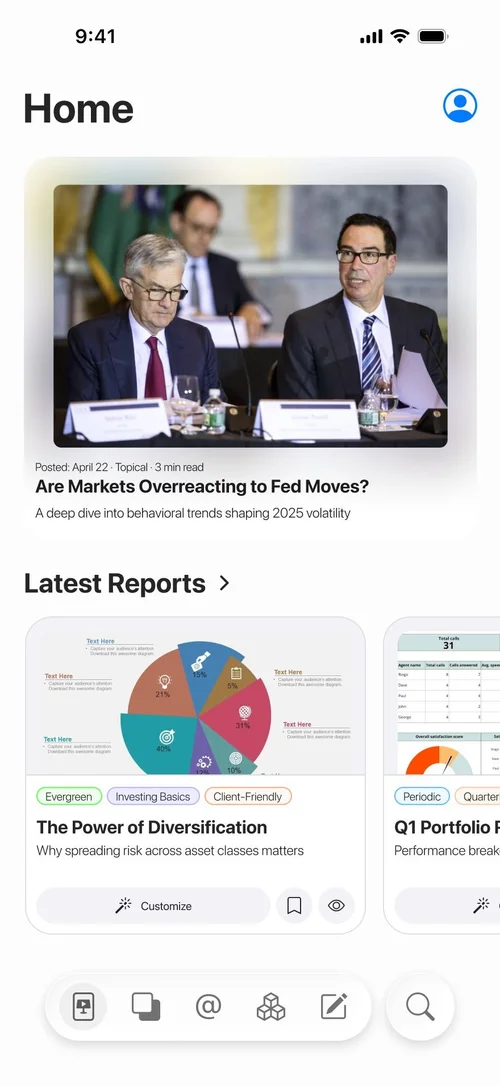
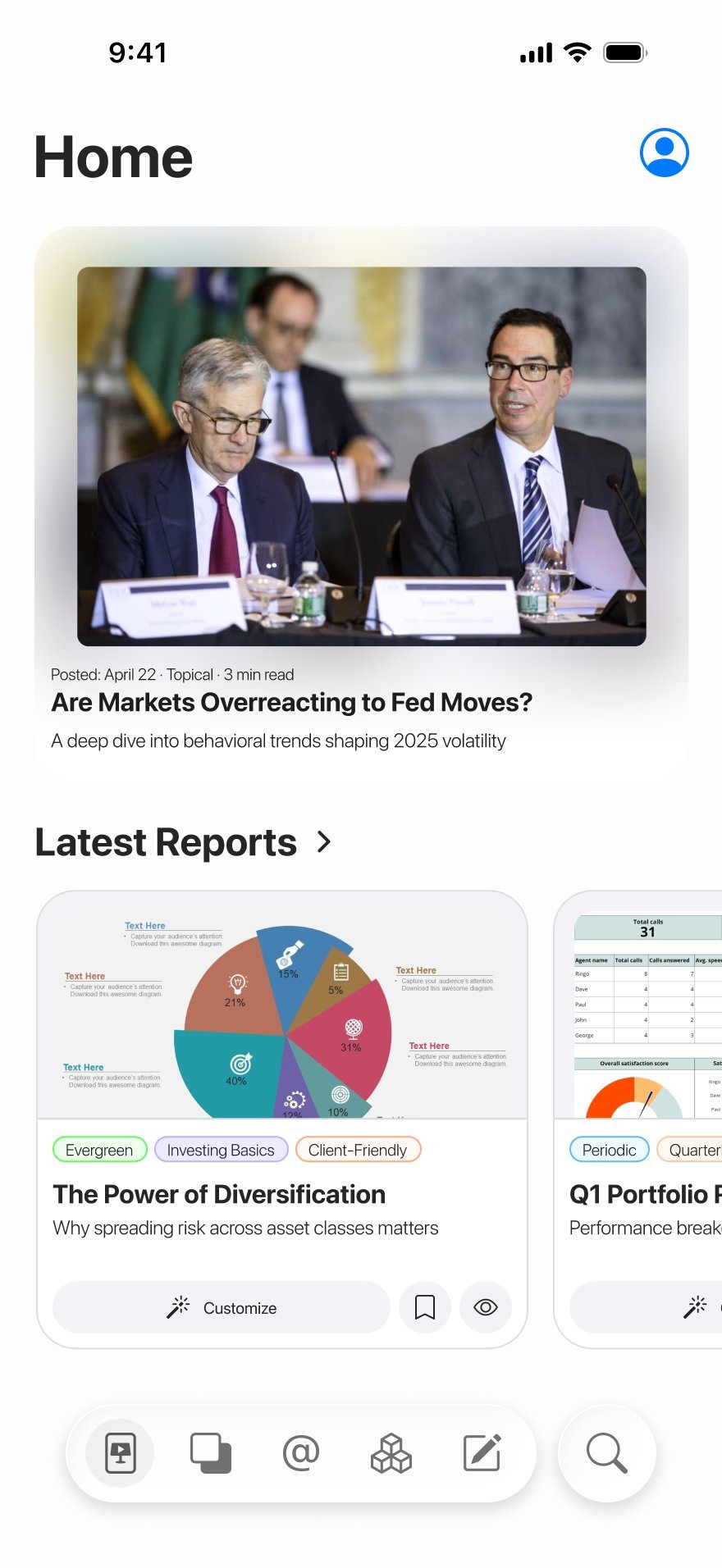
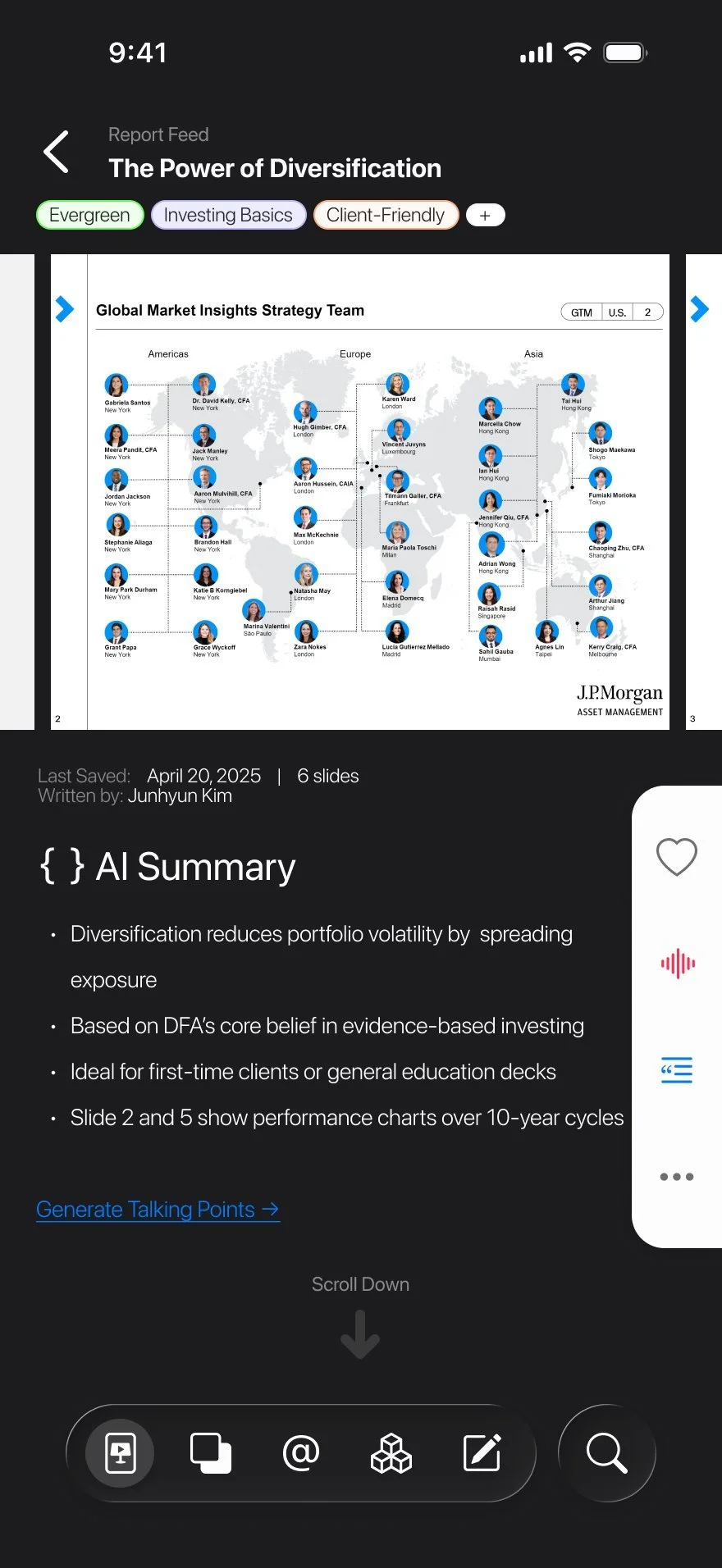
- 1Home opens on one featured article, with its date, topic and reading time, then the latest reports.
- 2Each report card carries its tags and two actions: Customize, and save.
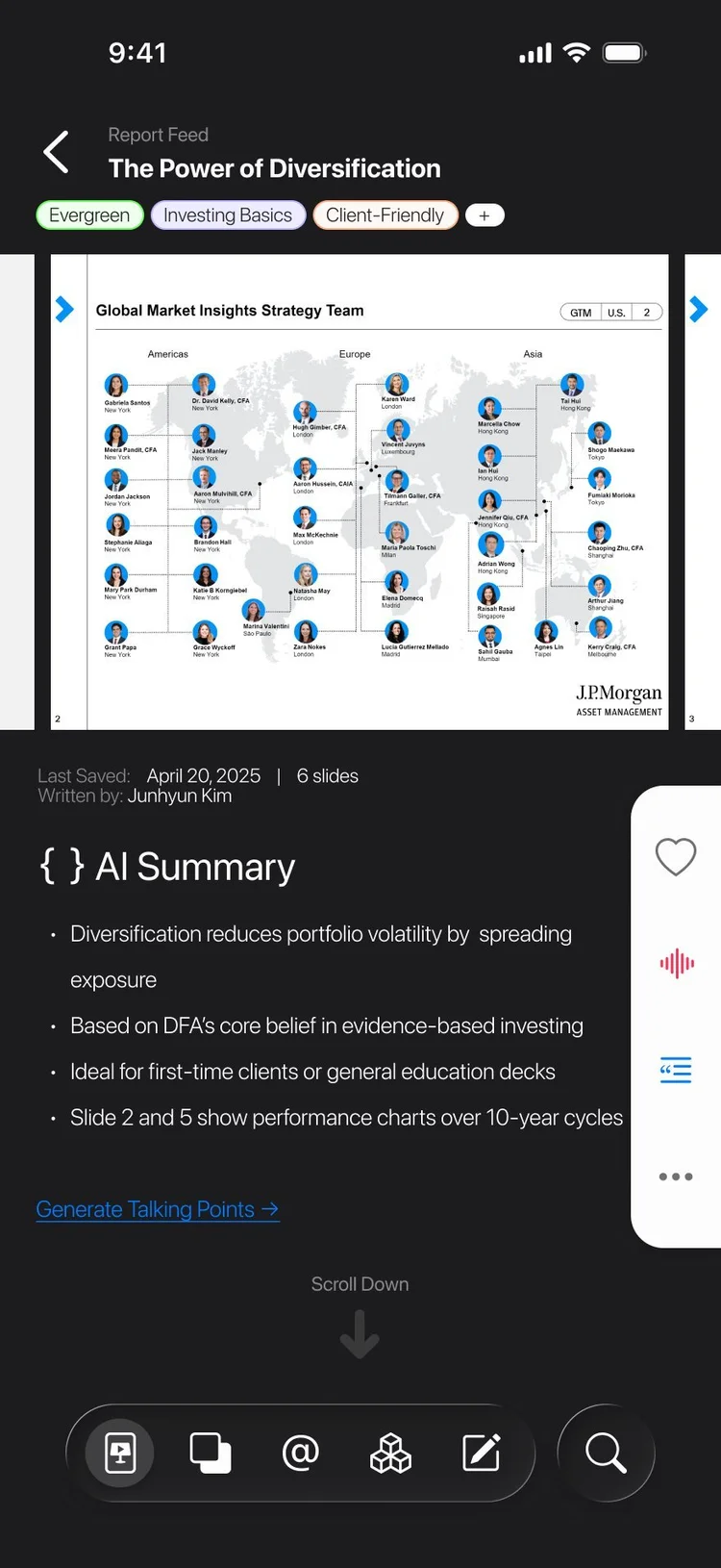
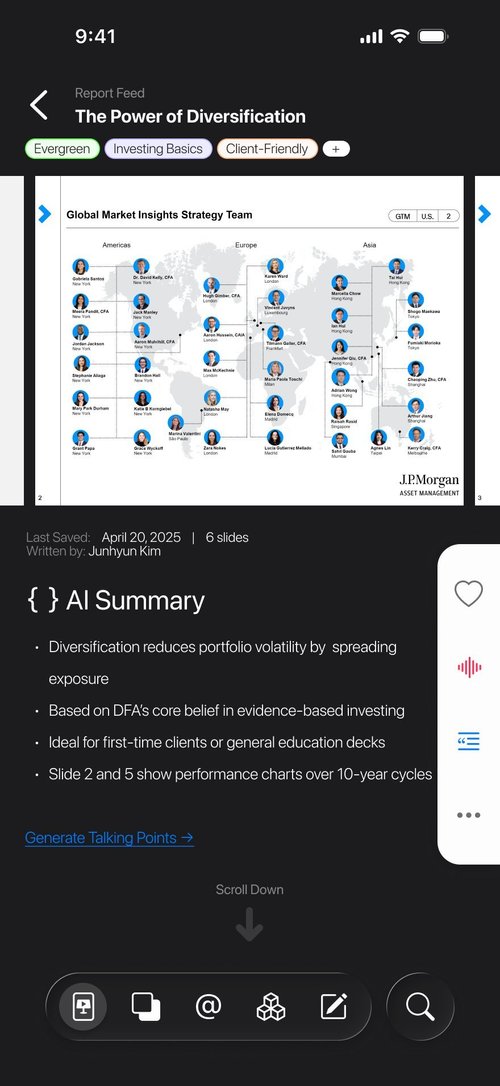
- 3A report opens with an AI summary in four bullets, and a link that generates talking points.
- 4Listen: the side rail reads the points aloud, so an advisor can take a report in on the way to work, the way they would a podcast.
 1
2
3
4
1
2
3
4
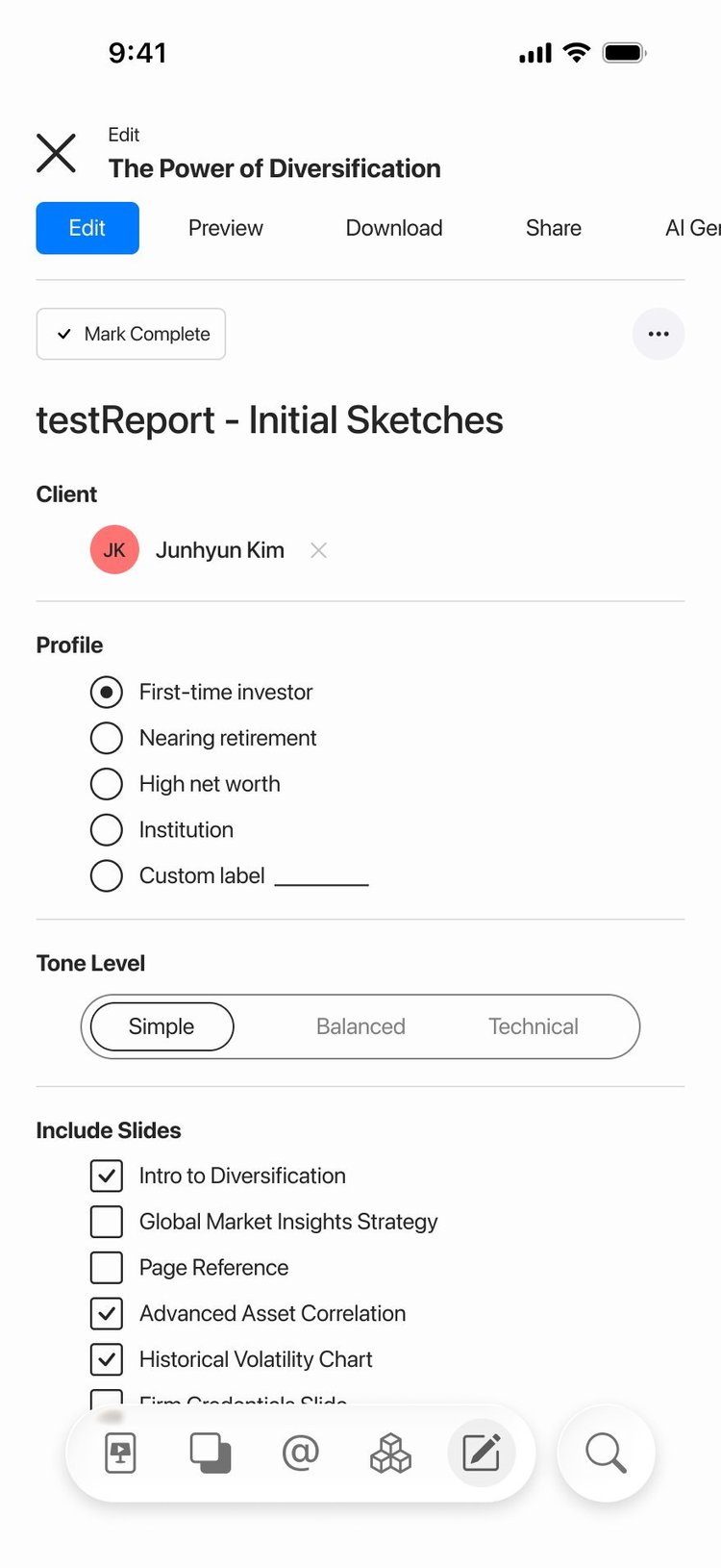
06And the editor, in one column.
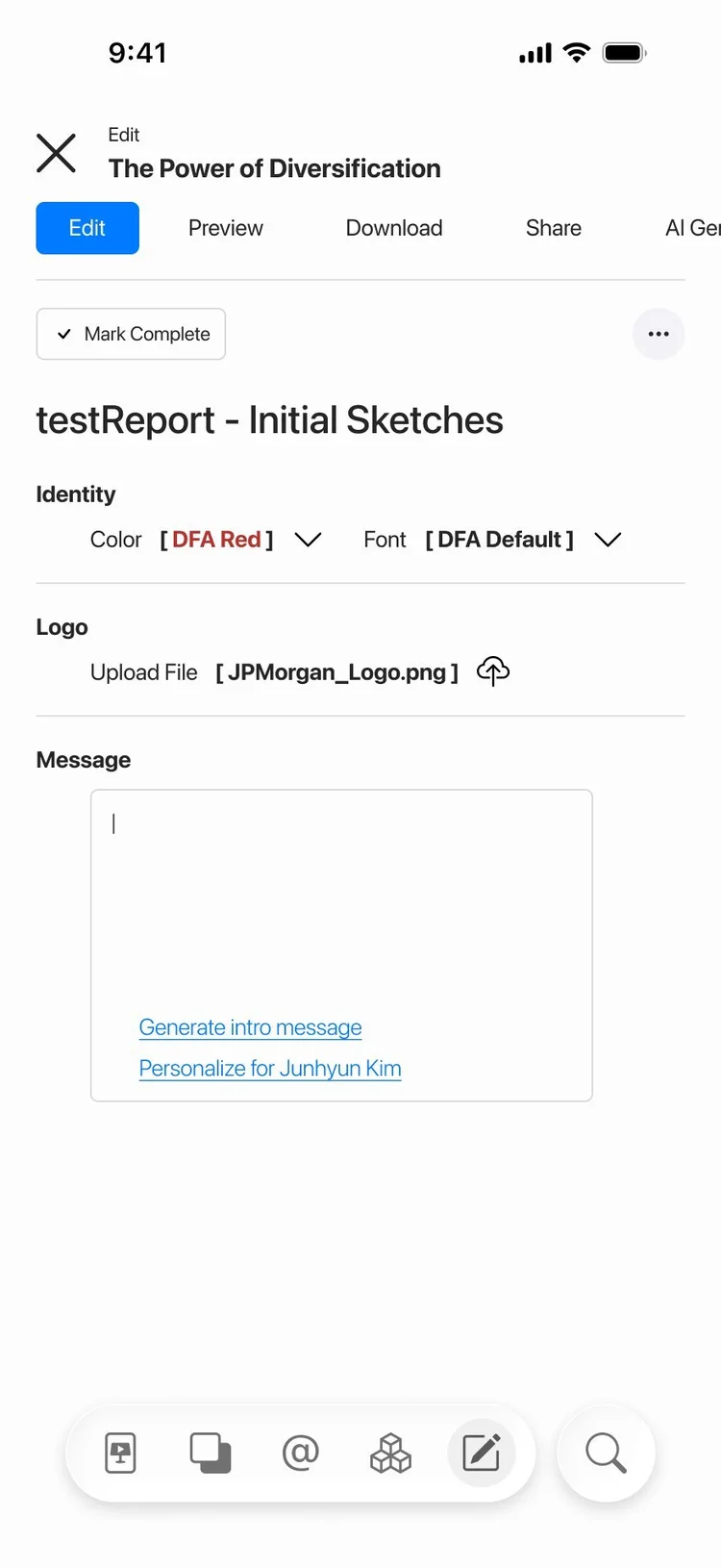
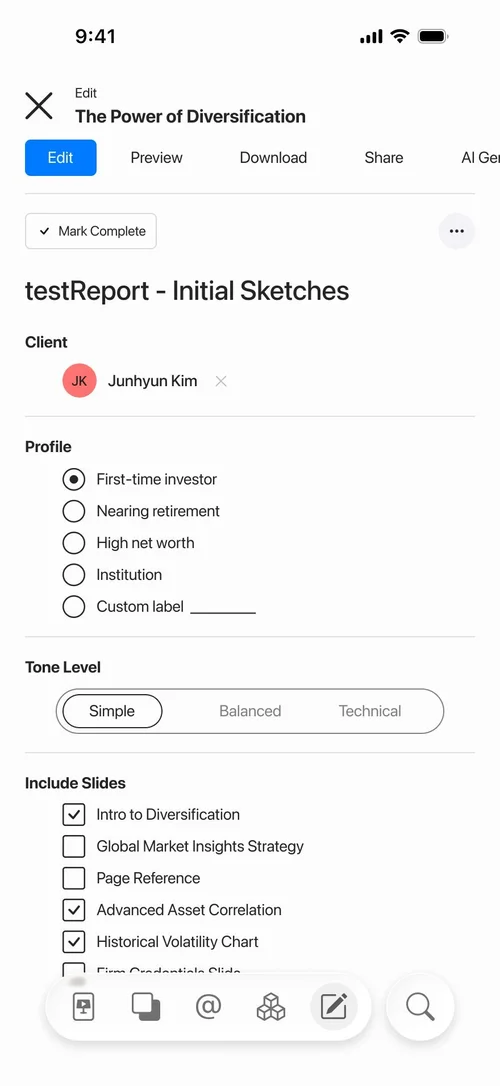
- 1The same editor as the website, folded into one column, with Edit, Preview, Download and Share along the top.
- 2Simple, Balanced, Technical: one control for how the deck speaks.
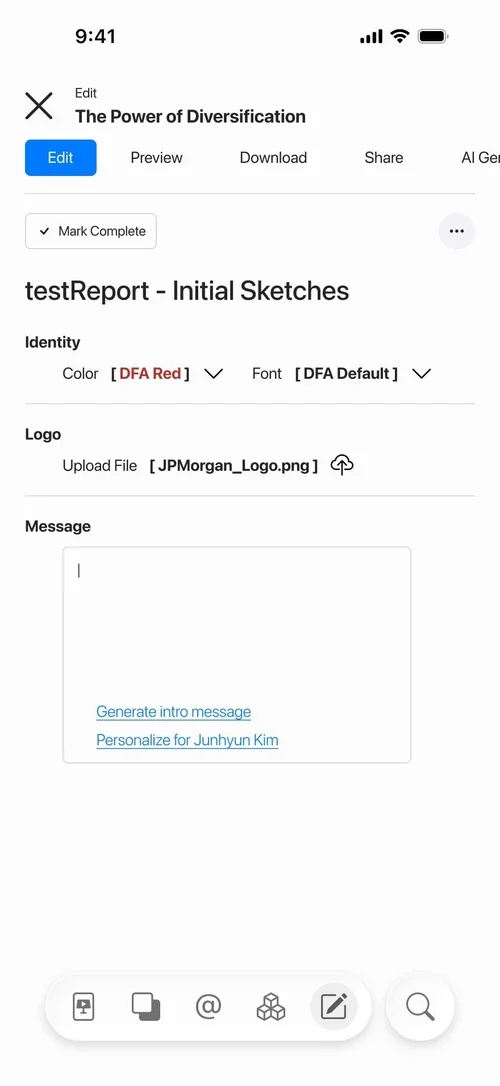
- 3Identity on its own screen: the firm’s colour, font and logo.
- 4The message to the client, generated or personalised for them by name.
The system
A navy for trust, and one colour per kind of content.
The components behind both rounds: the three doors and their hover states, the report card saved and unsaved, the sidebar open and collapsed, the featured article, and the two kinds of pop-up. Set in SF Pro Display, with white space doing most of the work.
- Navy#10324D · The brand, buttons, the footer
- Ink#414141 · Text
- Evergreen#30C000 · Timeless material
- Topical#F78000 · Current events
- Periodic#007FCF · Regular reports
- Line#DFDFDF · Dividers, quiet borders

Outcome
A proof of concept, and where it stopped.
- 2rounds of the websiteFrom a Dimensional-branded first round to a neutral second, on one list of notes.
- 3kinds of contentEvergreen, Topical and Periodic, with eighteen topics mapped beneath them.
- 4app screensHome, a report with its AI summary, and the editor in two parts.
- 1What it was. A proof of concept for an internal proposal: the idea made visible enough for leadership to judge, at the fidelity the brief asked for.
- 2Who it was for. Internal stakeholders first, advisors later. The tone the notes set: calm, authoritative, not flashy.
- 3Where it stopped. At the concept stage, before approval. None of it was built.
- 4What it left open. Every slide was meant to come with audio, a video or animation, and a transcript: the hardest part technically, and the first thing a real build would have to solve.
The whole collection
Every page, pop-up and sketch, at full size.
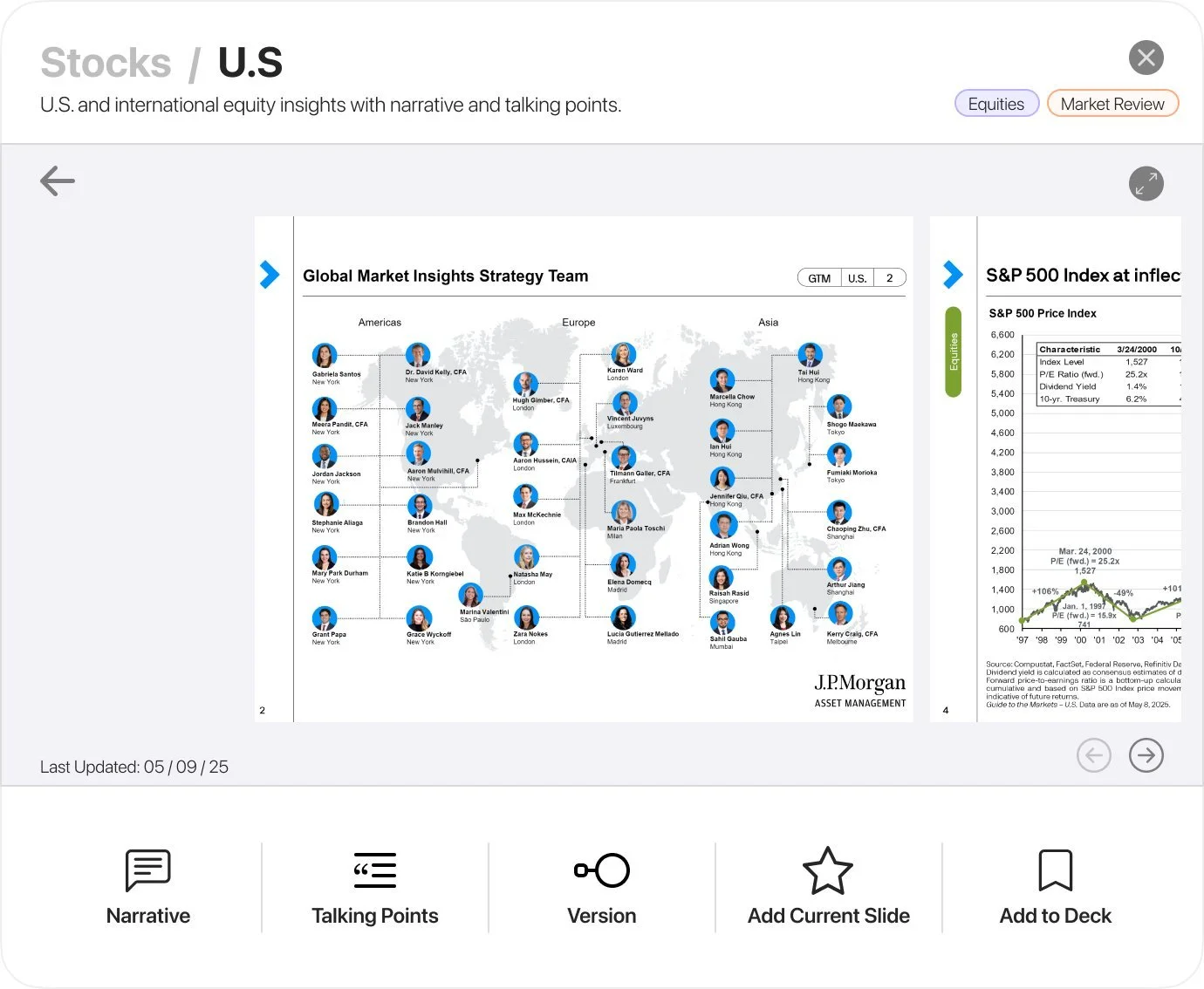
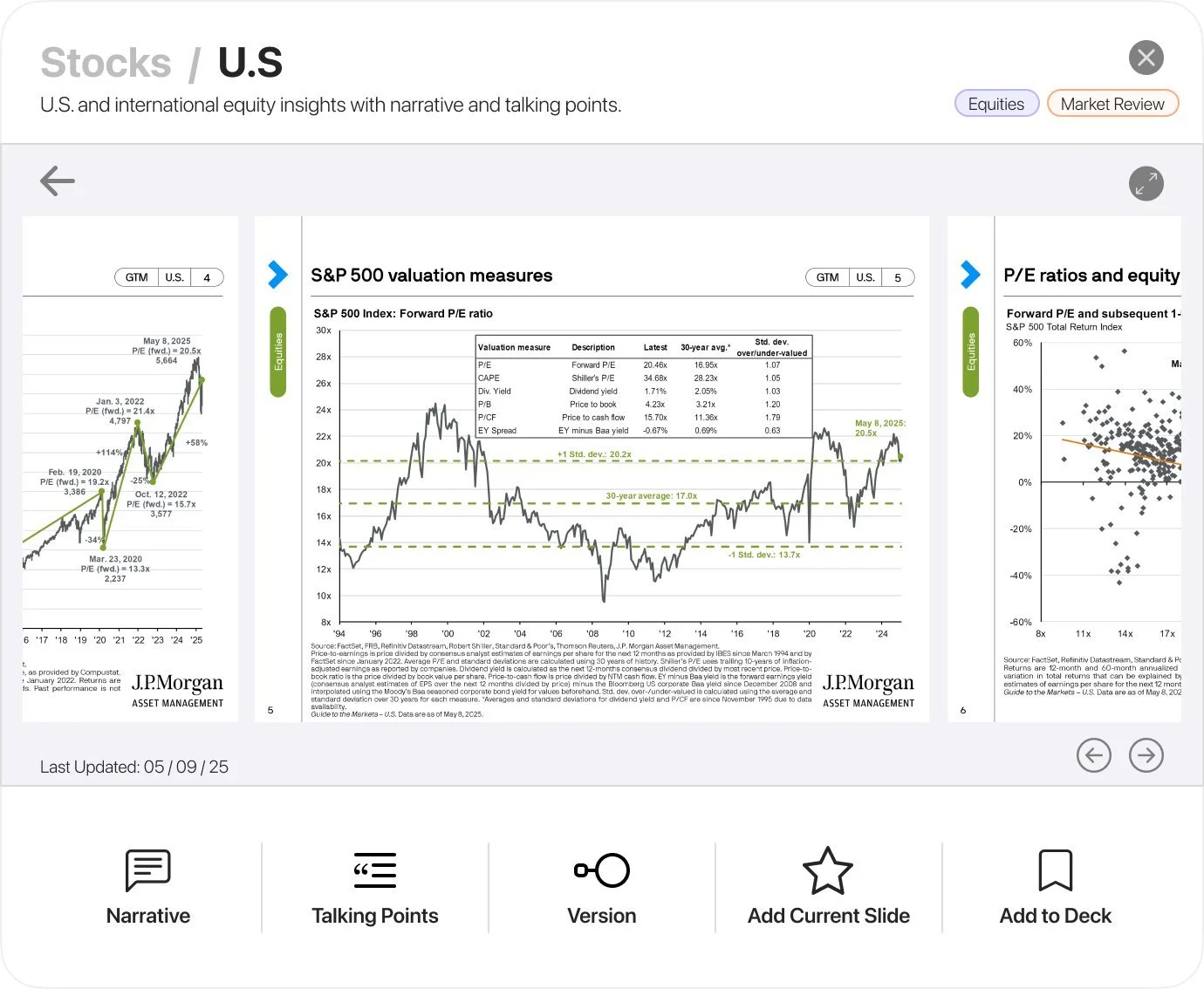
Scroll sideways. Round two first, then the pop-ups, the app, round one, the components and the notebook. Each opens at full size in a new tab. The slides inside the screens are placeholders: Dimensional’s and J.P. Morgan’s published material.
 Round two Home
 Round two Evergreen
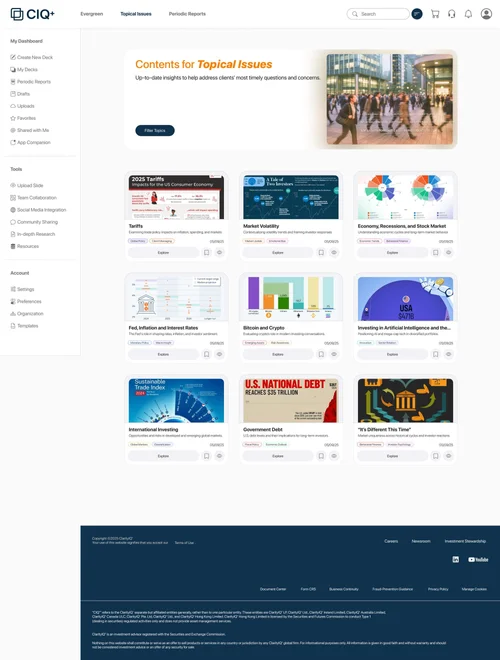 Round two Topical Issues
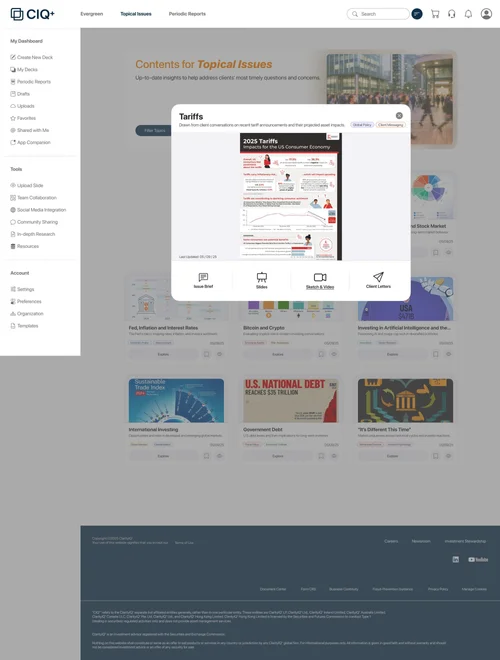 Round two Topical Issues, Tariffs open
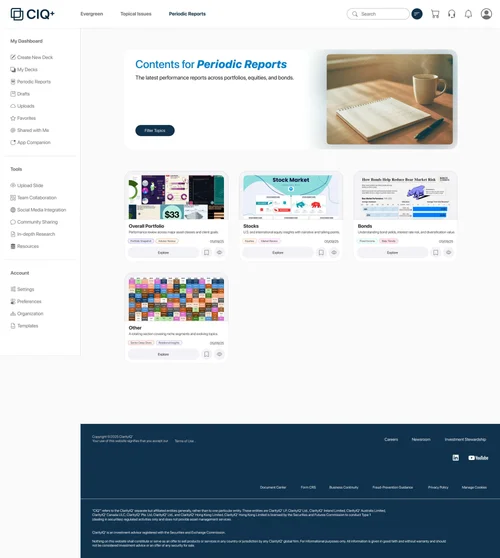 Round two Periodic Reports
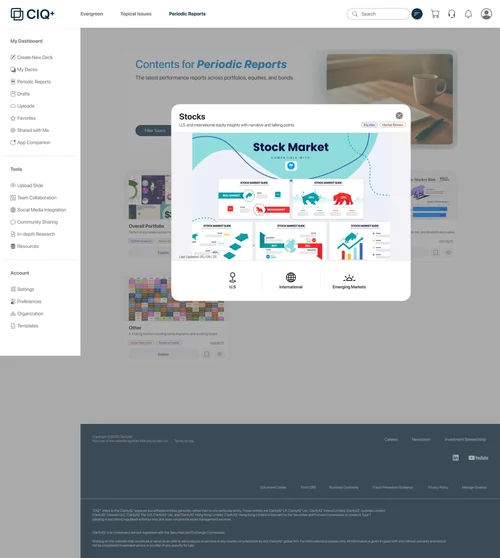 Round two Periodic Reports, Stocks open
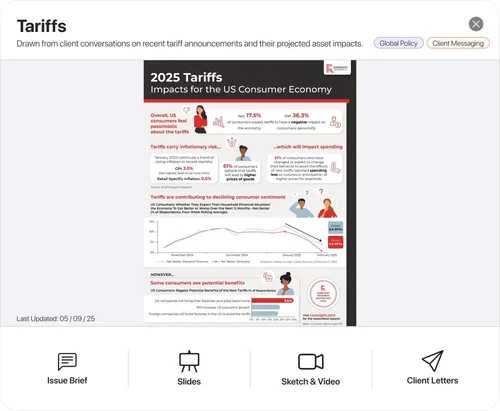 Pop-up Tariffs
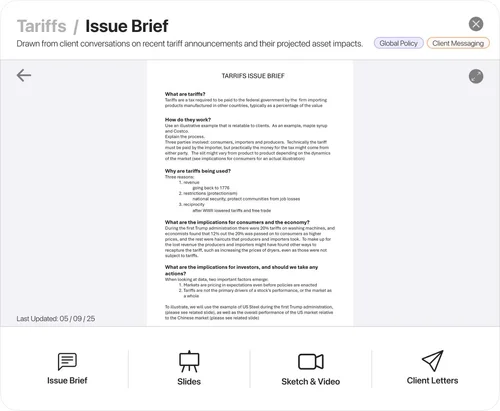 Pop-up Tariffs: the issue brief
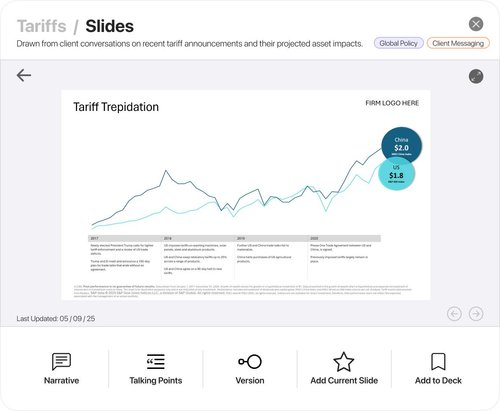 Pop-up Tariffs: the slides
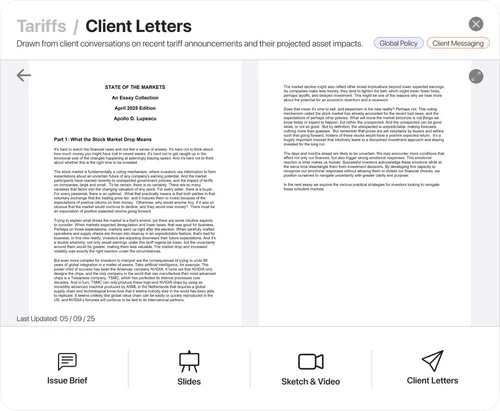 Pop-up Tariffs: client letters
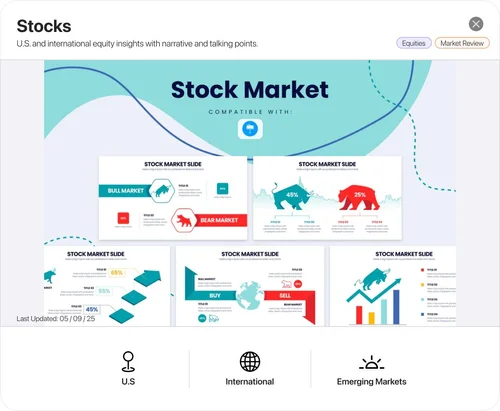 Pop-up Stocks
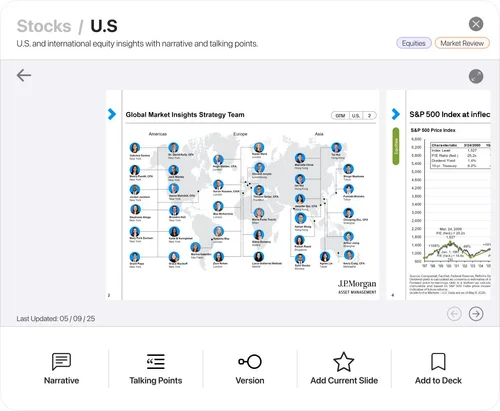 Pop-up Stocks: U.S., slide 1
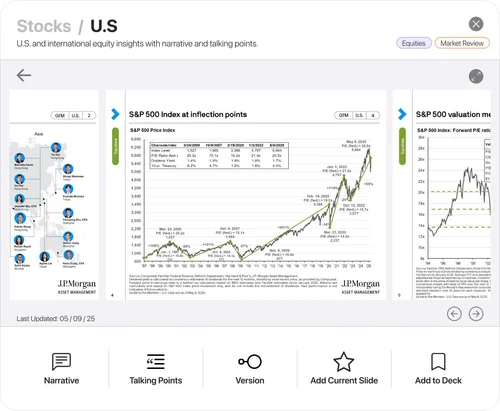 Pop-up Stocks: U.S., slide 2
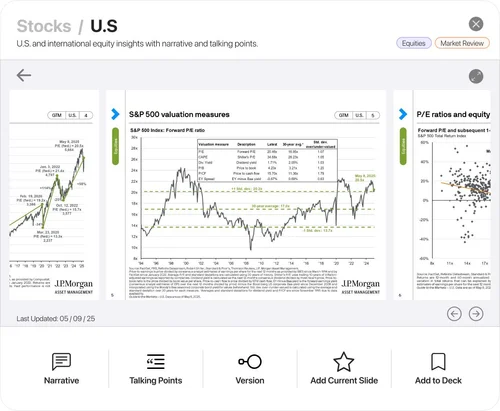 Pop-up Stocks: U.S., slide 3
 App Home
 App A report
 App The editor
 App The editor, continued
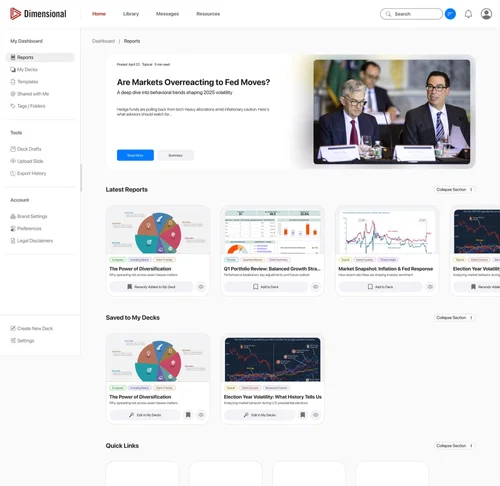 Round one Home
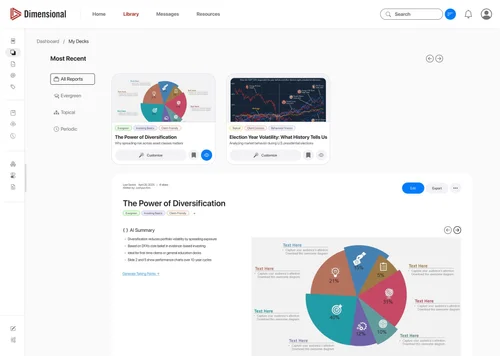 Round one My Decks
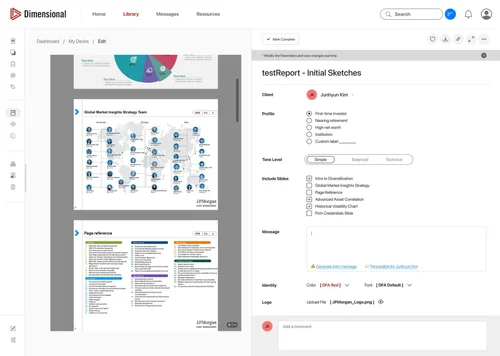 Round one The deck editor
 Component Evergreen
 Component Evergreen, on hover
 Component Topical Issues
 Component Topical Issues, on hover
 Component Periodic Reports
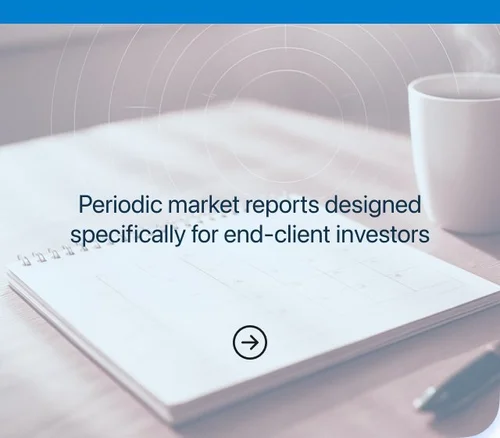 Component Periodic Reports, on hover
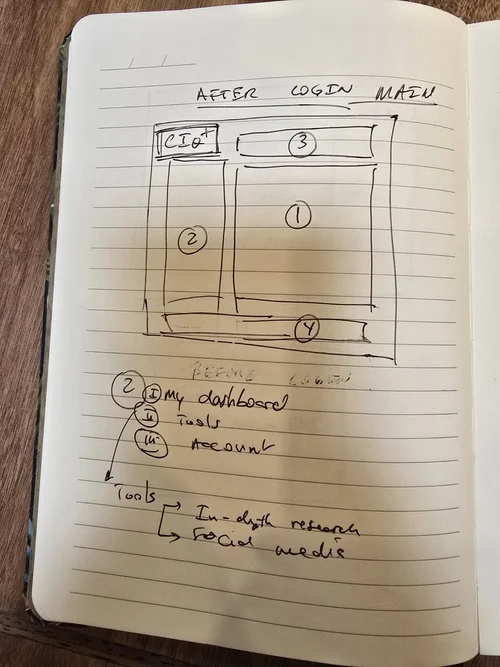 Notebook After login
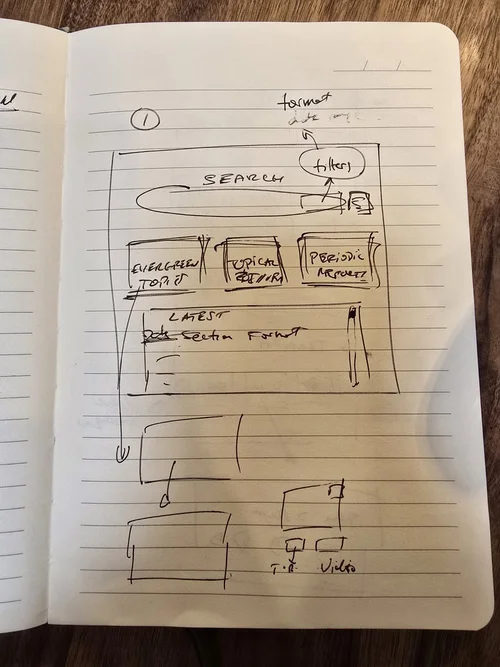 Notebook The main page
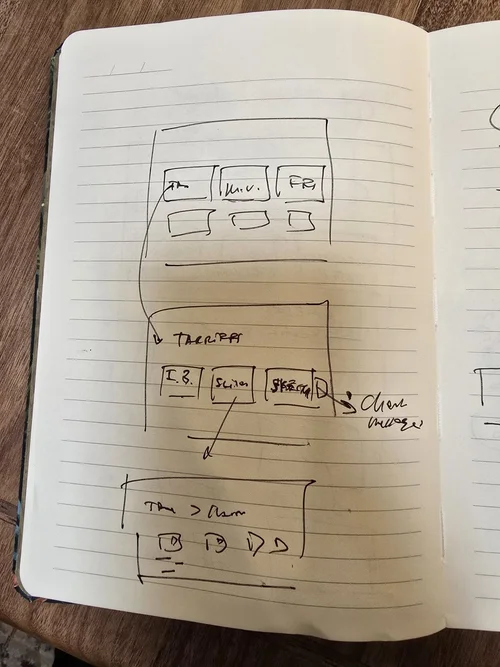 Notebook Sections and a topic
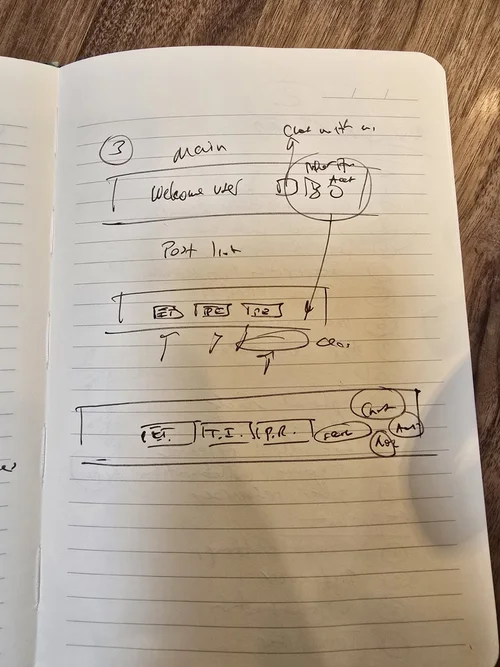 Notebook The main page, again
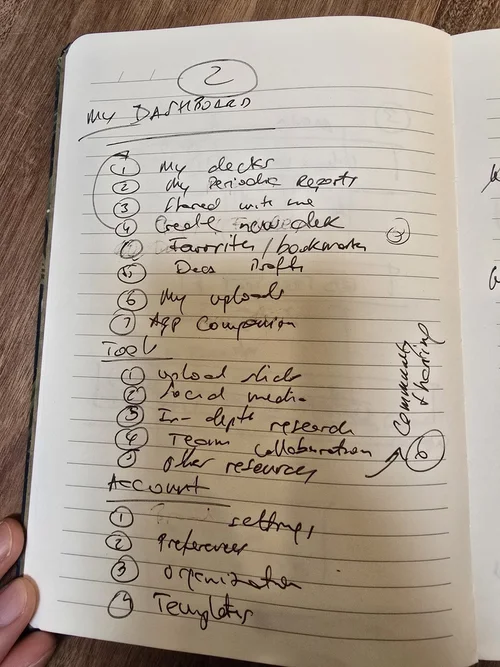 Notebook The dashboard
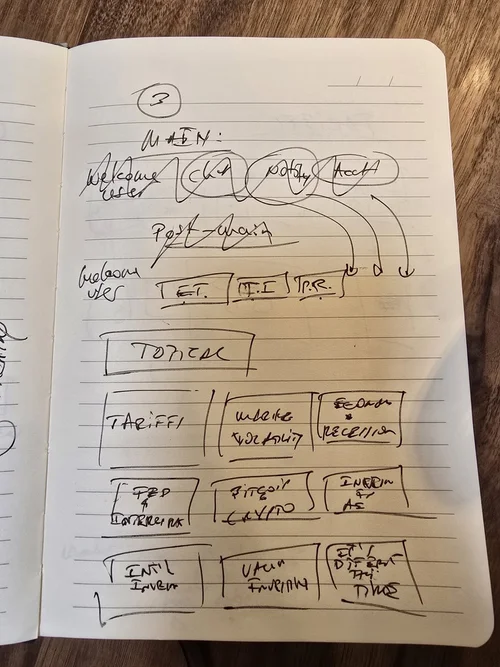 Notebook Topical, as a grid
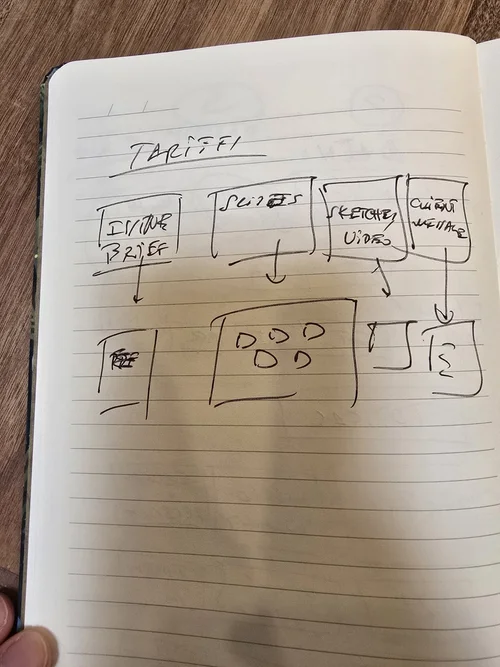 Notebook Tariffs, opened
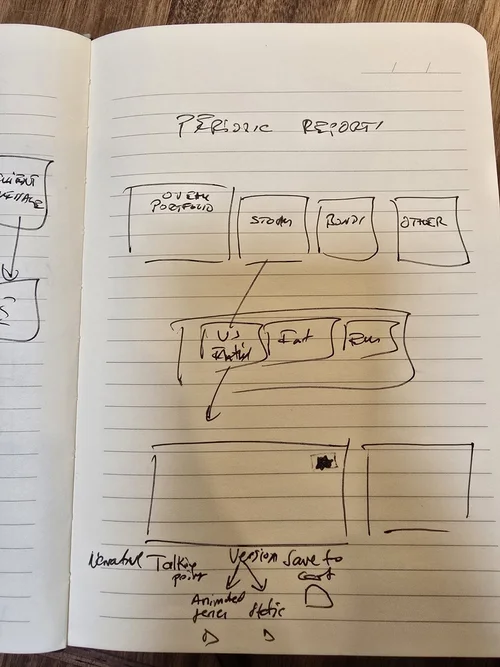 Notebook Periodic reports, to the slide

What I learned
Less content, better found.
- A proof of concept is a promise. It has to show the idea working, not finished. The brief asked for exactly that, and the fidelity followed.
- The best idea was subtraction. Advisors did not need more slides. They needed the ones that exist, found faster.
- Structure before screens. The three archetypes did more for the product than any layout did.
- Design for reuse. A slide that can be saved, branded and sent is worth more than ten new ones.
- First on a project, write it down. With no team yet, the roadmap and the notes were how the work stayed aligned.
- Specific feedback, quieter design. The second round was calmer because the notes were concrete.
The platform argues that an advisor’s best material already exists, and that the product is the shortest path from finding it to presenting it as their own.