
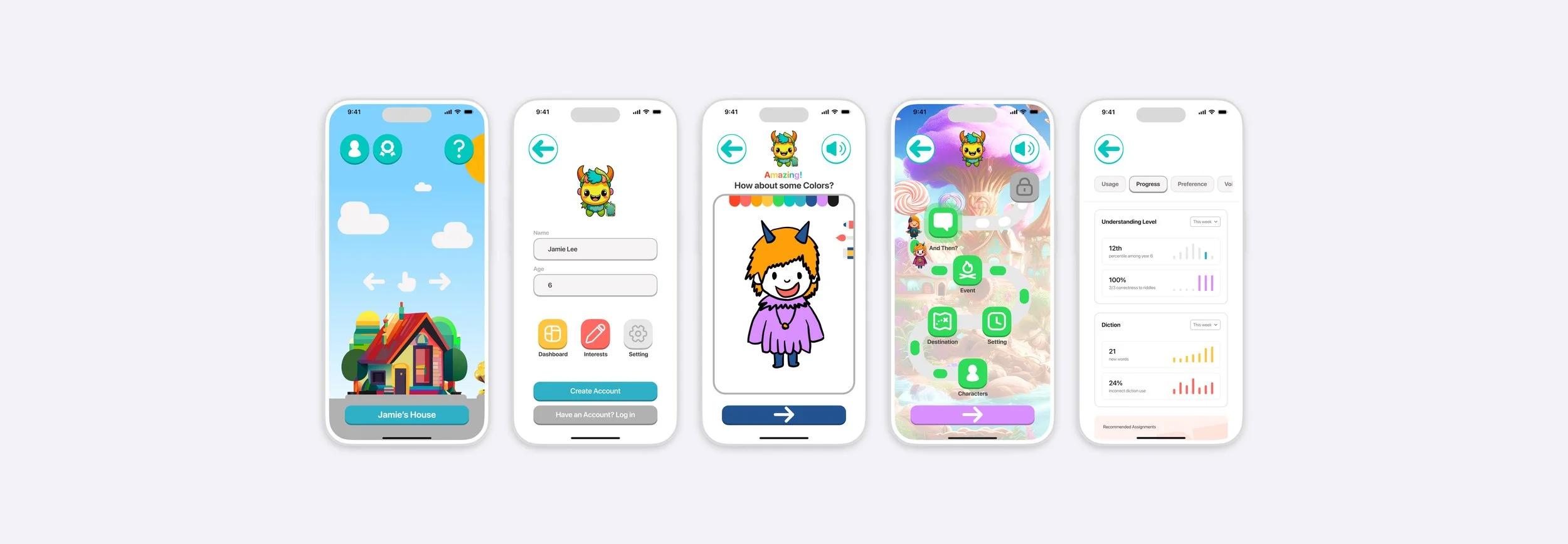
TaleTots Senior thesis 2024, working app 2026 Working app, demo below
ProblemLearning apps keep children watching, not making BuiltA world where a child makes friends, goes on adventures and keeps the story
TaleTots turns a child’s own characters into illustrated storybooks, read aloud, with a grown-up dashboard behind a PIN. It began as my 2024 senior thesis at USC and became a working web app in 2026. The demo further down is the real app: try it as Jamie, age 6, or Alex, 14+.
Why
It started as a thesis question about AI and children.
In 2024 I asked whether AI, built for adults, could be made safe and useful for a six-year-old.
Children and the elderly are the people AI services forget. My senior thesis at USC Roski, shaped by my minor in Applied Analytics, proposed a platform where a child could create characters and stories with AI, and parents could see how their child was growing. In 2026 I rebuilt the prototype as a working app, and the real thing taught me more than the screens had.
Where it started, and where it is now
- 1A Figma prototype, 60 days
- 2One age range, 3 to 13
- 3Six design solutions on paper
- 480 survey answers and interviews
- 5Feedback from parents and educators
- 1A working web app, in daily use
- 2Three age tiers, one set of flows
- 3Friends that live in the world
- 4Adventures that become books, read aloud
- 5A grown-up PIN; nothing leaves the device
Four of the six 2024 ideas are live in the app. The two that need a live AI model and a server (talking AI and voice analysis) are designed for and switched off in the public build, to keep it free, private and safe for kids.
Research
Parents wanted progress they could see. Children wanted something to make.
A Qualtrics survey and structured interviews with parents, educators and children, before any screens were drawn. Eighty people answered.
- 80respondentsParents, educators and children, by survey and structured interview.
- 7.9 / 10how hard today’s tools are for kidsNavigation, engagement and understanding the content were the usual trouble.
- 85%value progress trackingParents and educators wanted detailed reports on activities and achievements.
- 32 of 80find learning apps not engagingAnd 41 of 80 said their children tell stories on a screen only sometimes or rarely.
- 1Engaging, interactive and easy to use, or children stop. Limited personalisation and dull content were the top complaints.
- 2Progress tracking and parental involvement, asked for by nearly everyone, with privacy controls alongside.
- 3Creativity and a safe place for it: customisable characters and stories, in an environment parents trust.
- 4A community of young storytellers, where sharing a story is part of the learning.
What exists
Great apps for children, each missing the child’s own story.
ABC Duolingo, Toca Boca and PinkFong each do one thing very well. TaleTots learns from them rather than competing with them.
| App | The child makes the story | Does well | Where it stops |
|---|---|---|---|
| ABC DuolingoLanguage for young children | – | Gamified lessons with rewards and clear learning goals; a bright, simple interface. | Language only, and little for parents beyond basic tracking. |
| Toca BocaDigital toys | – | Open-ended play that lets imagination run, with no predefined outcomes. | No learning structure, and no progress for parents to see. |
| PinkFongSongs and animation | – | Catchy songs and animation that teach numbers, letters and colours; a brand children know. | Basic concepts for the youngest, and limited parental controls. |
| TaleTotsFriends, adventures, books | ✓ | The child makes the characters and the choices; the adventure becomes an illustrated book, read aloud. A grown-up dashboard behind a PIN. Three age tiers in one app. | Live AI storytelling and a shared shelf need a server, so the public build writes stories with a built-in engine and keeps sharing on the device. |
Gamification keeps children moving, open play keeps them imagining, songs keep them smiling. None of them hands the story to the child, or shows a parent what grew. That is the gap TaleTots is built for.
The reading
Five papers set the rules for designing AI for children.
Before the screens, a literature review of human-centred AI, participatory design and interface design for young children. Each paper left something in the app.
- Human-centred AI for children
- By
- Zhou and Yu
- In the app
- The PIN, no accounts
Ethics, data privacy and caregivers in the loop. TaleTots keeps everything on the device and puts a grown-up between the child and anything shared.
- Participatory design
- By
- Bai, Judd, Polinsky, Yadollahi
- In the app
- The child decides
Children bring real design ideas when adults partner with them. Every character and every turn of the story is the child’s own answer.
- Icons children can read
- By
- Yiyuan Wang
- In the app
- Big, bright, few
Colourful icons draw attention, too many tire the eye. Five places in the bar, one action per screen.
- Co-design for engagement
- By
- Ramos-Vega et al.
- In the app
- A road, not a form
Narrative and interaction hold attention in educational games. The adventure is a map with stops, not a questionnaire.
- Icons for ages 4 to 6
- By
- Shan Yan
- In the app
- Three age tiers
What suits a four-year-old does not suit a seven-year-old. Voice, reading layout and shelf change with the age.
The problem, in one breath
Learning apps keep children busy. Few let them make something.
The 2024 problem statement: existing tools lack engagement, usability and progress tracking for children. TaleTots answers with a world where a child makes friends, takes them on adventures and keeps the story as a book, while the grown-ups see what grew.
- Make friendsCharacters from a drawing or a conversation, in the child’s own words.
- Go on adventuresA road with five stops, where every answer shapes the story.
- Keep the storyEvery adventure becomes an illustrated book, read aloud.
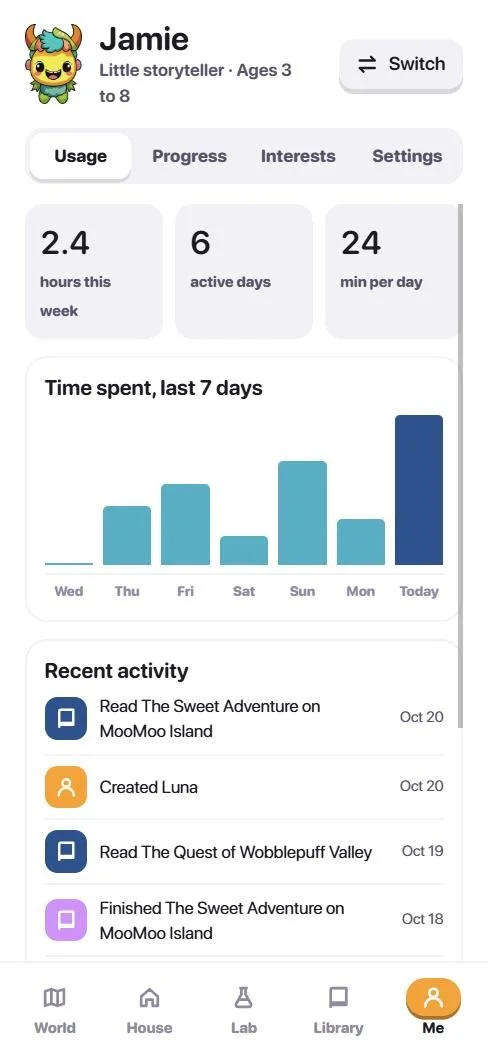
- Grown-ups see progressUsage, new words, riddles and interests, behind a PIN.
- Safe by designNo account, nothing leaves the device, every share approved by an adult.
How it was made
Seven steps, from a survey to a working app.
- IAsk the peopleSurveys, interviews and observation with children, parents, educators and AI experts, to learn what a child-friendly platform had to be.
- IIRead the researchA literature review of AI in education, cognitive development and interface design for children, so the design stood on evidence.
- IIISet the missionAn engaging, educational platform that empowers children through storytelling, with AI used to personalise and to foster creativity, critical thinking and empathy.
- IVDesign for small handsUsability, simplicity and accessibility for ages 3 to 13: a mascot that talks, big icons, child-friendly colour.
- VPrototype in FigmaSixty days in 2024: user flow, design system, wireframes, six design solutions and a clickable prototype, then feedback from parents and educators.
- VIRebuild in code2026: React, with Firefly for the art and Claude for the build. Age tiers, friends that live in the world, adventures that become books, a grown-up PIN.
- VIIShip the demoThe full app in the browser, free and private, with two example profiles so anyone can try it in a minute.
The design
Rounded, bright, and one colour per place.
Every place in the world has its own colour: teal for the House, lilac for the Lab, navy for the Library, orange for Me. Buttons press in, friends hop when tapped, and a mascot called Toto reads everything aloud.
- Backdrop#EEF6F8 · The sky behind everything
- Ink#1D1A24 · Text
- Teal#00C7BE · The House, actions
- Orange#FF9F0A · Me, answers
- Lilac#DA8FFF · The Lab
- Navy#235390 · The Library
- Cyan#30B0C7 · The World
- Coral#FF6961 · Careful, remove

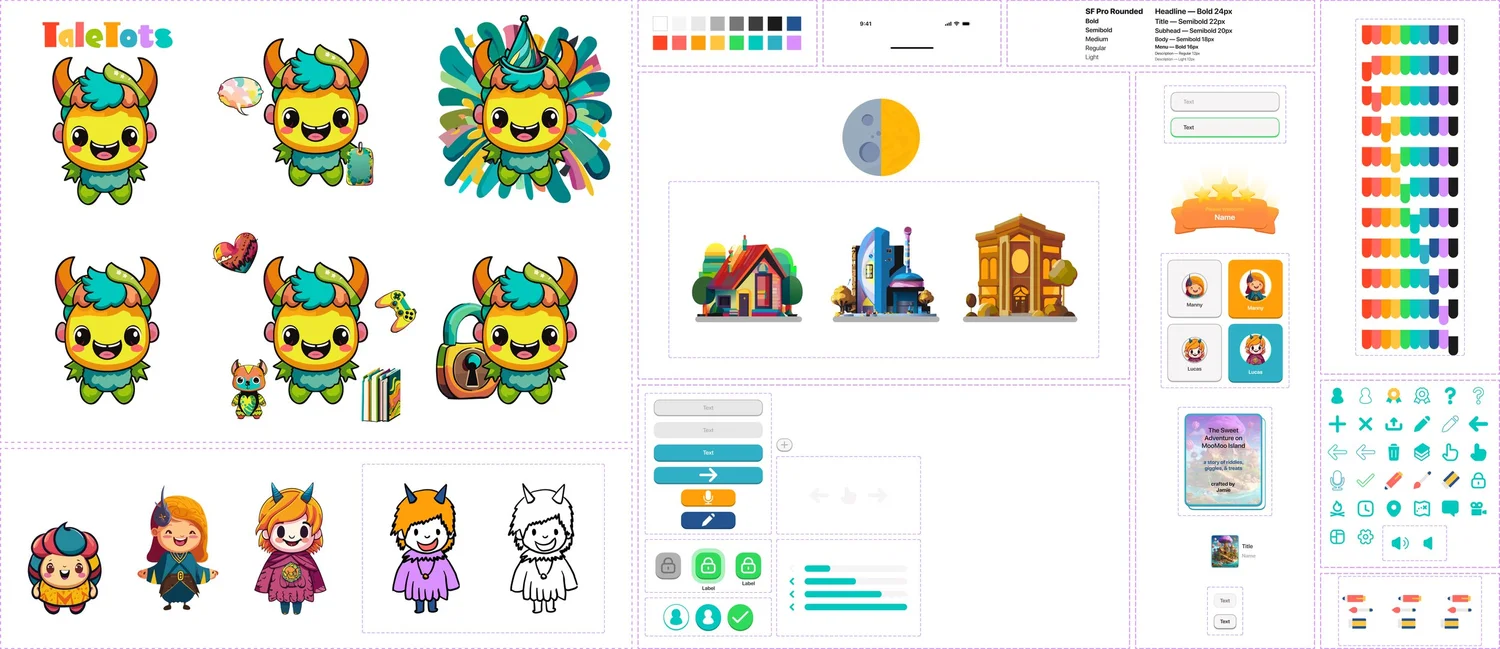

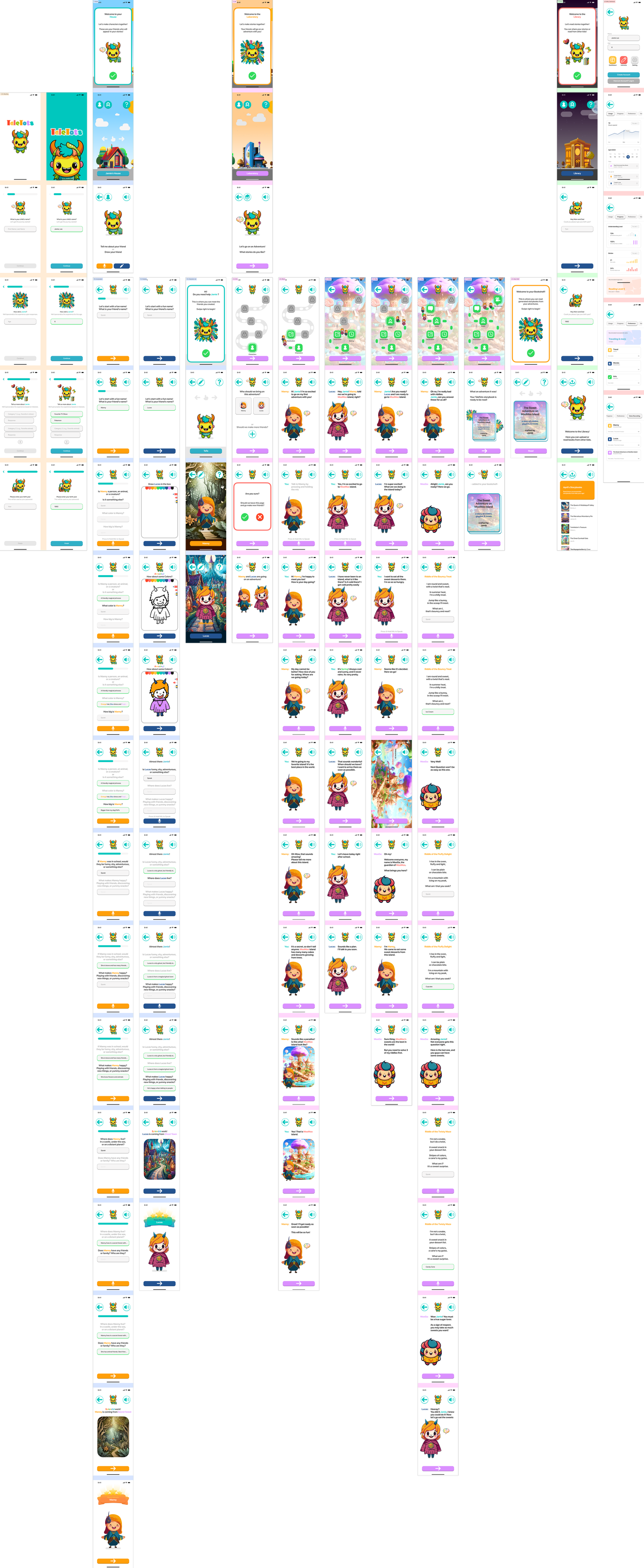
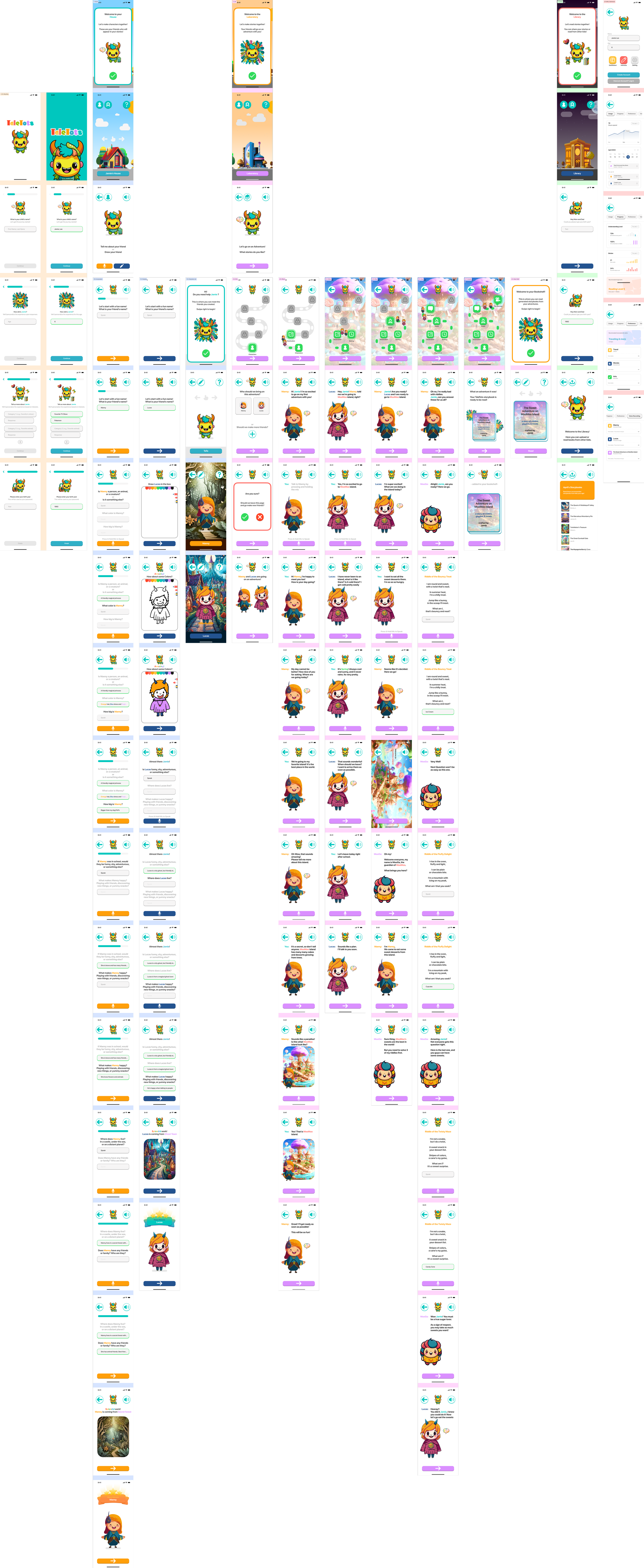
The wireframe, every screen of the thesis prototype. Scroll inside the window.
Where it started
Six ideas from 2024. Four of them are live.
The thesis prototype proposed six design solutions. Scroll sideways to see each one as it was drawn in Figma; the tags say which ones made it into the working app.
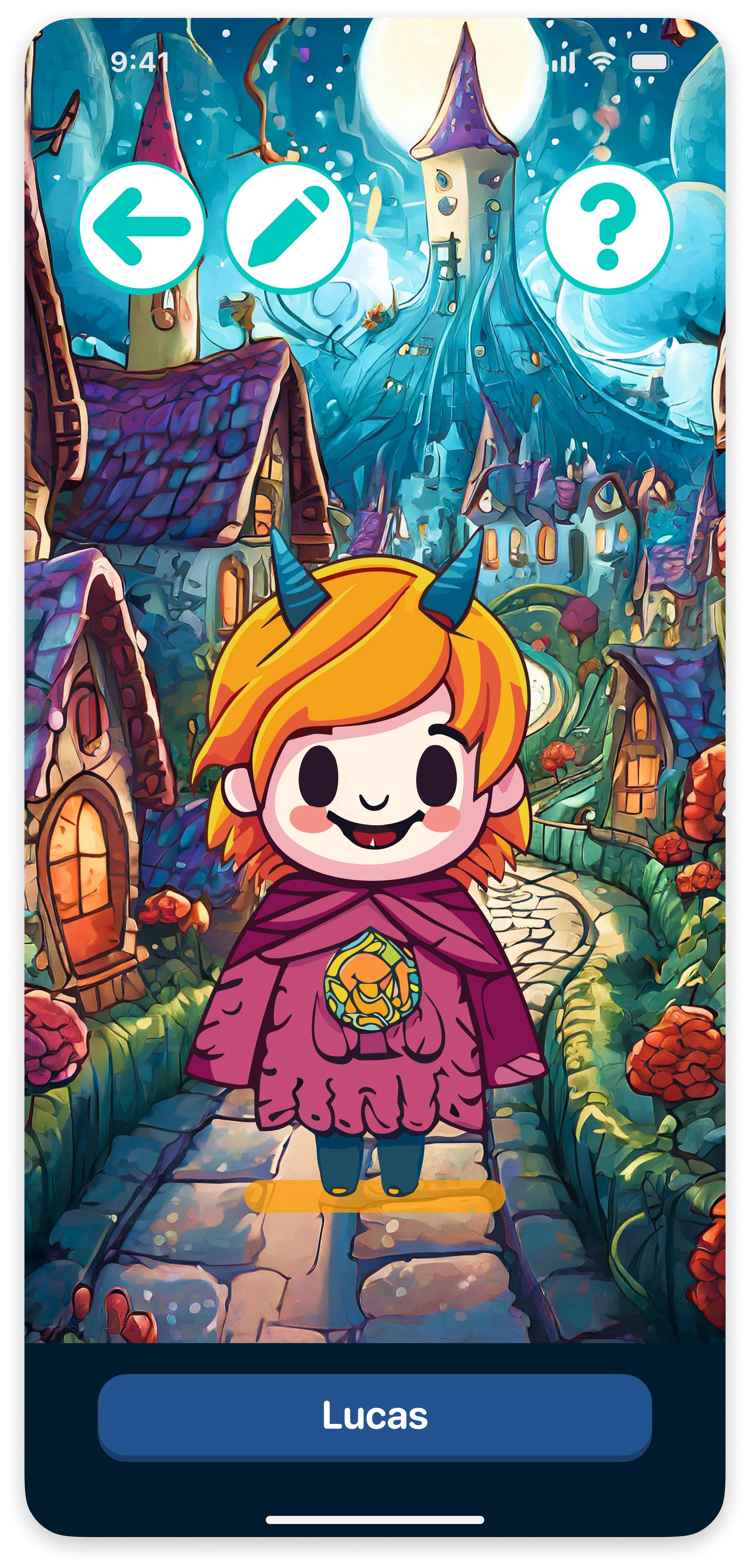
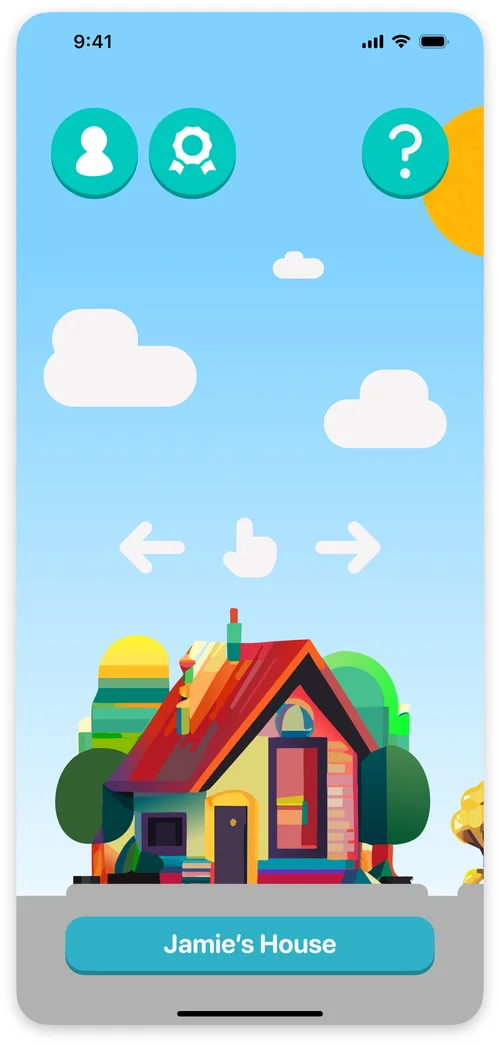 01A child-friendly environment Live in the appA home with a mascot, big icons and voice guidance, so a child could explore without an adult.
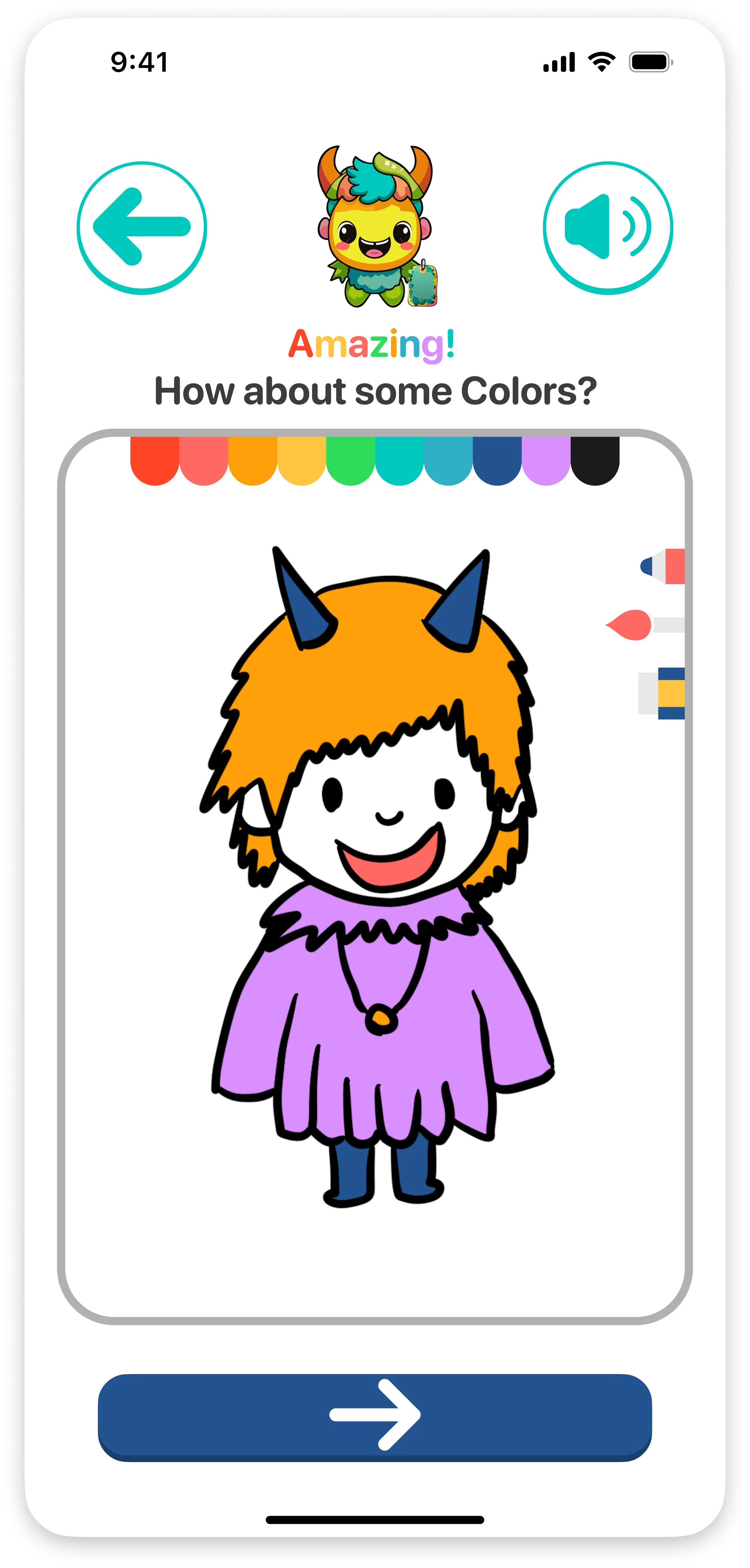
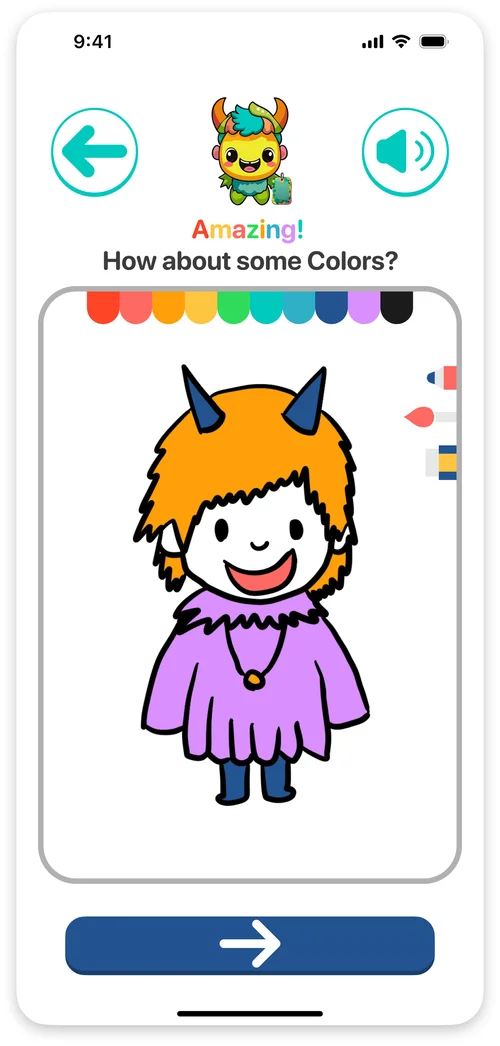 02From imagination to reality Live in the appDraw a friend or describe one in conversation, and AI brings it to life as a character.
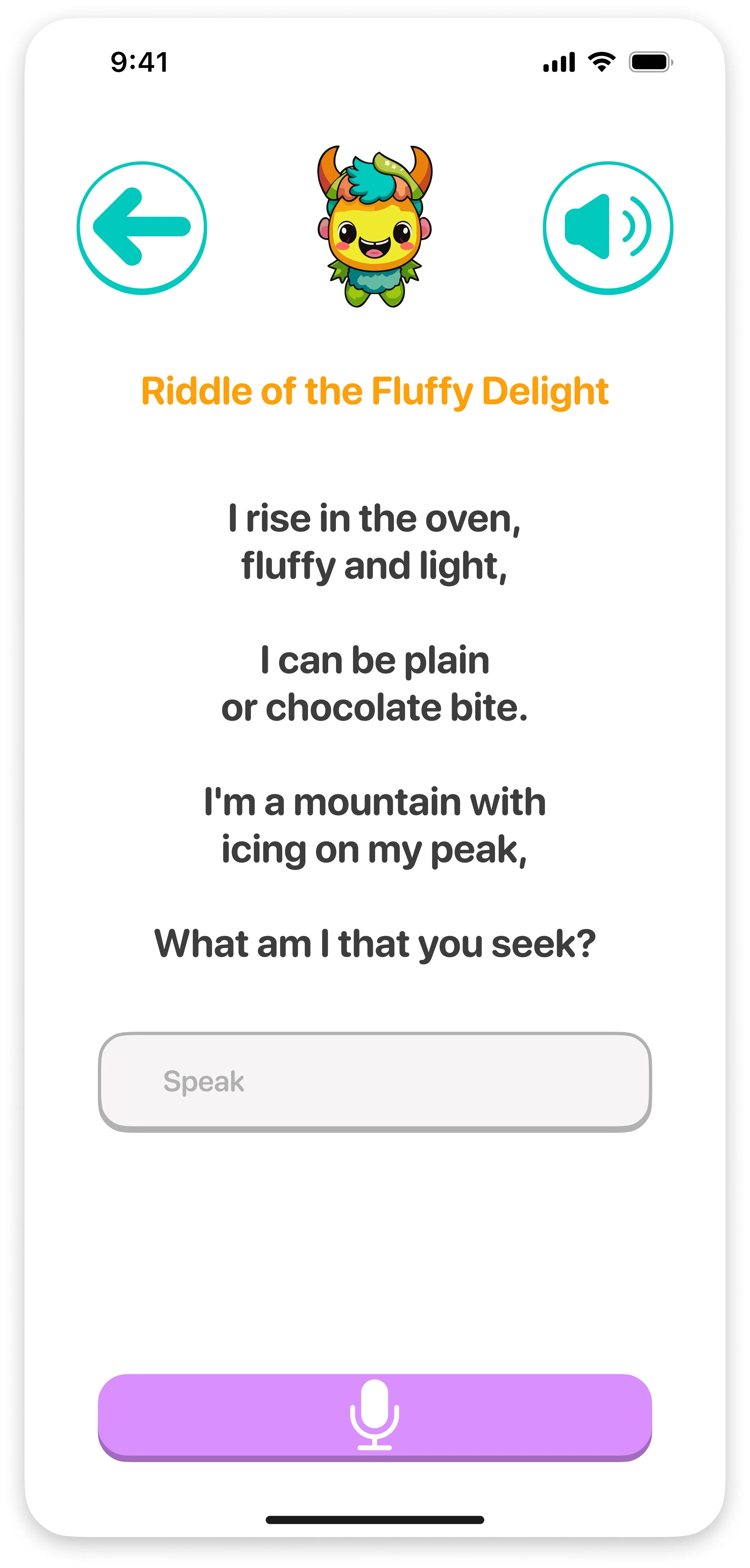
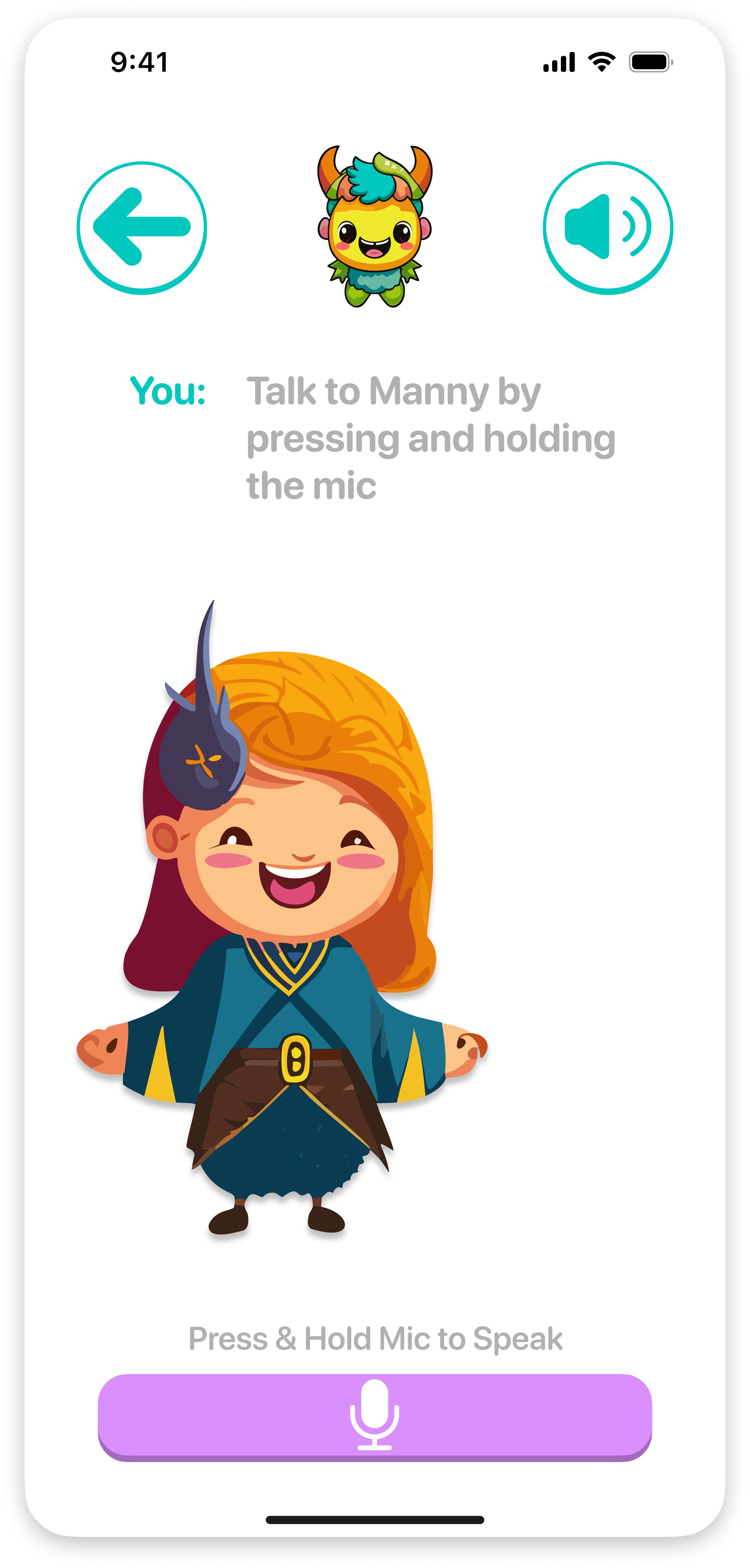
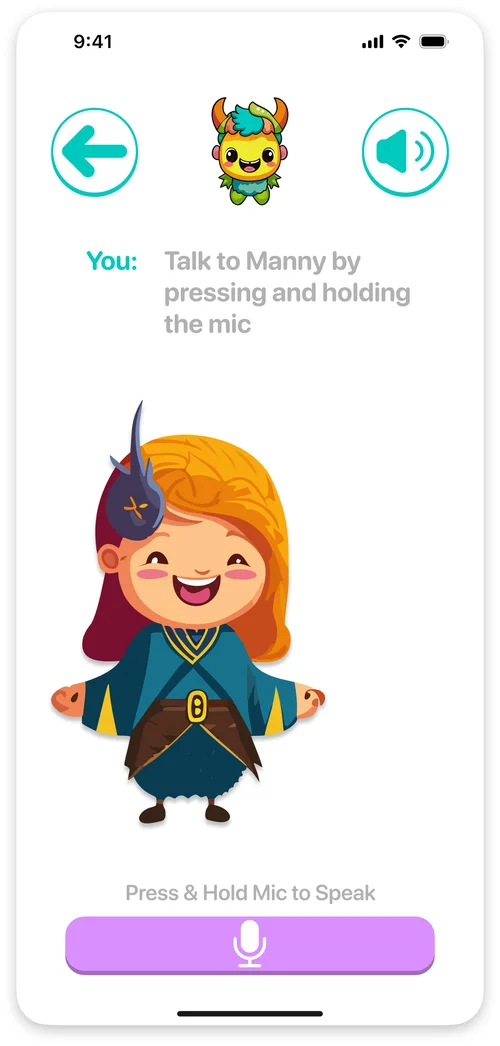 03Interactive and communicativeA conversational AI that talks back, guides the child and understands what they say.
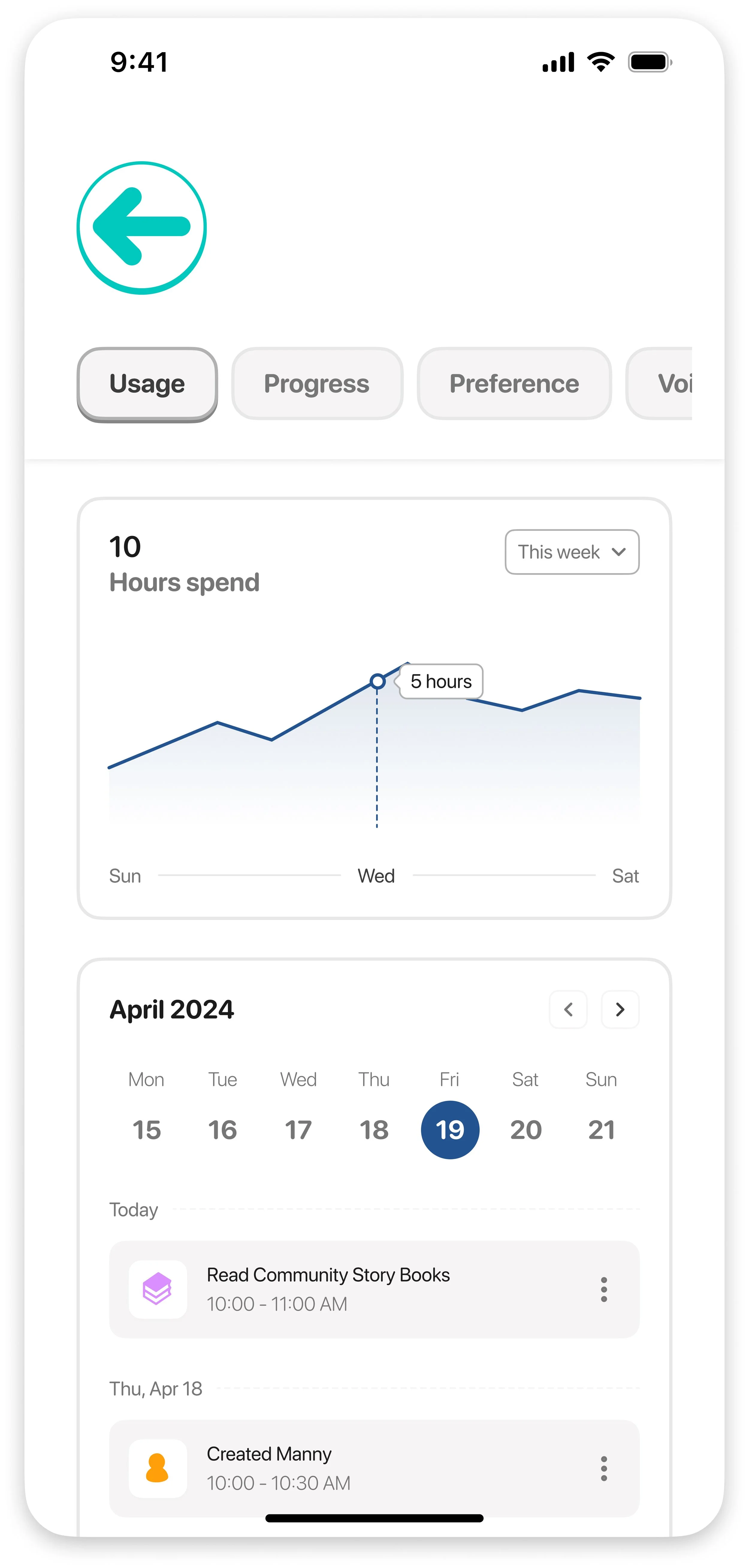
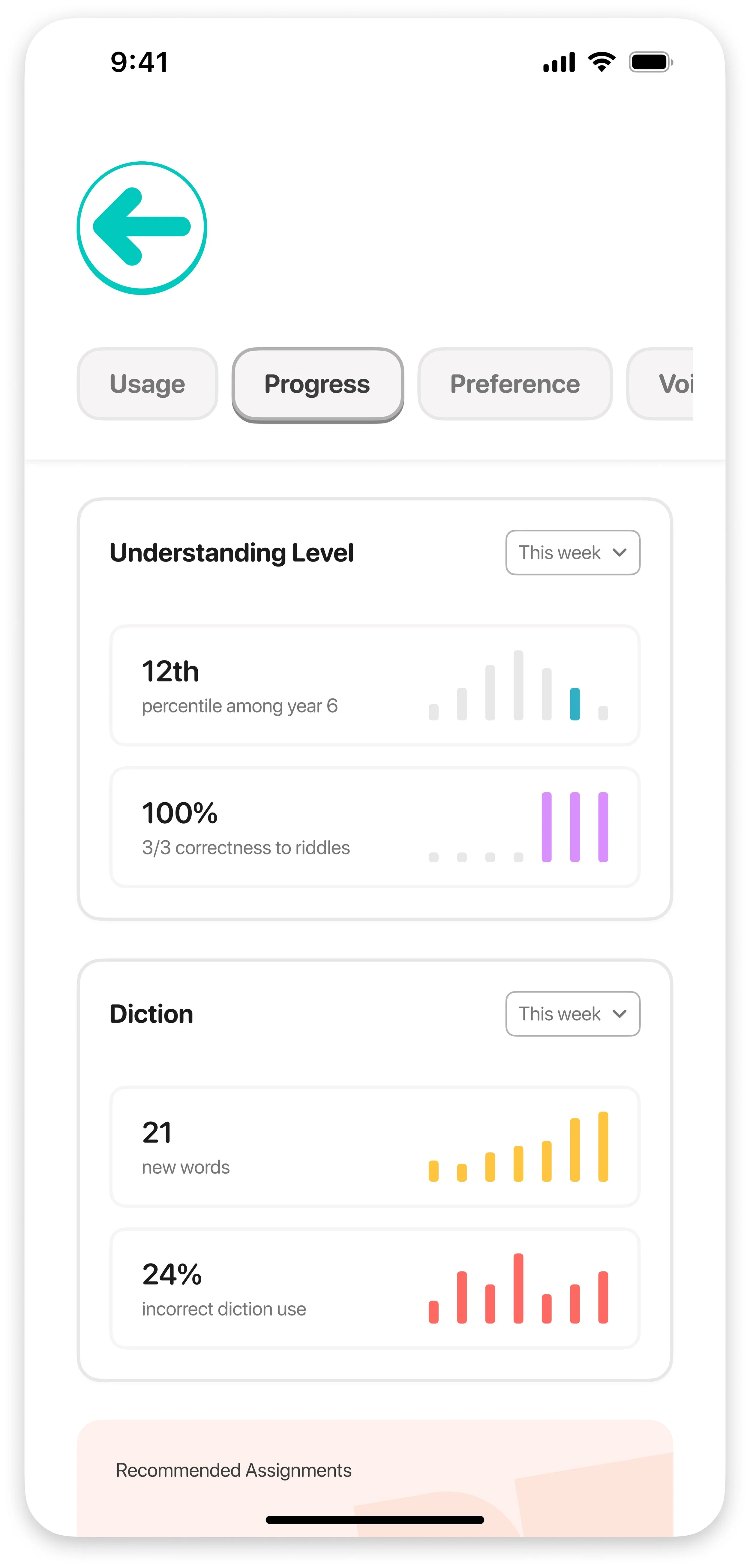
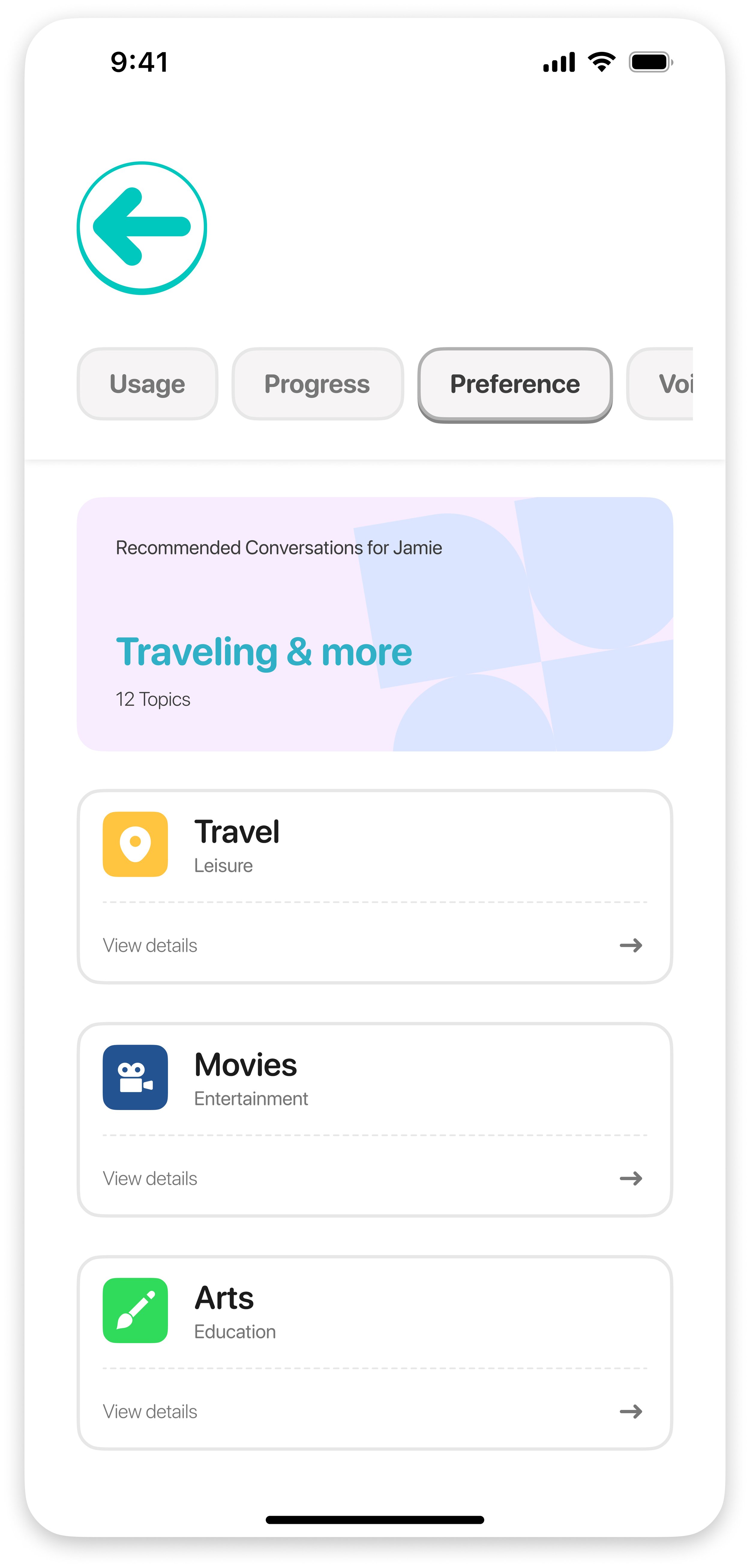
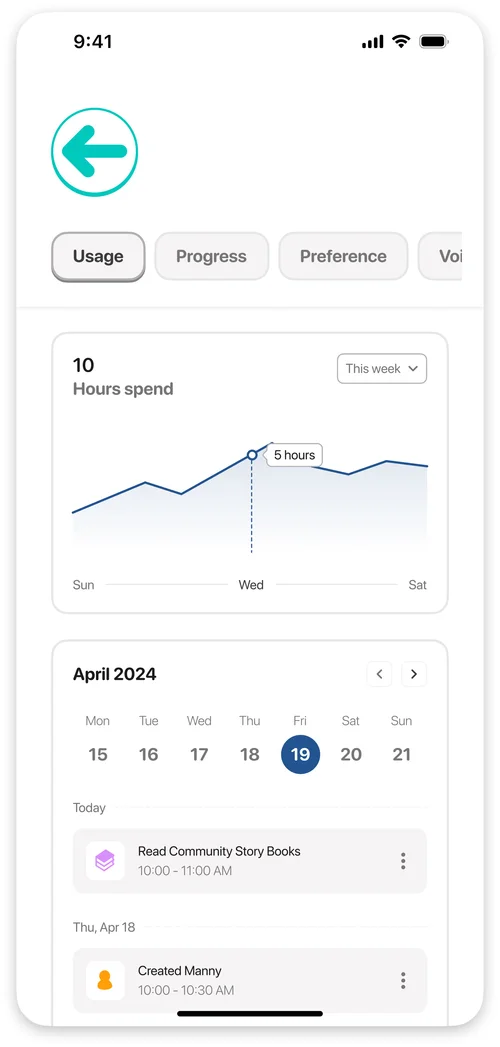 04Understand your children Live in the appA dashboard for parents: usage, vocabulary, interests and how a child compares with their age group.
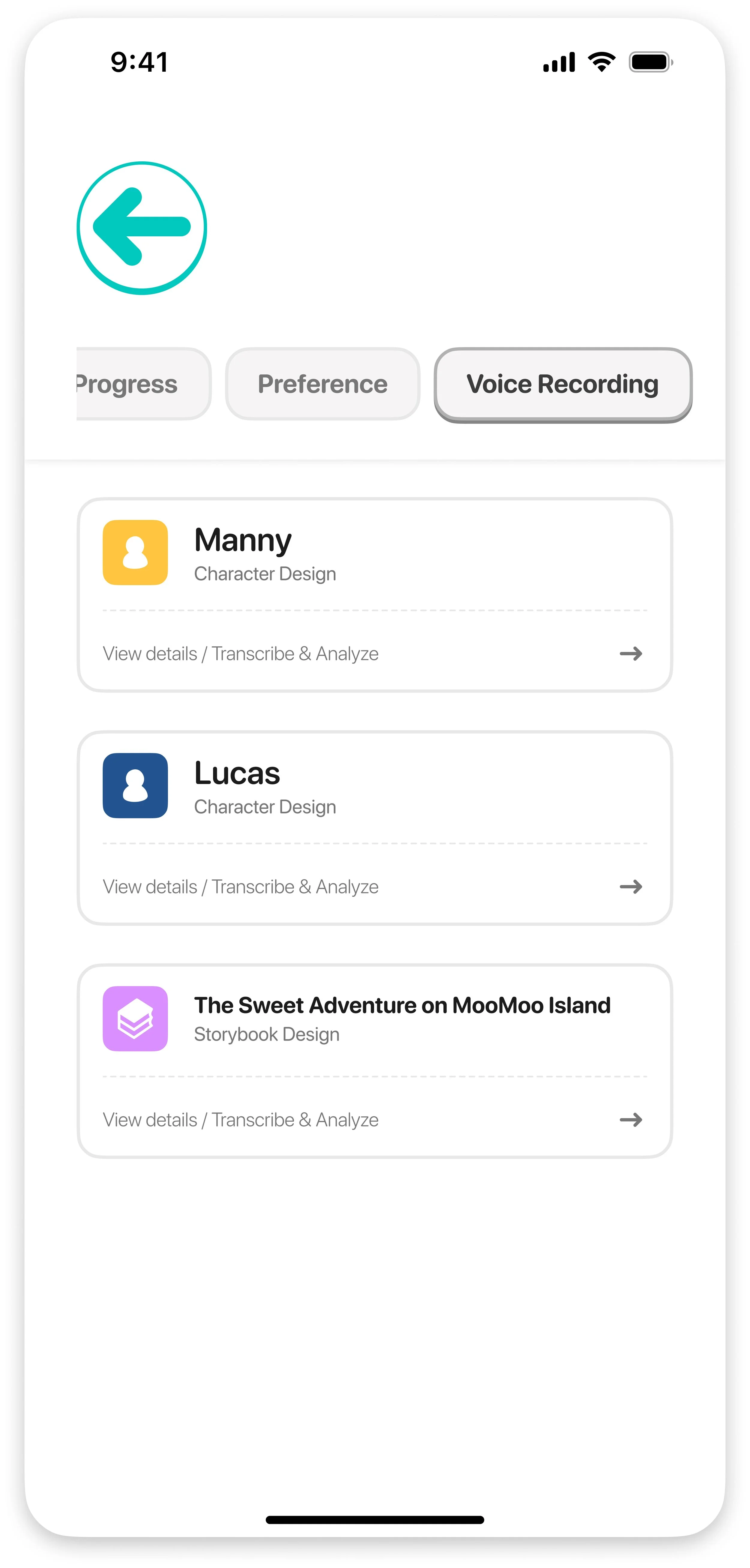
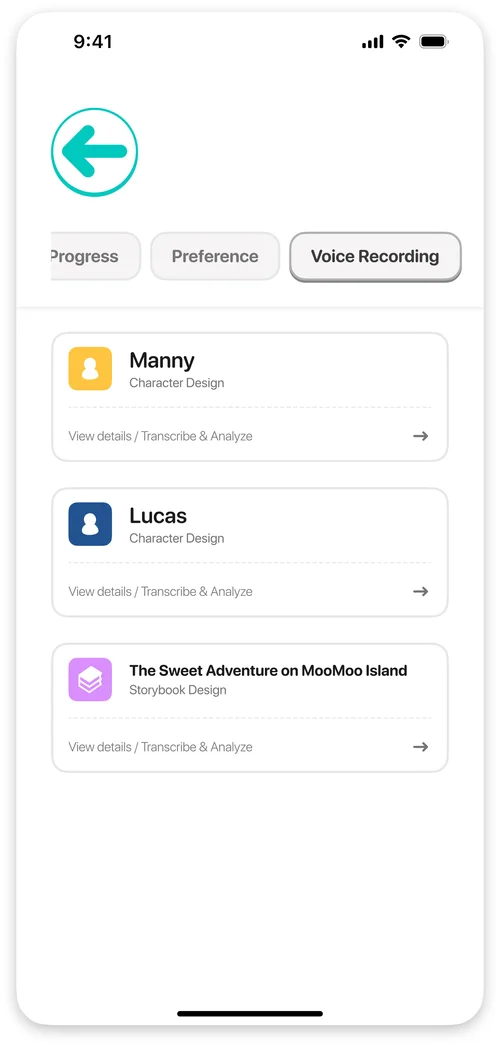 05Key for rich conversationsVoice recordings analysed for interests and thought patterns, with conversation topics suggested to parents.
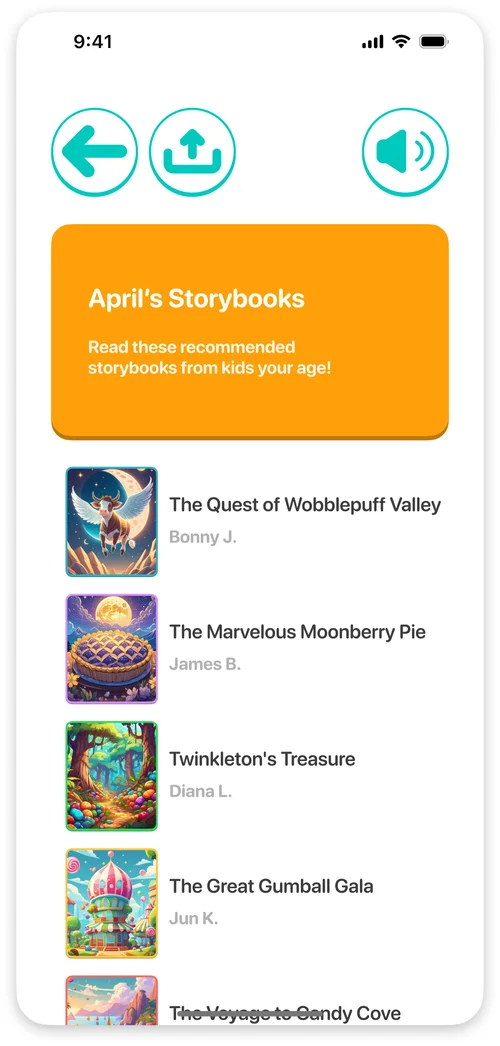 06Sharing tales of adventure Live in the appA community where children share their stories under parental controls.
The app
What a child can do, and what a grown-up can see.
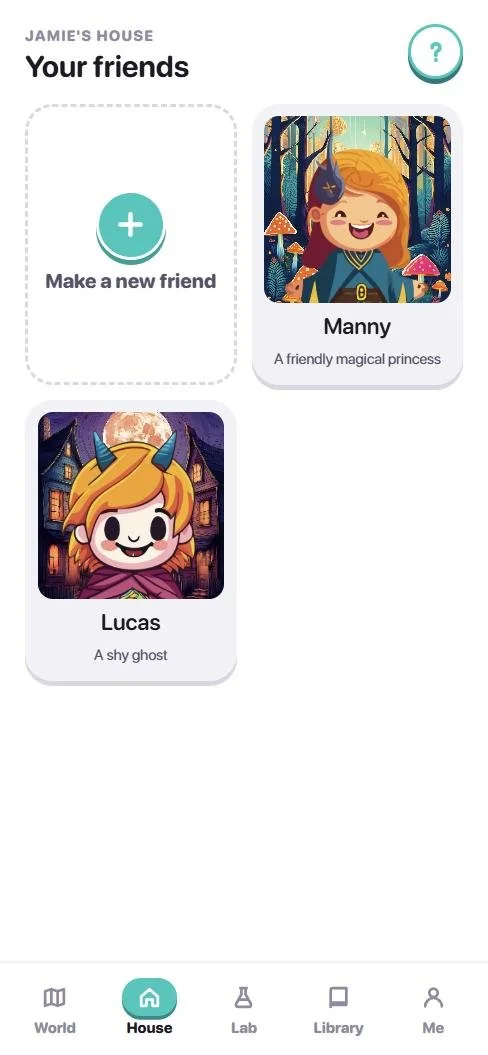 1
2
3
1
2
3
01A world to live in.
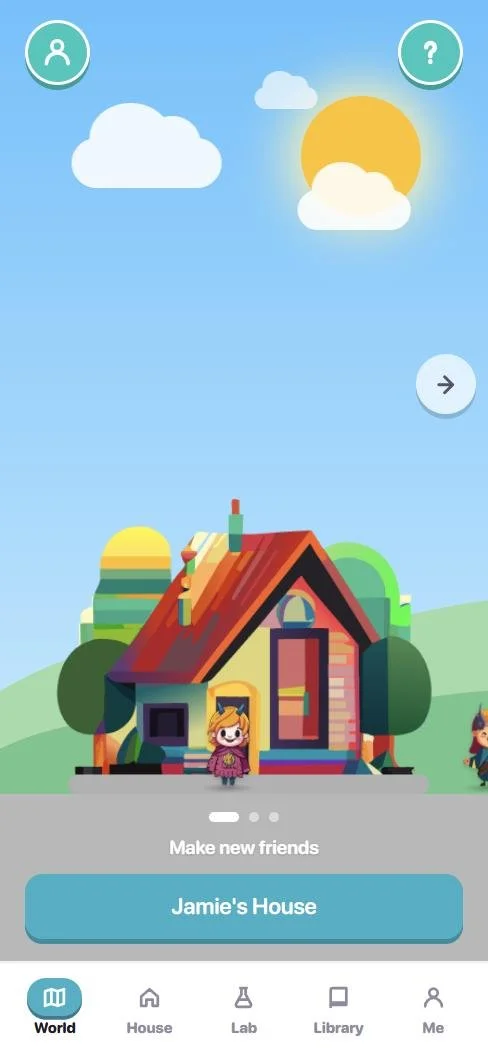
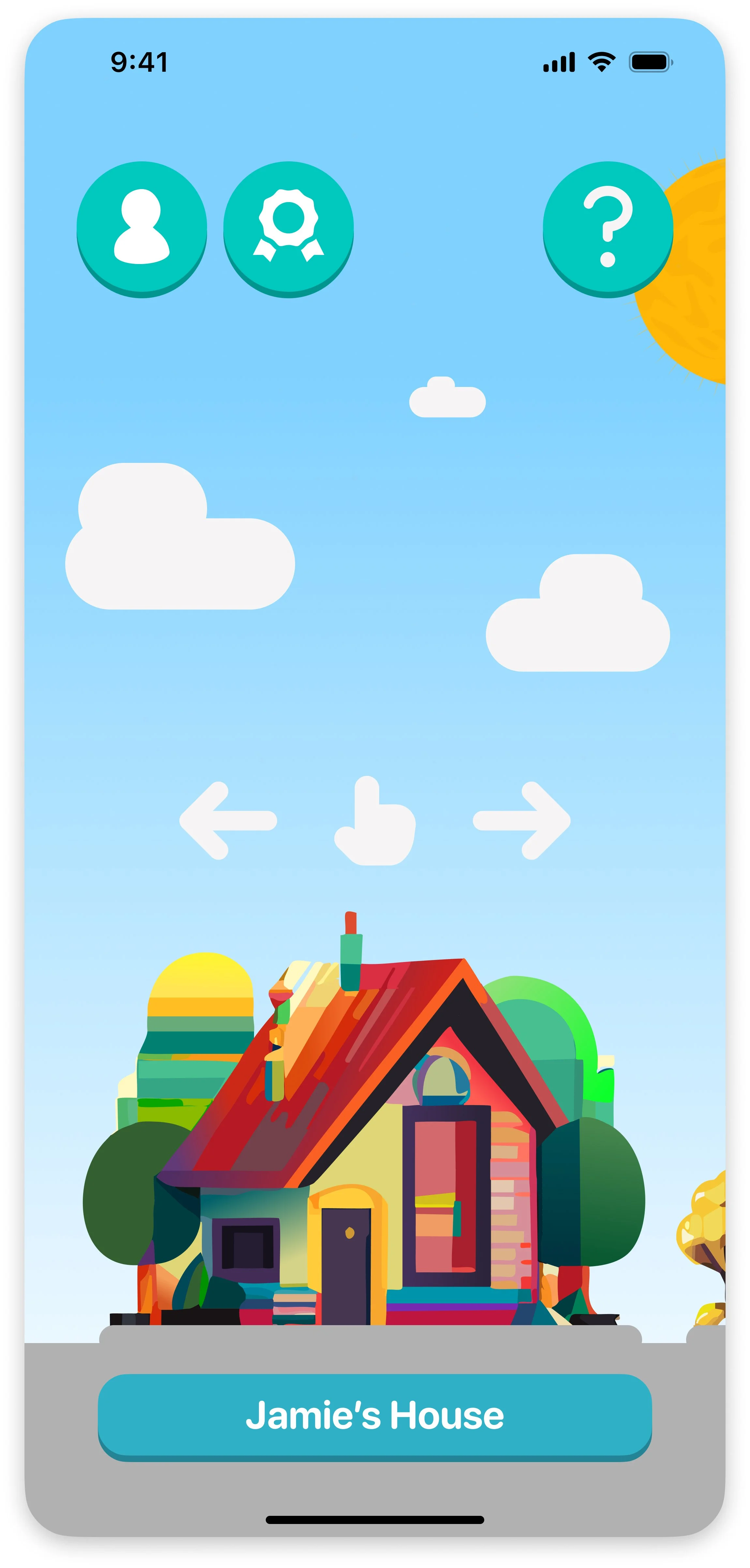
- 1The home screen is a place, not a menu: a house, a lab and a library side by side, with the sky changing from day to night.
- 2Your friends stroll outside. Tap one to hear them say hi; pick one up and drop it on a roof.
- 3The House keeps everyone you have made, and the first card is always a new friend.
 1
2
3
1
2
3
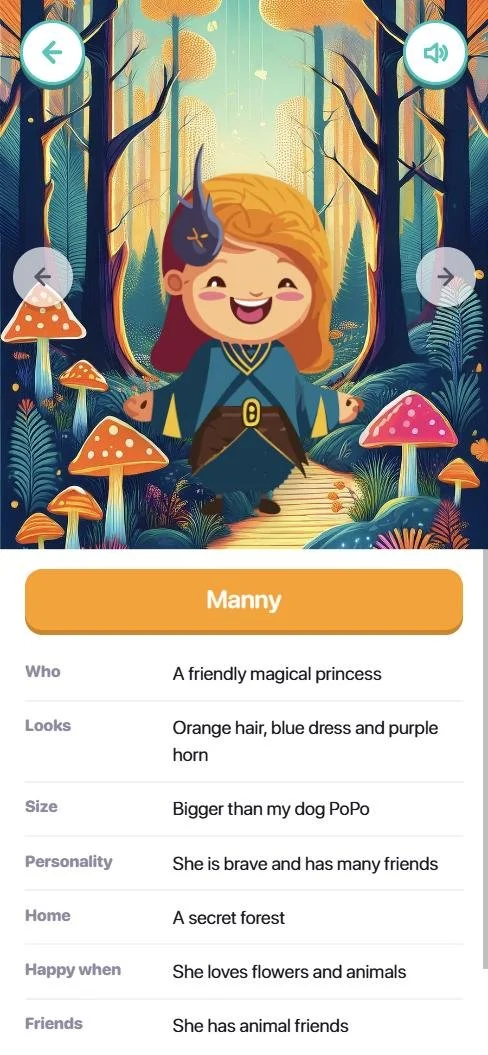
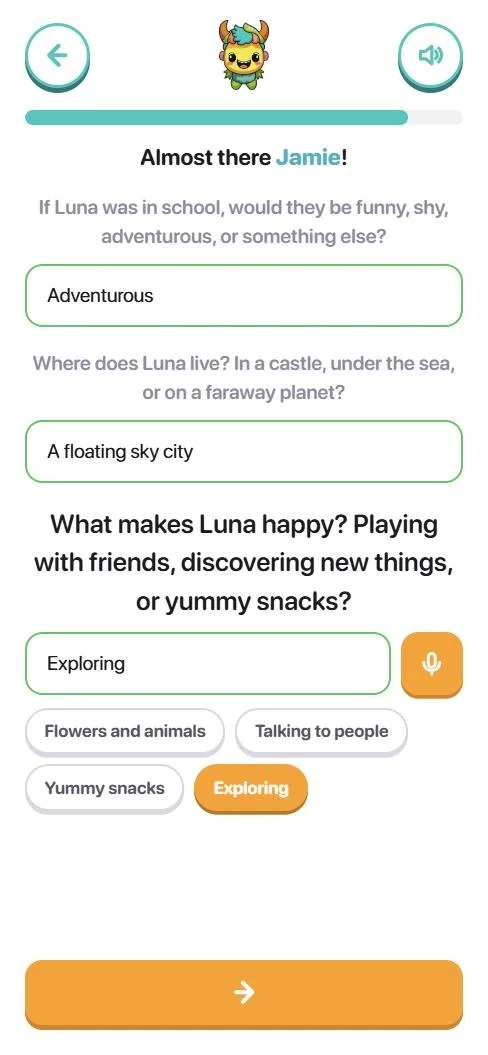
02Make a friend by talking, or by drawing.
- 1Toto asks a few questions a six-year-old can answer: a name, what kind of creature, a colour, a size, a home.
- 2Every answer can be tapped from a short list or spoken into the microphone. Nothing has to be typed.
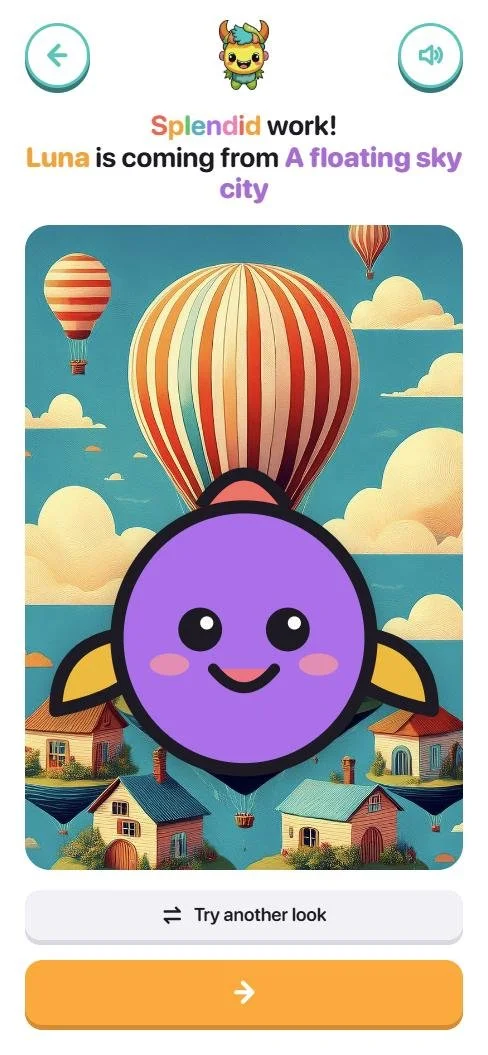
- 3The friend appears in their own world and moves into the House, ready for an adventure.
 1
2
3
1
2
3
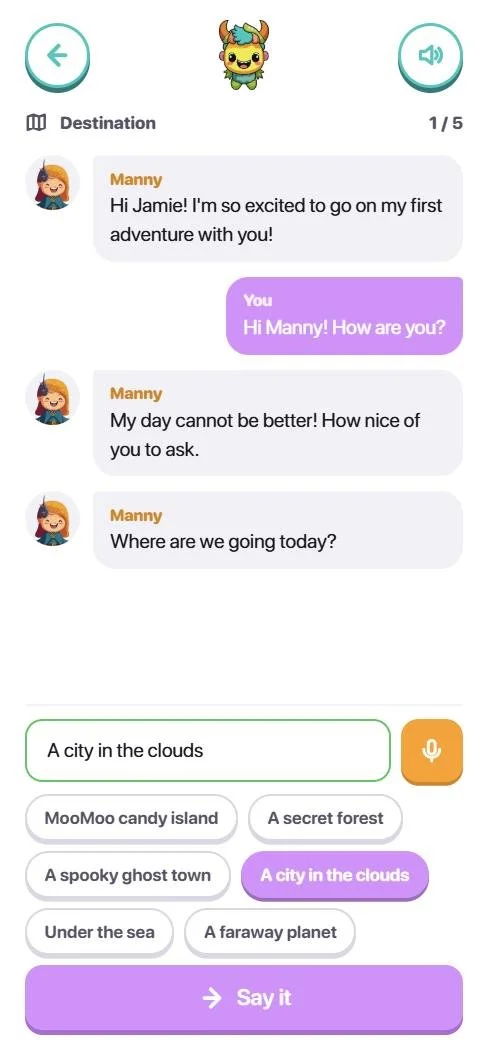
03Go on an adventure.
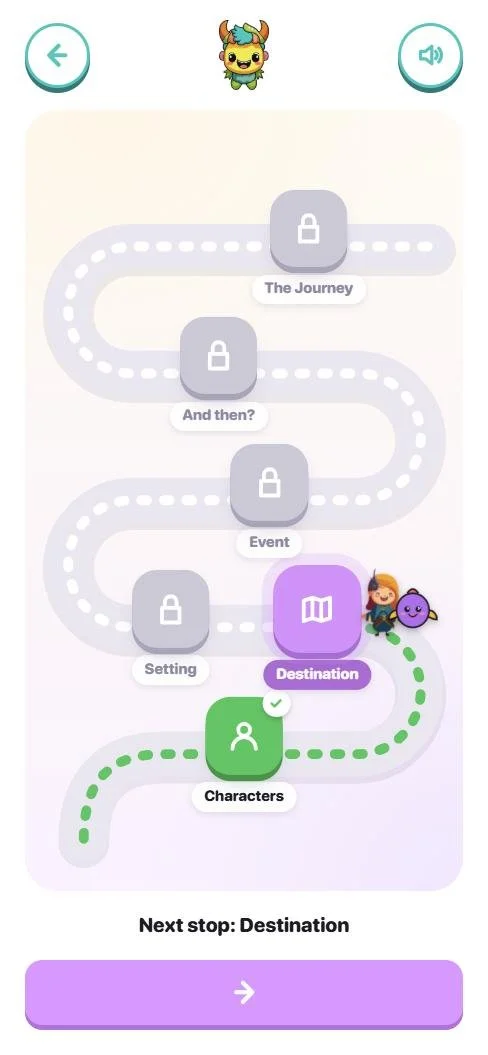
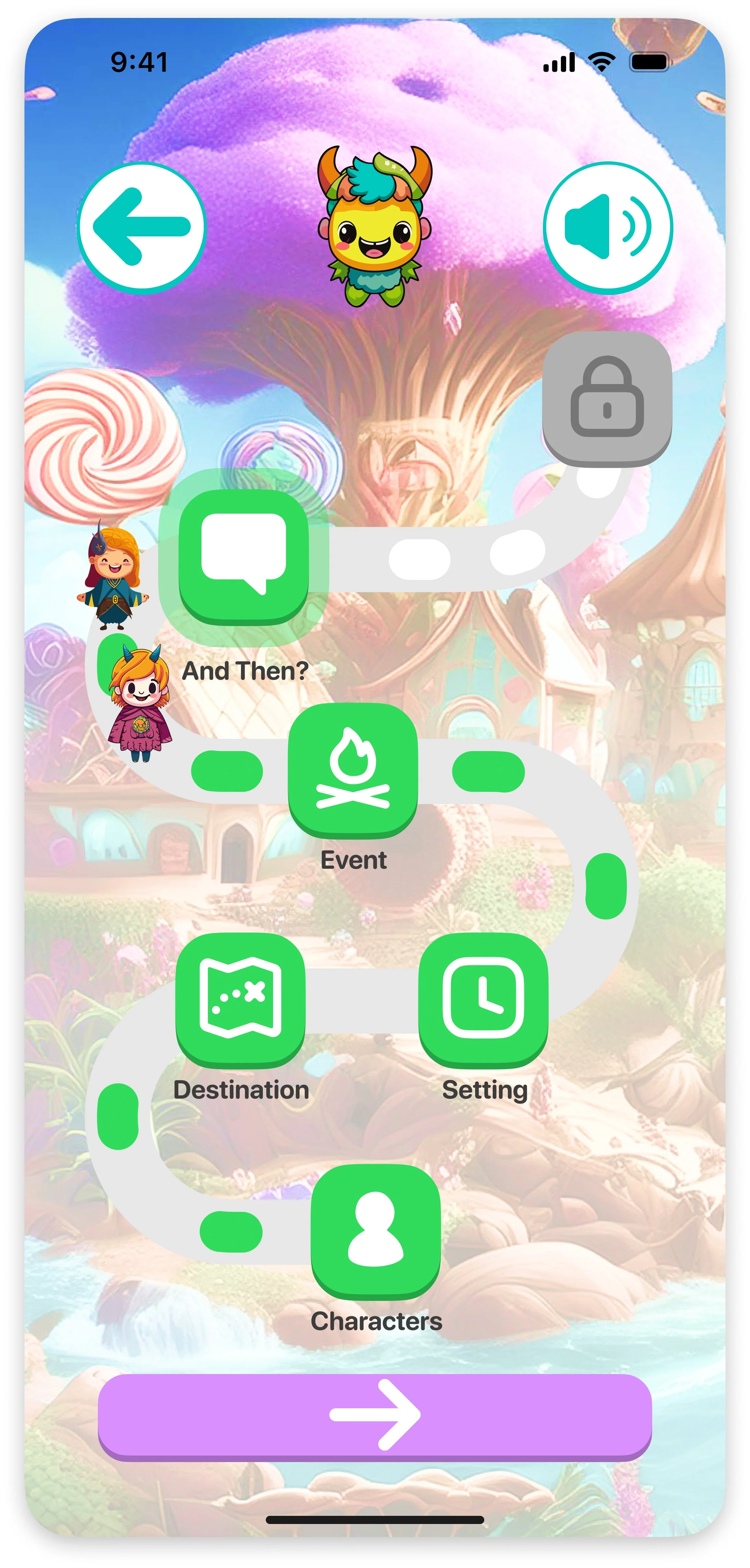
- 1Pick up to three friends; the first one leads. The adventure is a road with five stops, and the glowing one is next.
- 2The friends walk the road with you, so progress is something you can see.
- 3At each stop a friend asks a question; the child answers by tapping or talking, and the story grows from those answers.
 1
2
3
1
2
3
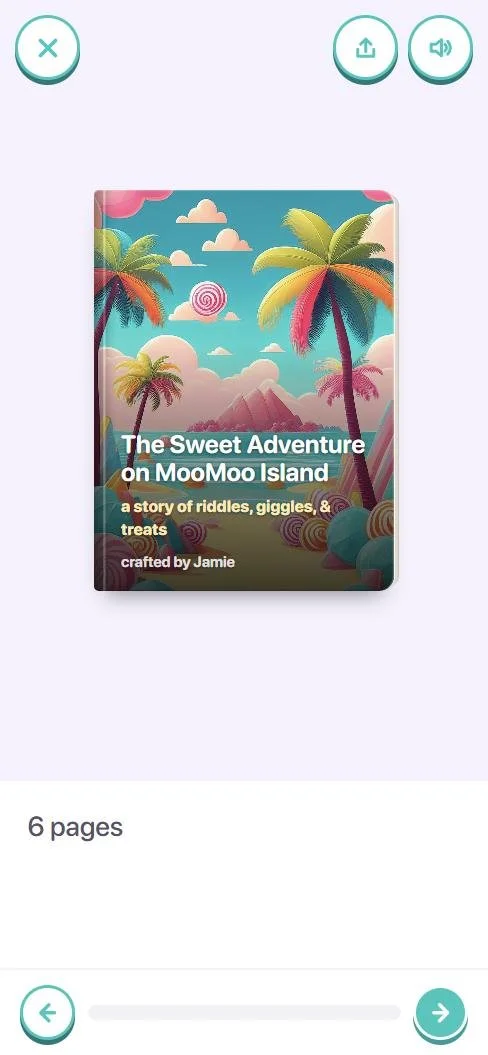
04Keep the story as a book.
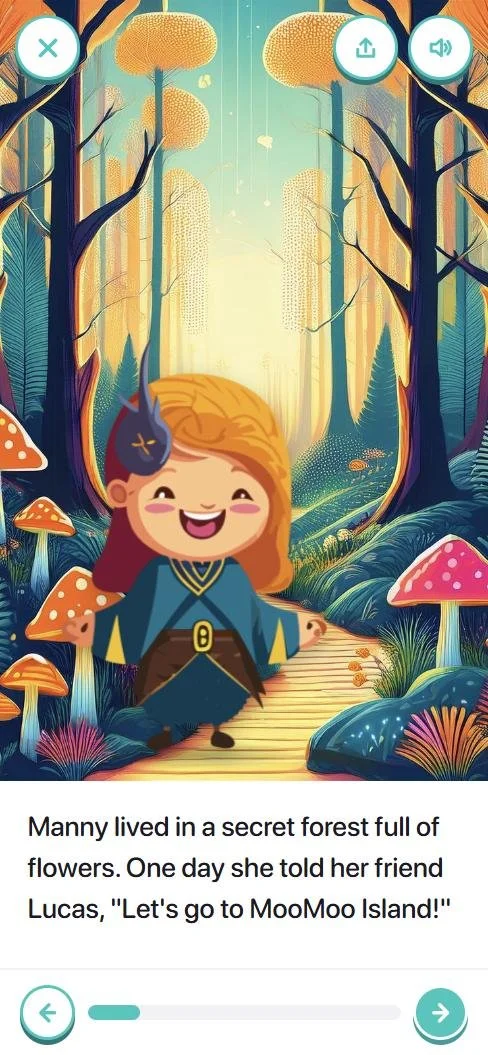
- 1When the adventure ends it becomes an illustrated storybook with the child’s own friends on every page, and the child’s name on the cover.
- 2Every page is painted; the friends stand in the scene they chose.
- 3The speaker reads each page aloud, in a voice you choose in Settings.
 1
2
3
1
2
3
05Grown-ups see what grew.
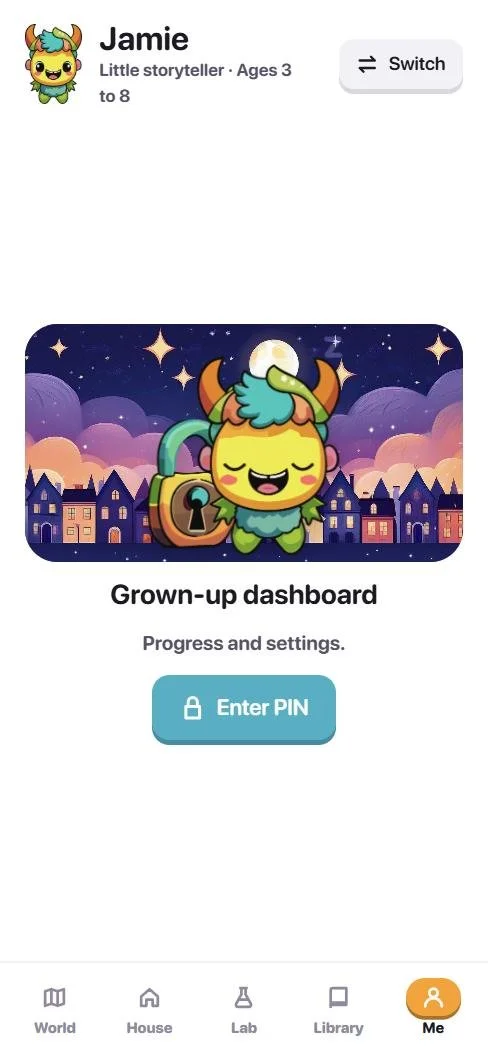
- 1Settings, sharing and the dashboard sit behind a four-digit PIN, so a child can play alone and a parent can look whenever they like.
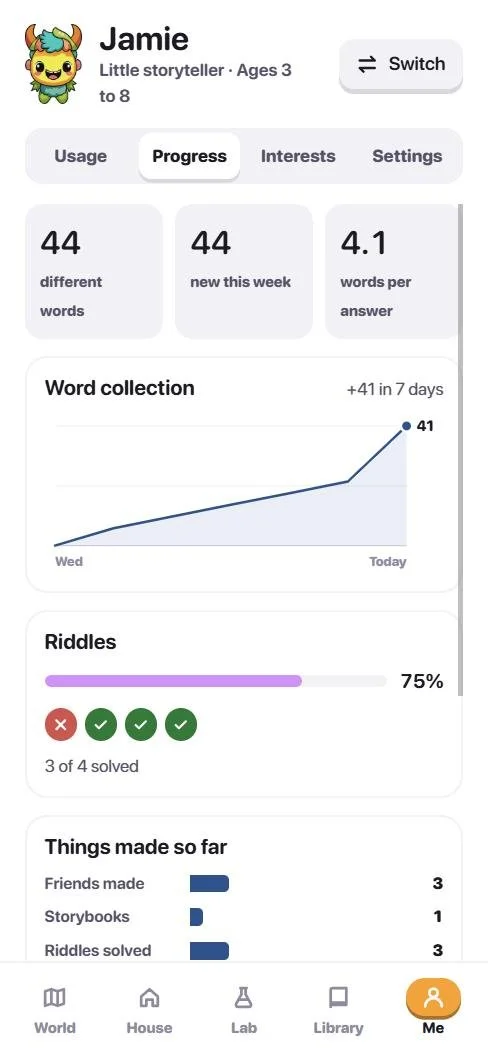
- 2Usage, progress and interests: time spent, new words, riddles solved, favourite places.
- 3Suggested next adventures come from the child’s own interests, so the dashboard is a conversation starter, not a report card.
 1
2
3
1
2
3
06One app, three ages.
- 1The same flows serve ages 3 to 8, 9 to 13 and 14 and over. Alex’s friends are a retired sky pirate and a curious android.
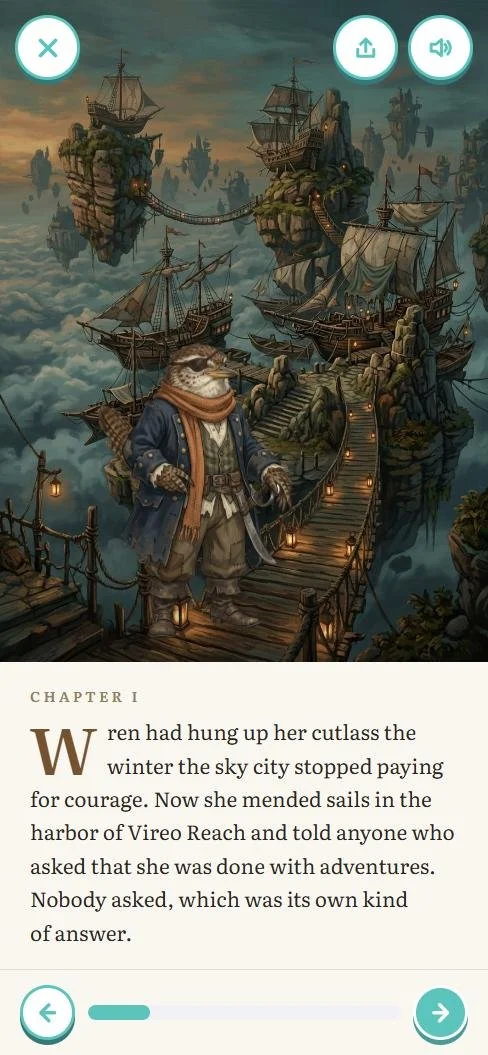
- 2For 14+ the book becomes chapters in a serif with a drop cap and a reading time; the voice and the words change with the age.
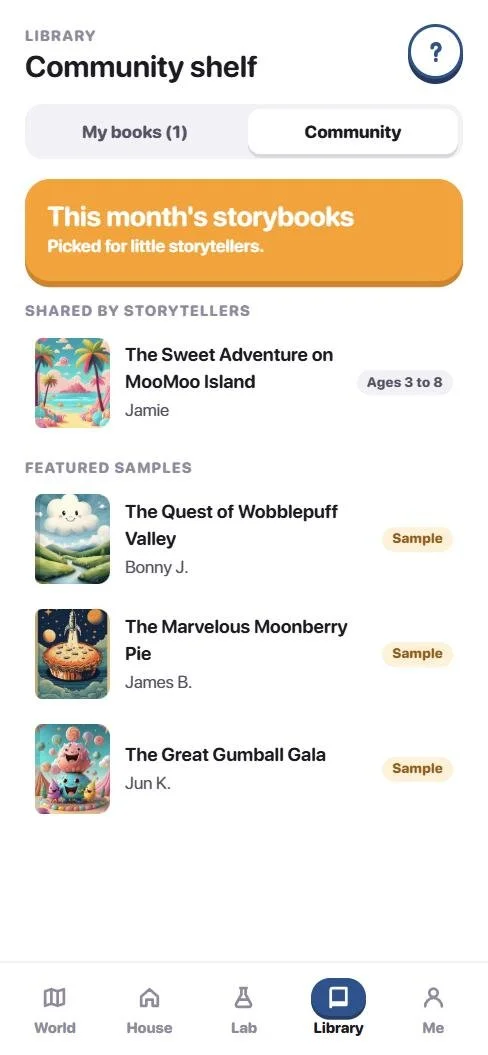
- 3The Community shelf shows a kid only kid-safe books, a tween those and more, and 14+ everything, with every share approved by a grown-up first.
Try it
The real app, in a phone, right here.
Start as Jamie, age 6, for kid mode, or Alex, 14+, for the grown-up experience.
Everything here is real and clickable. Nothing leaves your browser, and the grown-up PIN for the examples is shown on screen. Best on a phone, or open it in its own tab.
- Live AI storytelling. In the Claude version, adventures are written on the fly from the child’s answers; the public build uses a built-in story engine.
- A shared shelf. Sharing to the Community travels between devices there; here it stays on yours.
- Voice answers. The microphone works when the app is open on its own page; browsers block it inside this frame.
How it was checked
Parents and educators on the prototype, and what code revealed.
- The platform design is very intuitive and child-friendly. My child can navigate through the prototype with minimal supervision, and the voice-guided navigation concept is impressive.A parent, on the 2024 prototype
- The dashboard concept is promising. It could help educators understand each student’s strengths and areas for improvement.An educator, on the 2024 prototype
- The recording and analysis feature could be a game-changer. It would give insights into children’s thought processes.A parent, on the 2024 prototype
- The concept of sharing stories with other children under parental guidance is fantastic. It has the potential to create a community of young storytellers.A parent, on the 2024 prototype
- Eight reviews in 2024. Parents and educators tried the Figma prototype and asked for the dashboard, the voice guidance and the community most. Those three shaped the rebuild.
- What building it revealed. Moving from Figma to code surfaced cases no static screen could show: characters disappearing when a book was shared, and one flow that had to serve a six-year-old and an adult.
- Checked in code. Typechecked on every change; the example profiles exercise every flow, and the public build never contacts a server.
- Next. Usability testing of the live build with families, to compare against the 2024 feedback.
The whole collection
Every screen, at full size.
Scroll sideways. The app first, then the design files. Each one opens at full size in a new tab.
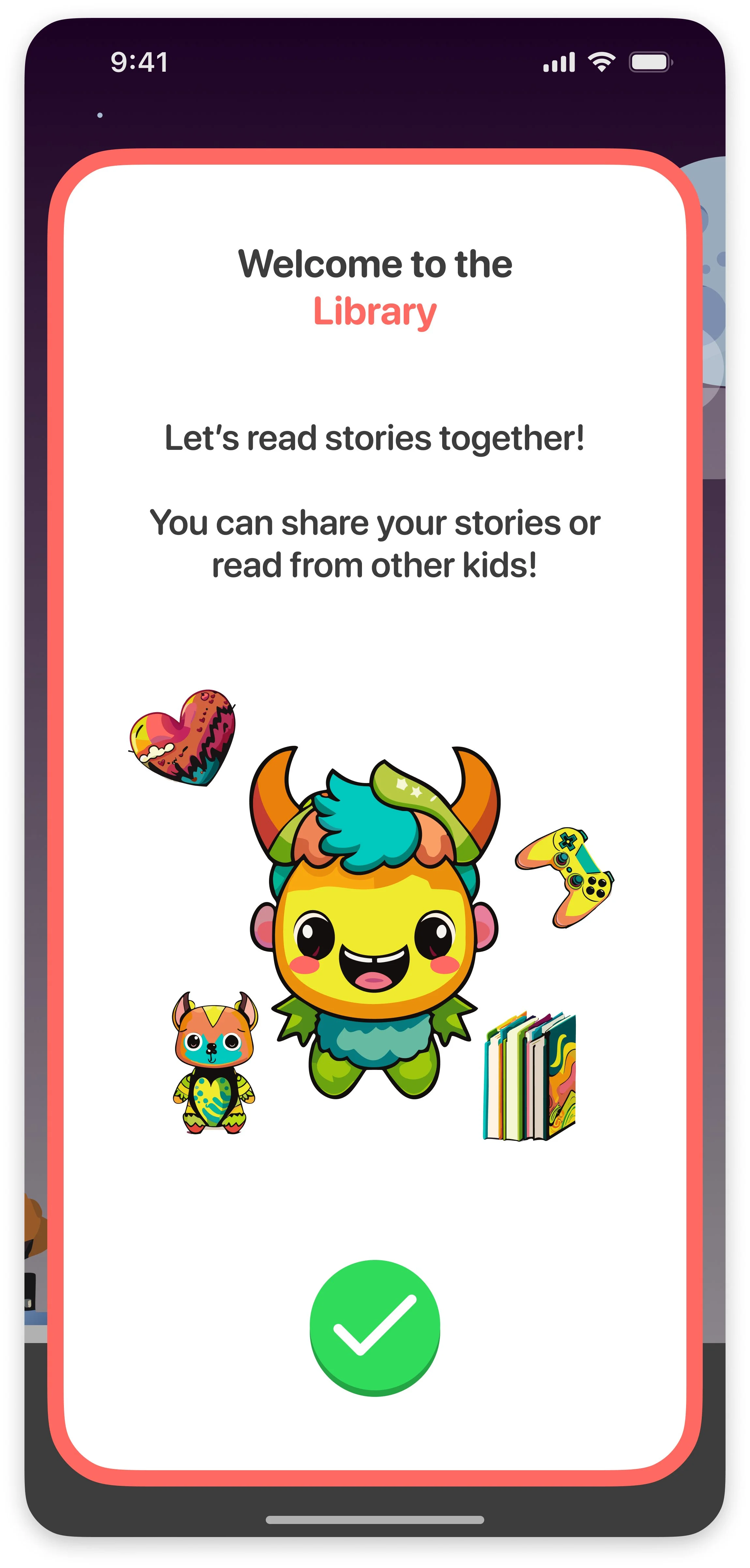
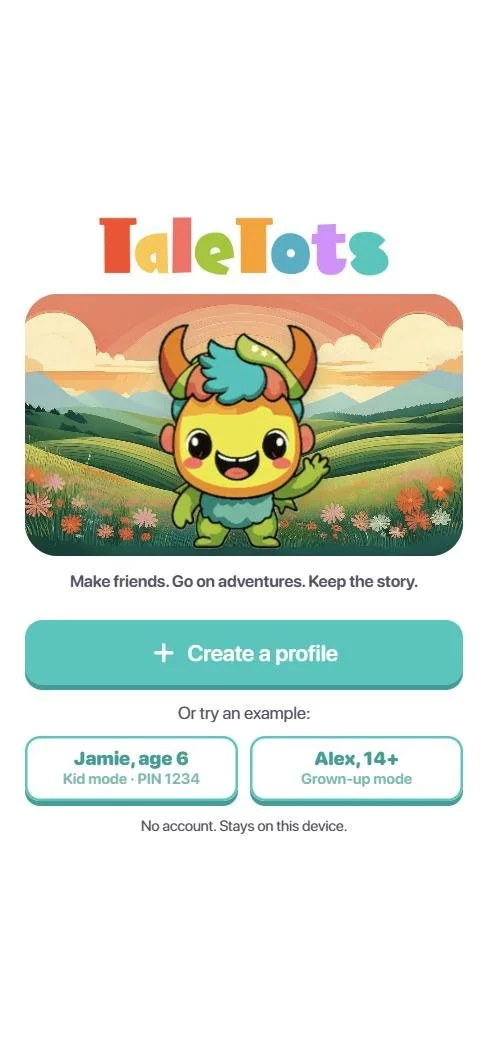 App Welcome
 App The World
 App The House
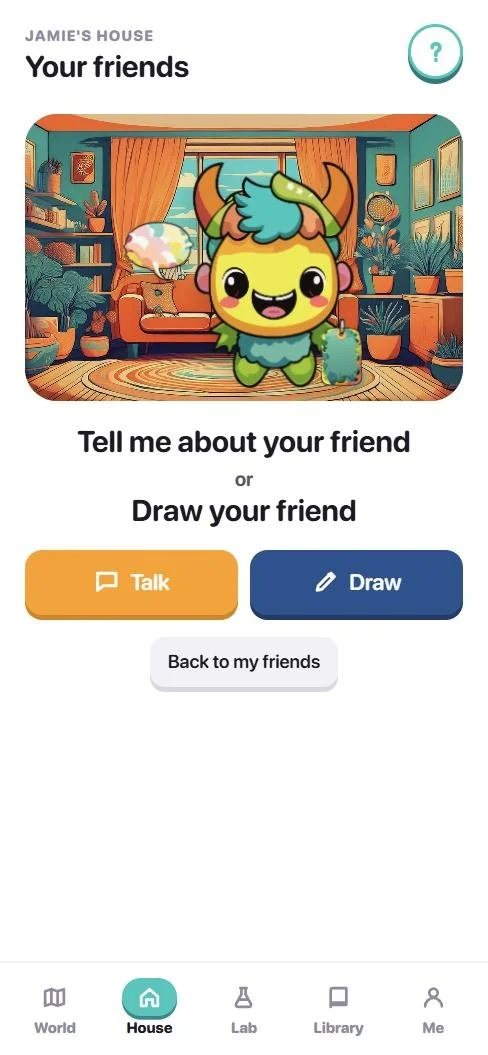 App Talk or draw
 App Tell me about your friend
 App A friend is made
 App A friend’s page
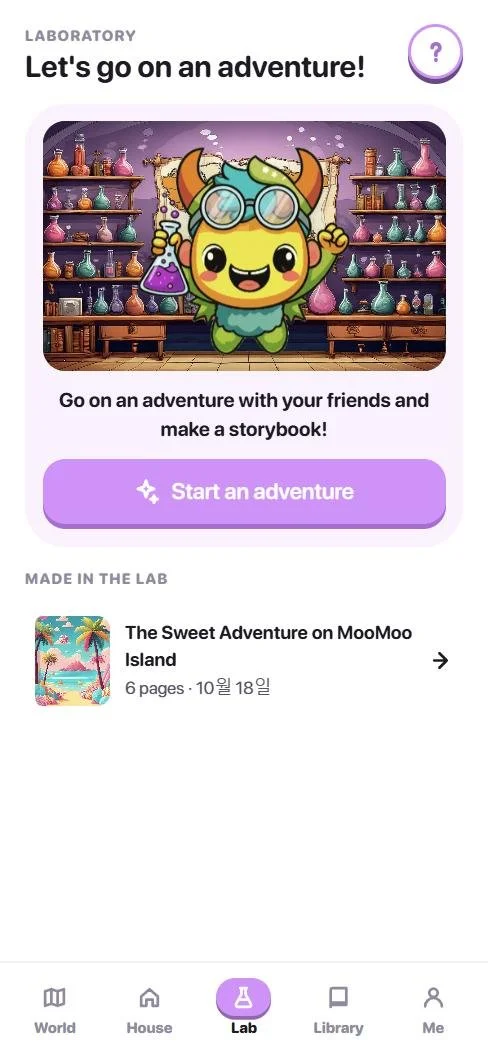 App The Lab
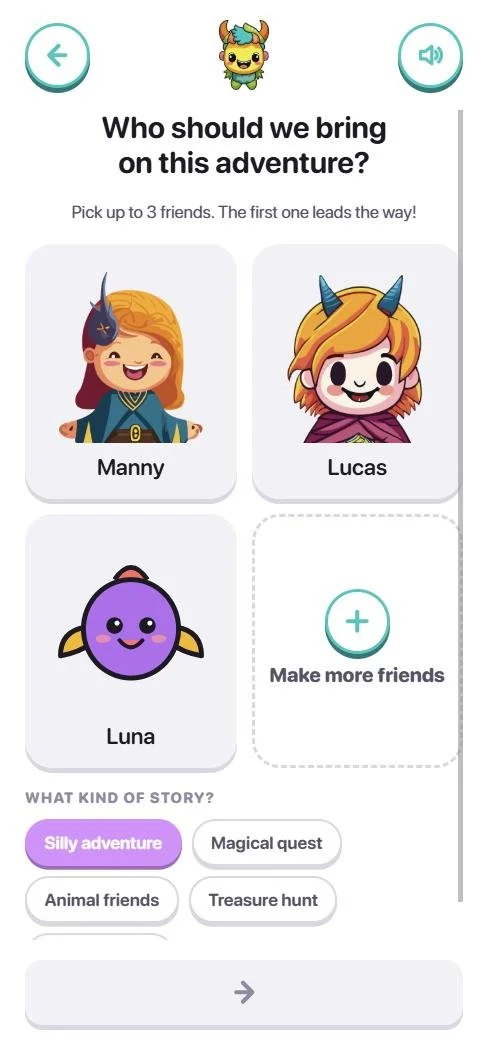 App Pick your friends
 App The adventure map
 App A stop on the road
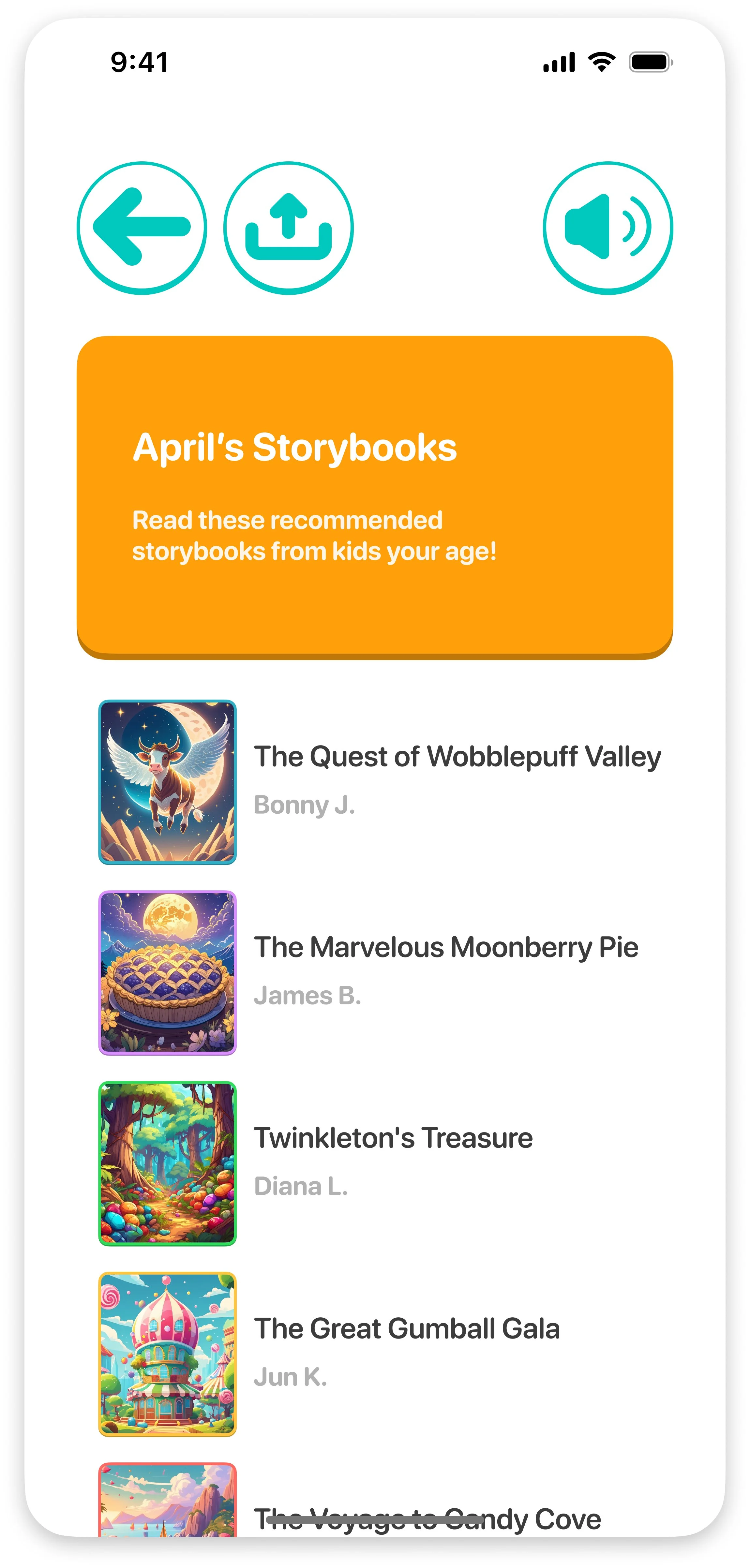
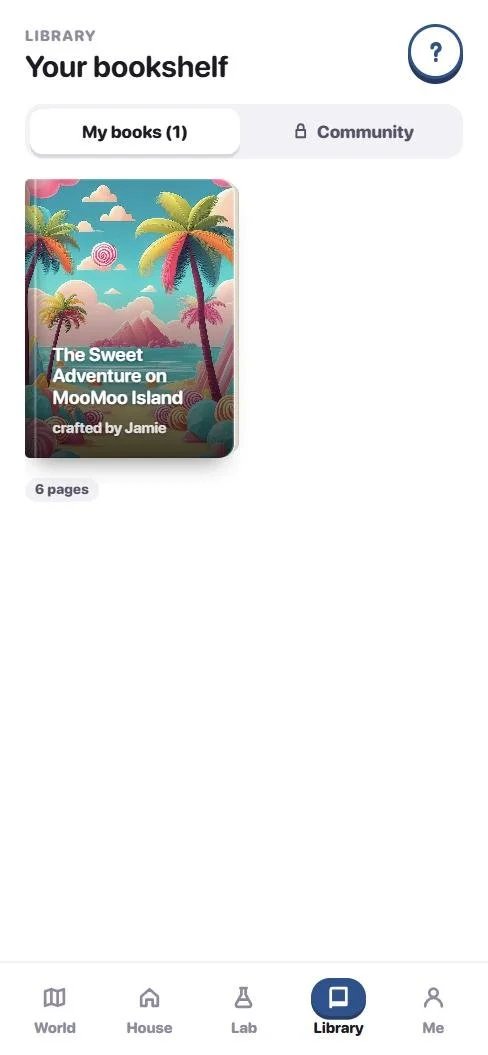 App The Library
 App A storybook
 App A page, read aloud
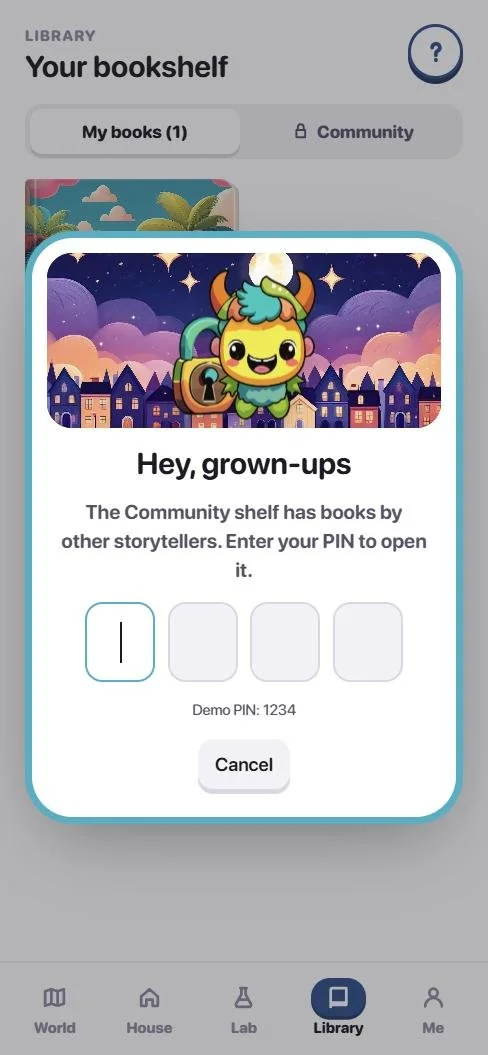 App Hey, grown-ups
 App The Community shelf
 App Me
 App Dashboard: usage
 App Dashboard: progress
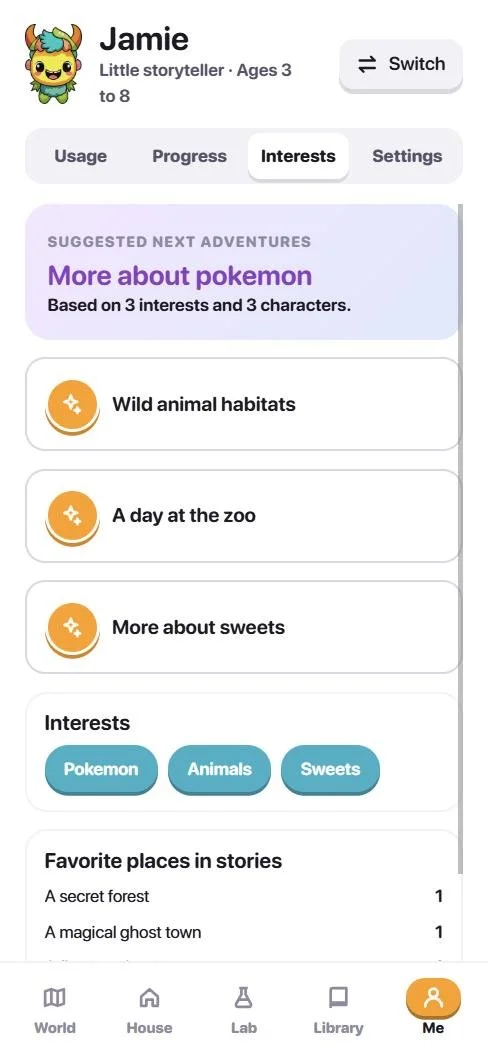 App Dashboard: interests
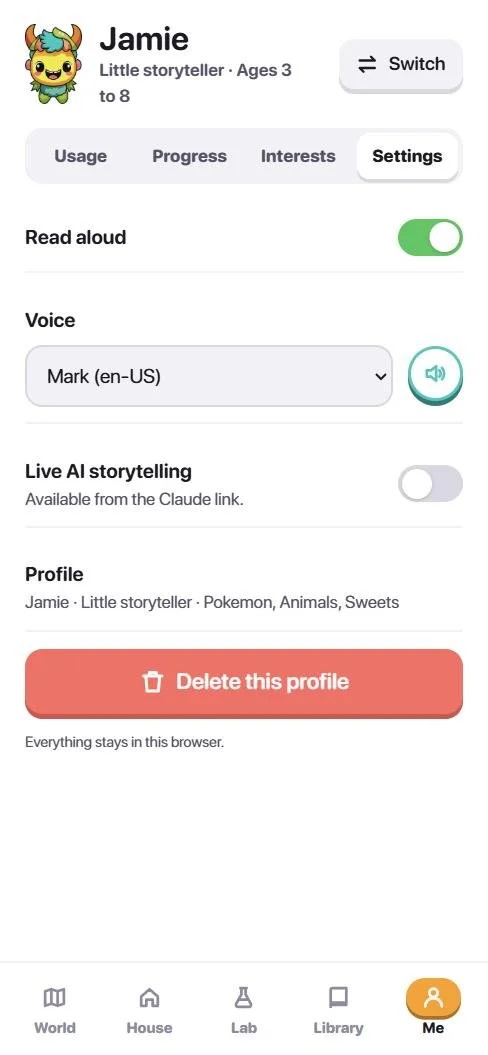 App Settings
 App Alex, 14+
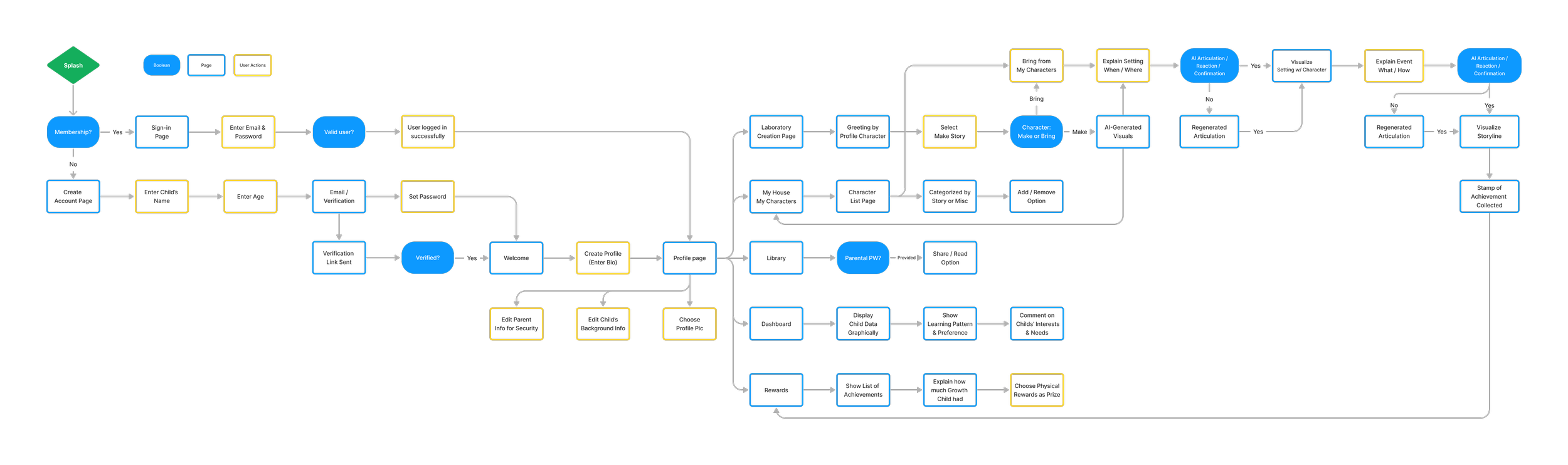
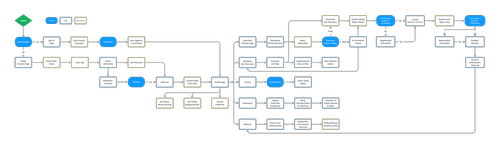 Design The user flow
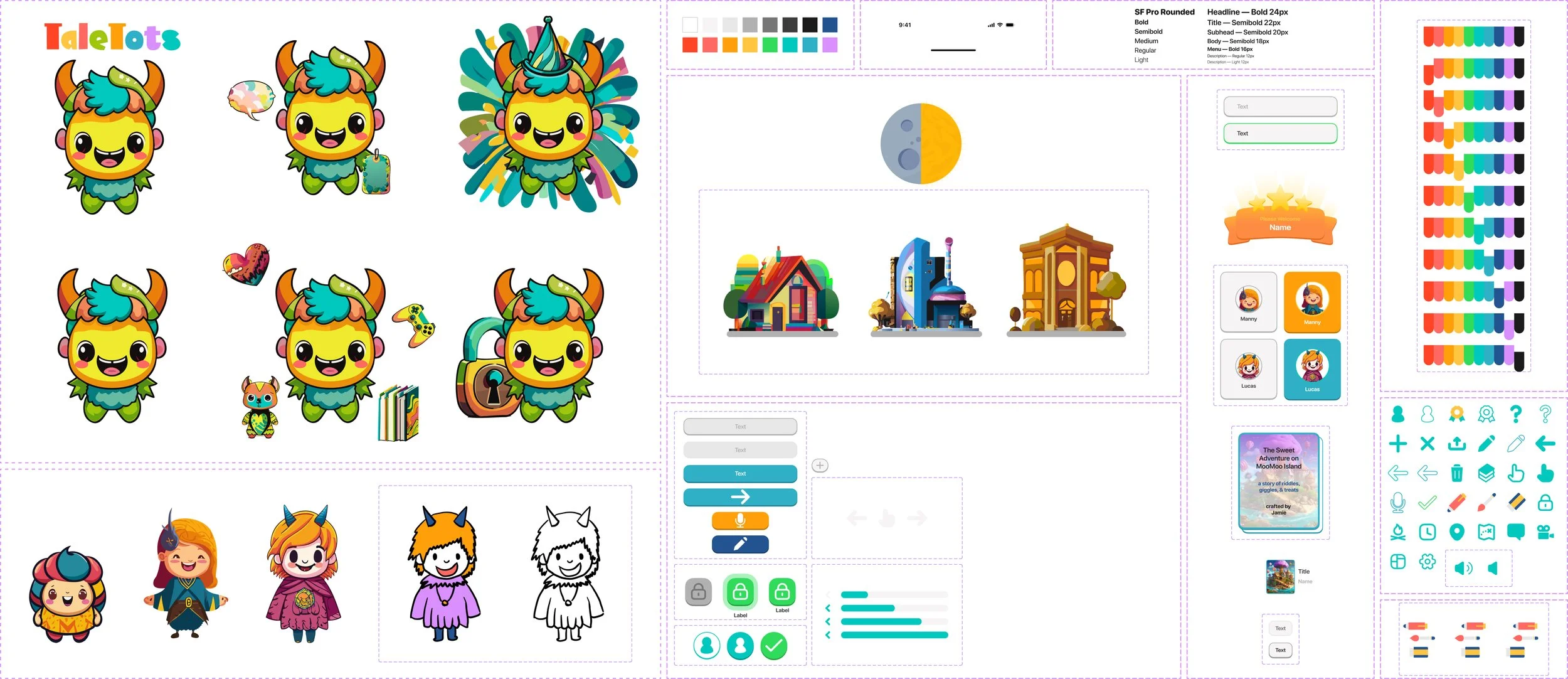
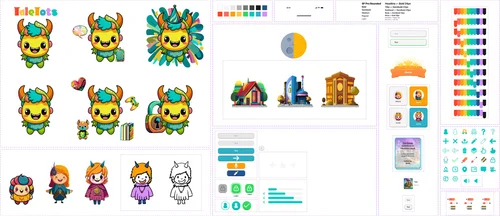 Design Characters and components
 Design Typography
 Design The mark and Toto
 Design The 2024 palette
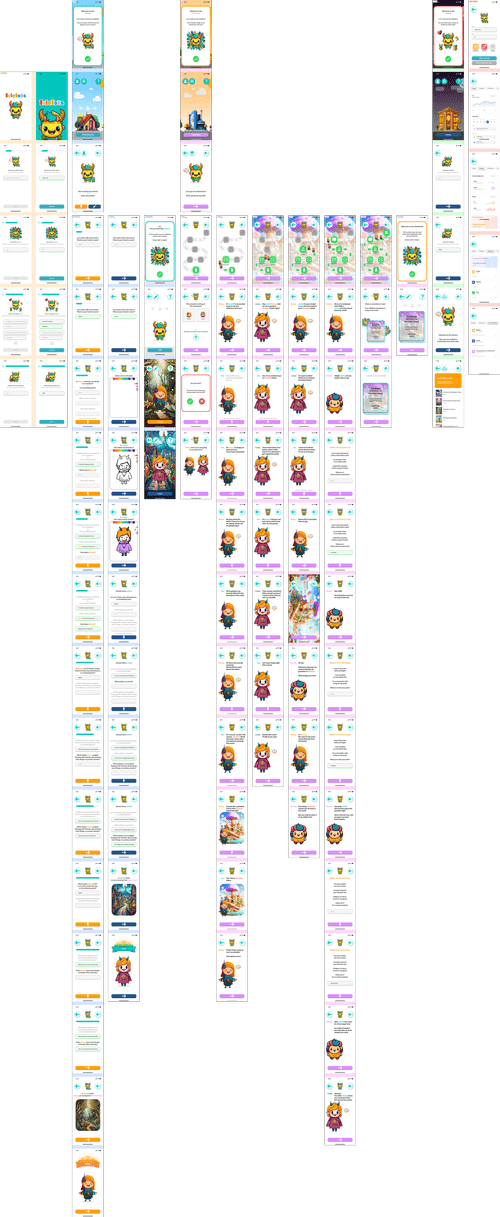 Design The 2024 wireframe


What I learned
A working product reveals what a prototype hides.
- Start with the people. Engaging parents and educators early gave the thesis its spine: progress they can see, and a child who can play alone.
- One flow, many voices. Instead of separate apps per age, each tier changes tone, layout and permissions while the structure stays familiar.
- Delight is in the interactions. Dragging a friend onto a roof, a button that presses in, a page that reads itself aloud: small moments made it feel alive.
- Code finds the cases. Characters vanishing from a shared book, a six-year-old and an adult on the same screen: none of it showed in Figma.
- Safety can be simple. No account, nothing leaving the device and one PIN did more than a settings page of controls would have.
- Keep the story. The book at the end is why children come back; the adventure is the lesson, the book is the reward.
TaleTots began as a question about AI and children and became an app a six-year-old can use alone. Next: testing the live build with families, and live AI storytelling and a shared shelf once there is a server to run them.
TaleTots
TaleTots is an innovative educational platform designed to engage children aged 3–13, with a grown-up tier for older storytellers, through captivating stories and interactive learning activities. Our mission is to combine the magic of storytelling with educational tools to enhance literacy, creativity, and cognitive skills in young learners. Originally my 2024 senior thesis, TaleTots is now a working web app you can try on this page.
My Role
Product Designer
Project
Thesis Project (2024)
Working App (2026)
Tools Used
Figma, Illustrator, Photoshop
Firefly, Claude, React
Timeline
60 Days (2024)
Rebuild (2026)
Overview
Inspiration and Motivation
The idea for TaleTots was born from the recent advancements in the Artificial Intelligence (AI) market and its diverse applications worldwide. AI's human-like responses and thinking capabilities have become so advanced that I envisioned a future where AI assists humans 24/7, with accessibility no longer restricted by age.
Observing that children and the elderly are often overlooked by AI services, I sought to create a platform that refines AI's usability for children. TaleTots translates advanced AI into a tool that is accessible, engaging, and educational for kids, bridging the gap between technology and young learners.
Background
This project was developed as part of my senior thesis at Roski, USC, with a strong influence from my studies in Applied Analytics. I aimed to provide parents and caregivers with insights into their children's growth by tracking app usage, vocabulary comprehension, interests, and interaction records. TaleTots offers a comprehensive analysis of a child's development, comparing progress within age groups and suggesting ways for parents to engage more effectively with their children.
Initial Thinking
Addressing Gaps in Existing Educational Platforms
Existing educational platforms often lack a cohesive blend of storytelling and interactive learning tailored to children. Many do not offer personalized learning experiences or robust parental involvement features. TaleTots addresses these gaps by creating an engaging, interactive environment where children can create their own stories and learn through play. The platform's use of AI to generate characters, analyze responses, and provide tailored suggestions offers a unique and valuable educational tool.
Goals and Objectives
TaleTots aims to empower children to express their imaginations and bring their creative ideas to life. The platform encourages children to become storytellers and artists, fostering creativity, critical thinking, and active participation in their educational journey.
Key objectives include:
Creative Storytelling
Enable children to create digital storybooks.
Safe Exploration
Provide a secure space for children to explore their imagination.
Educational Engagement
Encourage children to take control of their learning experiences.
Personalized Learning
Tailor educational experiences to individual developmental needs.
Skill Development
Foster creativity, critical thinking, empathy, and problem-solving skills.
Combining AI with Education
TaleTots utilizes AI-powered storytelling and art creation to create an immersive educational experience. The platform includes generative AI for graphics, conversational AI for interactive dialogue, and analytical AI for assessing children's responses. These technologies work together to personalize the learning experience and provide parents with detailed insights and suggestions for further engagement.
User Experience Design
The UX design of TaleTots focuses on usability, simplicity, storytelling, and accessibility. Research indicates that children are most engaged when actively involved in the design process. Therefore, TaleTots gives children significant control over character creation and story design, simplifying the stages to facilitate rich storytelling. The platform features a mascot character that provides vocal instructions and navigational assistance, using child-friendly color schemes and UI elements.
Planning Phase
I. Research and Engagement
Engaging with children, parents, educators, and AI experts to gain insights into the needs and preferences for a child-friendly educational platform. This phase includes conducting surveys, interviews, and observational studies to understand user expectations and educational requirements.
II. Literature Review and Research Analysis
Conducting a thorough literature review of existing research on AI in education, children's cognitive development, and the impact of technology on learning. Reviewing research papers and studies to uncover best practices and potential challenges, ensuring the platform's design is grounded in empirical evidence and aligns with current educational theories.
III. Mission Formulation
Establishing a clear mission to guide TaleTots: creating an engaging, educational platform that empowers children through storytelling and interactive learning. Emphasizing the role of AI in personalizing learning experiences and fostering creativity, critical thinking, and empathy.
IV. User-Centric Design
Focusing on usability, simplicity, and accessibility to ensure the platform is intuitive and engaging for children aged 3-13. Incorporating feedback from user research to design a child-friendly interface that supports diverse learning needs.
V. AI Integration
Utilizing advanced AI technologies to create personalized learning experiences, generate interactive content, and provide insightful analytics for parents. This includes gen. AI for storytelling, conversational AI for interactions, and analytical AI for monitoring progress.
VI. Content Development
Creating a rich library of interactive stories, games, and educational activities that foster creativity, critical thinking, and cognitive development. Ensuring content is age-appropriate, culturally inclusive, and aligned with educational standards.
VII. Feedback Loop
Incorporating feedback from children, parents, and educators to continuously improve the platform. Regularly updating and refining content, features, and user interfaces based on user experiences and educational outcomes.
Literature Review
Literature Review & Analysis
To ensure that TaleTots is developed on a strong foundation of empirical evidence and best practices, extensive literature research was conducted. This section summarizes the key findings from (a portion of) the reviewed research papers, which provide insights into designing AI-powered educational platforms for children.
Key Findings
-
Source: Adapt a Generic Human-Centered AI Design Framework in Children’s Context
Authors: Zhibin Zhou and Junnan YuEthical Considerations:
Addressing potential harmful consequences such as unfair algorithms and reinforced biases. It is crucial to explore ethical considerations specific to children's AI technologies.
Data Privacy and Security:
Ensuring children's data is used ethically and responsibly, and raising awareness among children and caregivers about data usage.
Diverse Abilities and Needs:
Technology should accommodate different developmental and cognitive abilities among children. Limited data on children's interactions with AI makes it challenging to develop systems tailored to their needs.
Social Networks:
Caregivers play a significant role in regulating children’s use of AI technologies. Their expectations, concerns, and interventions should be considered in the design process.
-
Source: Participatory Design of AI with Children: Reflections on IDC Design Challenge
Authors: Zhen Bai, Frances Judd, Naomi Polinsky, and Elmira YadollahiParticipatory Design (PD):
Emphasizes the importance of involving children in the design process to bring their interests, needs, and creativity to the forefront. PD can provide critical design inspirations and ensure the technology meets the children's needs.
Diverse Design Ideas:
Children can generate diverse and authentic design ideas for AI technologies, which can help address real-world problems and enhance AI literacy.
Challenges:
Limited technical knowledge among children and the need for adult support are significant challenges. Ensuring inclusive and accessible PD experiences through child-adult partnerships is essential.
-
Source: Research on the Application of UI Icon Design in Children's Vision
Author: Yiyuan WangBalancing Functionality and Aesthetics:
UI icons in children’s digital books should correctly transmit information while being aesthetically pleasing and personalized.
Color and Icon Design:
Bright, colorful icons attract children’s attention and stimulate their interest. However, the design must avoid causing visual fatigue.
User-Centered Design:
Icons should be designed considering children’s cognitive abilities and should be easy to understand and interact with. are significant challenges. Ensuring inclusive and accessible PD experiences through child-adult partnerships is essential.
-
Source: Stimulating Children’s Engagement with an Educational Serious Videogame Using Lean UX Co-Design
Authors: Maria C. Ramos-Vega, Victor M. Palma-Morales, Diana Perez-Marín, and Javier M. MoguerzaLean UX Co-Design:
Involving children in the co-design process to ensure the educational videogame is engaging and meets their needs.
Engagement Strategies:
Using narrative and interactive elements to maintain children's interest and stimulate their engagement in educational activities.
-
Source: Designing Icons on User Interfaces for 4-6 Year Old Children
Author: Shan YanCognitive Development:
Icon design should consider children’s cognitive development stages. What is appropriate for a 4-year-old may not be suitable for a 7-year-old.
User-Centered Design:
Designing icons based on the specific needs and abilities of young children. Using familiar objects and simplifying complex icons enhances understanding and usability.
User Research
Online Surveys & Interviews
Survey Overview:
80 respondents via Qualtrics Survey & Structured Interviews
To understand the needs, preferences, and challenges faced by children, parents, and educators regarding educational technology and storytelling platforms.
Have your children experienced difficulties in using current digital learning tools?
7.9
out of 10 average
Insights:
Children often face challenges with navigation, engagement, and understanding content. This highlights the need for intuitive and interactive interfaces.
How important is it for you to track your child's educational progress on digital platforms?
85%
value progress tracking
Insights:
Parents and educators highly value progress tracking features, emphasizing the need for detailed analytics and reports on children’s activities and achievements.
What challenges do you face with current educational technologies?
Limited Personalization
Inadequate Progress Tracking
Lack of Engaging Content
Data Privacy Concerns
How engaging do you find existing educational apps for your children?
Not Very Engaging :(
A significant portion of respondents (32 out of 80) find existing educational apps only slightly engaging or not engaging at all, indicating a need for more captivating and interactive content.
How important is it for you to track your child's educational progress on digital platforms?
Importance of Progress
The majority of parents and educators (68 out of 80) consider progress tracking important or very important, emphasizing the need for detailed analytics and reports on children’s activities and achievements.
How difficult do your children find using current digital learning tools?
Is It Child-Friendly?
About half of the respondents (42 out of 80) report that their children find using current digital learning tools difficult or very difficult, highlighting the need for more intuitive and user-friendly interfaces.
How frequently do your children engage in storytelling activities on digital platforms?
Frequency of Storytelling Activities
While some children engage in storytelling activities often, a considerable number (41 out of 80) do so only sometimes or rarely. This suggests that there is significant potential for increasing engagement through more interactive and appealing storytelling features that can captivate children's interest and encourage more frequent use.
Community Comments
Interactive Content: "The platform should have more interactive elements to keep children engaged."
Customizable Features: "Allowing children to customize characters and stories would enhance creativity and engagement."
Parental Controls: "Strong privacy controls and the ability to monitor children’s progress are essential for parents."
Educational Value: "Content should balance fun and education, ensuring it is both engaging and beneficial."
User-Friendly Interface: "The interface must be simple and intuitive for young children to navigate without constant adult assistance."
Inclusive Design: "The platform should cater to children with diverse abilities, ensuring accessibility for all."
Story Sharing: "A community library where children can share their stories would foster collaboration and creativity."
Gamified Learning: "Incorporating game-like elements could make learning more enjoyable and rewarding for children."
Regular Updates: "Regular updates with new content and features will keep the platform fresh and exciting for users."
Competitor Analysis
Existing Systems
TaleTots emerges not as a competitor to established educational and entertainment platforms like ABC Duolingo, Toca Boca, and PinkFong, but as a platform that learns from their successes and limitations. Our analysis underscores the need for a service tailored to the specific needs of children and their parents, focusing on interactive storytelling and educational activities.

-
Overview:
ABC Duolingo is an extension of the popular language-learning platform Duolingo, tailored specifically for young children. It combines fun, interactive lessons with gamified elements to teach basic language skills.
Strengths:
Engagement:
Uses gamification effectively to keep children motivated with rewards and progress tracking.
Educational Value:
Strong focus on language acquisition, with well-structured lessons and clear learning objectives.
User Experience:
Intuitive interface with bright, appealing visuals and simple navigation suitable for young children.
Weaknesses:
Content Variety:
Limited to language learning, which may not appeal to children interested in broader educational topics.
Parental Involvement:
Minimal features for parents to monitor and support their child’s learning progress beyond basic tracking.
Lessons for TaleTots:
Incorporate Gamification:
Use game-like elements to motivate and engage children in storytelling and learning activities.
Expand Content Variety:
Offer a wide range of educational content to cater to diverse interests and learning needs.
Enhance Parental Features:
Provide detailed insights and recommendations for parents to support their child’s educational journey.
-
Overview:
Toca Boca is known for its digital toys and educational games that encourage creative play and imagination among children. Their apps focus on open-ended play, allowing children to explore and create freely.
Strengths:
Creativity and Imagination:
Encourages open-ended play and creativity, allowing children to explore without predefined outcomes.
User Engagement:
High engagement through interactive and visually appealing content that stimulates imagination.
Child-Centered Design:
Intuitive and child-friendly interface designed to be easily navigable by young users.
Weaknesses:
Educational Structure:
Lack of structured educational content or learning objectives, which might limit educational value.
Progress Tracking:
No features for tracking progress or providing insights into the child’s development for parents.
Lessons for TaleTots:
Foster Creativity:
Incorporate features that encourage creativity and imaginative play in storytelling and educational activities.
Maintain Engagement:
Ensure the platform is visually appealing and interactive to keep children engaged.
Add Educational Structure:
Integrate structured learning objectives and progress tracking to enhance educational value and provide insights for parents.
-
Overview:
PinkFong, best known for the "Baby Shark" phenomenon, produces educational content and songs for young children. Their apps combine music, animation, and interactive games to teach basic concepts and skills.
Strengths:
Entertainment Value:
Highly entertaining content that combines music and animation to capture children’s attention.
Educational Songs:
Uses catchy songs and animations to teach basic concepts such as numbers, letters, and colors.
Brand Recognition:
Strong brand presence and recognition, which helps in attracting and retaining users.
Weaknesses:
Limited Depth:
Focuses primarily on basic concepts and early childhood education, with limited content for older children or advanced topics.
Parental Controls:
Limited features for parents to manage content and monitor usage.
Lessons for TaleTots:
Combine Education with Entertainment:
Use engaging multimedia content to teach educational concepts in a fun and memorable way.
Broaden Educational Scope:
Provide content that caters to a wider age range and covers more advanced topics to retain users as they grow.
Strengthen Parental Controls:
Implement robust parental control features to allow parents to manage content and monitor their child’s progress.
Adaptations
User-Friendly Platform:
Adopt the importance of a user-friendly platform with intuitive navigation and engaging visuals, inspired by the success of ABC Duolingo and Toca Boca.
Content Variety and Depth:
Address the need for diverse and structured educational content that appeals to different age groups and learning needs.
Parental Involvement:
Enhance features that allow parents to track progress, set goals, and receive insights and recommendations for supporting their child’s education.
Unique Offerings
Interactive Storytelling:
Integrate strengths of these platforms while focusing on enabling children to create and share their own stories, fostering creativity and critical thinking.
Personalized Learning:
Use AI to personalize learning experiences based on individual progress and interests.
Community Engagement:
Create a safe and monitored space where children can share their stories and collaborate with peers, promoting social skills and empathy.
Why Taletots is Necessary
TaleTots isn’t just “another platform.” It’s a response to the need for an educational platform that understands and serves the specific needs of children and their parents. By learning from successful cases like ABC Duolingo, Toca Boca, and PinkFong, and focusing on interactive storytelling and personalized learning, we aim to create a unique, engaging, and educational experience for young learners.
Research Conclusion
The need for engaging, interactive, and easy-to-use digital learning tools.
The importance of comprehensive progress tracking and parental involvement features.
The demand for platforms that foster creativity, offer diverse content, and ensure a safe online environment.
The opportunity to create a community-focused platform that promotes social learning and global connections.
Problem Statement
Existing digital learning tools lack engagement, usability, and effective progress tracking for children. TaleTots addresses this by providing an interactive, personalized educational platform that fosters creativity through storytelling and offers valuable insights for parents.
Design Concept
User Flow
Design Concept
Design System
Components
Prototype
Wireframe
High Fidelity Design
Design Solution
01
A Child-Friendly Environment
An ecosystem designed with children's needs in mind, seamlessly integrating features for social connection, personalized learning, and engaging activities. TaleTots offers an intuitive interface with vibrant visuals and simple navigation tailored to different age groups and interests.
The platform ensures a safe and enjoyable user experience, allowing children to explore and learn at their own pace, fostering creativity and independence.
02
From Imagination To Reality
TaleTots leverages generative AI to bring children's imaginations to life. The platform allows children to create their own characters (friends) either by drawing or through interactive conversations with the AI. These characters are then integrated into personalized stories, enhancing the storytelling experience and encouraging creative expression. The process is simple and engaging, making it easy for children to see their ideas come to life.
03
Interactive & Communicative
TaleTots features advanced conversational AI that interacts with children in a natural and engaging manner. The AI provides vocal guidance, ensuring that children can navigate the platform easily and understand all instructions.
This interactive communication helps to build a bond between the child and the AI, making the learning process more engaging and effective. The AI's ability to understand and respond to children's inputs enhances the overall user experience.
04
Understand Your Children
TaleTots offers comprehensive dashboards that provide insights into children's growth, progress, and development. These dashboards track various aspects of the child's interactions with the platform, offering parents detailed reports on their child’s learning journey. This data helps parents understand their child's strengths and areas for improvement, enabling them to support their child's education more effectively.
05
Key For Rich Conversations
TaleTots' dashboards also include features that analyze voice recordings and other responses from children. These insights help parents understand their child's thought processes and interests.
By providing tailored conversation topics and activity suggestions, TaleTots enables parents to engage their children in meaningful and enriching dialogues, enhancing their cognitive and emotional development.
06
Sharing Tales of Adventure
TaleTots fosters a sense of community by allowing children to share their created stories with peers or explore stories made by other children.
This feature, which includes robust parental controls for safety, promotes social interaction and collaborative learning. Children can gain inspiration from others and feel part of a larger creative community, encouraging them to explore new ideas and perspectives.
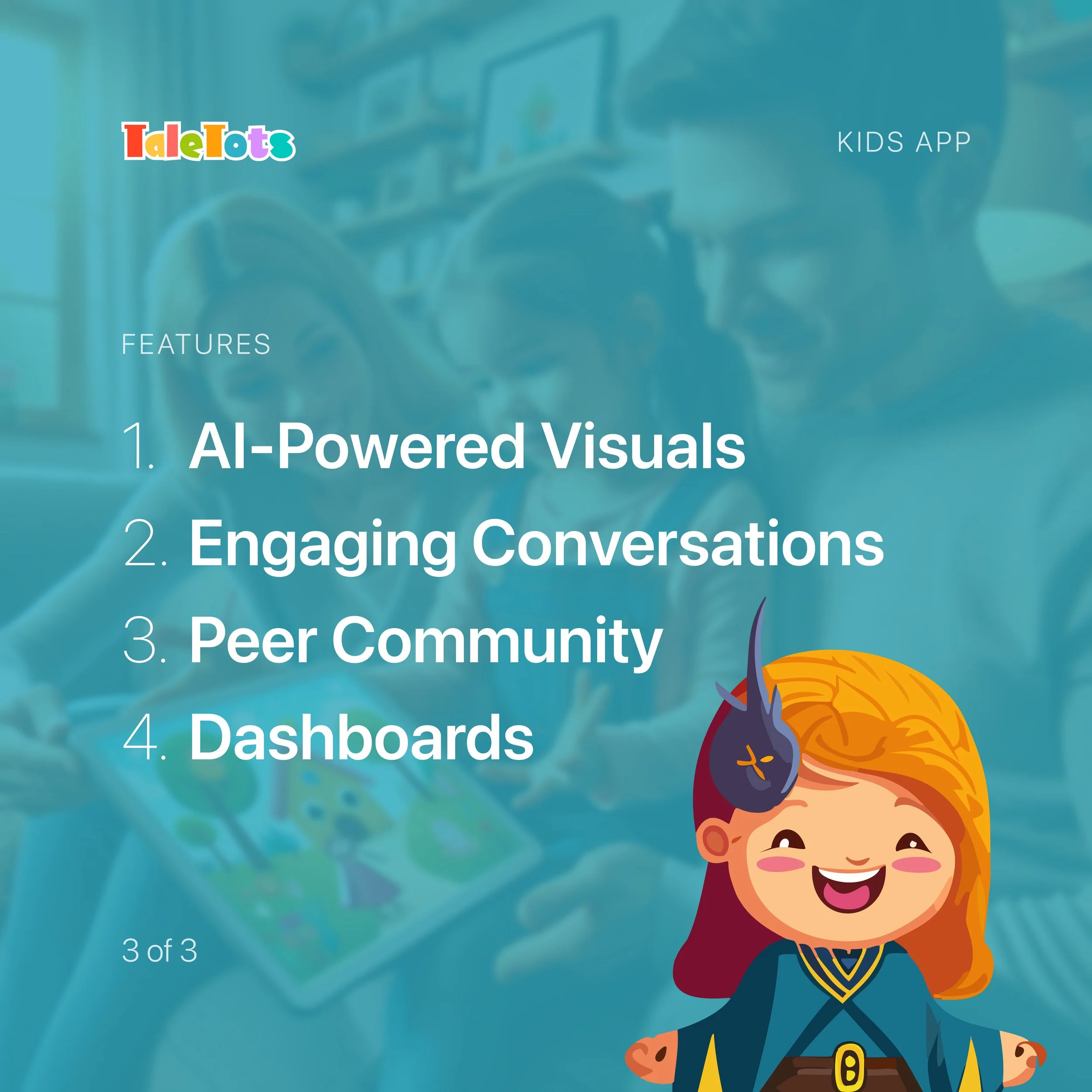
01–06 describe the full 2024 vision. 01, 02, 04 and 06 are live in the working app.
Design Showcase
Try the Live App
The designs above were my 2024 thesis prototype. In 2026 I rebuilt TaleTots as a working web app, so everything here is real and clickable.
Start as Jamie, age 6 to see kid mode, or Alex, 14+ to see the grown-up experience. Best viewed on a phone or a narrow window.
What changed from the prototype
Age-aware tiers: three tiers (3–8, 9–13, 14+) share one set of flows, while the voice, reading layout and community shelf adapt to each age.
Friends that live in the world: characters walk around the home screen, hop when tapped, and can be picked up and dropped onto rooftops.
Adventures become books: a guided conversation with Toto turns into an illustrated storybook, with the child's own friends on each page, read aloud.
Safety without friction: there's no account and nothing leaves the device. For kid and tween profiles, a grown-up PIN guards sharing and settings.
Scoped for the public build: stories are written by a built-in engine rather than a live AI model, and sharing stays on your device. Both are designed to connect to AI and a shared server, and were left out of the public version to keep it free, private, and safe for kids.
Impact
TaleTots combines innovative technology with child-centric design to create a platform that is engaging, educational, and safe. By focusing on interactive storytelling, personalized learning, and community engagement, TaleTots provides a comprehensive educational tool that supports children's development while offering valuable insights and support for parents.
User Testing
Feedback on the 2024 Prototype
TaleTots has transformed our learning routine. Even in this prototype stage, the interactive storytelling concept is incredibly engaging. I can see the potential for this to keep my child’s interest for long periods, and the idea of adaptive stories based on my child's interests is simply amazing.
The platform design is very intuitive and child-friendly. My child can navigate through the prototype with minimal supervision, and the voice-guided navigation concept is impressive.
The potential insights provided by TaleTots are invaluable. Even in the prototype, the dashboard concept is promising. It could help educators understand each student’s strengths and areas for improvement, making it an excellent tool for personalized learning.
The idea of TaleTots offering a safe and creative space for my child to explore and learn is very appealing. The concept of robust parental controls provides assurance that the content will be appropriate and secure.
The recording and analysis feature in the prototype could be a game-changer. It would give insights into children’s thought processes and help parents and educators engage in more meaningful conversations with them.
The potential for TaleTots to track my child's progress and provide detailed reports is very exciting. It would allow me to better support my child's development and educational journey.
The prototype shows promise in fostering creativity and imagination. The ability for children to create their own characters and stories could be highly engaging and educational.
Although it's just a prototype, the concept of sharing stories with other children under parental guidance is fantastic. It has the potential to create a community of young storytellers and learners.
Reflection
Takeaway
The development journey of TaleTots has been both insightful and rewarding. Reflecting on the process, several key takeaways have emerged that will inform future iterations and projects:
User-Centered Design: The emphasis on creating a child-friendly, intuitive interface proved crucial. Engaging both parents and educators early in the design process provided valuable insights, ensuring the platform meets the needs of its primary users: children.
Interactive and Adaptive Learning: The positive feedback on TaleTots' potential to adapt to each child’s interests and progress highlights the importance of personalized learning experiences. This adaptability not only keeps children engaged but also supports their individual growth and development.
Parental Involvement: The concept of providing parents with detailed progress reports and insights into their child's learning journey was highly appreciated. It underscores the necessity of involving parents in the educational process, giving them the tools to better support their children's learning at home.
Educational Value and Creativity: TaleTots' ability to foster creativity through storytelling and character creation was a standout feature. Encouraging imagination while providing educational value ensures a balanced approach that caters to both fun and learning.
Safety and Community: Ensuring a safe online environment where children can share their stories and interact with peers under parental guidance was a critical aspect. The positive response to this feature reaffirms the importance of community and collaboration in educational tools.
Iterative Design and Prototyping: The journey from concept to prototype emphasized the value of iterative design. Continuous testing, feedback, and refinement are essential to developing a product that truly meets user needs and expectations.
Rebuilding the Prototype
A working product reveals what a prototype hides. Moving from Figma to real code surfaced cases no static screen could show. Two examples: characters disappearing when a book was shared, and one flow needing to serve both a 6-year-old and an adult.
Designing for every age means one flow with many voices. Instead of separate apps, each tier changes tone, layout and permissions while the structure stays familiar.
Delight is in the interactions. Small moments made the product feel alive: dragging a friend onto a roof, a button that presses in, a storybook page that reads itself aloud.
Next step: usability testing of the live build with families, to compare against the 2024 prototype feedback.
Final Thoughts
The TaleTots project has demonstrated the potential of combining advanced technology with thoughtful, user-centric design to create an engaging and educational platform for children. By focusing on the needs of both children and their caregivers, TaleTots promises to be a valuable tool in the landscape of digital learning. Moving forward, the insights gained from this project will be instrumental in further enhancing the platform and exploring new ways to support children's educational journeys.